A configurable formatter for Dart and Flutter.
Unlike dart format, DartFormat has no built-in line-wrap rule. Your line breaks stay exactly where you put them — no forced rewrapping at column 80, no surprise reflows.
| Before |
After |
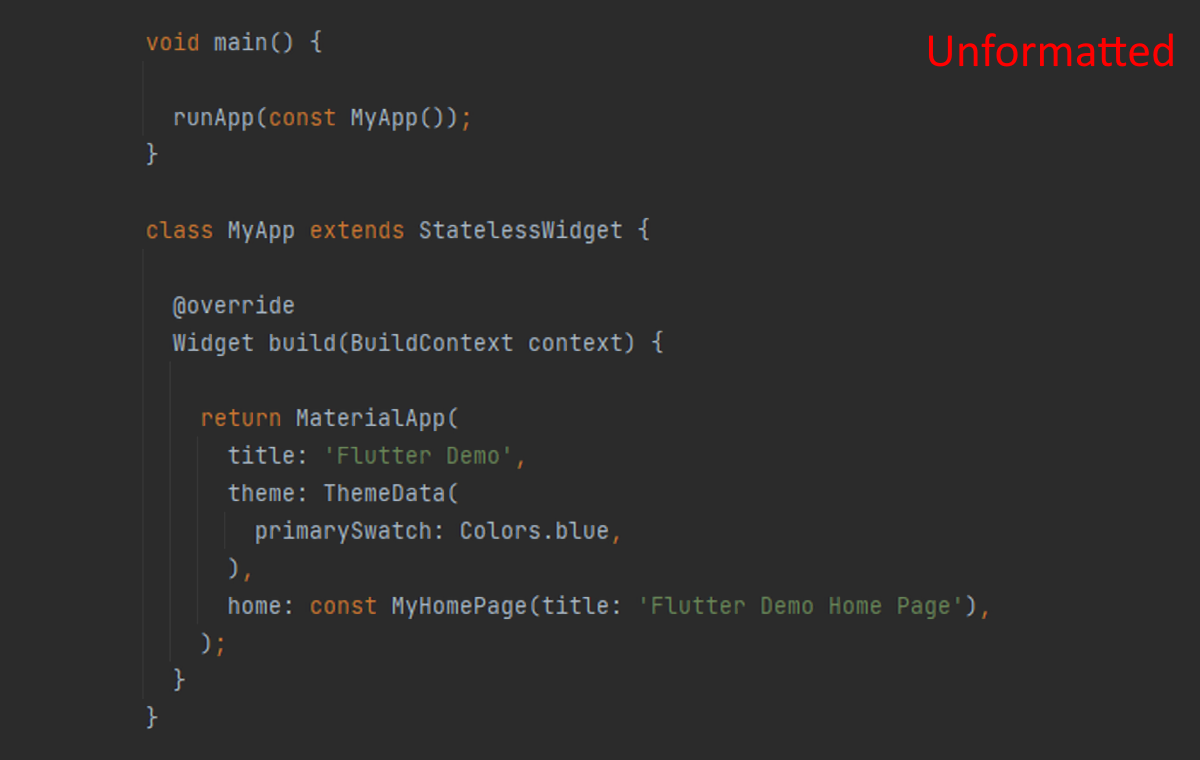 |
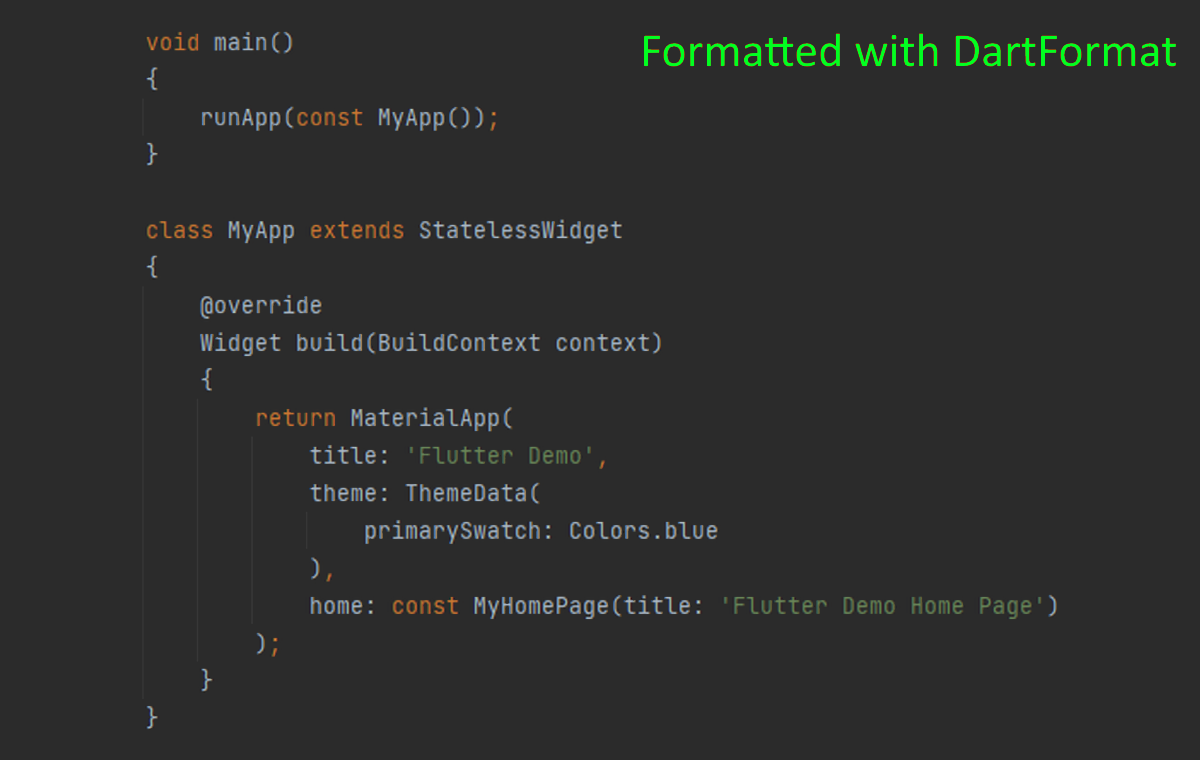 |
DartFormat only changes what you explicitly enable:
• Newlines before / after { and } (Allman braces)
• Newline after ; (one statement per line)
• Trailing newline at end of file
• Fix spaces (normalize around operators / keywords)
• Indent width (spaces per level)
• Max consecutive empty lines
• Strip trailing commas
Every option is individually toggleable in settings. With no options enabled, DartFormat is a no-op — so pick at least one (see Setup).
How to format:
• Shift+Alt+F — standard "Format Document" command.
• Editor right-click → "Format Document".
• Format-on-save (see Setup below).
• Explorer right-click on a folder or multi-selected .dart files → "Format with DartFormat".
Setup:
If you also have the official Dart extension (Dart-Code) installed — which most people do — VSCode sees two formatters for .dart files and won't pick one for you. Add this to your settings.json so VSCode knows to use DartFormat for .dart files (and so format-on-save works):
"[dart]": {
    "editor.defaultFormatter": "eggnstone.DartFormat",
    "editor.formatOnSave": true
}
Without editor.defaultFormatter, Shift+Alt+F will prompt you to pick a formatter each time, and format-on-save will silently do nothing.
Then enable at least one dartFormat.* option in settings (e.g. dartFormat.spaces.fix).
dart_format installation:
The extension uses the dart_format package on pub.dev. It is installed and kept up to date automatically; you don't need to run anything manually. The equivalent manual command is:
dart pub global activate dart_format
This extension:
Source code: DartFormatVSCodePlugin on GitHub
Problems and feature requests: GitHub Issues for DartFormatVSCodePlugin
External dart_format package:
Source code: dart_format on GitHub
Problems and feature requests: GitHub Issues for dart_format
Also available as a plugin for JetBrains (Android Studio, IntelliJ IDEA, ...)
DartFormat plugin at the JetBrains Marketplace

