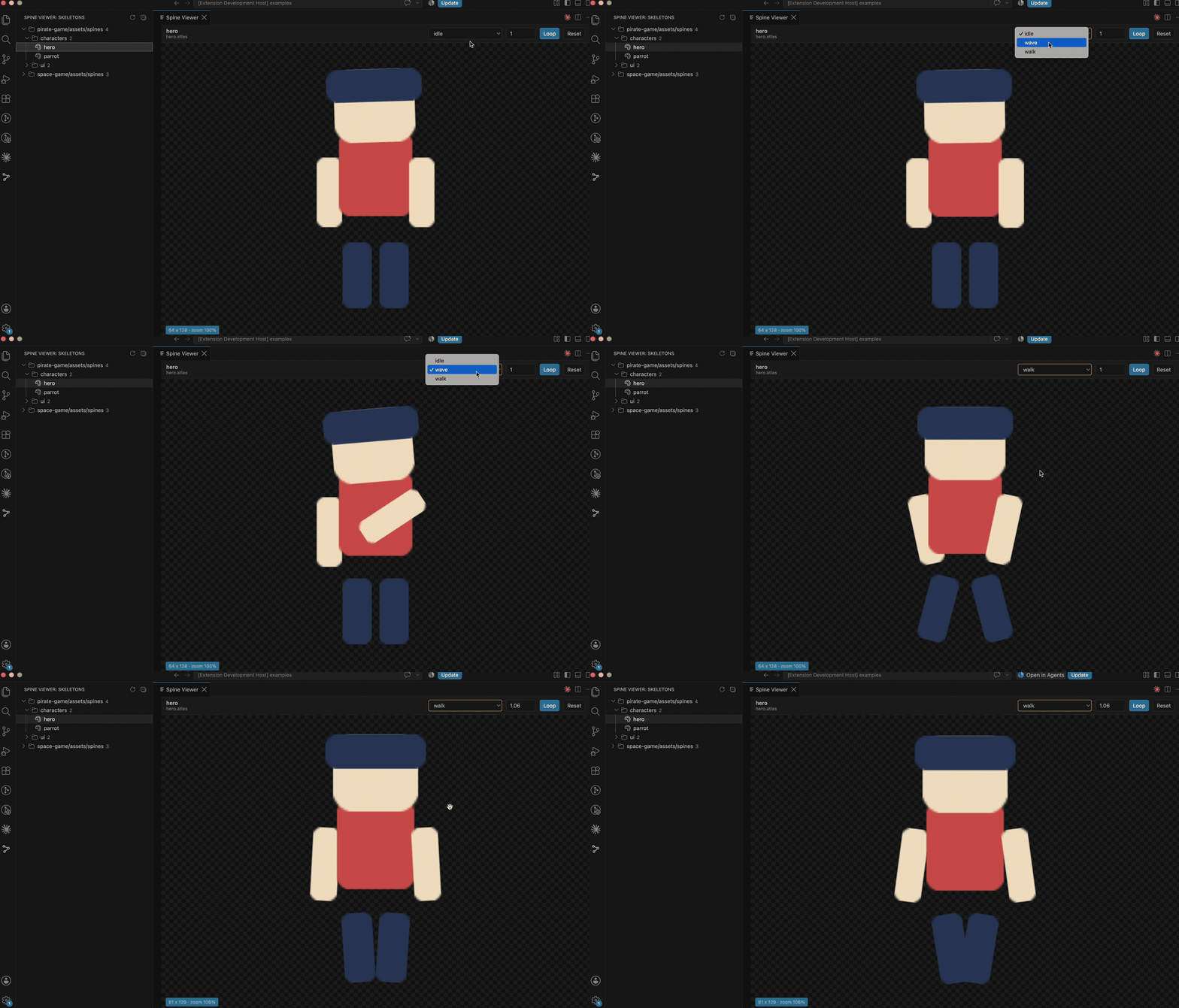
Spine ViewerBrowse and preview Spine skeleton animations directly inside VS Code. Every skeleton in the workspace shows up in a sidebar tree, grouped by folder. Click one to play its animations.
Usage
Use the refresh button in the view title after adding or re-exporting assets. Controls
Drag to pan, scroll to zoom, double-click to recentre. How It WorksFinds your skeletons wherever they live. Discovery keys off Fast on large repositories. Only paths are collected up front; a skeleton is read the moment you click it. A monorepo with a thousand skeletons opens as quickly as one with ten. Event timeline. Animations with event keys get a timeline under the preview: a marker per event, a playhead that follows playback, and a flash with the values as each one fires. This is the view you need to line a sound or an effect up with an animation. Animation tracks. Spine layers animations — a walk on track 0, a wave on track 1. Four tracks let you reproduce the combination your game code actually plays, instead of checking one animation at a time. Skins. Skeletons that ship more than one skin get a selector, so alternate looks are one click away rather than invisible. Nothing to install. The Pixi and Spine runtimes are bundled into the extension. No project setup, no dev server, no dependency on what your workspace happens to have installed. Try ItThe repository ships seven small demo skeletons under TracksA track is a slot for one playing animation, and a skeleton file does not record them — your game code decides what goes where. The viewer gives you the same four slots to work with. Click a track number, then pick an animation: it loads into that track. Track 0 starts with the skeleton's default animation and the rest start empty. Clear empties the selected track, and the event timeline follows whichever track is selected. Layering only shows when the two animations drive different bones. If both animate the same bone, the higher track wins and the lower one is hidden — which is exactly how it behaves in game. EventsClick any marker to print its name, time, and int/float/string values. Animations without events do not show the timeline. Slow the playback speed down to read events that fire close together. Asset DiscoveryThe extension looks for Build output and dependency folders are skipped: The tree hides path segments that every skeleton shares and folds away folders that hold a single skeleton, so it starts where your assets actually differ. Atlas page images are loaded by name straight from the atlas, so any format VS Code can decode
works — Each skeleton is paired with an atlas in its own folder: one matching the skeleton's name if there is one, otherwise one named after the folder, otherwise the first atlas found. Skeleton files are only read when you select them, so opening a large monorepo stays fast. Spine License RequirementThe renderer ships with the Spine Runtimes ( The Spine Runtimes are not MIT licensed. Under the Spine Runtimes License Agreement, each user
of this extension must hold their own Spine Editor license. The full agreement is included as
TroubleshootingIf the preview panel opens but the canvas does not render, check:
Known Limitations
LicenseThis extension is MIT licensed. See The bundled Spine Runtimes are licensed separately under the
Spine Runtimes License Agreement
and require each user to hold a Spine Editor license. See Pixi.js is MIT licensed. |