SchemawisePreviewEF Core superpowers for VS Code: explore your EF Core model, detect schema drift against SQL Server and PostgreSQL, and understand migration risks before you apply them. 100% local. Installation Launch VS Code Quick Open ( Ctrl+P), paste the following command, and press enter.Copied to clipboard |

SchemawiseEF Core superpowers for VS Code. Navigate. Compare. Migrate safely. Schemawise shows you what EF Core really does with your model, compares it with your real database, and tells you what a migration can break before you apply it.
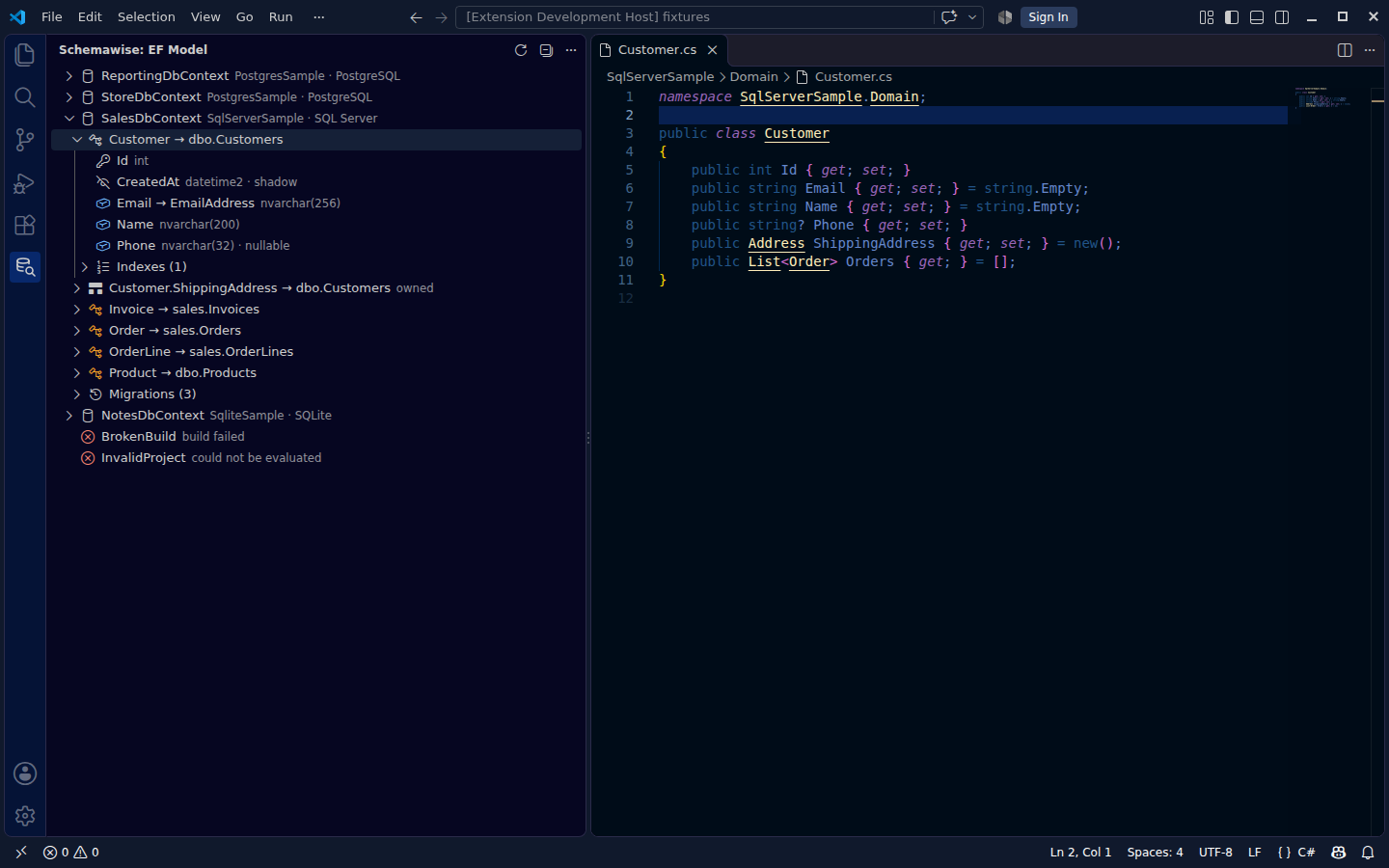
FeaturesExplore the EF Core modelSchemawise: Analyze Workspace finds your .NET projects, their EF Core version, provider and DbContexts. Expand a DbContext in the EF Model view to see the effective model, as EF Core builds it (conventions, fluent configuration and attributes included):
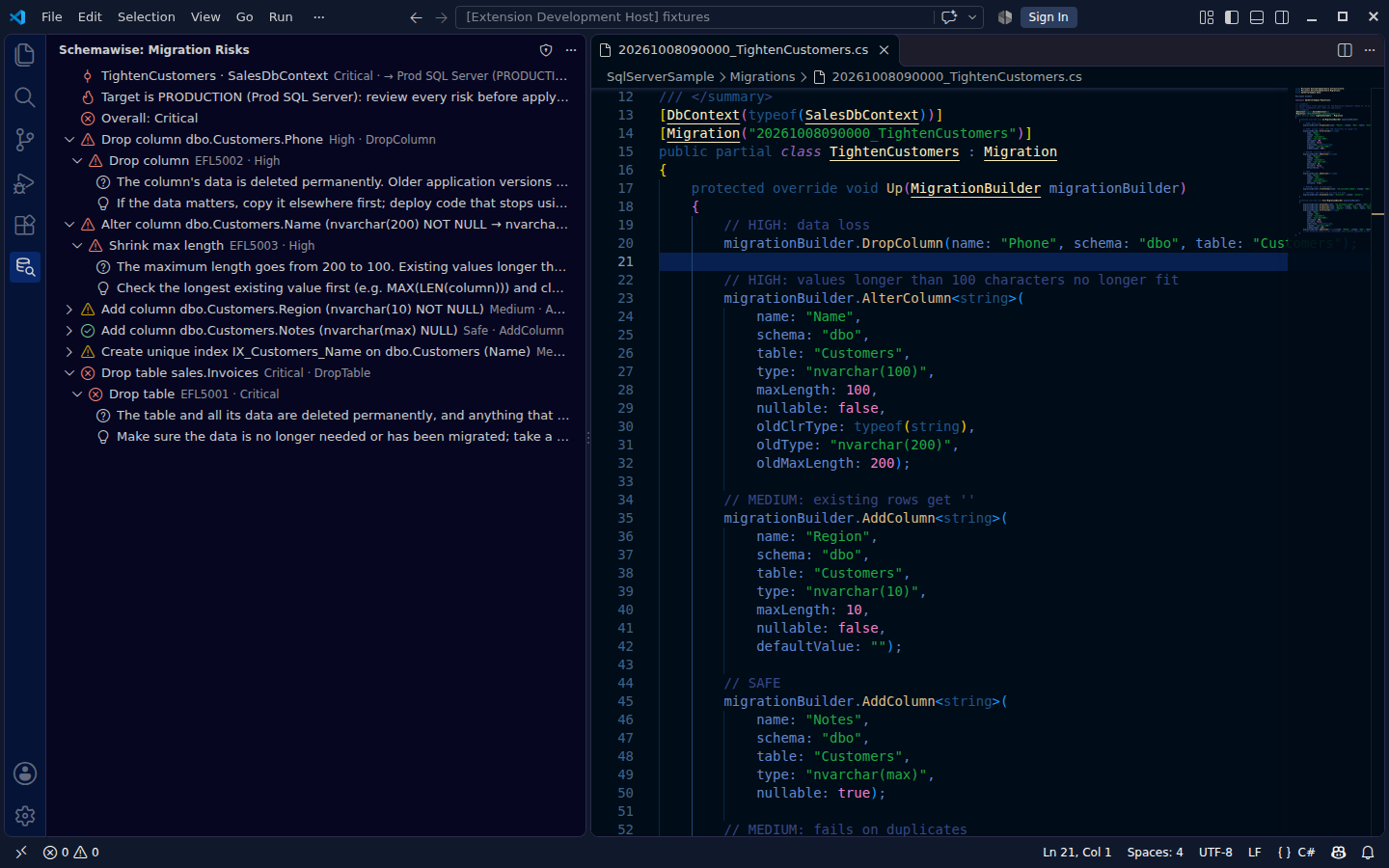
The model comes from EF Core itself, by loading your compiled project like Detect schema driftAdd a SQL Server or PostgreSQL connection in the Databases view, then run Compare Model with Database (or use the button on a DbContext). The Schema Drift view lists what differs, grouped by severity, each with an explanation: missing or extra tables and columns · store types · max length · precision and scale · nullability · primary keys · indexes. Schemawise only reads schema metadata (never table data) and never changes the database. Understand migration risksClick a migration in the EF Model view, or run Schemawise: Inspect Migration. The Migration Risks view lists every operation of the migration with its risk level, what can go wrong and how to avoid it:
Choose a database marked Production as the target and Schemawise adds a warning banner. Schemawise never runs migrations.
Requirements
Schemawise builds your projects to read their model, which runs code from the workspace. It is therefore disabled in untrusted workspaces (Restricted Mode). Commands
Settings
Privacy and security
Reporting a problemRun Schemawise: Copy Diagnostics and paste the report into your issue, together with what you expected. The report contains versions, statuses and diagnostic codes only. Preview: feedback on false positives (drift or migration risks reported wrongly) is the most useful thing you can send. LicenseSchemawise is proprietary software, free to use during the preview. See LICENSE.txt and THIRD-PARTY-NOTICES.txt. |