
Dear Reviewer is an extension for VSCodium and VS Code to
organize a human code reviewer's workflow.
Screenshots
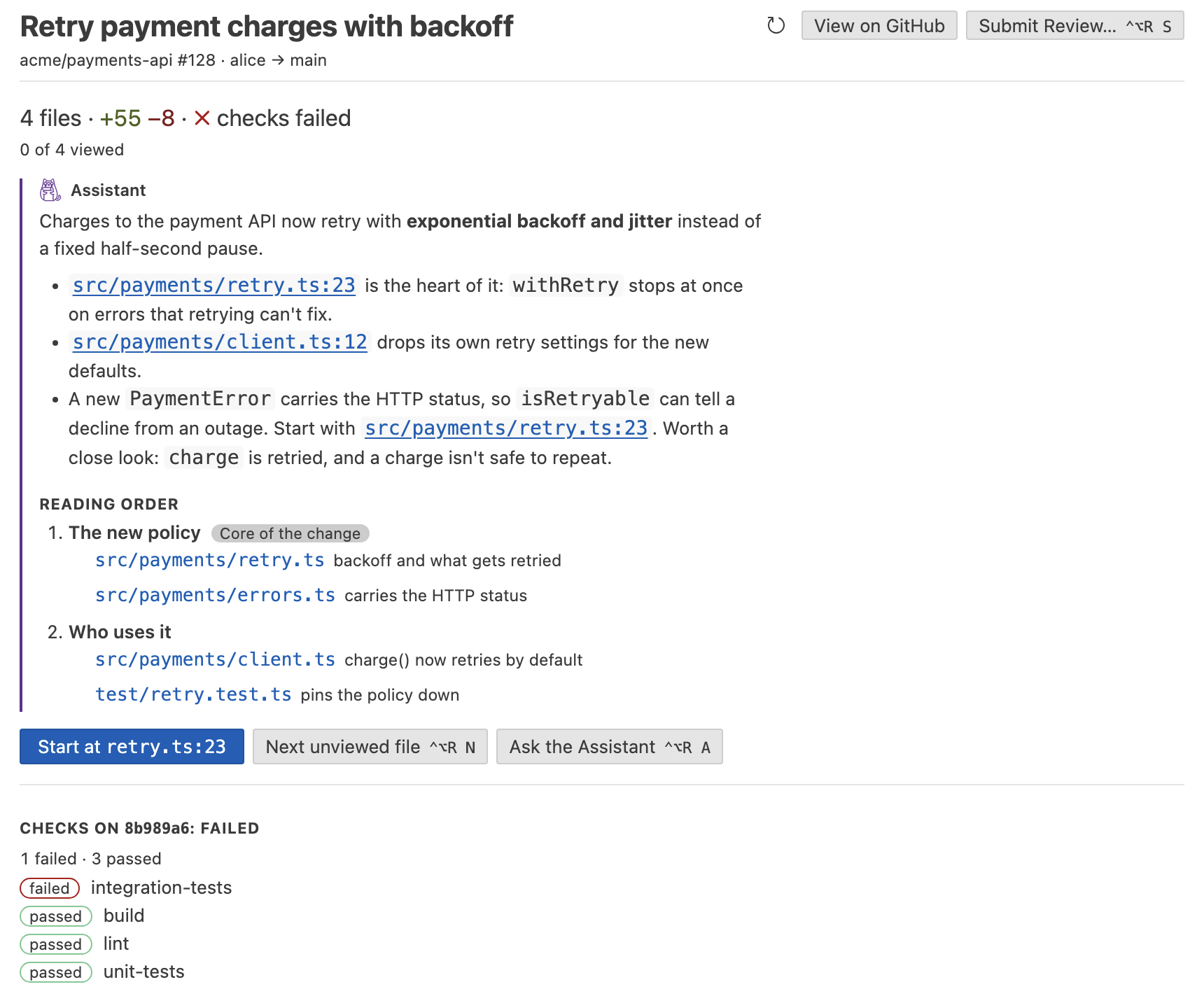
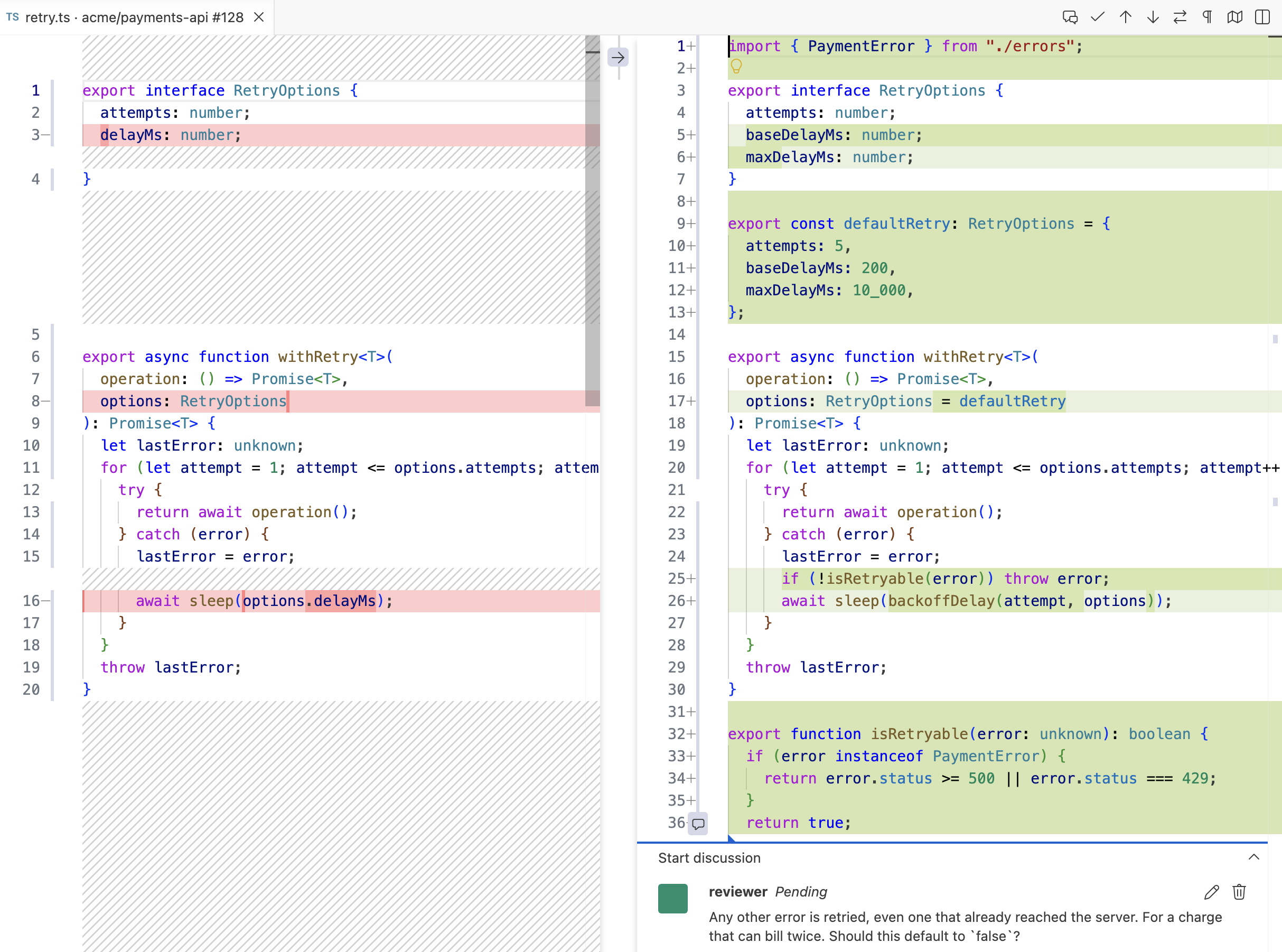
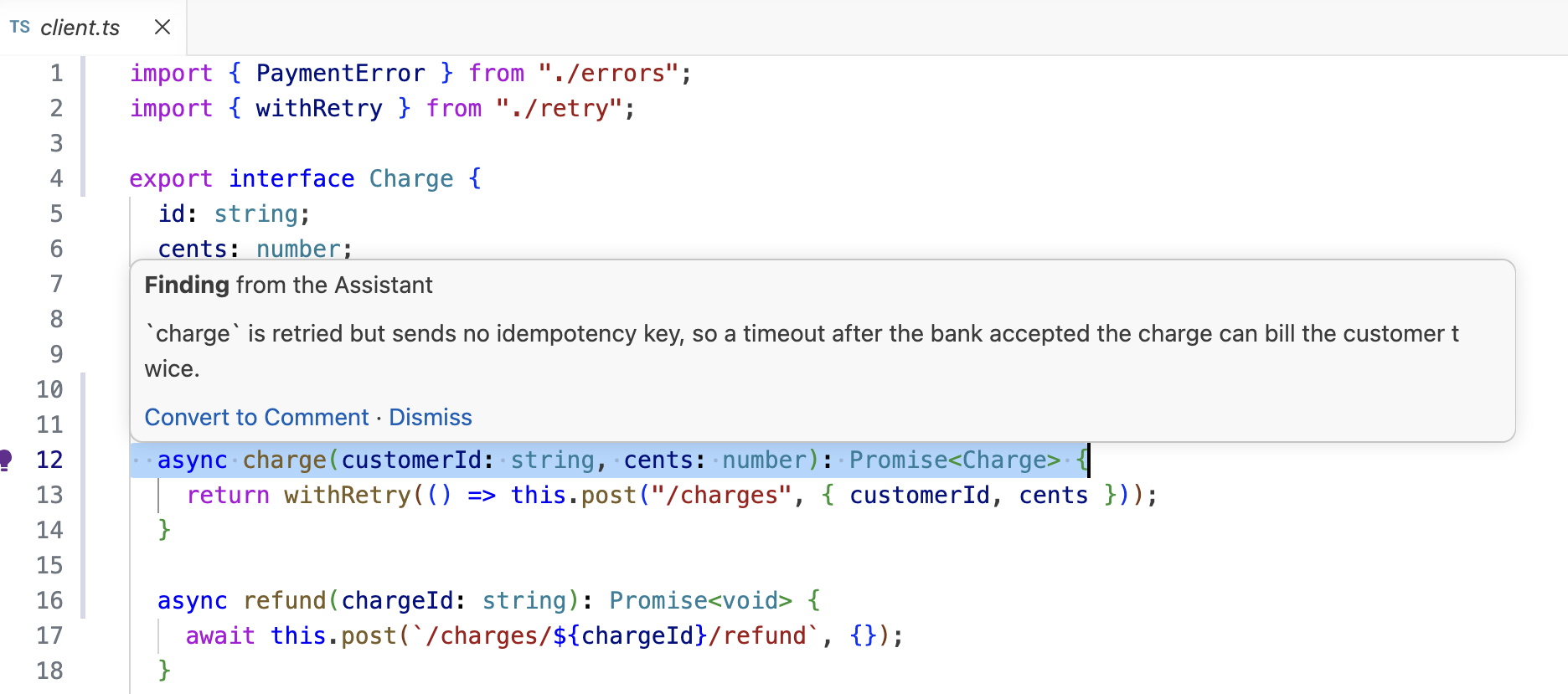
Features
- All the basics one would expect:
- diffs, comments, viewing others' comments
- viewed file sync with GitHub
- A Change overview that:
- is based on GitHub's PR page. This is your "home" when reviewing the PR
- provides a short summary based on the PR description and code changes.
- shows what changed since last review
- shows if GitHub checks are passing or failing
- Navigation that:
- works "on both sides" of a diff. So you can CMD+Click to see the old stuff and the new stuff without having
to change branches.
- An Inbox for:
- viewing PRs waiting for your review
- viewing your own PRs
- viewing local branches (perhaps you're a solo dev looking to review your agent's code?)
- An AI Assistant that:
- uses your own Claude Code installation instead of some new service (I'm not trying to sell you something)
- tries to stay out of the way and let you do deep thinking without distractions
- Briefs for:
- your local agents, to hand off for fixes to issues you find.
Getting Started
When you install Dear Reviewer, a setup walkthrough will open. In case you missed it open the Command Palette, run Welcome: Open Walkthrough... and pick Set Up Dear Reviewer.
Customizing the Assistant's invoke command
By default, the Assistant will just look for your claude binary and use it. Dear Reviewer lets you override this behavior, see Start the Assistant's claude with your own command. If you use sandboxing with your claude, you'll want to take a look.
About AI
I believe that Code Review is a fundamentally cognitive task. As such, I do not believe Code Review should be blindly
handed over to an LLM. Deep thinking is best left to humans, while tedium is best left for LLMs.
Following that, I've designed Dear Reviewer's approach to AI such that the AI is not the main event. The Assistant has
only read-only tools, and it won't publish or write anything for you. The Assistant can do a check for Findings, but
only at your request. To use the Assistant, one must have a Claude Code binary installed on their machine.
We aren't "doing AI code review" here, we are just doing Code Review, and AI can help us if we choose to ask it.