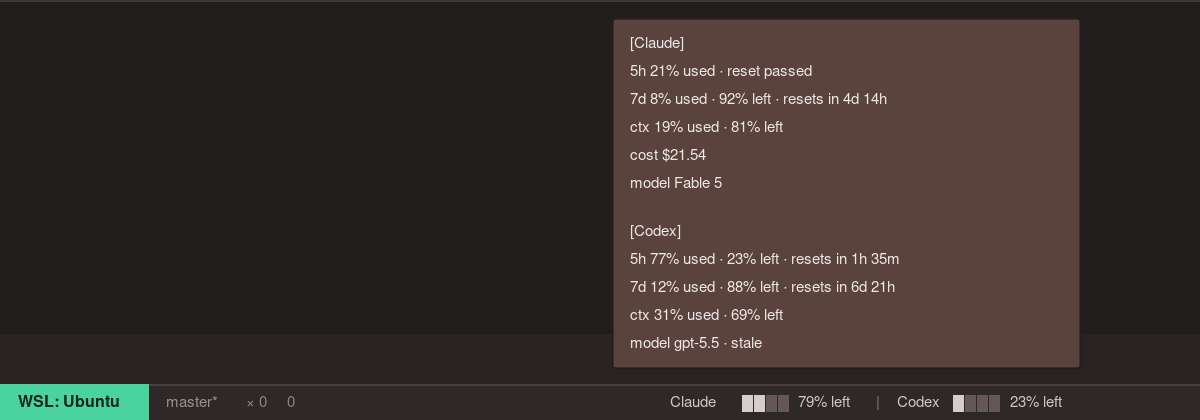
HeadroomClaude Code and Codex headroom in your VS Code/Cursor status bar. Installation Launch VS Code Quick Open ( Ctrl+P), paste the following command, and press enter.Copied to clipboard |

HeadroomClaude Code and Codex headroom in your VS Code/Cursor status bar.
Headroom shows how much room you have before Claude Code or Codex limits get in the way. It works in VS Code and Cursor, including sessions started from extension UI, terminal TUI, or CLI. What it shows
Requirements
Commands
PrivacyHeadroom runs locally. It does not read prompts, transcripts, API keys, or credentials. LicenseMIT |