Zeneth Theme
A clean, minimal VSCode theme with almost no borders for a distraction-free coding experience.



Features
- Minimal Design: Clean aesthetic with minimal borders and visual clutter
- Dark Theme: Easy on the eyes for long coding sessions
Installation
- Open VSCode
- Go to Extensions (Ctrl+Shift+X)
- Search for "Zeneth Theme"
- Click Install
Alternative Installation
You can also install the theme directly from the marketplace:
code --install-extension edan-m.theme-zeneth
Activation
- Press
Ctrl+Shift+P (or Cmd+Shift+P on Mac)
- Type "Theme" and select "Preferences: Color Theme"
- Choose "Zeneth" from the list
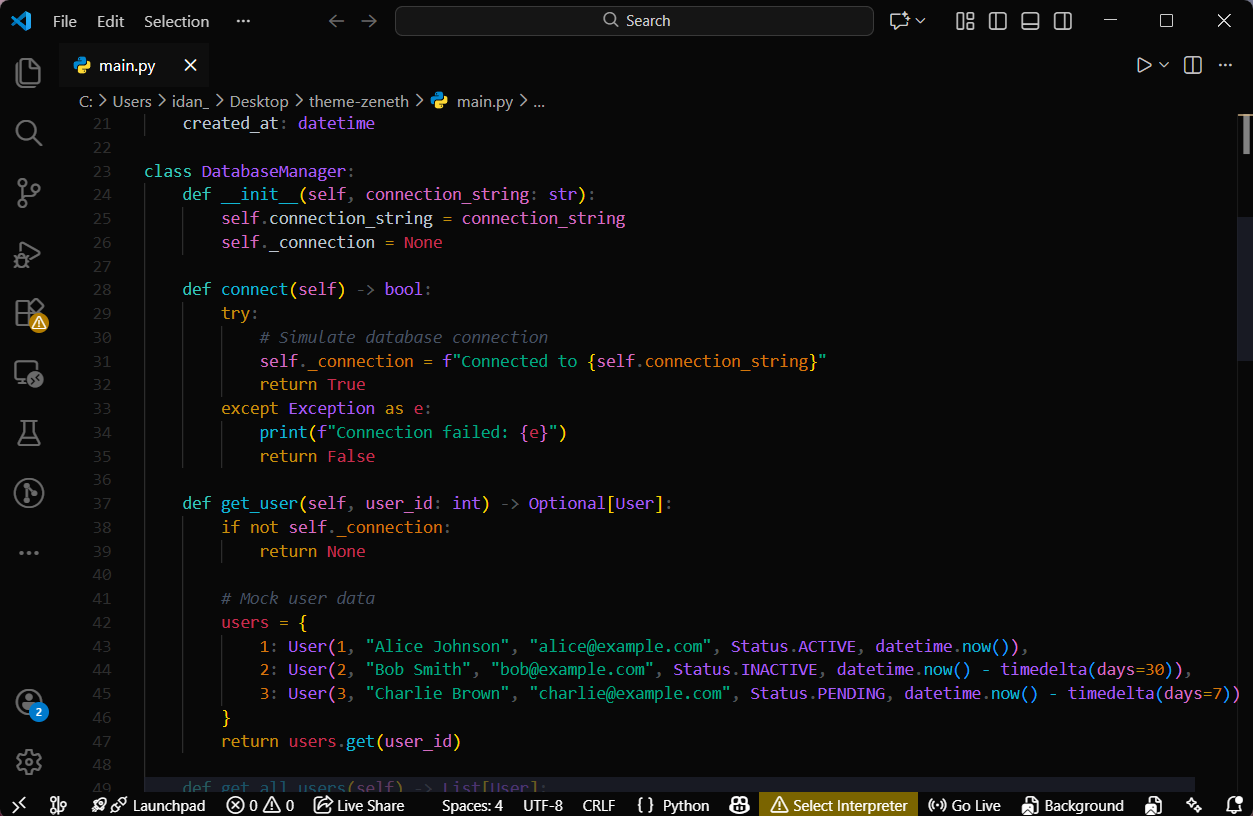
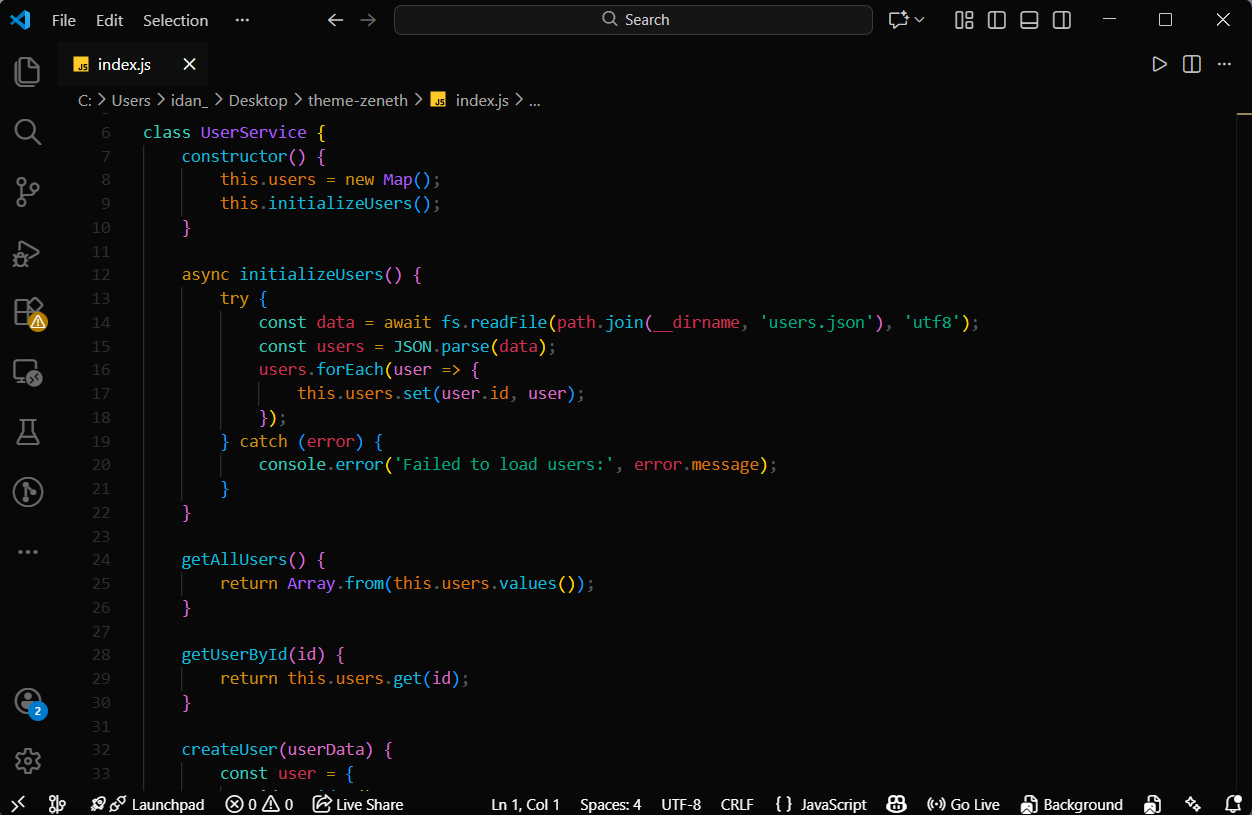
Screenshots
Python Example
JavaScript Example
Contributing
Contributions are welcome! If you'd like to improve the Zeneth theme:
- Fork this repository
- Create a feature branch
- Make your changes
- Submit a pull request
Development
To develop the theme locally:
- Clone this repository
- Open the folder in VSCode
- Press
F5 to launch a new VSCode window with your theme
Repository
License
This project is licensed under the GPL-3.0 License - see the LICENSE file for details.
Feedback
If you encounter any issues or have suggestions for improvement, please:
- Report bugs on the GitHub Issues page
- Leave a review on the VSCode Marketplace
- Star the repository if you like the theme!
Enjoy coding with Zeneth! 🚀
| |

