EcoCode Insights VS Code Extension
EcoCode Insights is a VS Code extension that runs EcoCode CLI scans and displays repository performance, energy/runtime metrics in a dashboard.
Screenshots
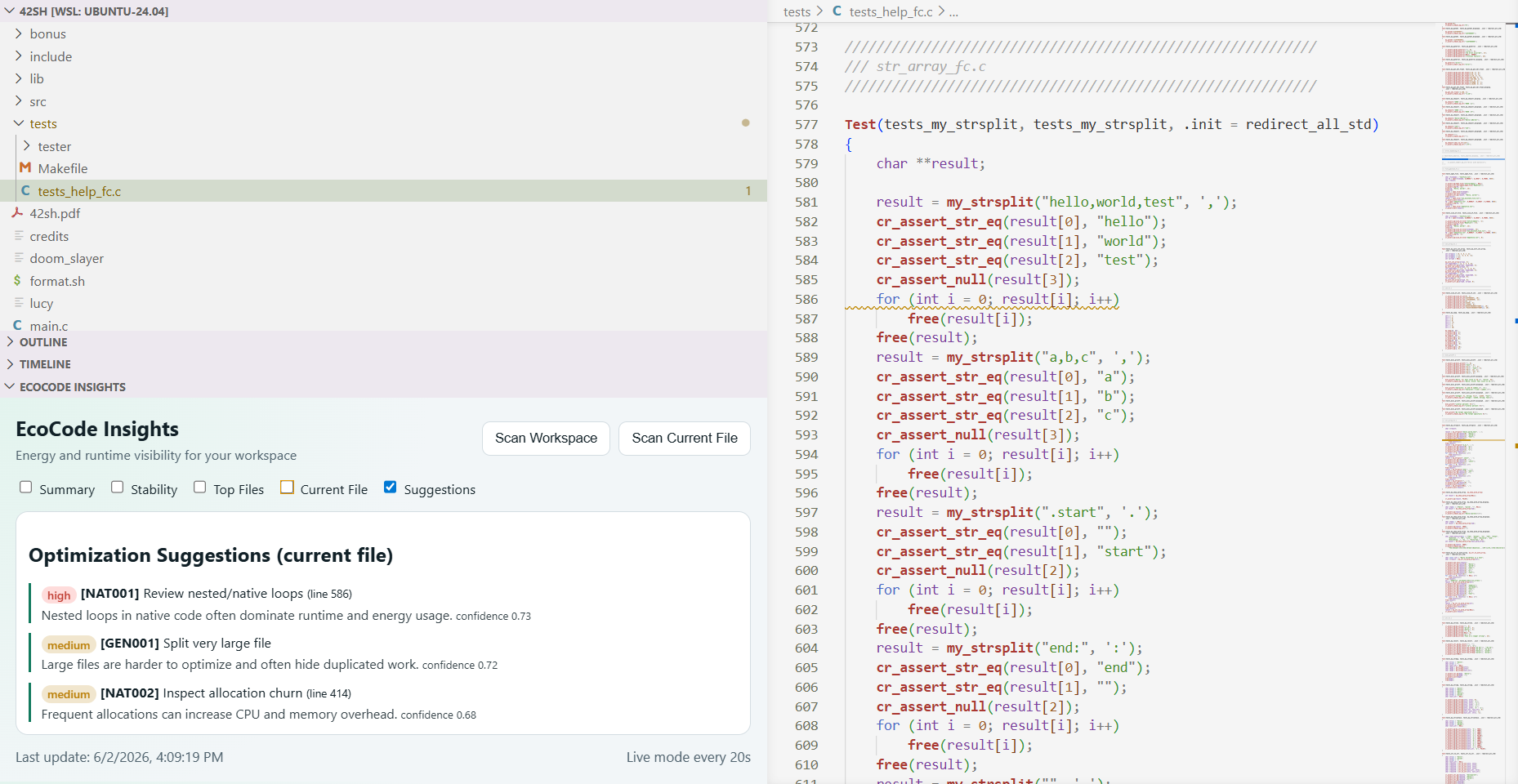
Inline optimization suggestions
Energy/performance issues are flagged as you type — inline diagnostics (squiggles) with severity by impact, plus a panel for the current file. Each suggestion carries its rule ID and line number.
Workspace dashboard
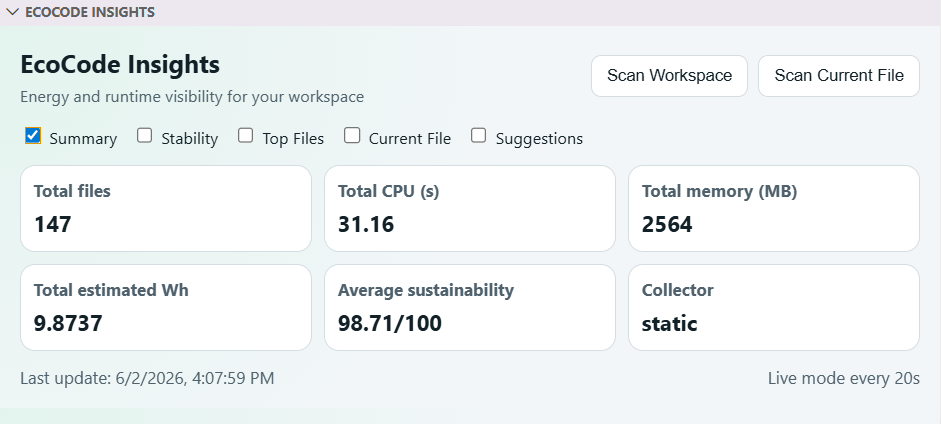
Totals, average sustainability score and the collector in use. Workspace scans use the safe static estimate by default (it never executes your files).
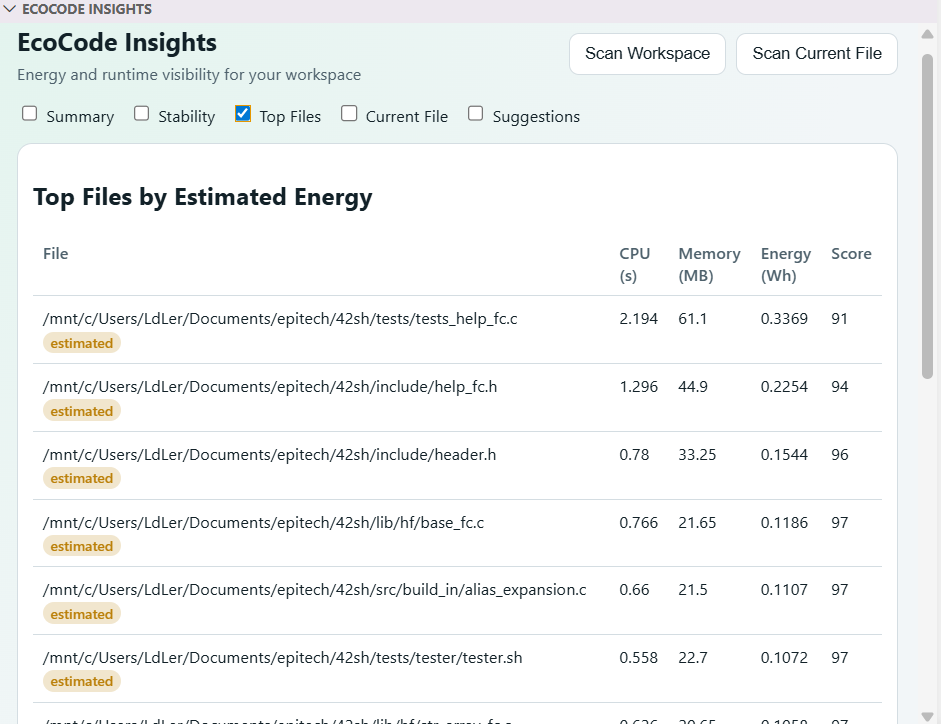
Measured vs Estimated, per file
Every file is clearly badged, so an estimate is never mistaken for a real measurement.
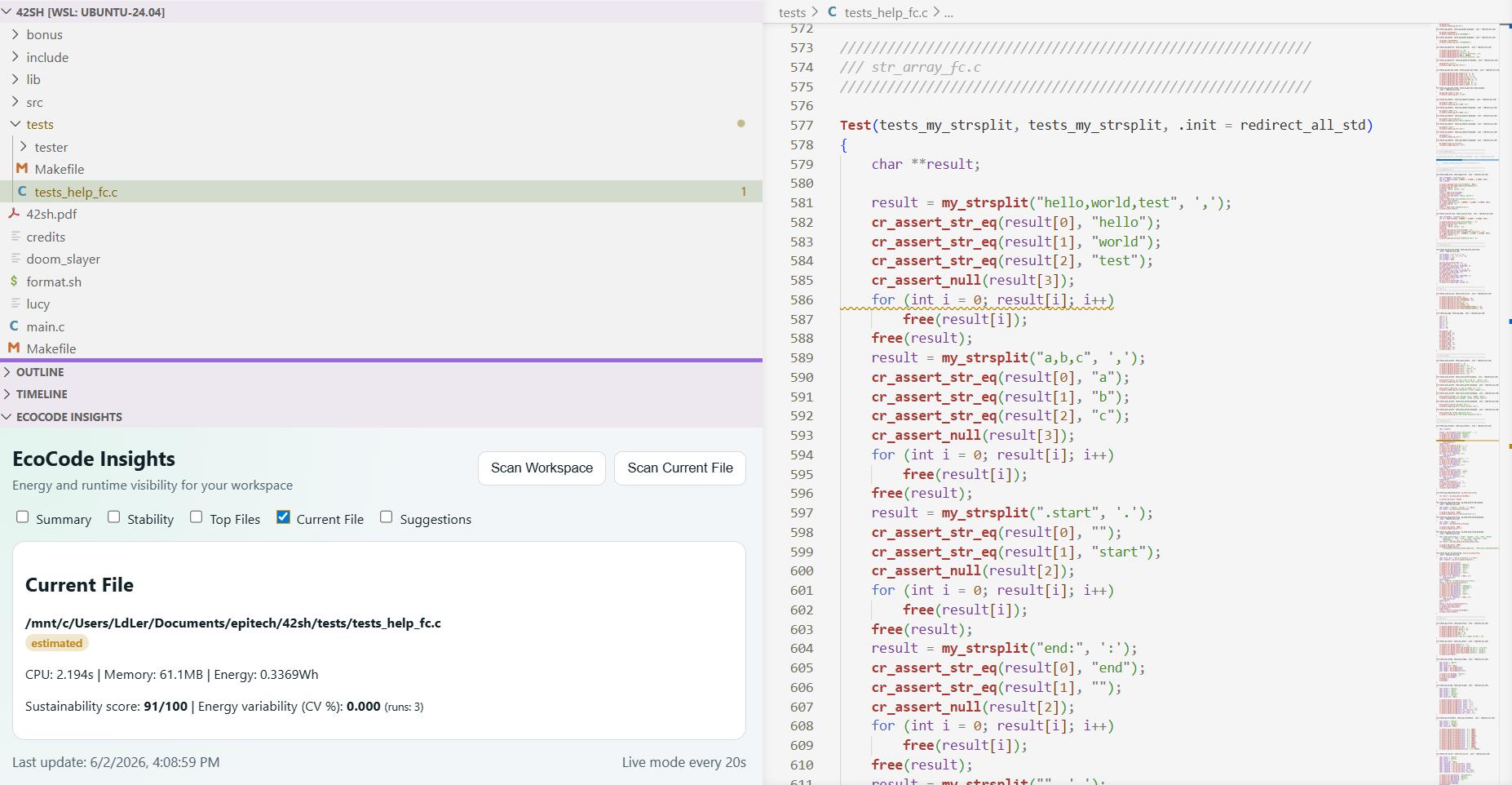
Current file at a glance
CPU, memory, energy and sustainability score for the file you are editing, alongside the dashboard.
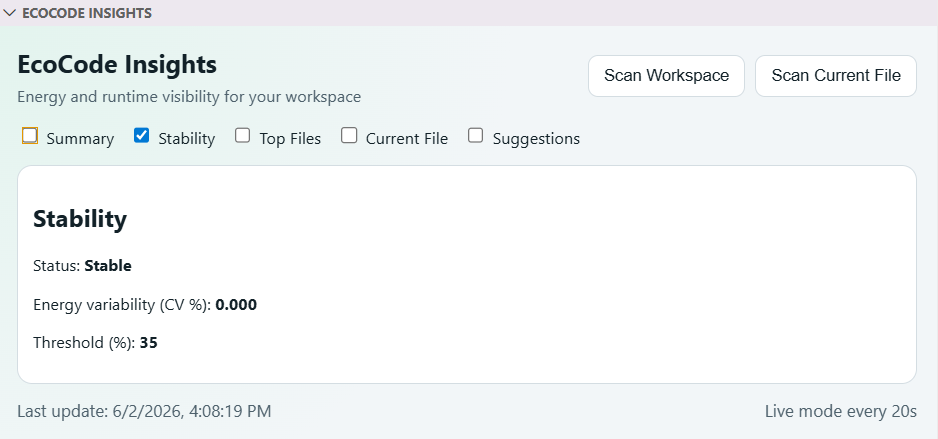
Run-to-run stability
Repeated runs expose variability (coefficient of variation) so you can trust the numbers before gating on them.
Installation
The extension is a UI on top of the EcoCode CLI (a Python package). Install the CLI once — either:
One click: run EcoCode: Setup CLI In Workspace (or click Setup CLI when prompted). It uses pipx when available, otherwise a dedicated virtual environment — PEP 668-safe on Linux/macOS/Windows, and the extension auto-detects either install.
Manually with pipx:
pipx install ecocode-cli
(No pipx? sudo apt install pipx or python3 -m pip install --user pipx, then pipx ensurepath.) On Debian/Ubuntu/WSL, a plain pip install into the system Python is blocked by PEP 668 — use pipx or a venv.
Requires Python 3.10+. If the CLI is installed in a custom location, set ecocode.cliPath to its absolute path. Repo: https://github.com/LeonardLeroy/EcoCode
AI suggestions are optional (no API key needed)
EcoCode works fully offline with deterministic, rule-based suggestions — the inline squiggles need no API key and no network.
AI-powered suggestions are an opt-in extra, configured in ecocode.toml:
- Local (Ollama):
provider = "ollama" — runs a model on your machine, your code never leaves it, no key.
- Remote (Anthropic):
provider = "anthropic" — higher quality, but your source is sent to the API, so it requires your own API key via the ECOCODE_LLM_API_KEY environment variable (never stored in settings or the repo).
See the project documentation for details.
Features
- Scan whole workspace with EcoCode CLI.
- Scan currently opened file.
- Auto refresh scans on interval.
- Show summary, stability, top files, and current-file metrics.
- Inline optimization suggestions as diagnostics (squiggles) while you edit, with severity by impact.
- Quick-fixes (code actions) for patchable Python rules, plus an LLM-generated candidate — always shown as a diff before applying.
- Suggestions panel in the dashboard for the current file.
- Measured vs Estimated badges so energy figures are never misleading.
- Configure scan filters directly from command palette.
Measured vs Estimated
Workspace scans use the static collector by default: a source-based estimate that never executes your files (safe and fast). The runtime collector performs a real measurement by executing a single file — it supports Python and interpreted languages (Node, Ruby, PHP, Bash, …) when the interpreter is on PATH. Each result is labelled measured or estimated in the dashboard.
Commands
EcoCode: Open DashboardEcoCode: Scan WorkspaceEcoCode: Scan Current FileEcoCode: Suggest Optimizations For Current FileEcoCode: Start Auto RefreshEcoCode: Stop Auto RefreshEcoCode: Configure Scan Filters
Settings
ecocode.cliPath: path to ecocode executable.ecocode.collector: static (default, no execution), runtime (real measurement), or placeholder (synthetic).ecocode.diagnosticsEnabled: show inline optimization suggestions while editing (default true).ecocode.timeoutSeconds: max seconds per CLI invocation (default 120).ecocode.installSource: pip install source used by Setup CLI (PyPI name, git URL, or local path).ecocode.maxFiles: max number of files scanned per workspace scan (default 200). Large repos are capped at this number; when the limit is reached the dashboard shows a "showing X of Y files" banner with a one-click Increase limit button. Raise it to scan more.ecocode.runs: repeated runs for stability.ecocode.extensions: optional extension filters.ecocode.includeGlobs: optional include globs.ecocode.excludeGlobs: optional exclude globs.ecocode.autoRefreshSeconds: auto refresh interval.ecocode.showTopFiles: max files shown in dashboard table.
Local Development
cd vscode-extension
npm install
npm run compile

