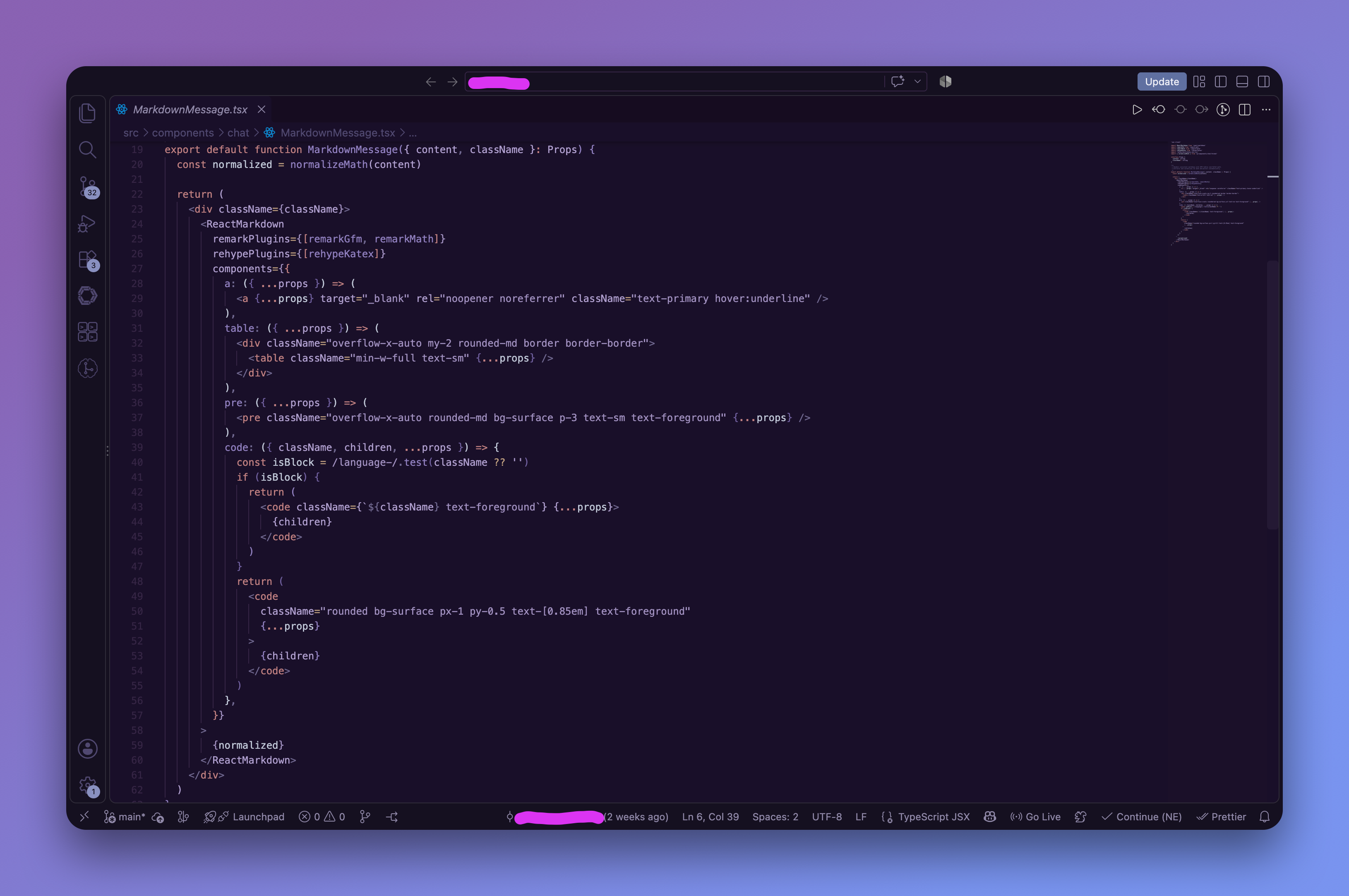
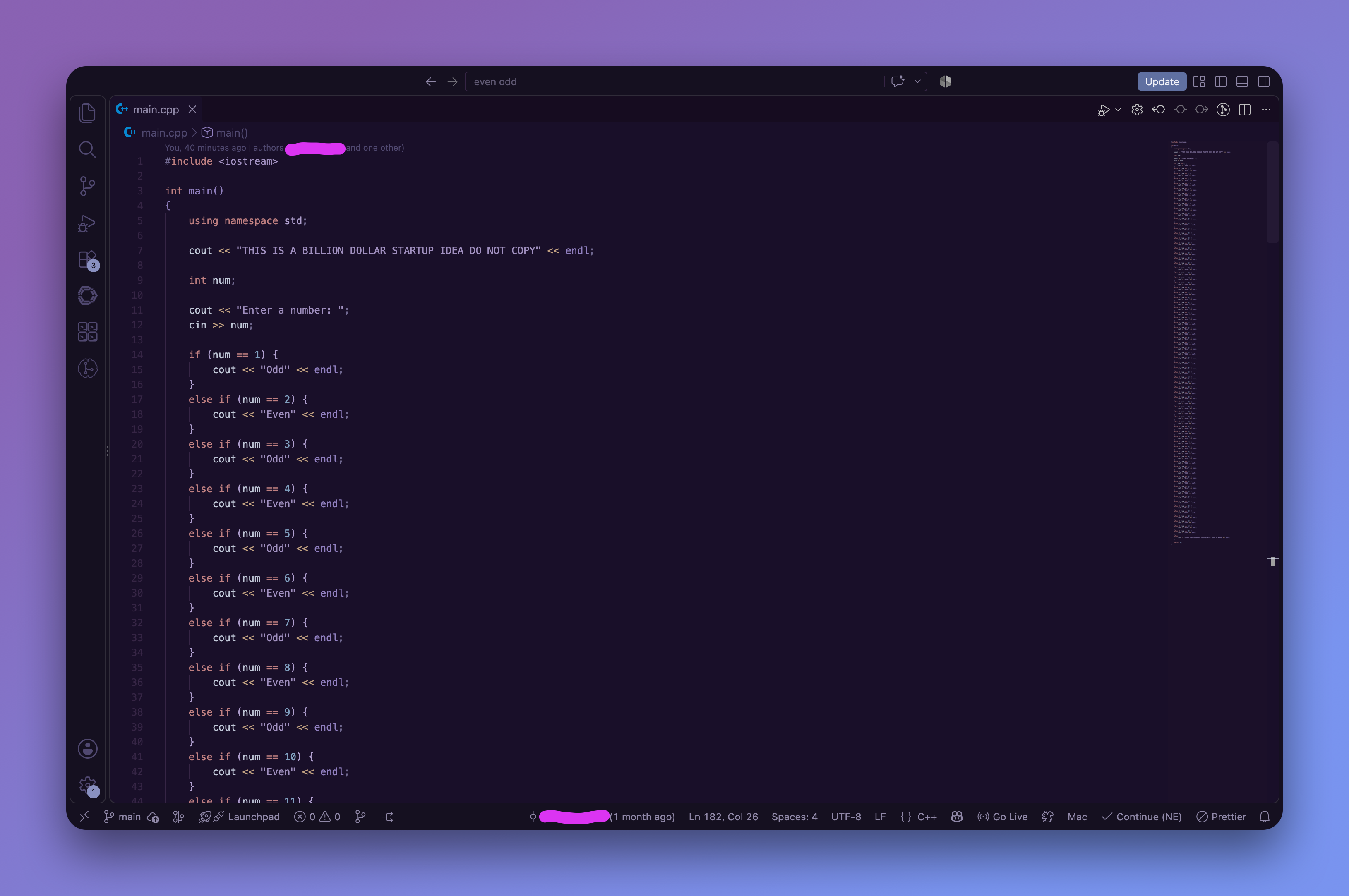
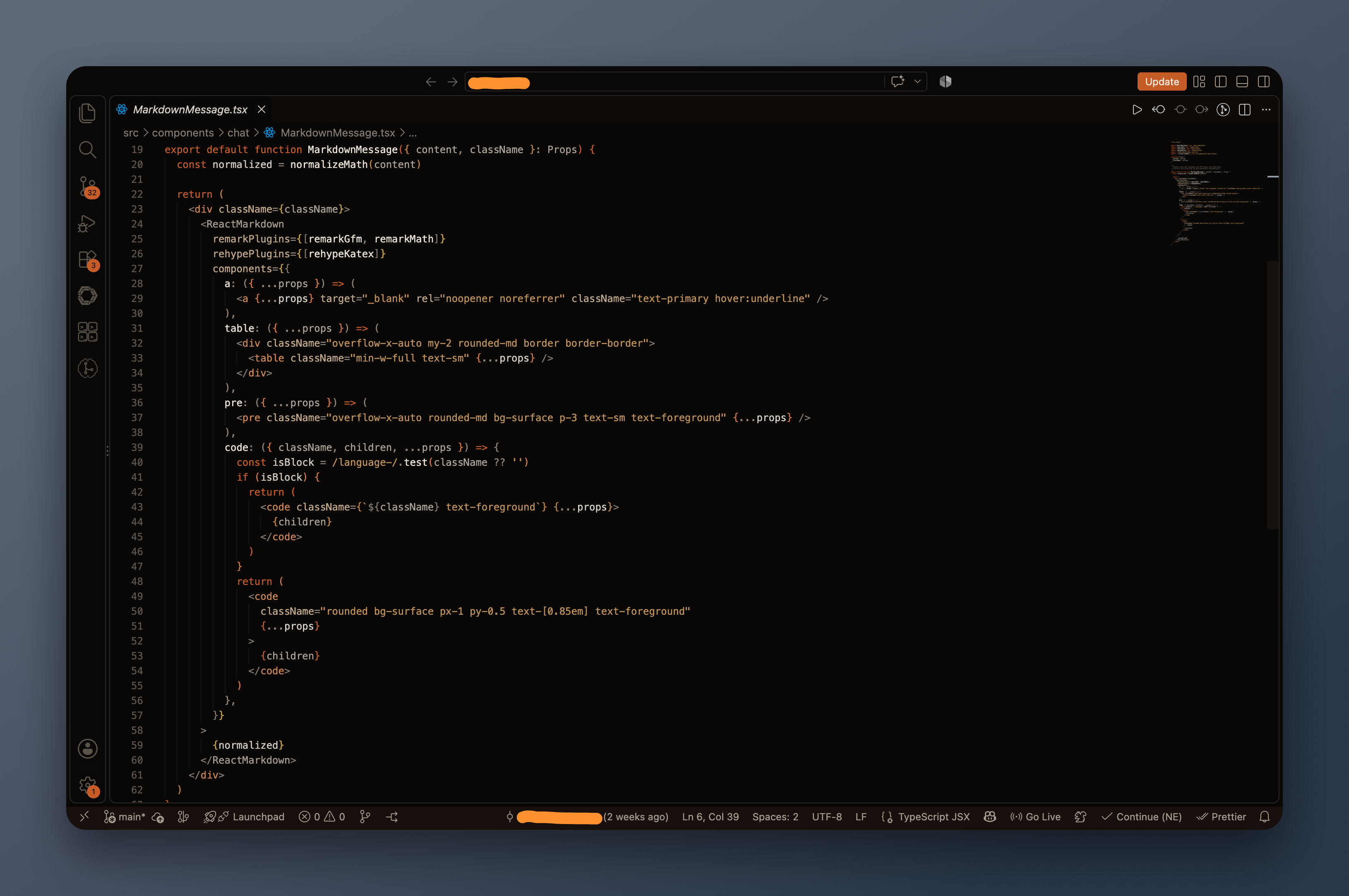
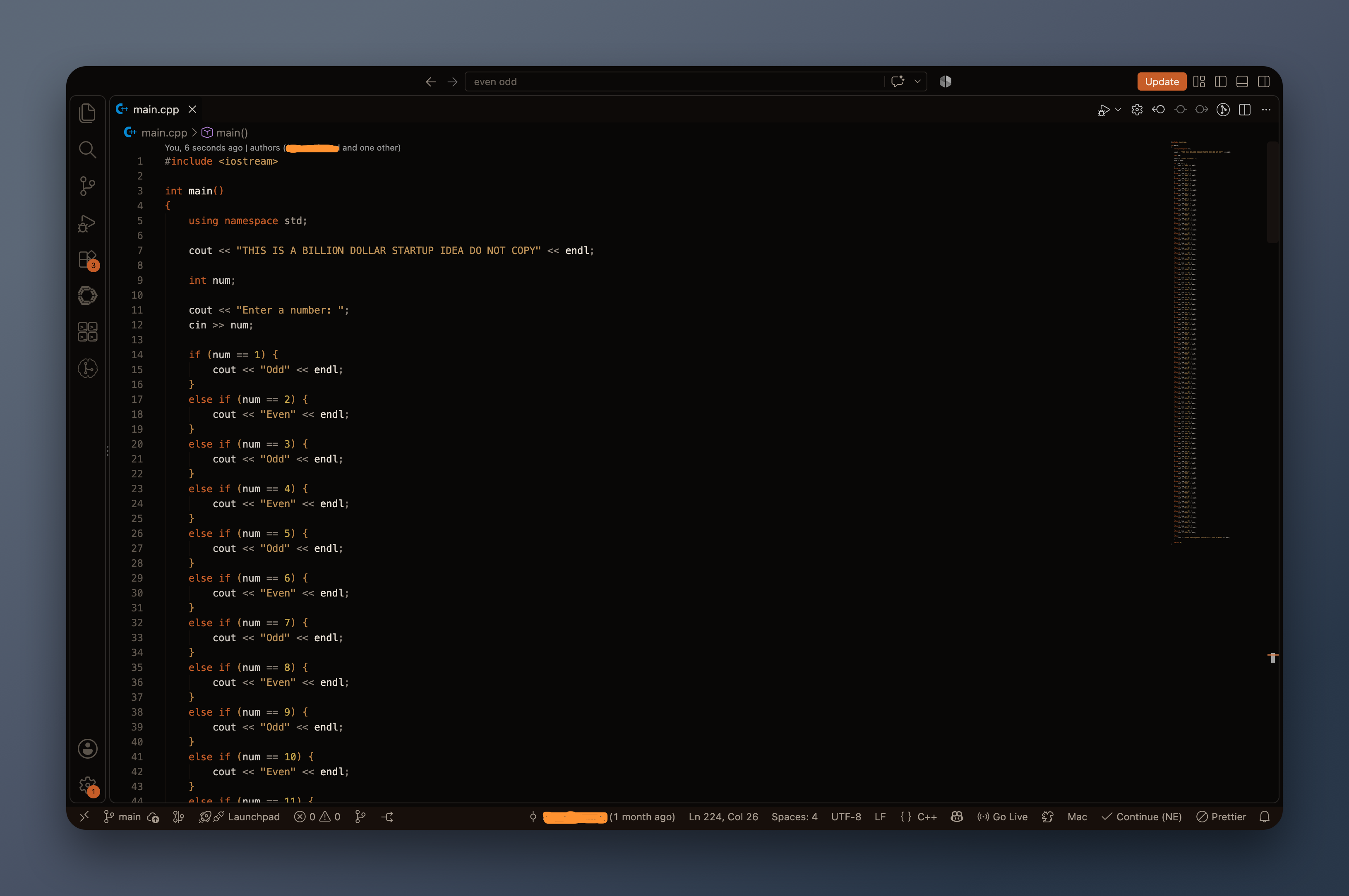
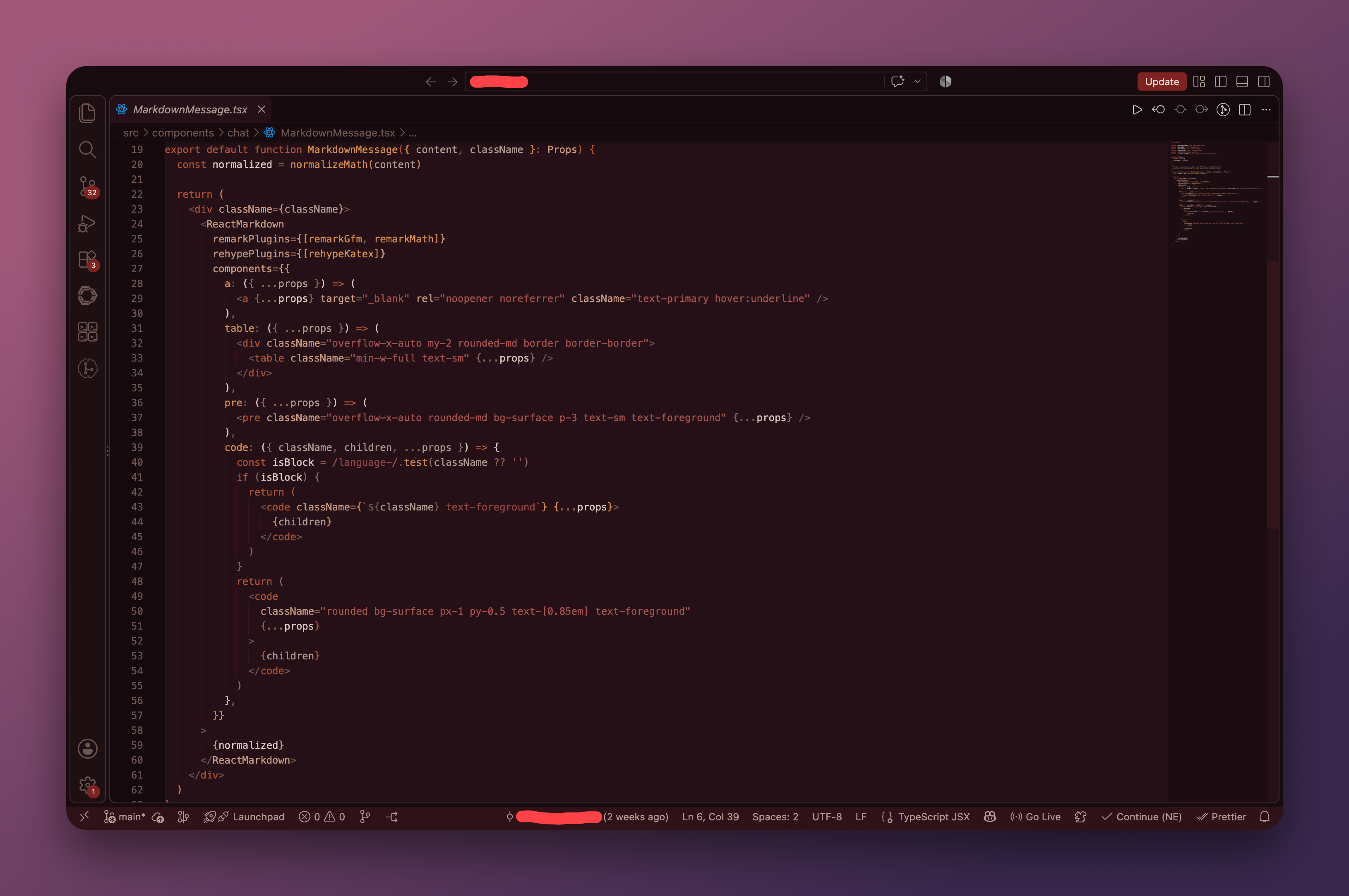
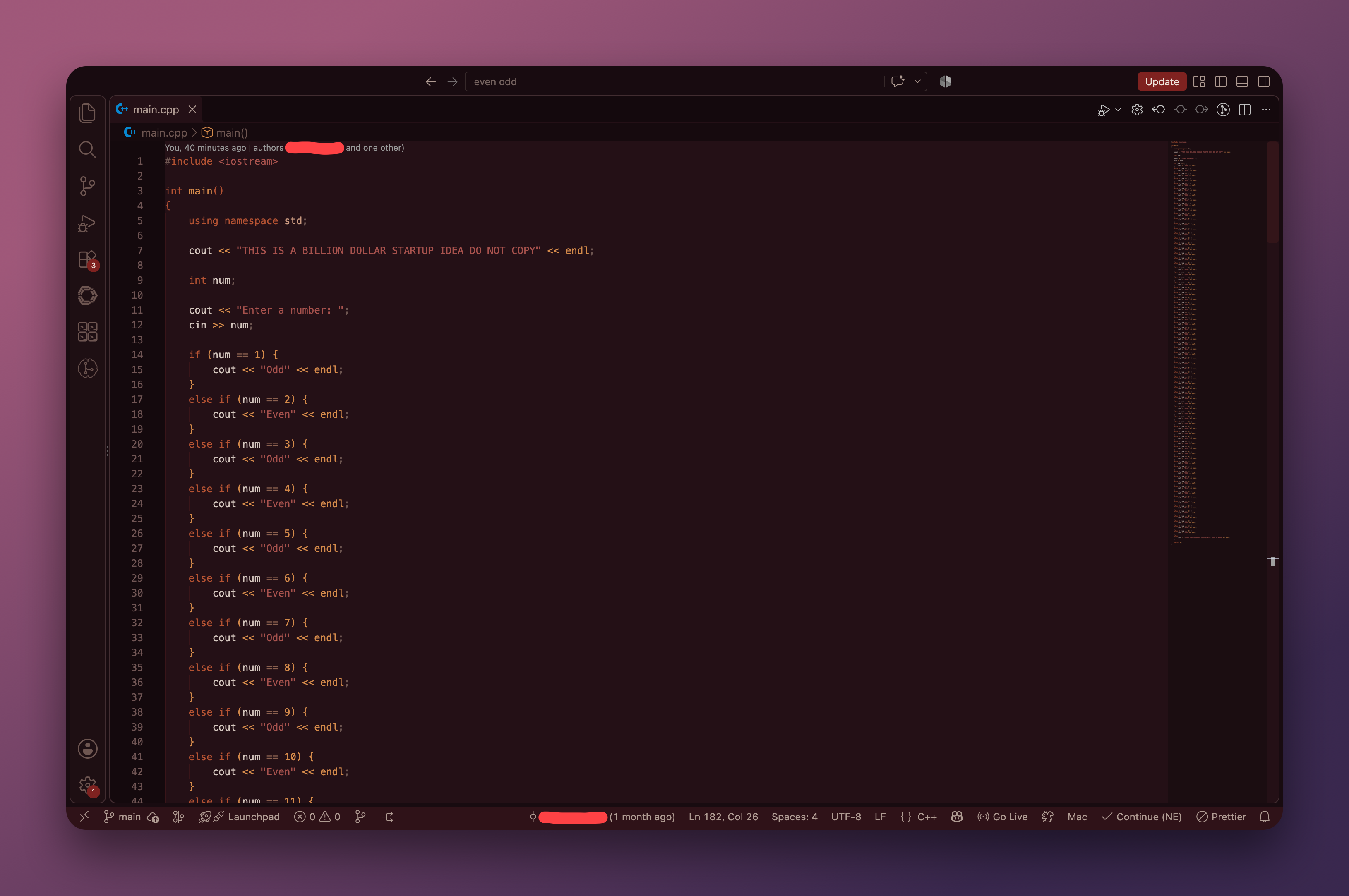
EclipseThree atmospheric dark themes for VS Code: Eclipse: Lunar, Eclipse: Solar, and Eclipse: Blood Moon. Built for late-night coding, each theme keeps the interface dark and comfortable while giving syntax enough color to stay clear without being distracting. Choose your atmosphere: lunar, solar, or blood moon. ThemesEclipse: Lunar
Eclipse: Solar
Eclipse: Blood Moon
DesignAll three themes are built around the same idea: keep the screen dark without making the code difficult to read. The UI uses subtle differences between surfaces instead of bright borders and heavy contrast. Eclipse: Lunar leans into violet, midnight blue, copper, and gold. Eclipse: Solar goes much darker, using warm browns and burnt-orange accents against an almost black background. Eclipse: Blood Moon takes a darker, deeper approach, using deep burgundy, crimson, burnt red, and subtle amber accents inspired by a blood moon eclipse against the night sky. Features
InstallationOpen VSXSearch for Eclipse in your editor's Extensions panel and click Install. You can also install it directly from the Open VSX Registry. Manual installationTo install from a
Choose a themeAfter installing:
And you're ready for the night. RecommendedEclipse was made with dark and nighttime environments in mind. For the intended experience:
ChangelogSee the CHANGELOG for release notes. LicenseEclipse is licensed under the MIT License. |