Dynopane — DynamoDB for VS CodeBrowse, query and edit Amazon DynamoDB tables in your sidebar, for VS Code, Cursor and Windsurf. Uses the AWS profiles you already have; nothing leaves your machine except your own AWS calls and a Pro licence check. Installation Launch VS Code Quick Open ( Ctrl+P), paste the following command, and press enter.Copied to clipboard |

Dynopane — DynamoDB in your sidebarBrowse, query and edit Amazon DynamoDB tables without leaving VS Code, Cursor or Windsurf.
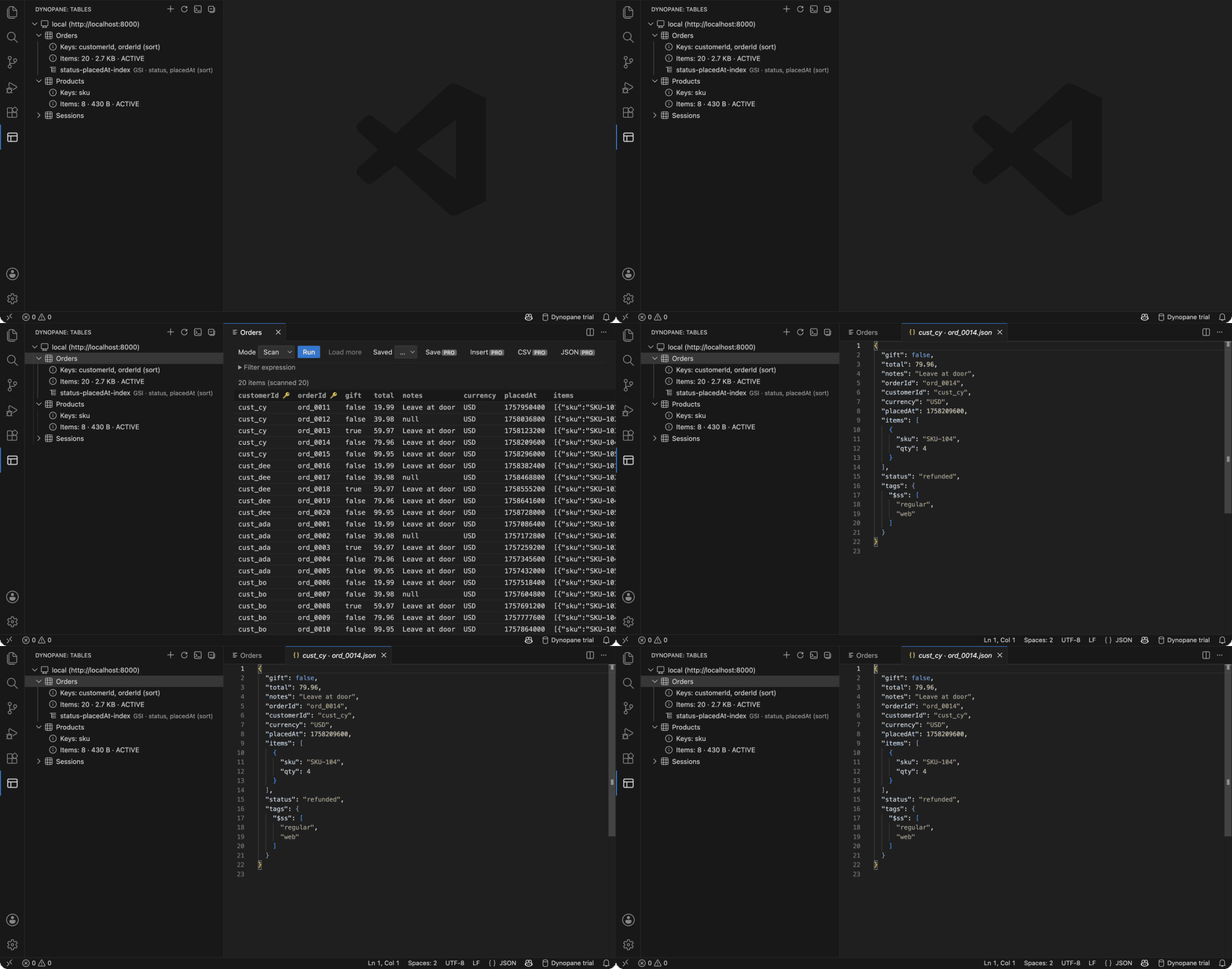
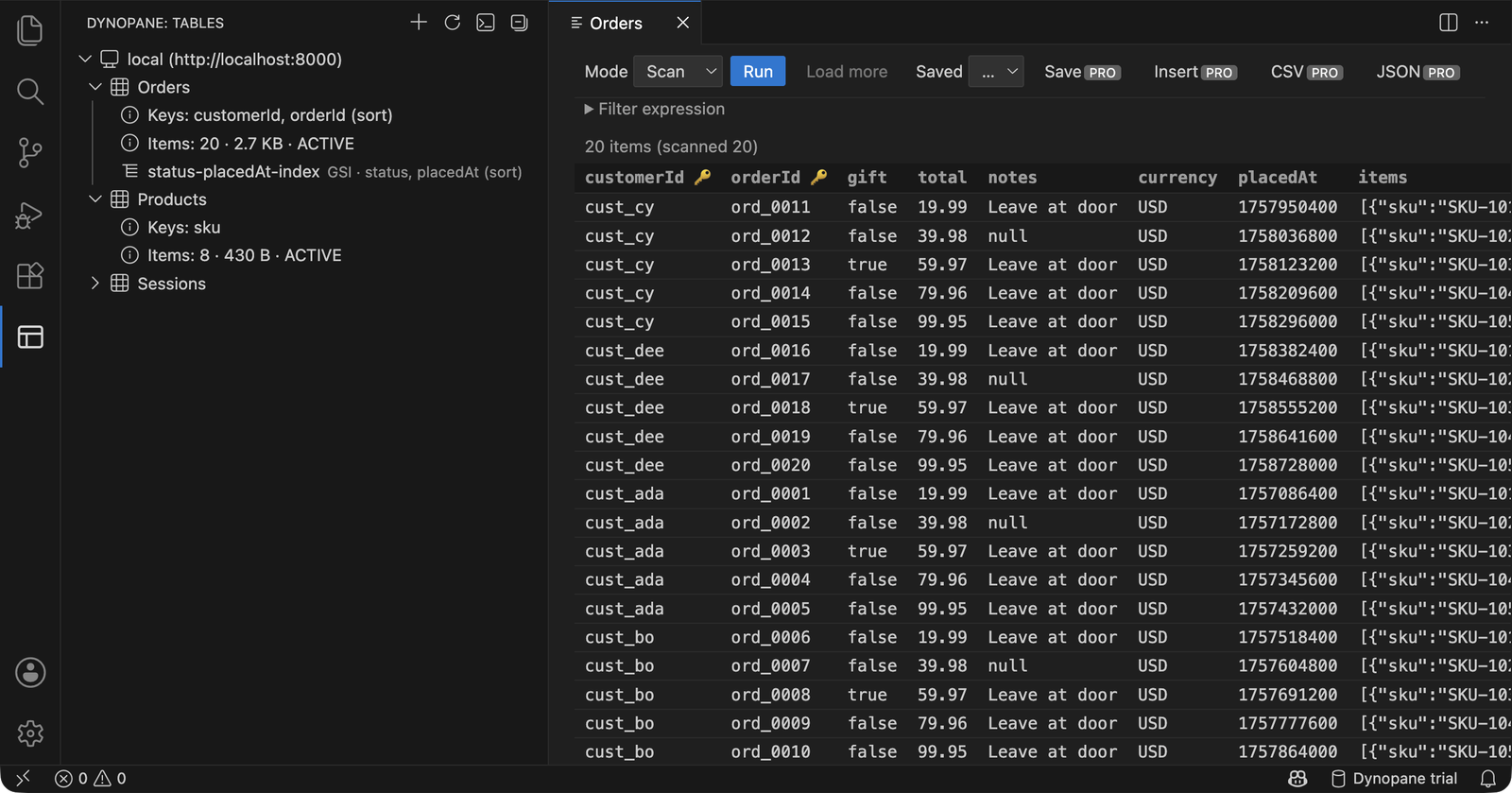
Click a table to scan it, click a row to open the item as JSON.
Every table with its keys, item count and indexes; the Orders table scanned into a grid.
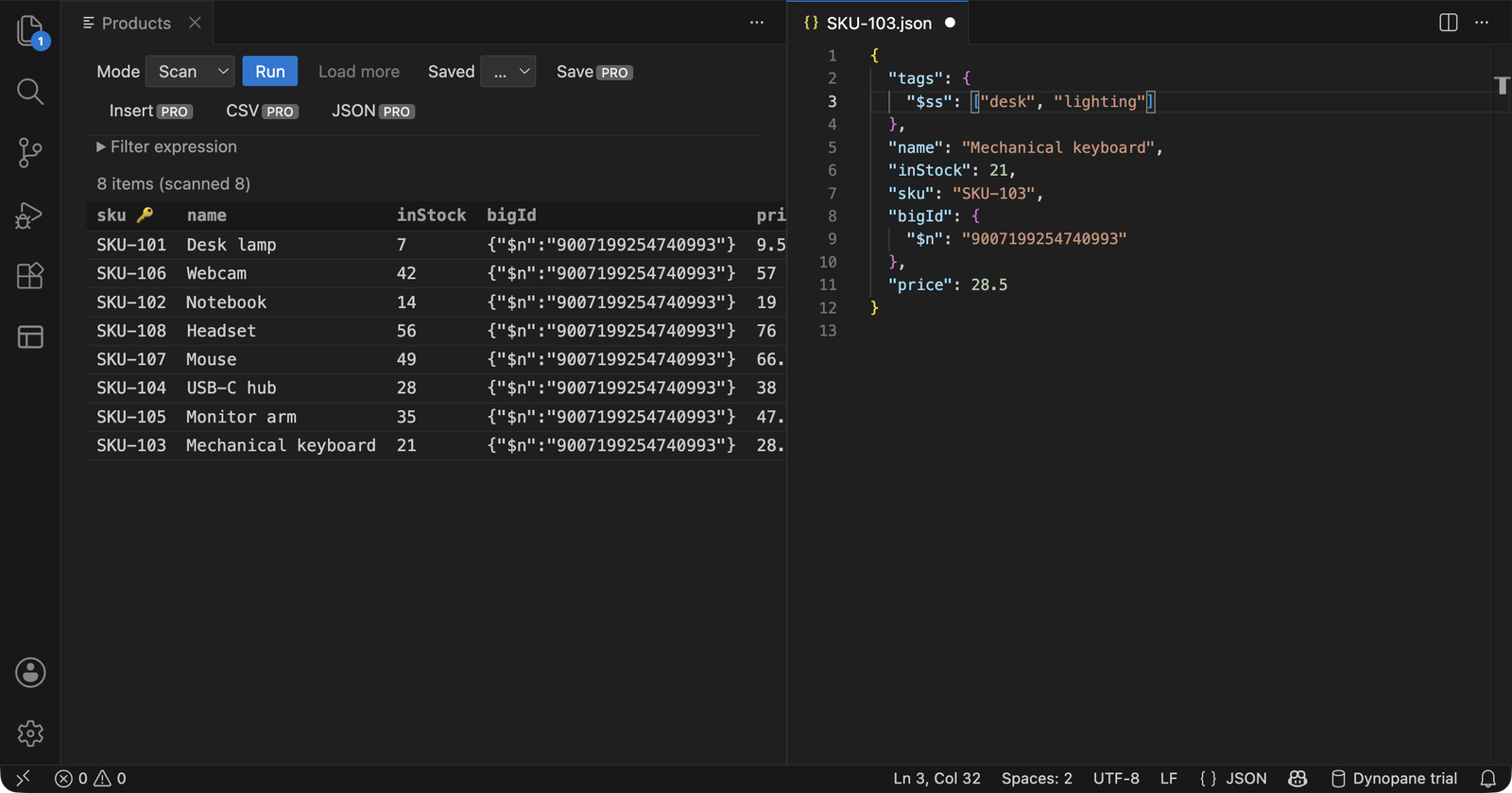
An item mid-edit. A 16-digit id stays exact as
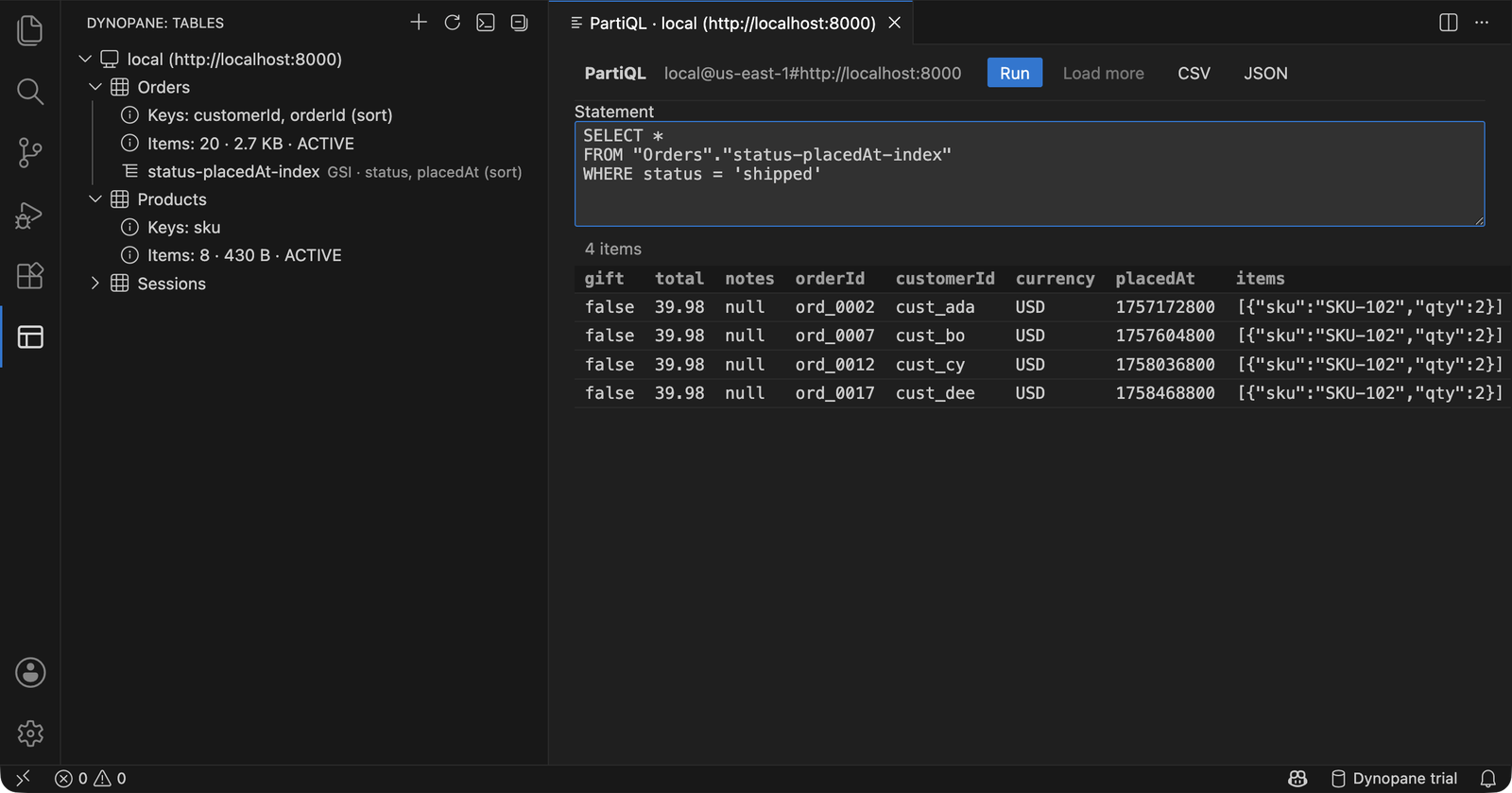
PartiQL against a secondary index, results in a grid (Pro).
Free vs ProFree: one connection, browse tables and indexes, scan, query, view items. Pro ($29 one-time per developer, 14-day trial included, 14-day refund): edit and insert items (save the JSON to write it), delete with confirmation, PartiQL editor with a results grid, export CSV/JSON, saved queries, any number of connections. Buy at dynopane.com, then run Dynopane: Activate Pro and paste the key. One key has 5 activations; each editor install (VS Code, Cursor or Windsurf, on each machine) uses one, and you can free a slot from your Polar portal at any time. Requirements
Getting started
If a profile needs a fresh SSO session, Dynopane says so; run FAQMy SSO session expired. What do I do?
Dynopane tells you which profile needs a login. Run Why is there a licence key, and how does the trial work? Pro is a one-time $29 per developer; there is no subscription and no server, so a key is how the extension knows you paid. The first 14 days of Pro run with no key, no email and no card. After that, Pro features ask for a key and everything in Free keeps working. What leaves my machine? Your own AWS calls, which go straight from your machine to AWS (or to your local endpoint). When you activate Pro, your licence key goes to Polar with a short label (editor, operating system, a fragment of the editor's install id) and is re-checked about once a day. No table names, items or query text ever go anywhere else. There is no telemetry. What happens offline, or if Polar is down? Pro keeps working for 30 days from the last successful licence check, then resumes automatically the next time a check gets through. Only an explicit answer from Polar that the key is revoked, disabled or expired, or that the key or this machine's activation no longer exists, drops you to Free. What about big numbers, sets and binary values?
DynamoDB numbers can have 38 digits; JavaScript numbers cannot. Anything that would not survive as a plain JSON number is shown as Does it work in Cursor or Windsurf? Yes. Dynopane uses only the VS Code extension API and is also published on Open VSX, the registry Cursor and Windsurf install from. If something behaves differently in your editor, email support and say which one. Can I get a refund? Yes, within 14 days of purchase for any reason: email support@dynopane.com from the address you used at checkout. The key is deactivated when the refund is issued. Details at dynopane.com/refunds. Supportsupport@dynopane.com · Terms · Privacy · Refunds "Amazon DynamoDB" and "AWS" are trademarks of Amazon.com, Inc. or its affiliates. Dynopane is an independent product, not affiliated with or endorsed by Amazon. |