| kbAI-orchestrated kanban board — agents triage, execute, review, and merge your tasks Installation Launch VS Code Quick Open ( Ctrl+P), paste the following command, and press enter.Copied to clipboard |

kbAn automated Kanban board for VS Code. You add high-level ideas to your task list, and a team of AI agents triage, execute, review, and merge them, all inside your editor.
Getting started
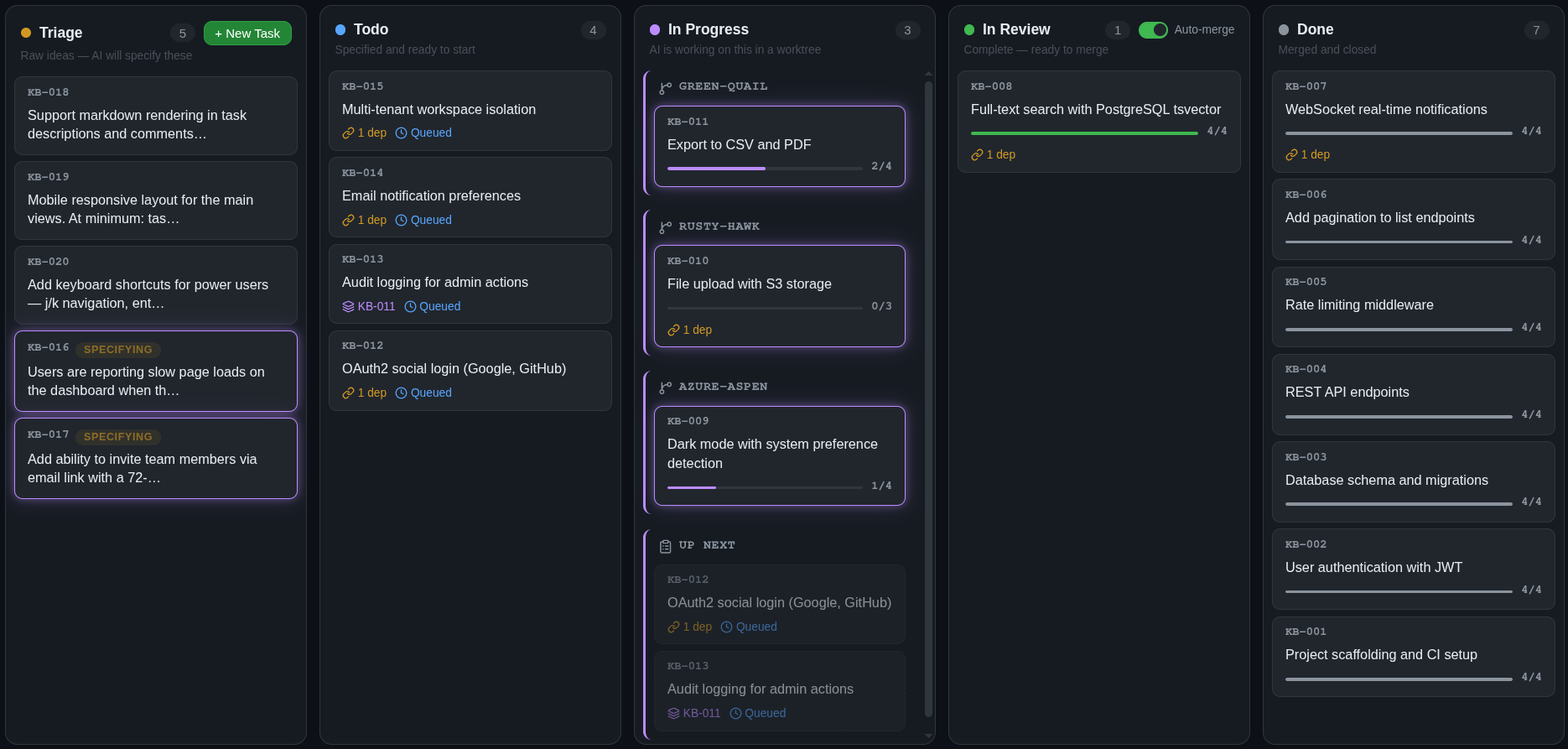
A status bar item ( The dashboardThe dashboard gives you:
How it worksYou create a task with a rough description. From there, a pipeline of specialized agents takes over. SpecificationA triage agent reads your codebase — file structure, existing patterns, related code — and turns your rough idea into a detailed specification. It breaks the work into discrete steps, identifies which files are in scope, writes acceptance criteria, and assigns a complexity rating that determines how aggressively the work gets reviewed later. SchedulingTasks declare dependencies on each other. The scheduler builds a dependency graph and starts work only when upstream tasks are done. Independent tasks run in parallel, each in its own isolated git worktree, ensuring there are no conflicts during execution. Execution & reviewAn executor agent works through the spec step by step in the worktree. At each step boundary, a separate reviewer agent, with read-only access, independently evaluates the work. The reviewer can approve (continue), request revisions (fix specific issues), or force a rethink (change the approach entirely). Review depth scales with the task's complexity rating: trivial tasks get light checks, complex tasks get thorough multi-pass review. This execution model is heavily based on Taskplane. MergeWhen execution finishes and the reviewer signs off, the task moves to "in review." By default, the completed work is automatically squash-merged into your current branch with a clean commit. Worktrees can be cleaned up after merge or reused by the next task to keep build caches warm. You can disable auto-merge if you prefer to review and merge manually. Tasks flow through: Triage → Todo → In Progress → In Review → Done. Theme integrationThe dashboard automatically adapts to your VS Code color theme: light, dark, or custom. No configuration needed. Commands
Also available as
LicenseISC |