

iKame Claude Code
Requirements
Installation
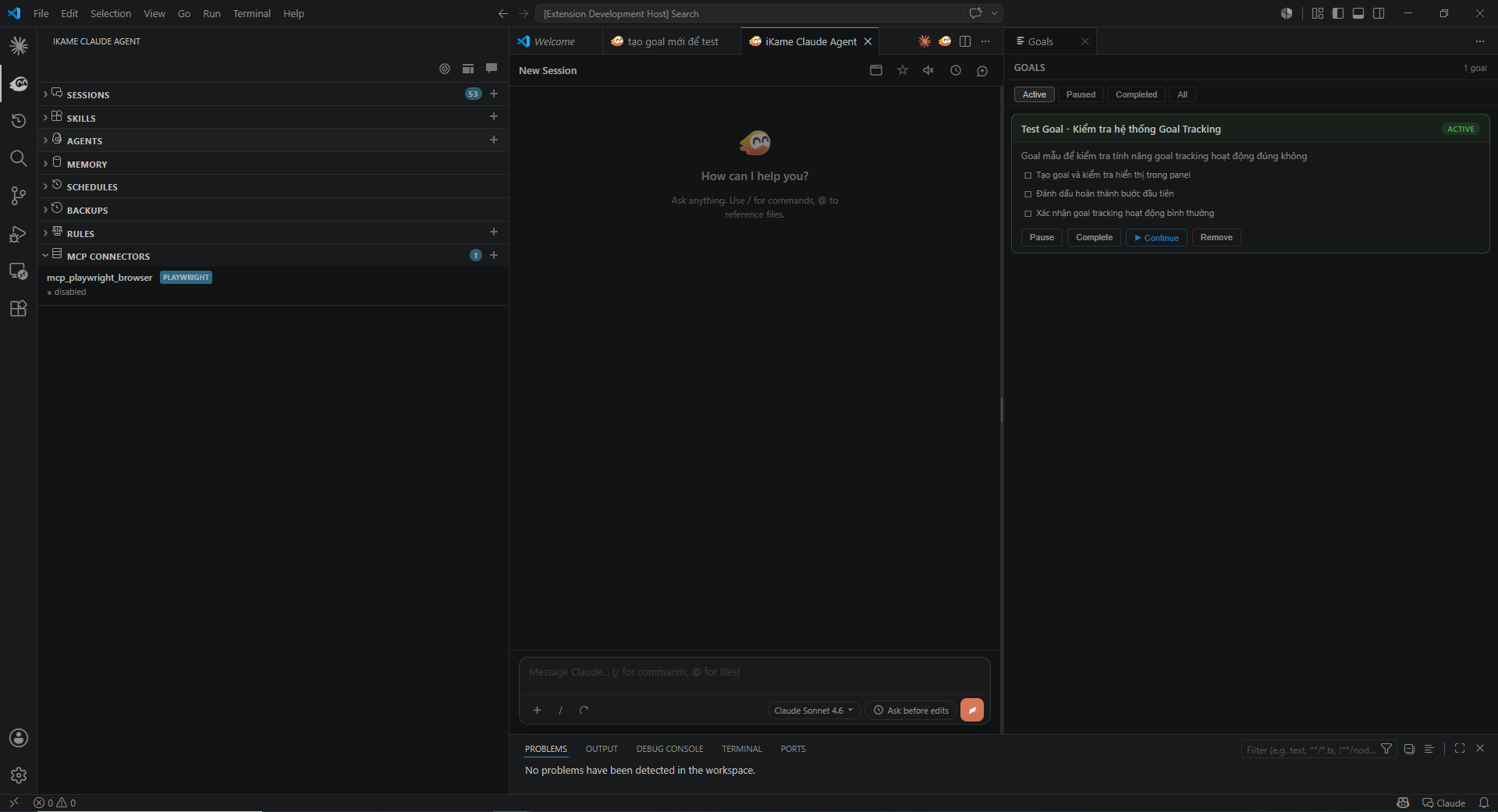
FeaturesChat PanelA full-featured chat interface embedded in VS Code:
Skills (
|
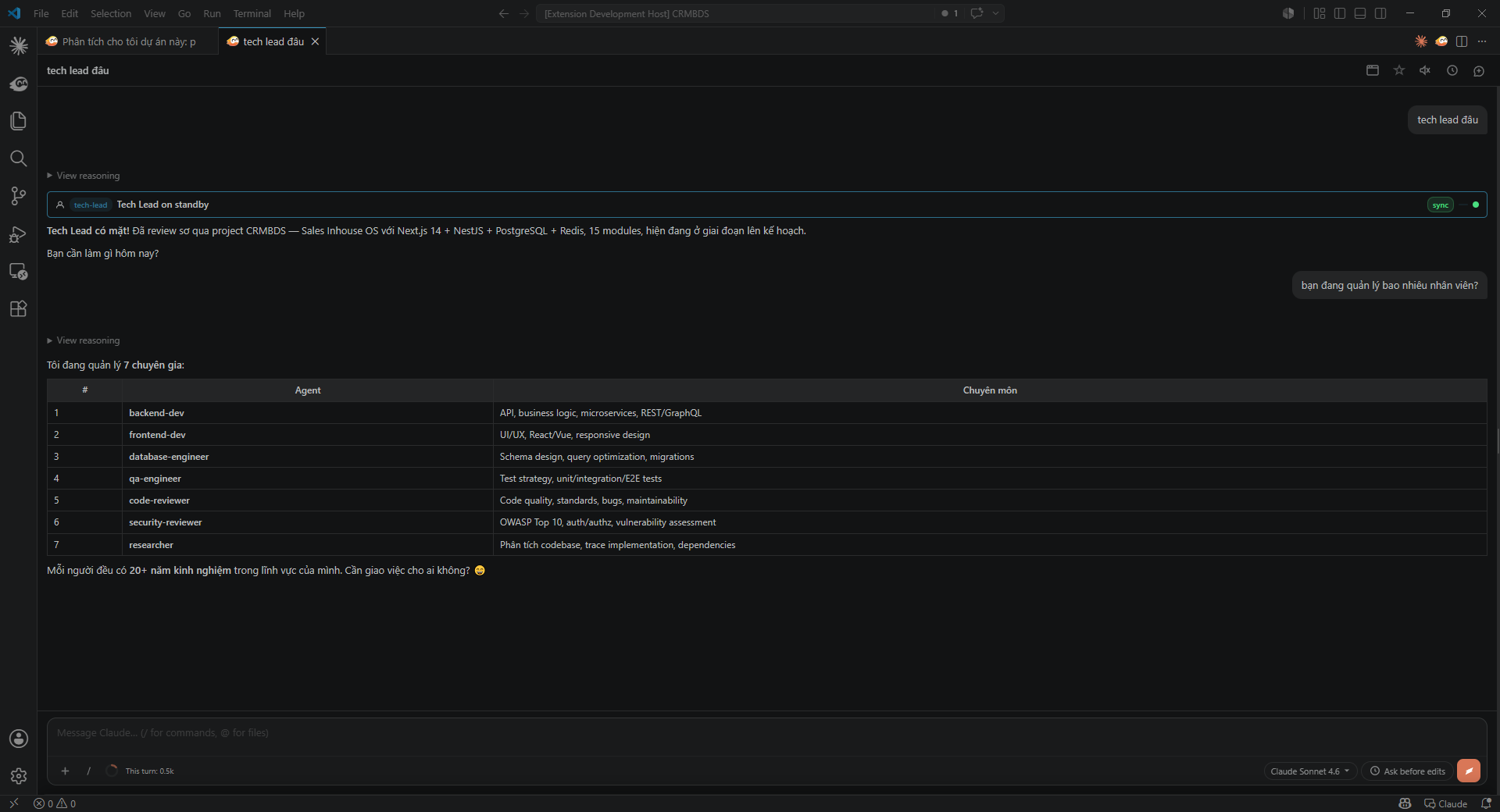
| Agent | Specialty |
|---|---|
tech-lead |
Planning, task breakdown, coordination |
backend-dev |
API design, business logic, microservices |
frontend-dev |
UI/UX, React/Vue, responsive design |
database-engineer |
Schema design, query optimization, migrations |
qa-engineer |
Test strategy, unit/integration/E2E tests |
code-reviewer |
Quality, standards, bugs, maintainability |
security-reviewer |
OWASP Top 10, auth/authz, vulnerability assessment |
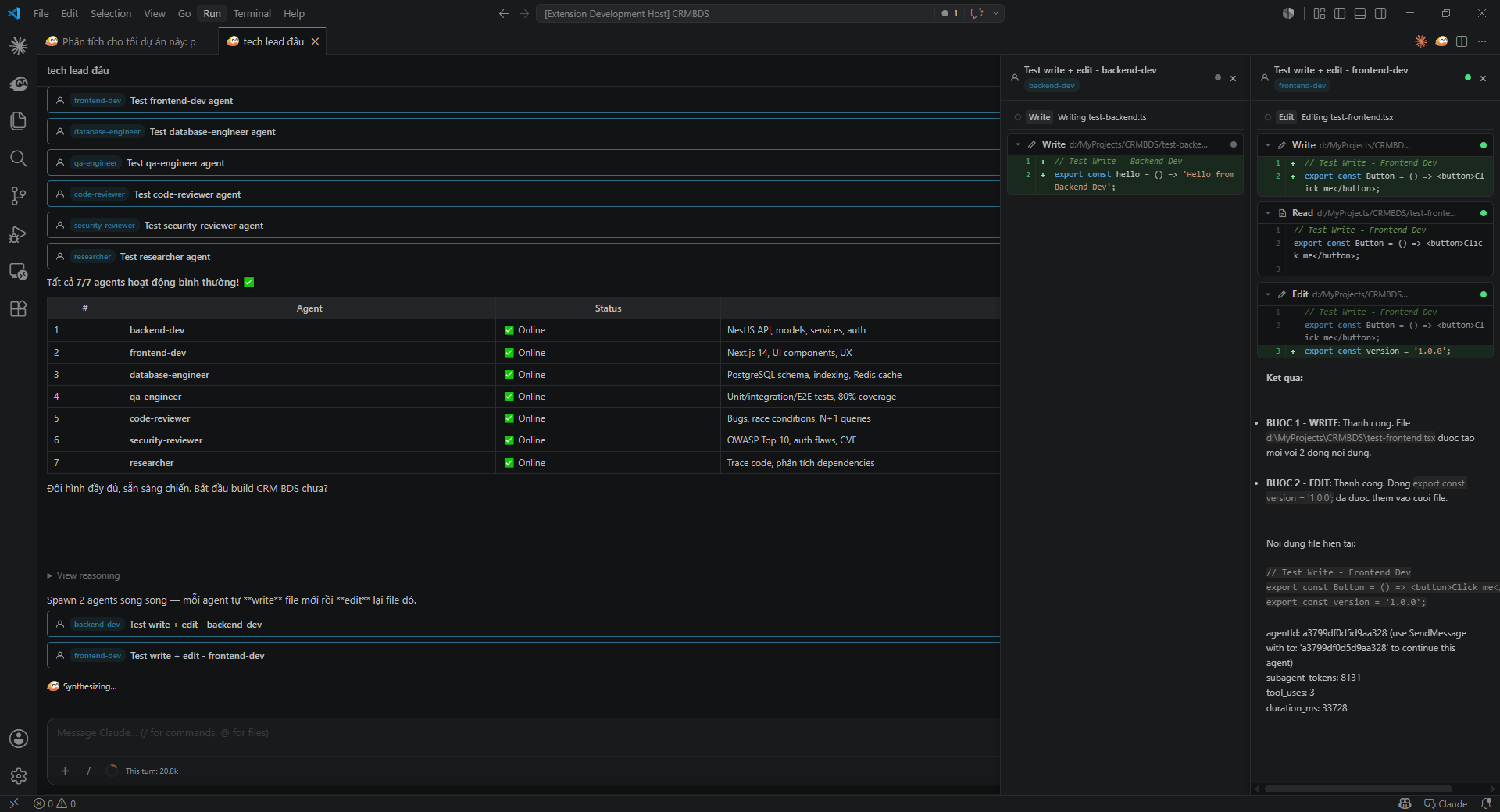
- Async agents — run in the background, tracked via
task_notificationevents - Sync agents — real-time tool call tracking in the Agent Sidebar
- Manager Surface — unified panel showing all active agents and their status
Agents are loaded from ~/.claude/agents/ and <workspace>/.claude/agents/.
Browser Tool (CDP Streaming)
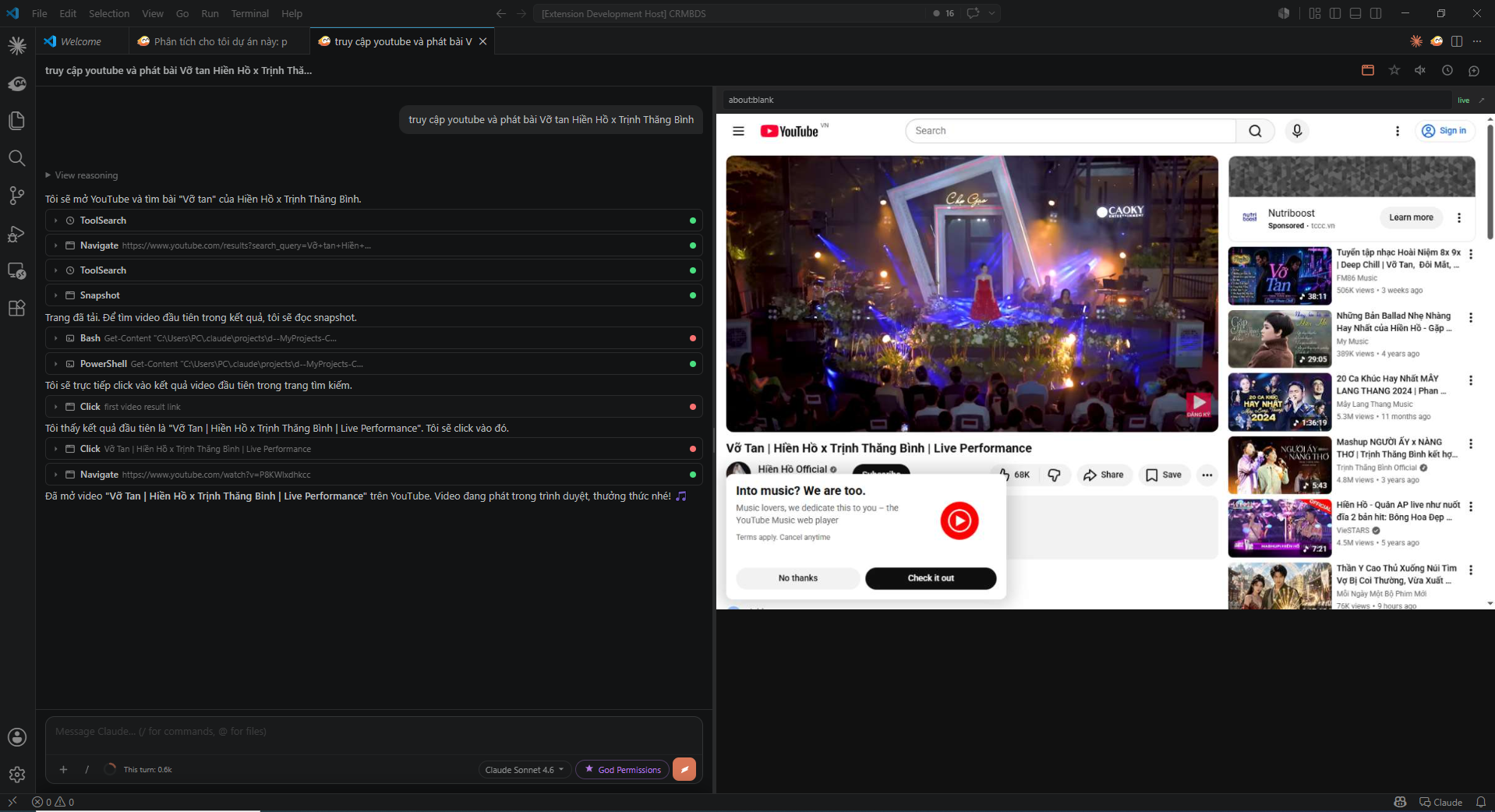
Let Claude control a real browser and stream the screen live into a VS Code panel (~15 fps):
- Click the ☐ icon in the chat header to enable
- Claude navigates, clicks, and interacts with web pages
- JPEG frames stream via CDP WebSocket directly into the panel
Chrome is auto-detected on Windows, macOS, and Linux. No configuration needed.
Memory
Store persistent context that Claude carries across sessions:
| Type | Description |
|---|---|
user |
Your role, preferences, and background |
feedback |
Corrections and validated approaches |
project |
Decisions, goals, and deadlines |
reference |
Pointers to external systems and resources |
Memory is stored in ~/.claude/memory/ (global) and ~/.claude/projects/{workspace}/memory/ (per-project), and auto-loaded when opening a new session.
Scheduling
Create recurring tasks using natural language — executed via Windows Task Scheduler, even when VS Code is closed:
"Summarize new PRs every day at 9am"
"Check server logs every hour"
"Every weekday at 9am review open issues"
"Create a report in 5 minutes"
Manage schedules from the Schedules panel: toggle on/off, run immediately, view logs, delete.
Backup & Restore
- Automatic git snapshot before every request sent to Claude
- Stored in
~/.claude/backups/{workspace-key}/as a separate git repo - Each backup = one timestamped commit
- Restore options from the Backups panel:
- Restore a single file from any snapshot
- Restore the entire workspace to a snapshot
- Compare any file with a backup via the native VS Code diff editor
Permission Modes
| Mode | Description |
|---|---|
| Ask before edits (default) | Prompt before each file edit |
| Edit automatically | Auto-accept all file edits |
| Plan mode | Claude explores and presents a plan before touching any files |
| Bypass permissions | Skip prompts for shell commands |
| God Permissions | Fully autonomous — no prompts at all |
Keyboard Shortcuts
| Shortcut | Condition | Function |
|---|---|---|
Ctrl+Escape / Cmd+Escape |
Editor focused | Focus chat input |
Ctrl+Shift+Escape / Cmd+Shift+Escape |
Editor focused | Open chat in a new tab |
Alt+K |
Editor focused | Insert @mention from current editor selection |
Ctrl+N |
Chat input focused | Start a new conversation |
Slash Commands
| Command | Function |
|---|---|
/compact |
Compact conversation to save context window |
/clear |
Clear conversation history |
/context |
View context window usage |
/memory |
View and edit memory files |
/model |
Switch the active model |
/hooks |
Open extension settings |
/mcp |
Manage MCP servers |
/<skillname> |
Invoke any skill (with autocomplete) |
Configuration
{
  // Path to claude executable — leave empty to auto-detect
  "ikameClaude.claudeExecutablePath": "",

  // Default model
  "ikameClaude.model": "claude-sonnet-5-5",

  // Where to open the chat: "sidebar" | "panel" | "editor"
  "ikameClaude.preferredLocation": "sidebar",

  // Auto-load memory files when opening a new session
  "ikameClaude.autoLoadMemory": true,

  // Custom skills directory (added on top of ~/.claude/skills)
  "ikameClaude.skillsDirectory": "",

  // Show / autocomplete when typing / in chat
  "ikameClaude.enableSkillAutocomplete": true,

  // Use Ctrl+Enter to send instead of Enter
  "ikameClaude.useCtrlEnterToSend": false,

  // Auto-save the active file before Claude reads it
  "ikameClaude.autosave": true,

  // Skip files listed in .gitignore when Claude reads the workspace
  "ikameClaude.respectGitIgnore": true,

  // Default permission mode for new sessions
  // "default" | "acceptEdits" | "plan" | "auto" | "bypassPermissions" | "godPermissions"
  "ikameClaude.initialPermissionMode": "default",

  // Extra environment variables passed to the Claude CLI process
  "ikameClaude.environmentVariables": {}
}
Models
| Model | ID | Notes |
|---|---|---|
| Claude Sonnet 5.5 | claude-sonnet-5-5 |
Default — balanced speed and quality, latest |
| Claude Fable 5 | claude-fable-5 |
Most capable, latest |
| Claude Opus 5 | claude-opus-5 |
Complex agentic coding & enterprise work |
| Claude Haiku 5.5 | claude-haiku-5-5 |
Fastest and lightest |
Sidebar Panels
| Panel | Description |
|---|---|
| Sessions | Chat history — search, favorite, rename, delete |
| Skills | Browse, create, and edit skill files |
| Agents | View and manage agent definitions |
| Memory | Browse and edit memory entries |
| Rules | View CLAUDE.md and project rules |
| Backups | Git snapshots — restore or diff any file |
| Schedules | Recurring tasks — toggle, run, delete |
| MCP Connectors | Manage connected MCP servers |
License
MIT © DucNT