

|

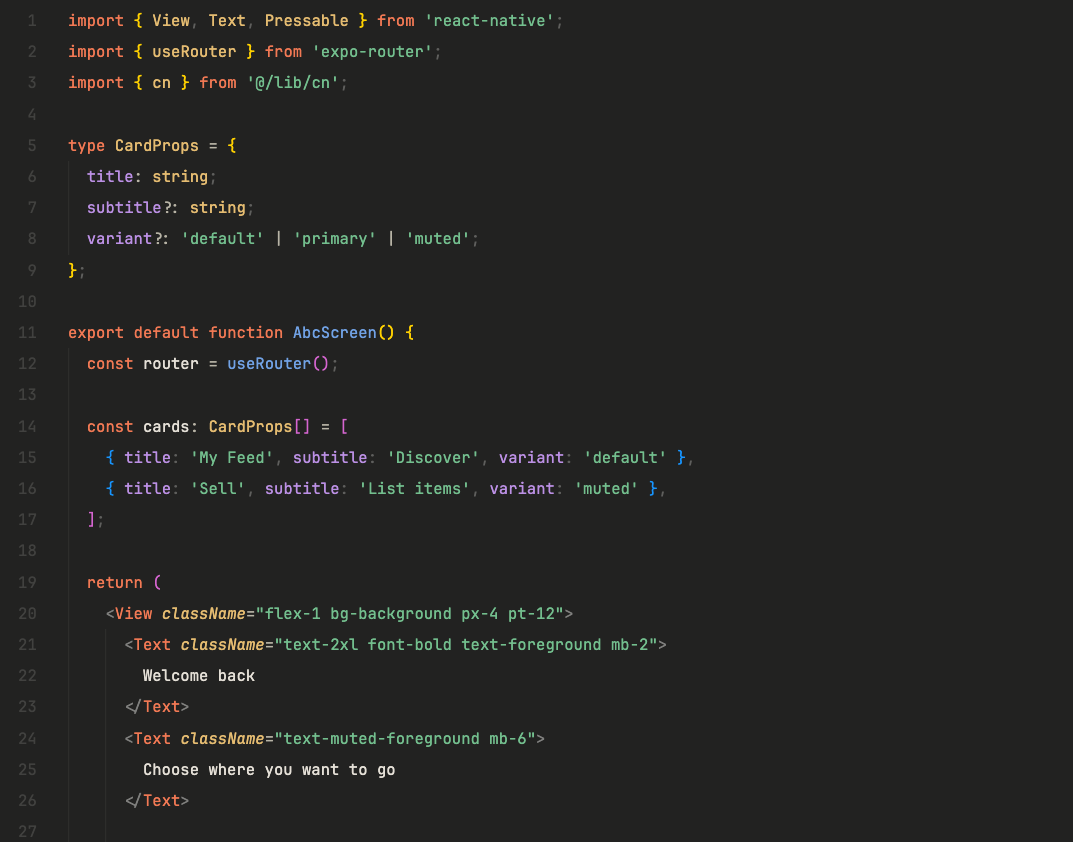
| Color | Hex | Role |
|---|---|---|
#262624 |
Editor background | |
#1E1E1C |
Sidebar & terminal | |
#1A1A18 |
Activity bar & title bar | |
#F4845F |
Keywords, tags & accents | |
#F4A58A |
Numbers & constants | |
#7EC699 |
Strings | |
#E8C47C |
Classes & types | |
#7CACE8 |
Functions | |
#C49BE8 |
Properties | |
#7CE8D4 |
Interfaces & regex | |
#F28B82 |
Errors & deletions | |
#E8E4DC |
Foreground text |
Installation
From VSIX (recommended)
- Download the
.vsixfile from the latest release - Open Command Palette (
Cmd+Shift+P) - Select "Extensions: Install from VSIX..."
- Choose the downloaded file
Manual
# Clone the repo
git clone https://github.com/igorfelipeduca/claude-theme.git

# Package it
cd claude-theme
npx @vscode/vsce package --skip-license

# Install via CLI
code --install-extension claude-anthropic-theme-1.0.0.vsix

# Or for Cursor
cursor --install-extension claude-anthropic-theme-1.0.0.vsix
Activation
- Open Command Palette (
Cmd+Shift+P/Ctrl+Shift+P) - Search for "Color Theme"
- Select Claude Dark (Anthropic)
Recommended Settings
{
  "editor.semanticHighlighting.enabled": true,
  "terminal.integrated.minimumContrastRatio": 1,
  "window.titleBarStyle": "custom",
  "editor.fontFamily": "'JetBrains Mono', 'Fira Code', Menlo, monospace",
  "editor.fontLigatures": true
}
Language Support
Optimized for syntax highlighting in:
- TypeScript / JavaScript / JSX / TSX
- React Native / Expo
- HTML / CSS / SCSS
- JSON / YAML
- Python
- Go
- Rust
- Shell / Bash
- Markdown
License
MIT
Built with the warmth of Claude's coral by @duca