Observe Agents
Watch your Claude Code and Codex agents work in real time, without leaving VS Code.
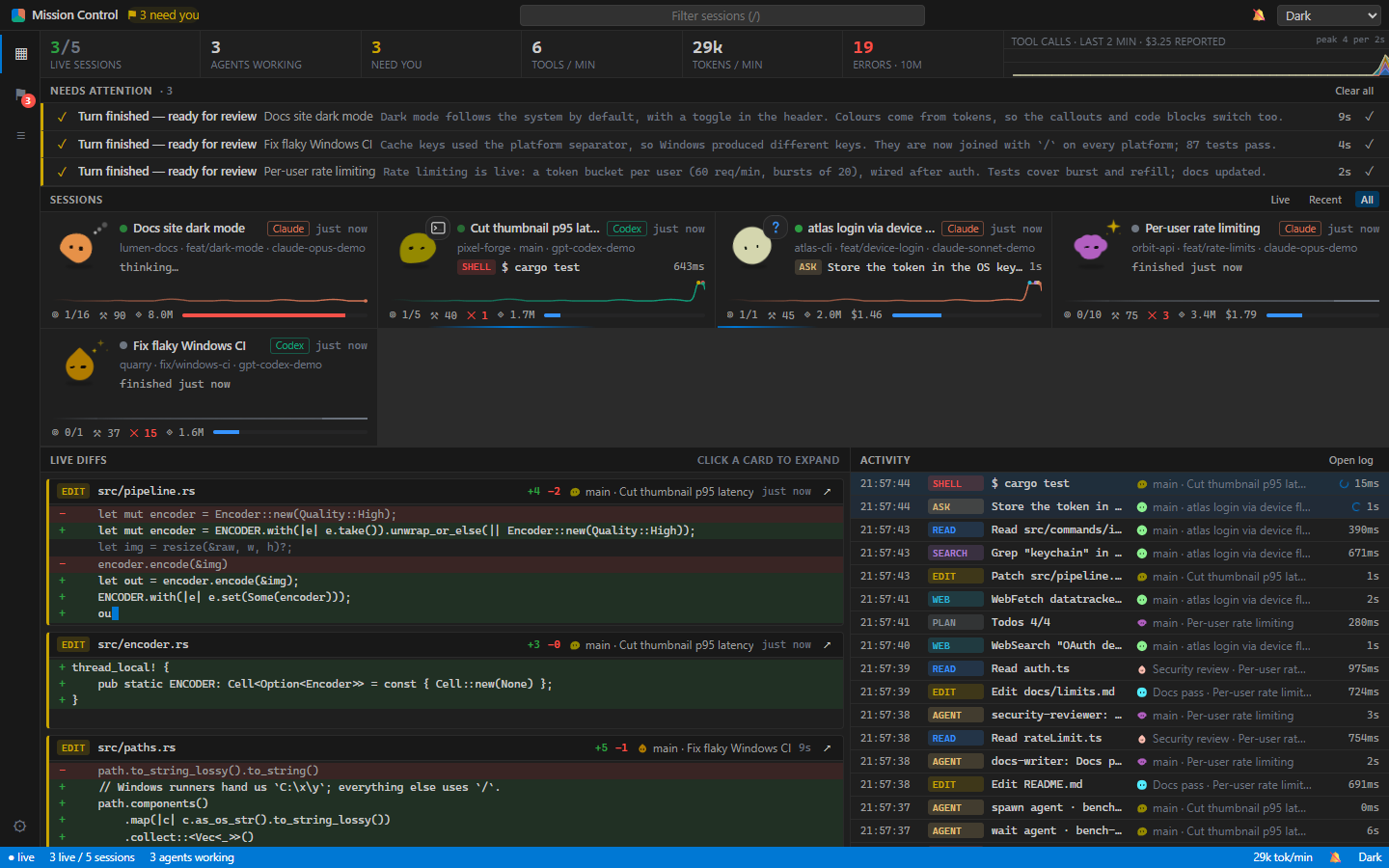
Keep using Claude Code and Codex exactly as you do now: the CLIs, the IDE extensions or the desktop apps. This extension reads the transcripts they already write and turns them into a live dashboard. It is read-only: no hooks, no wrappers, no API keys, and nothing is installed into your agents.
What you get
- A status bar that tells you when you're needed. It counts agents waiting for a permission prompt or failing repeatedly, shows how many agents are working, and lists everything else that wants your attention on hover. Click it to open the dashboard.
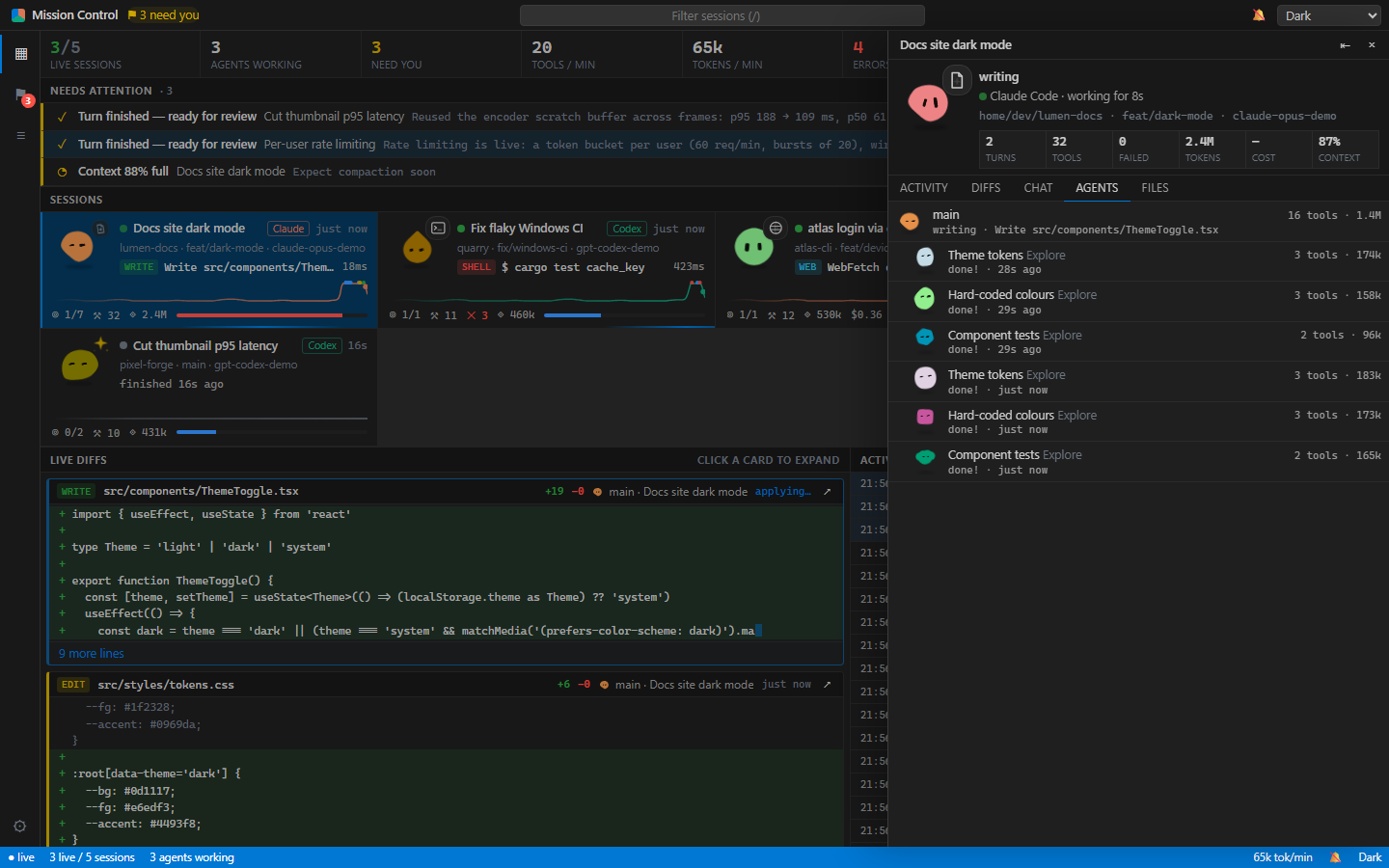
- Mission Control in an editor tab. Every session side by side, diffs that type themselves out as agents edit, each tool call as it happens, and a drawer with a session's full activity, conversation, agent tree and files.
- A buddy for every agent. A little blob that types while its agent edits, peers around while it searches, hops when it needs your approval and dozes off when idle.
- Subagents in both harnesses. Claude Code Task subagents and Codex spawn_agent threads show up as one tree.
- An isometric office, if you'd rather watch your agents as a team at their desks. Switch in the dashboard's settings.
Usage
Click the Agents icon in the activity bar or the Agents tab in the bottom panel, click the status bar item, or run Observe Agents: Open Dashboard in Editor from the Command Palette.
The extension looks for an observer at observeAgents.serverUrl (default http://127.0.0.1:4545), from the oadt CLI or the Docker container. If none answers, VS Code runs its own on a free port, shared by all your windows, and switches back to the CLI or Docker one as soon as it starts. It never takes that address itself, so they can always start.
| Setting |
Default |
|
observeAgents.statusBar |
true |
Show what needs you and how many agents are working. |
observeAgents.notifications |
false |
Show a notification when an agent is waiting for approval or keeps failing. |
observeAgents.serverUrl |
http://127.0.0.1:4545 |
Where the CLI or Docker observer runs. |
observeAgents.token |
|
Only for an observer that runs with --token on another machine. |
Privacy
Everything stays on your machine. The observer binds to 127.0.0.1, rejects foreign hosts and origins, and makes no network requests. It reads ~/.claude/projects and ~/.codex/sessions and never writes to them.
More
The observer, its event protocol and the web dashboard are open source (MIT) at github.com/Dri-water/observe-agents-do-things, including how to build your own frontend on the same data.

