Tailwind CSS IntelliSense
VS CODE EXTENSION
Boost your Tailwind development workflow in Visual Studio Code — get effortless autocomplete, smart linting, syntax highlights, and powerful hovers.
Install from VS Code Marketplace →
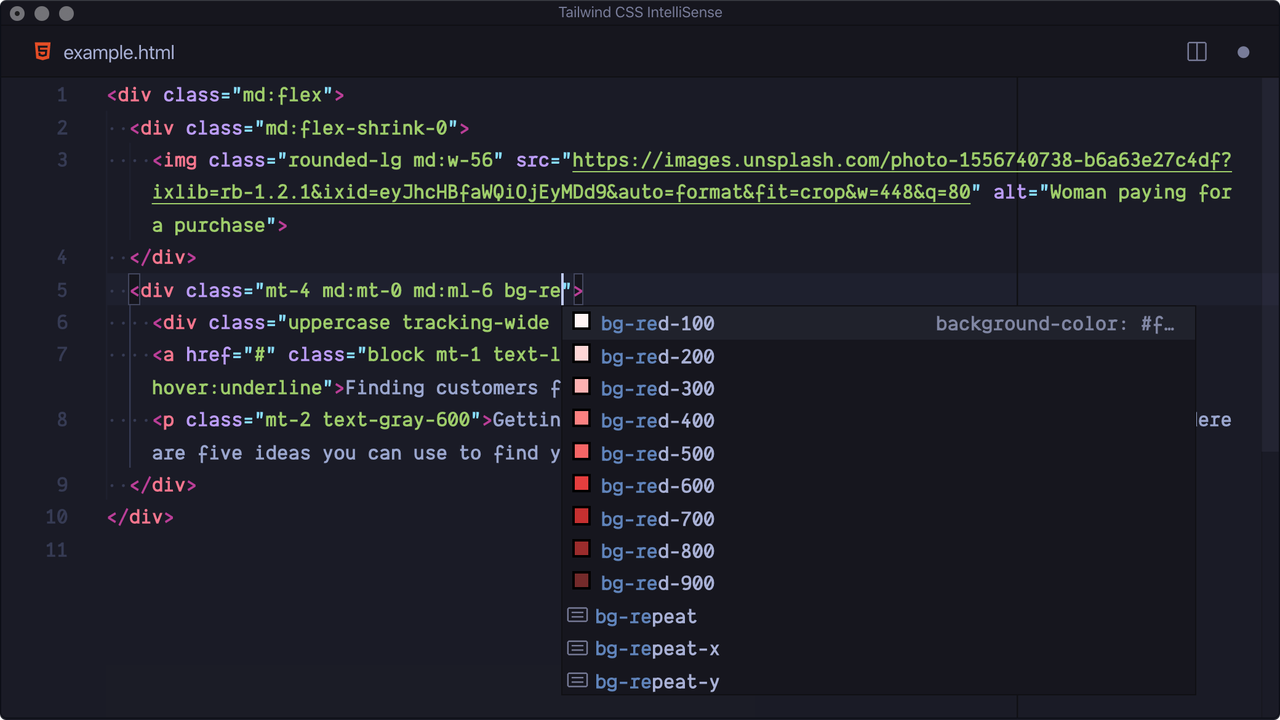 Autocomplete
Instantly get smart class name suggestions and context-aware completions.
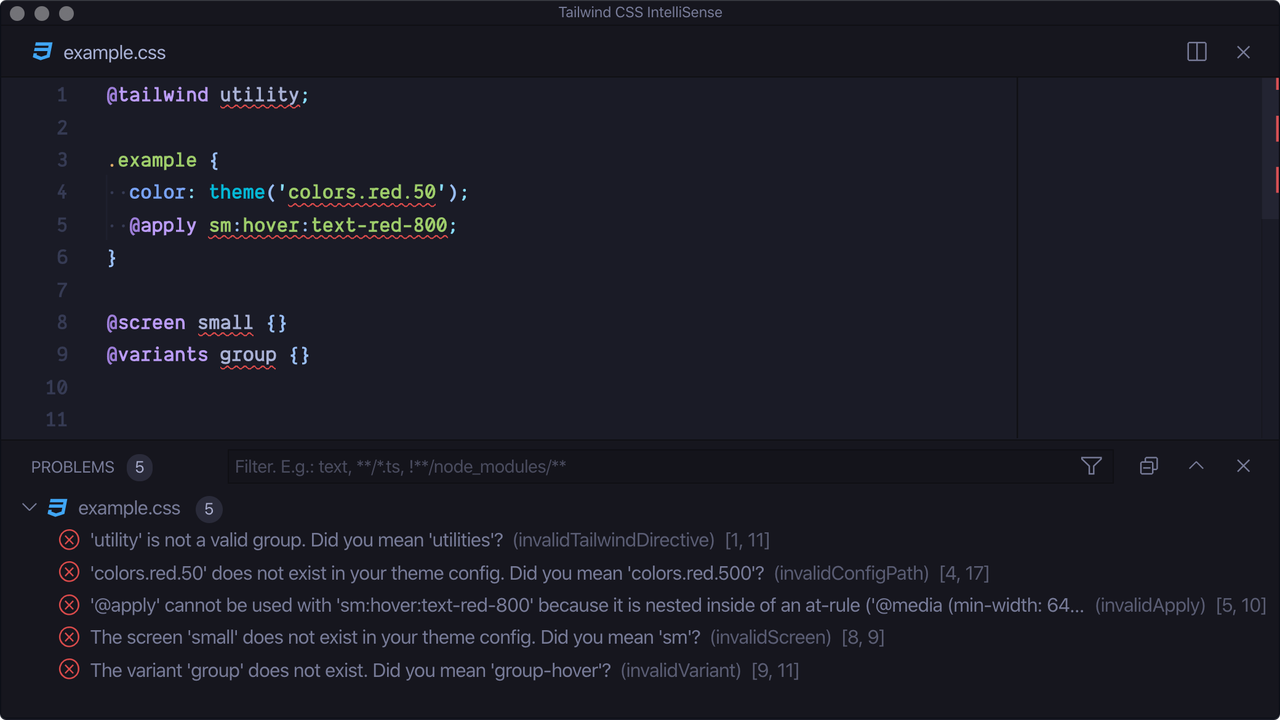 Linting
Detect style or markup mistakes early with real-time error highlighting.
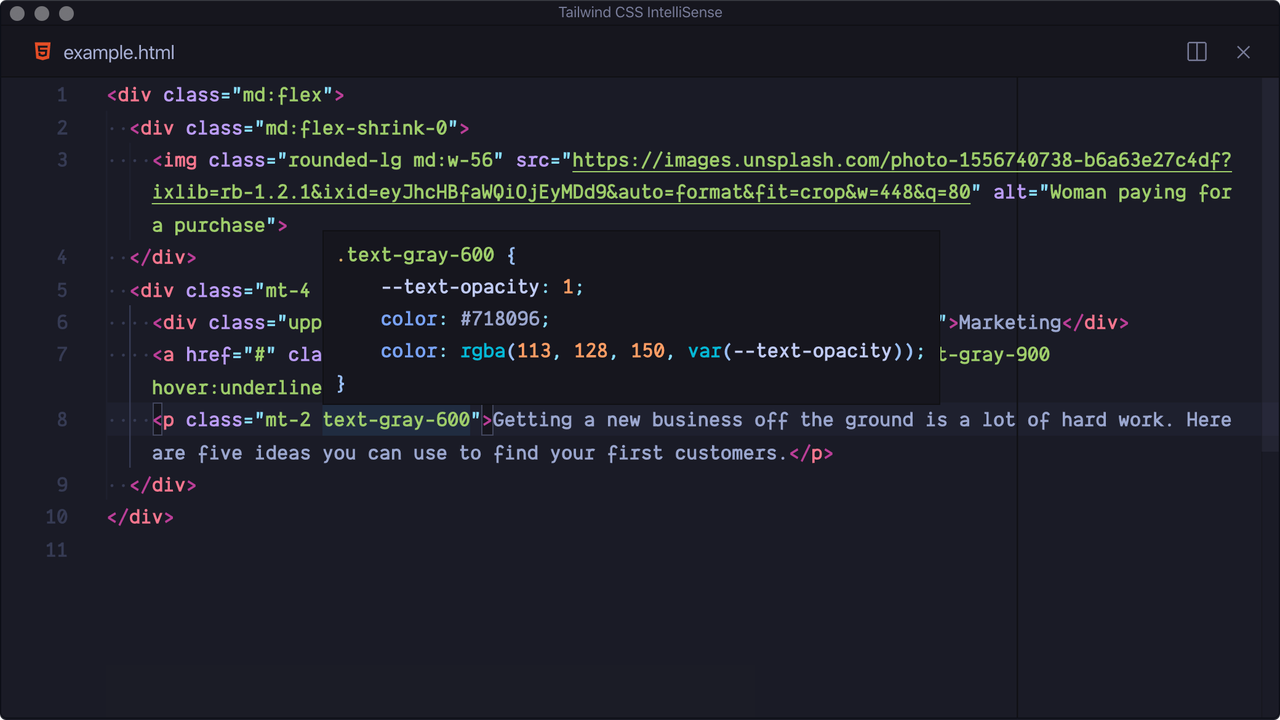 Hover Preview
Instantly see the CSS for any Tailwind class on mouse hover.
Installation
To activate the extension, make sure you have tailwindcss installed in your project, and one of the following configurations:
- For v4+: a
.css file importing Tailwind CSS.
- For v3 and below: a Tailwind config file named
tailwind.config.{js,cjs,mjs,ts,cts,mts} in your workspace or a stylesheet that refers to a config using @config.
Core Features
- Autocomplete: Get blazing-fast suggestions for class names and CSS helpers.
- Linting: Instantly spot errors in your CSS and templates.
- Hover: Preview the generated CSS for any Tailwind class.
- Custom Language Mode: Full IntelliSense plus highlighting, even for Tailwind-specific syntax.
Quick VS Code Setup
Basic .css association:
"files.associations": {
  "*.css": "tailwindcss"
}
Enable suggestions in strings (e.g. JSX):
"editor.quickSuggestions": {
  "strings": "on"
}
Useful Links
Configuration Highlights
tailwindCSS.includeLanguages — Map extra languages to extend support.tailwindCSS.emmetCompletions — Enable Emmet-style class completion.tailwindCSS.classAttributes — Add recognized class attributes for completion/linting.tailwindCSS.classFunctions — List functions/tagged templates that contain Tailwind classes.tailwindCSS.files.exclude — Glob patterns to exclude from all features.
Example:
{
  "tailwindCSS.includeLanguages": {
    "plaintext": "html"
  },
  "tailwindCSS.classFunctions": ["tw", "clsx", "tw\\.[a-z-]+"]
}
For more advanced documentation, check the official Tailwind CSS docs.
Troubleshooting & Notes
If something isn’t working:
- Make sure you have
tailwindcss in your dependencies.
- Use a
.css file with the proper Tailwind @import (for v4+), or a compatible config file (for v3 and below).
- Double-check that no exclusion patterns (like
files.exclude) are hiding your files.
- See language server output for errors (run the “Show Output” command).
- For multi-config projects, use the extension’s experimental config options for manual setup.
Feel free to explore, configure, and enhance your workflow with the tailored features of Tailwind CSS IntelliSense for VS Code!

