Docs Flowy BoardPreviewYour Docs Flowy Board, drafts and artifacts in the editor — move cards, assign, and write notes without leaving it — and your AI agent connected to the same specs over MCP. Installation Launch VS Code Quick Open ( Ctrl+P), paste the following command, and press enter.Copied to clipboard |

Docs Flowy for VS CodeYour Docs Flowy Board, drafts and artifacts in the editor, and your AI agent connected to the same specs. Works in VS Code and VS Code Insiders.
Docs Flowy keeps your team's specs, reviews and tickets in one place. This extension brings them into the editor, so you can see what's decided and what's being built — and move a card, assign it or answer a note — without leaving your code. Every change goes to Docs Flowy under your name, exactly as if you had made it on the web.
Getting started
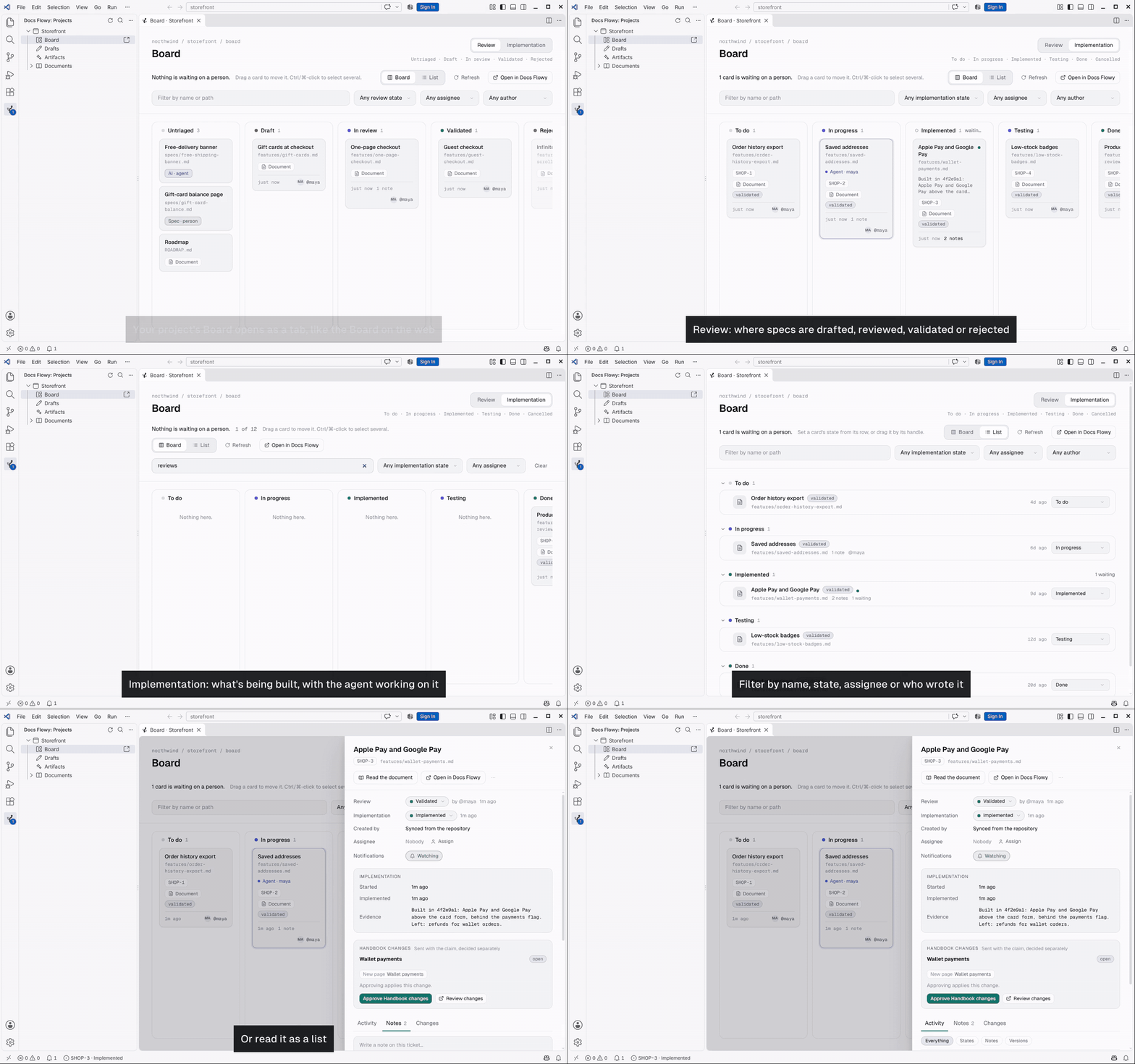
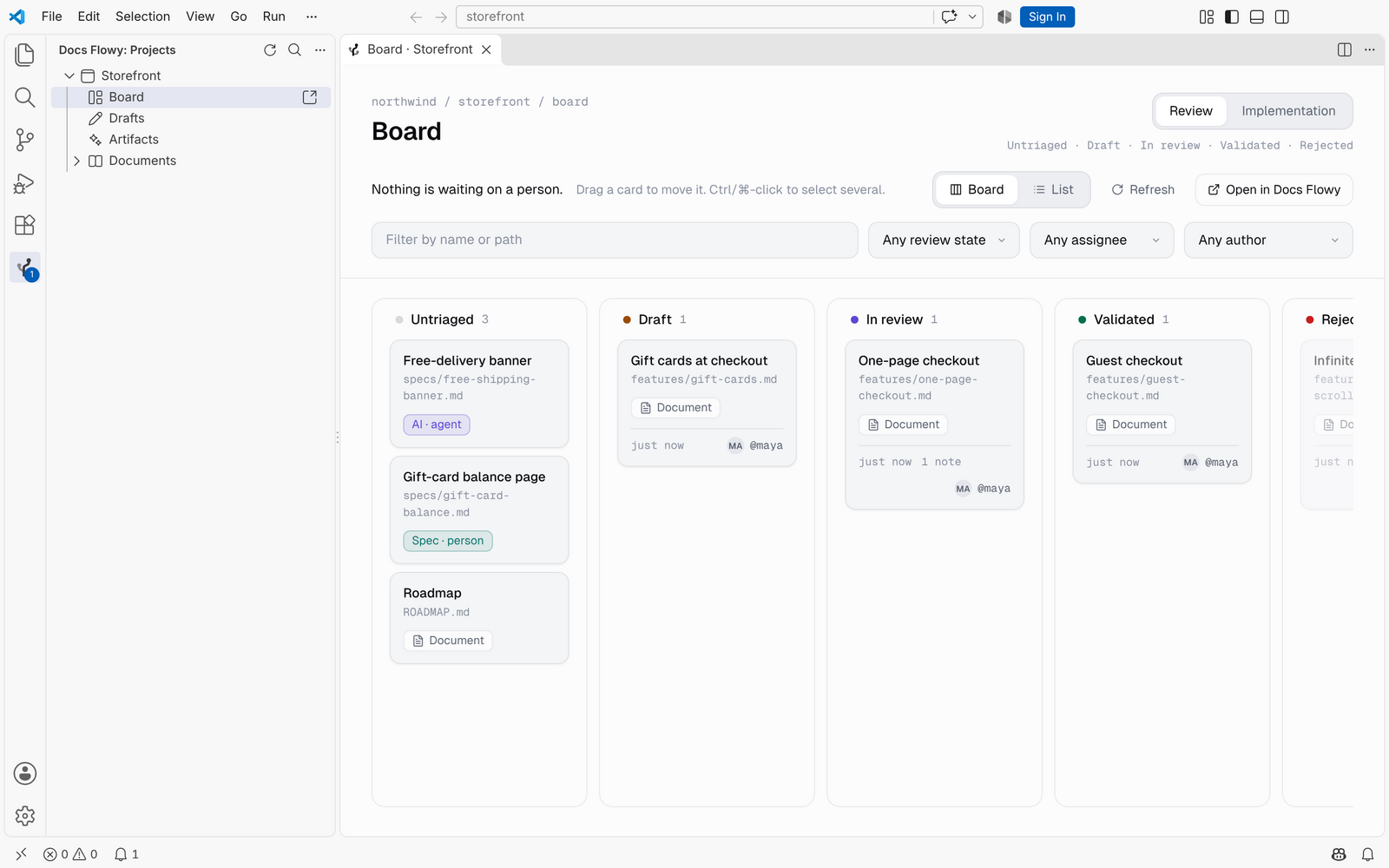
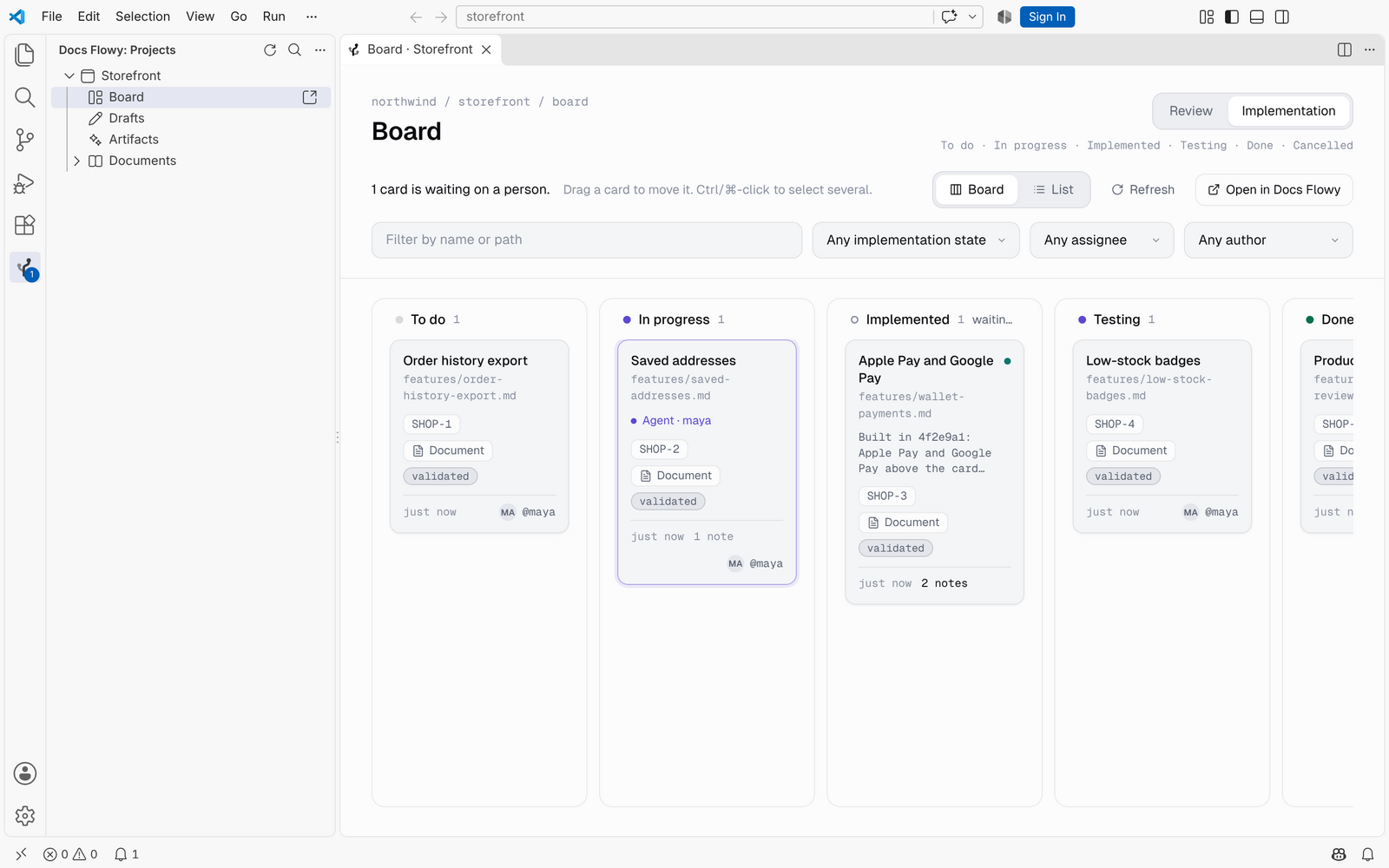
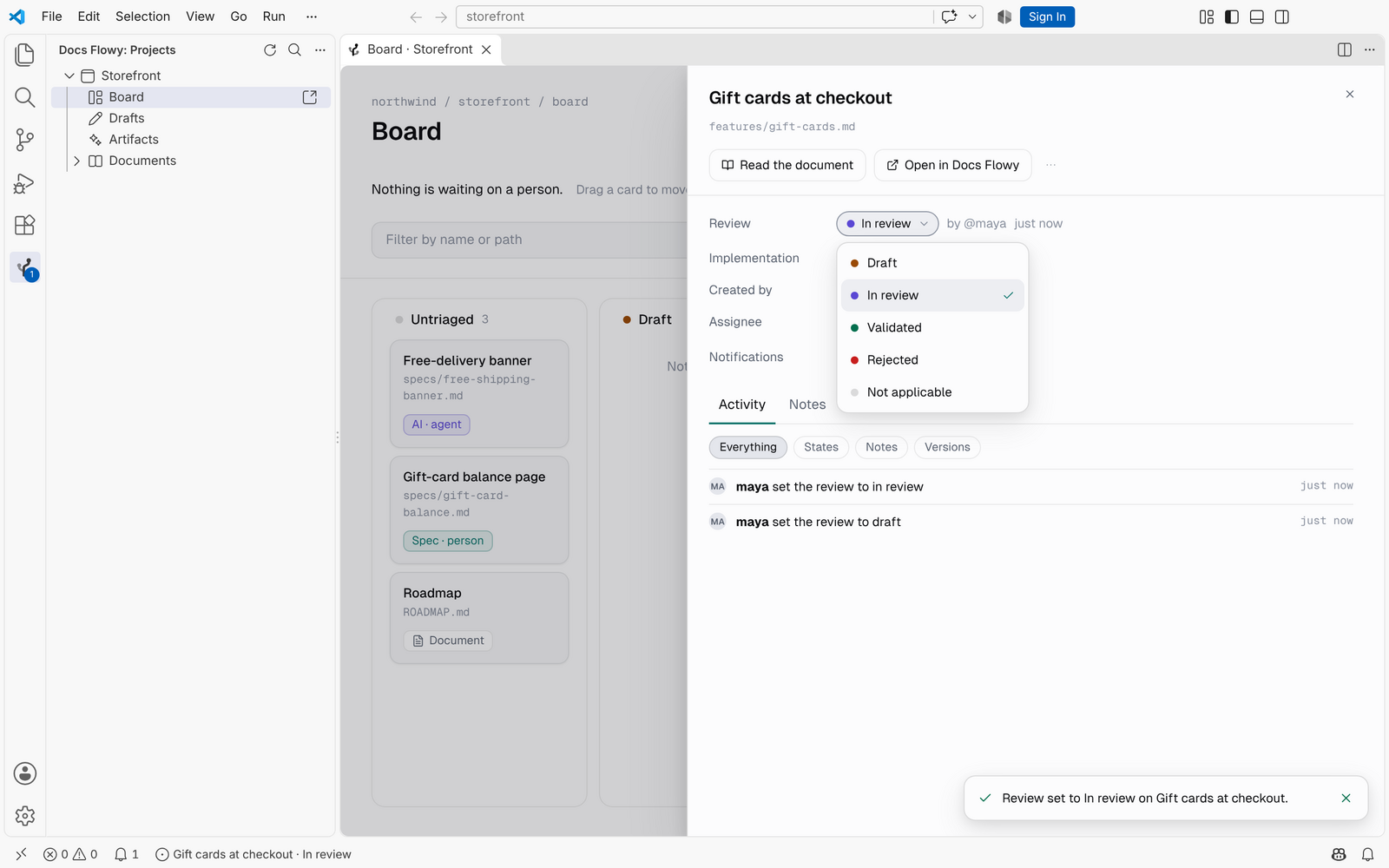
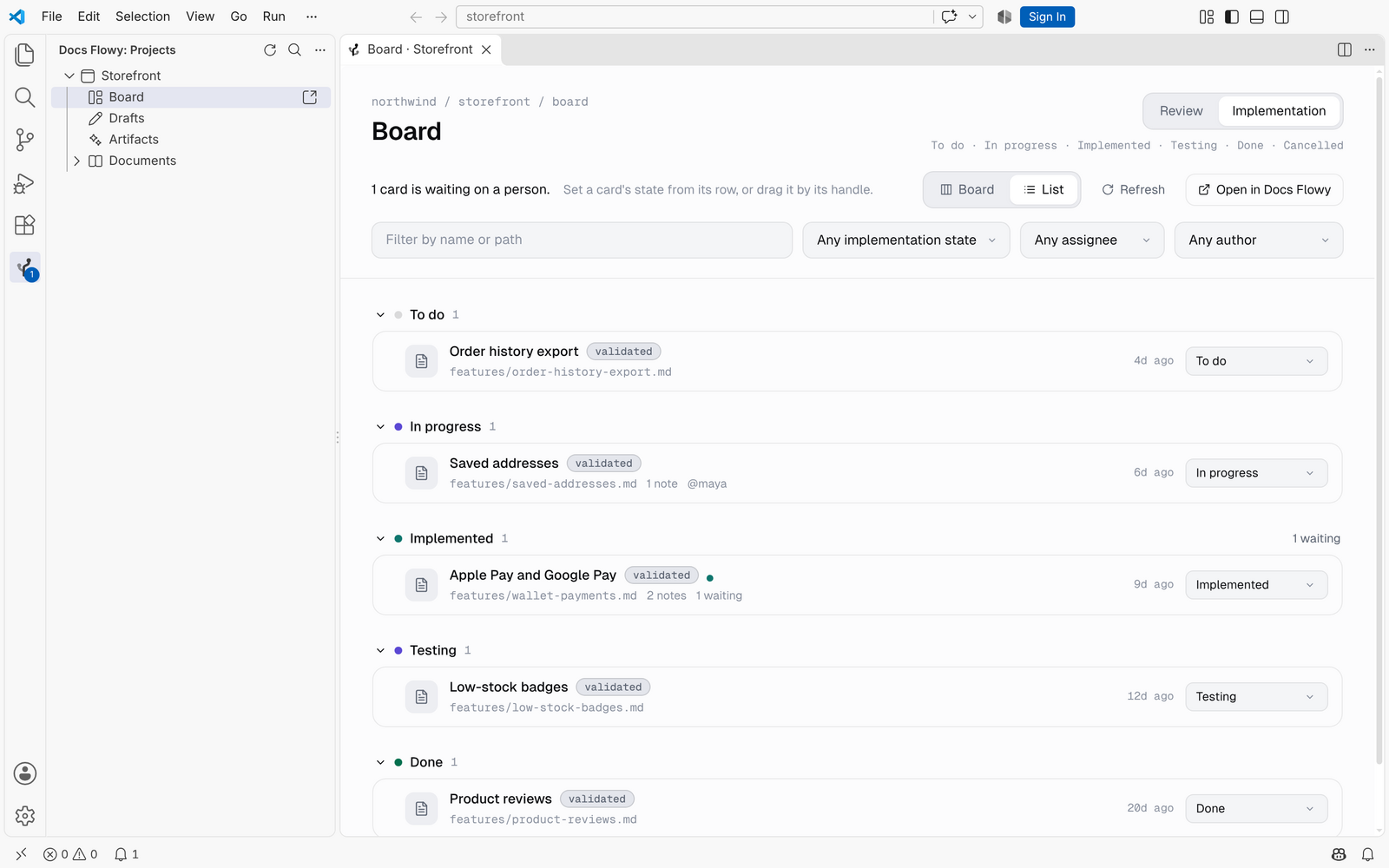
The Board, as on the webYour project's Board opens as an editor tab, laid out like the Board you know: the lanes, the cards, the filters. It has two axes, shown one at a time. Review is where a spec is decided: Untriaged, Draft, In review, Validated, Rejected.
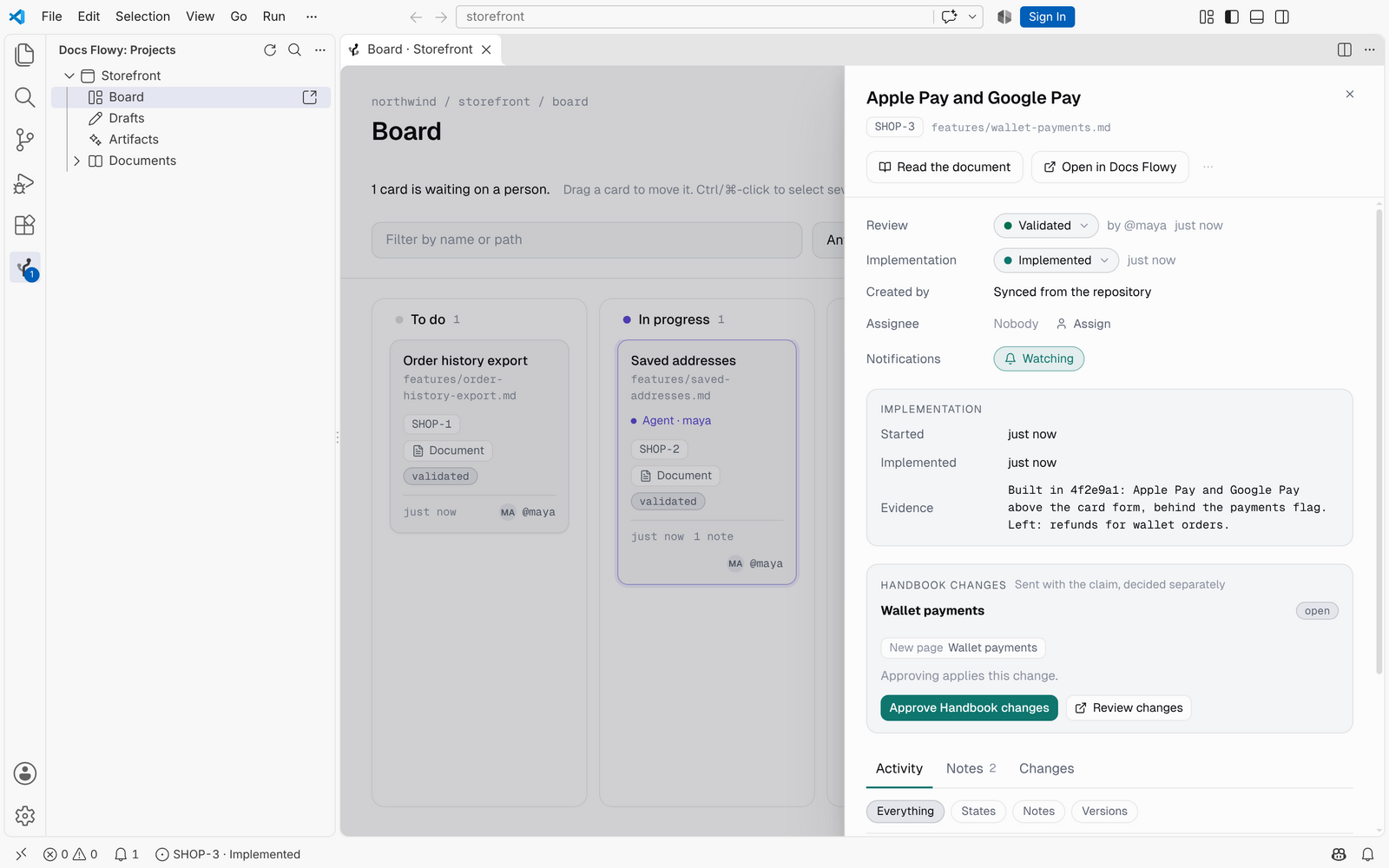
The Board stays current on its own: when someone changes a status, a note or an assignee in Docs Flowy, the card moves in your editor too. Once work starts, the ticket moves to Implementation: To do, In progress, Implemented, Testing, Done, Cancelled. A card shows its ticket key, where it came from, its state on the other axis, its notes, the agent working on it and who it's assigned to. Implemented says when an agent's work is waiting for someone to confirm it.
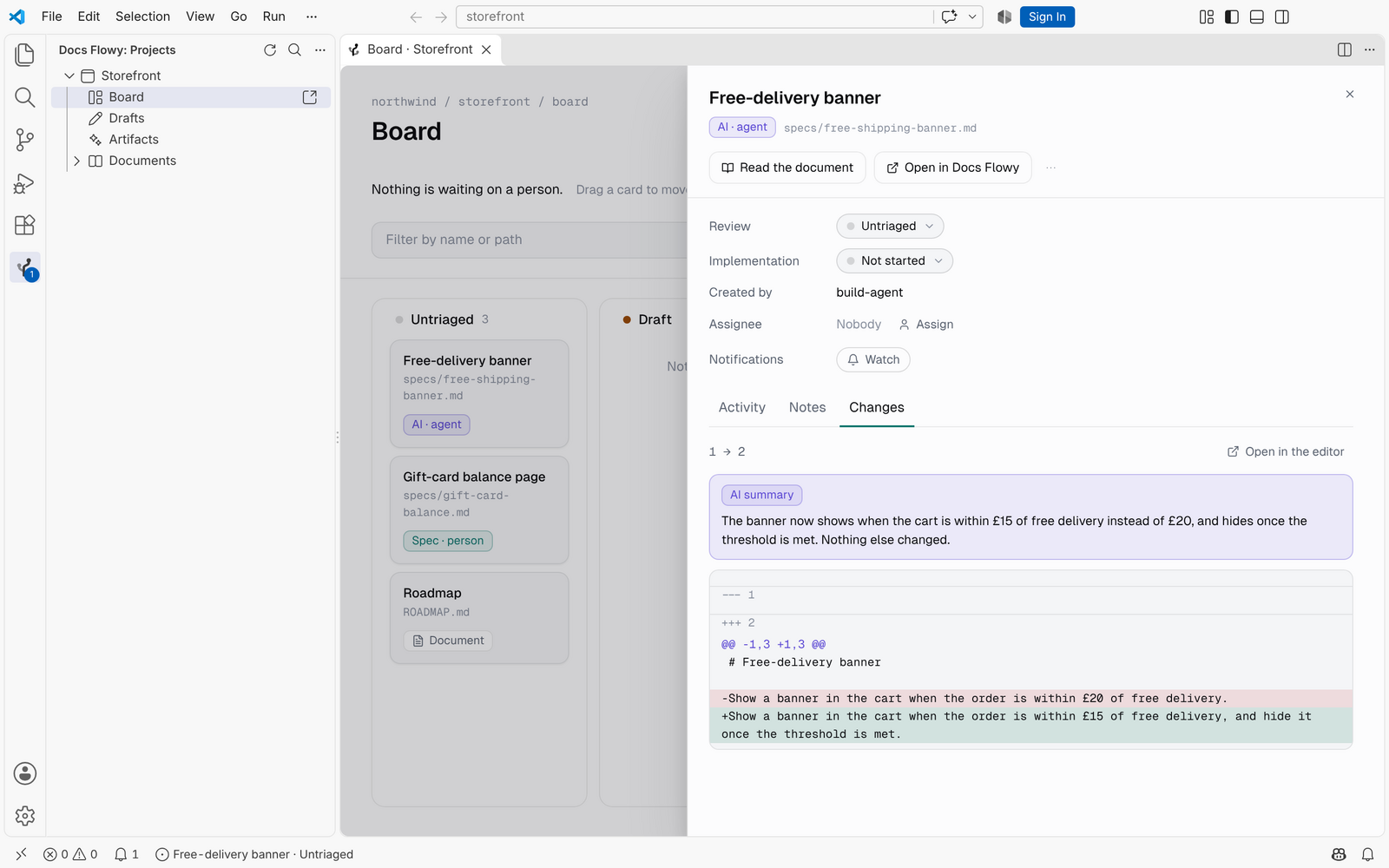
Every ticket, one click awayClick a card for its panel: both states and who set them, who created it, the assignee, what the agent built, the activity and the notes. Read the document opens it in the editor; Open in Docs Flowy takes you to the card on the web. Drag the panel's edge to make it wider; it remembers.
Move cards and assign themDrag a card to another column to move it; a column it can't go to says why, and the card goes back. In its panel, change either state from its chip, assign someone (or Assign to me, or Unassign), watch it, Release a ticket an agent stopped working on, or Re-validate a spec that changed after it was validated. Rejecting asks why, and the reason is saved as a note. Ctrl/⌘-click cards to select several and move them together. In List, every row has its own state control.
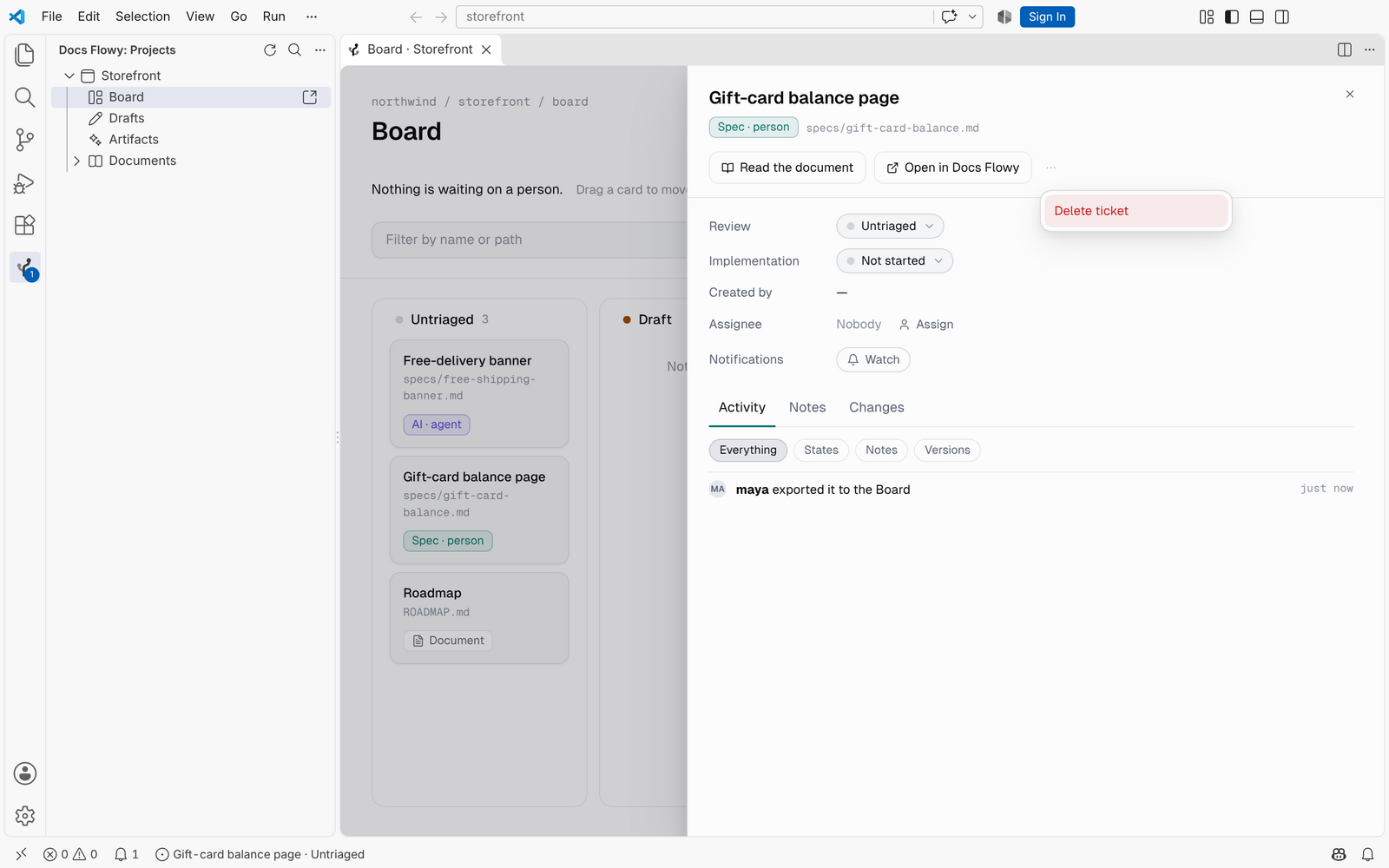
From anywhere, the status bar names the ticket that's open and its state; click it, or run Docs Flowy: Change the open ticket's state…, Assign the open ticket… or Add a note to the open ticket…. Delete a ticket, and UndoThe panel's ⋯ menu offers Delete ticket (Delete for a draft that isn't on the Board) where Docs Flowy says you may: it asks first, then the toast offers Undo for ten seconds. A deleted ticket goes to the project's Trash with its notes and history for 30 days, and its number is never given to another ticket. While an agent is working on it, or a Handbook change from it waits for a decision, the menu says so instead. A repository file's ticket can't be deleted — the next sync would bring it back — so its menu offers Take off the Board. Select several cards and the bar offers Delete when every one of them may be deleted.
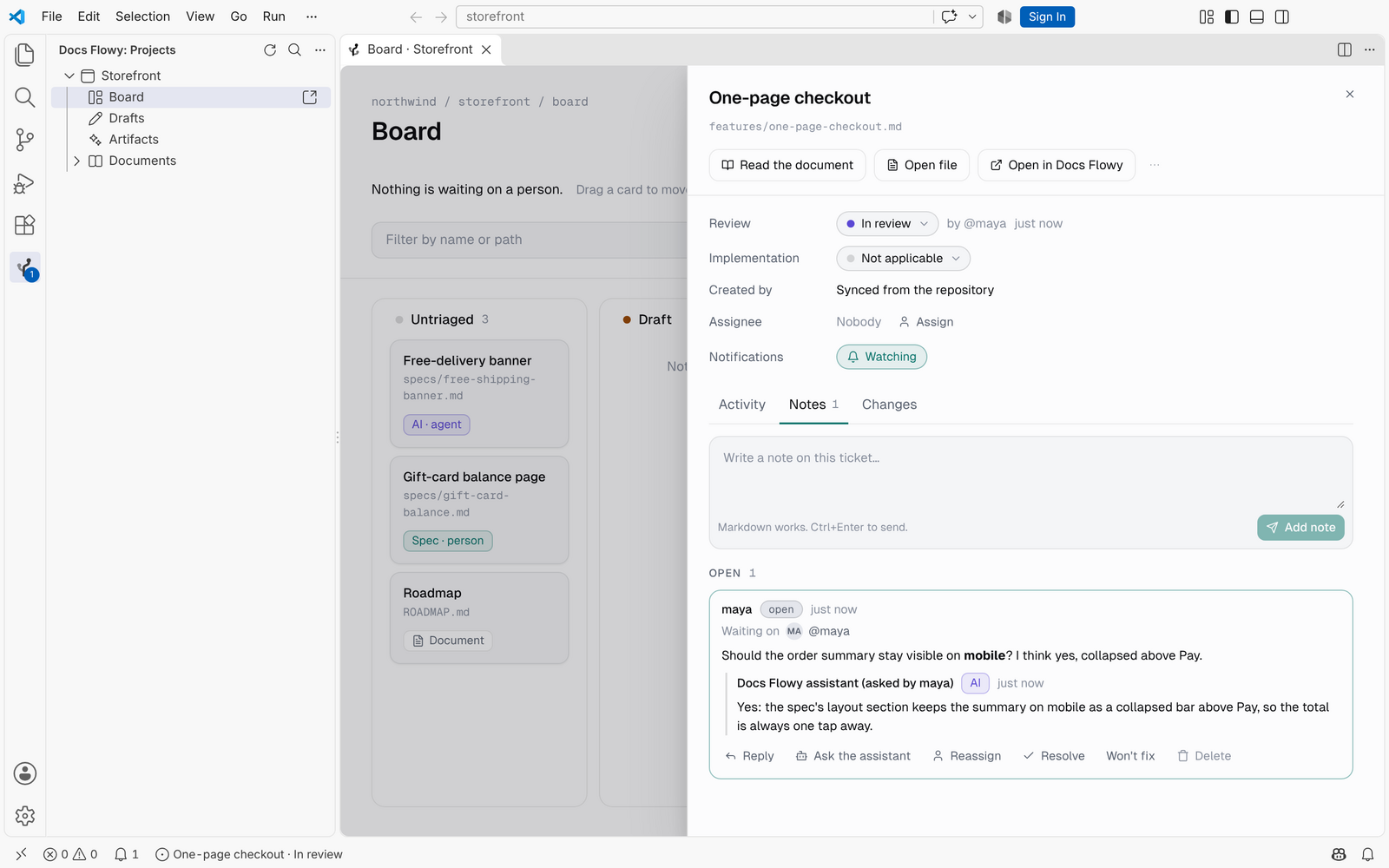
Notes, and Ask the assistantWrite notes and replies, hand a note to someone, and resolve, mark won't fix, reopen or delete the ones you may (deleting asks first). Notes are grouped as Awaiting you, Open and Closed; Ctrl/⌘+Enter sends. The Activity tab filters to Everything, States, Notes or Versions. Ask the assistant answers in a note's thread, marked AI, where your organization has it on. It uses one of your organization's credits, says so before you click, and never runs on its own.
Changes, and Summarise this changeA ticket's Changes tab pages through its versions and shows the lines that changed between two of them; Open in the editor opens the same diff in VS Code's diff view. Where your organization has it on, Summarise this change writes a paragraph about it — one credit, stated on the button.
Handbook changesA ticket an agent claimed shows the Handbook changes it sent with the claim. Approve them there, or Review changes in Docs Flowy. Filter it, or read it as a listFilter by name or path, by state, by assignee, or by who wrote it: a person or an agent. Or switch to List for the same lanes, one row per ticket.
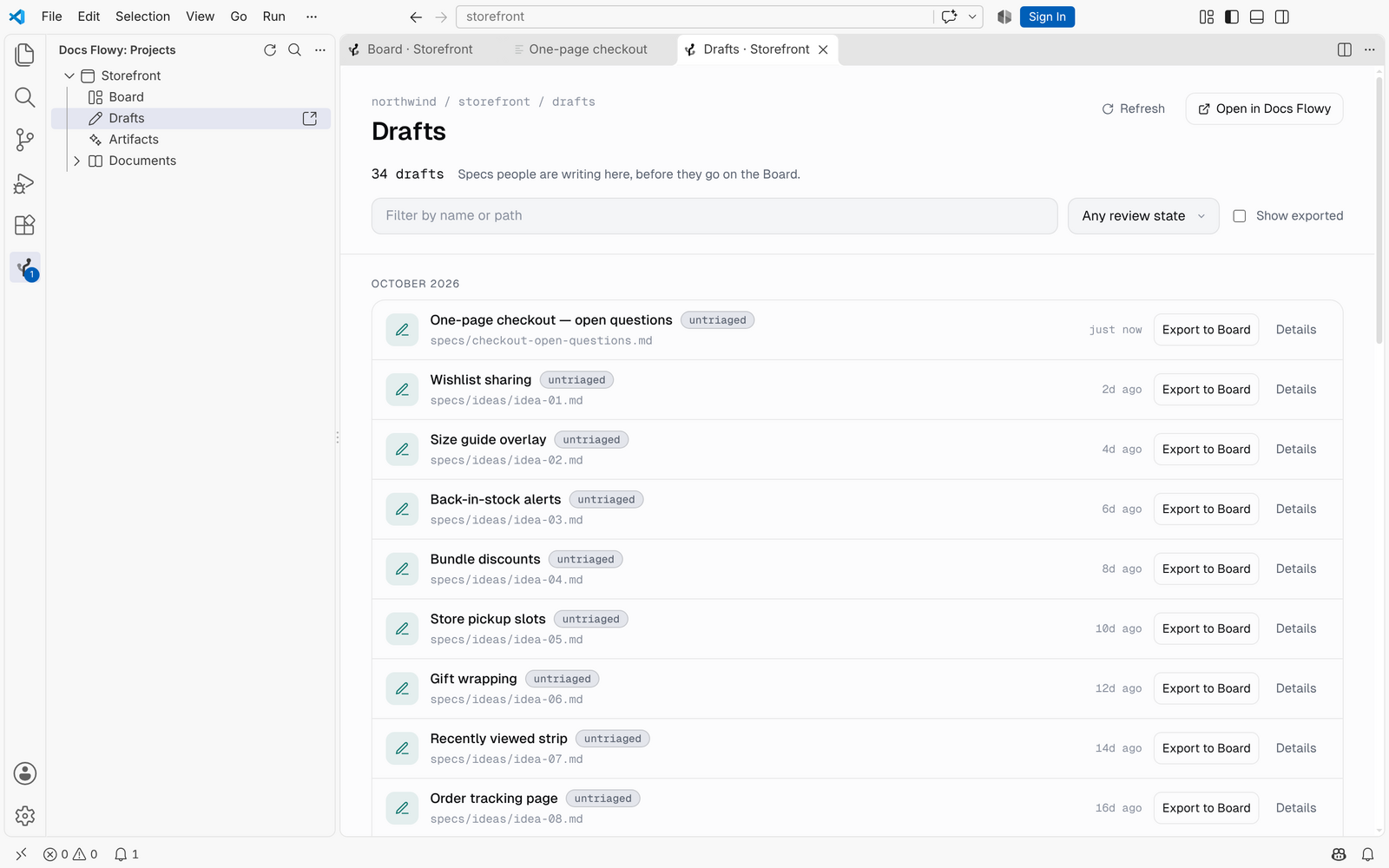
Drafts and ArtifactsDrafts are the specs people are writing; Artifacts are what agents wrote. Both are grouped by month, can be filtered, and load more as you scroll through. Show exported includes the ones already on the Board. Export to Board puts a draft on the Board, and Delete in its panel's ⋯ menu moves a draft or an artifact to the Trash (it asks first, and offers Undo).
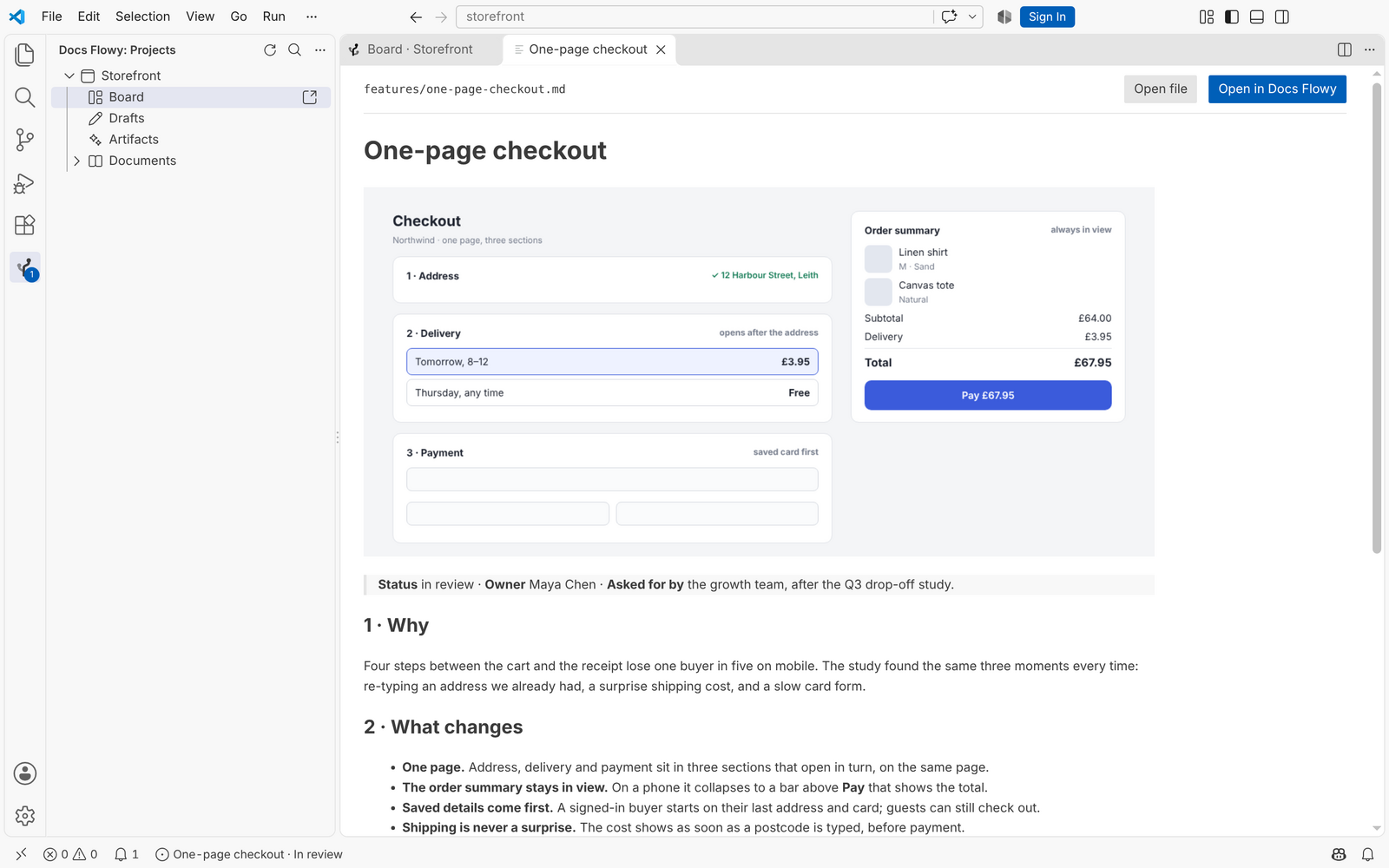
Read specs where you codeAny document, draft or artifact opens in the editor with its images. A link to another spec opens that one too. Under each project, Documents lists every document in its repository, by folder, and Search documents finds one as you type. When the repository is open in your editor, a document has an Open file button, and the files a spec names in
code, like
What's waiting on youThe status bar and the Docs Flowy icon show how many notes are waiting on you. Click the count for the list; each one opens in the editor. Reliable by design
Keyboard
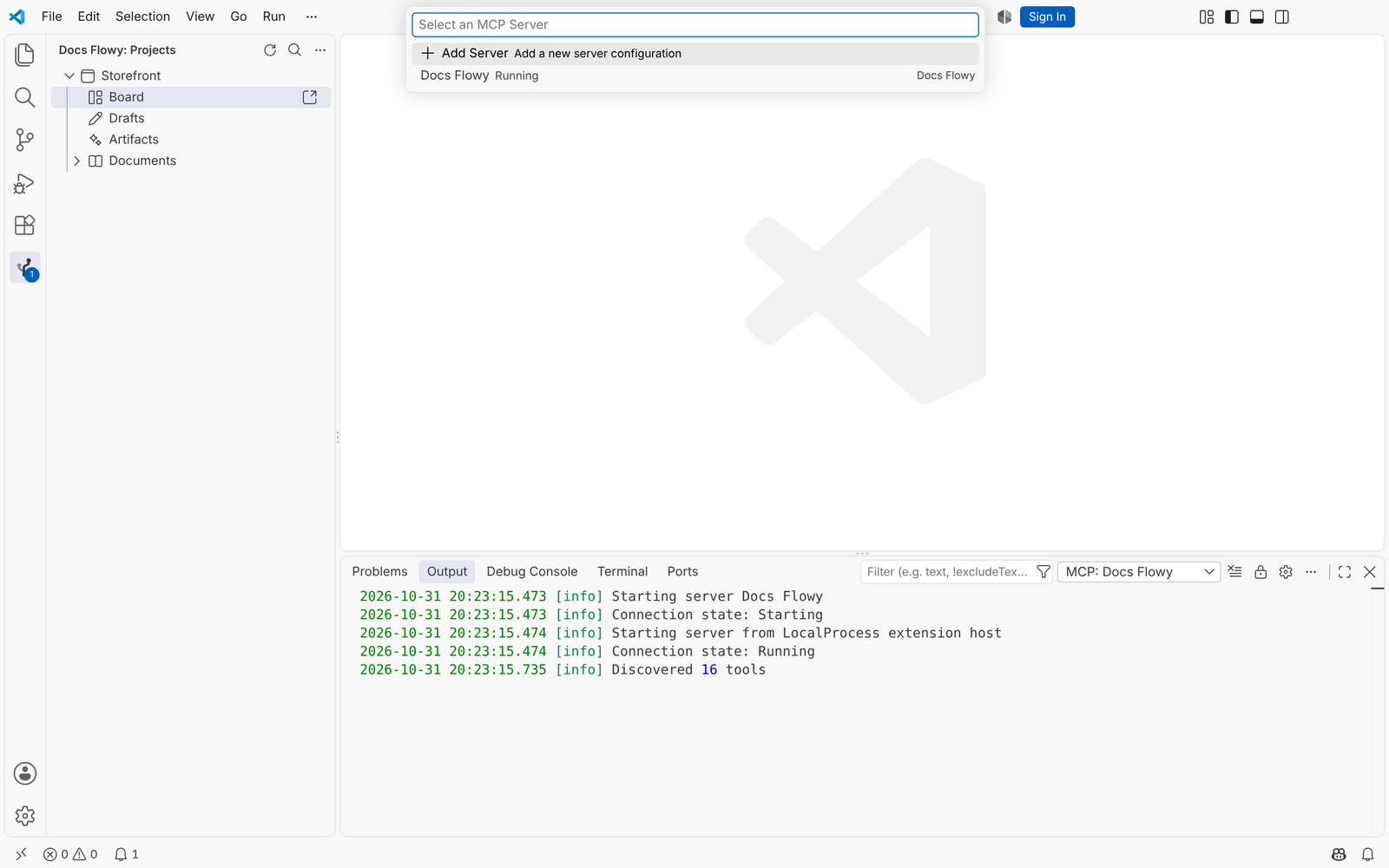
Connect your agentYour editor's agent can read the same specs over MCP. Run Docs Flowy: Connect your agent and paste a project key, once:
The agent uses the key, never your session: it reads what the key's project allows, and never sees your unexported drafts. Owners and Admins create keys in Docs Flowy under Organization → API.
Commands
Settings
Privacy and securityRead the Privacy Policy and the Terms.
Requirements
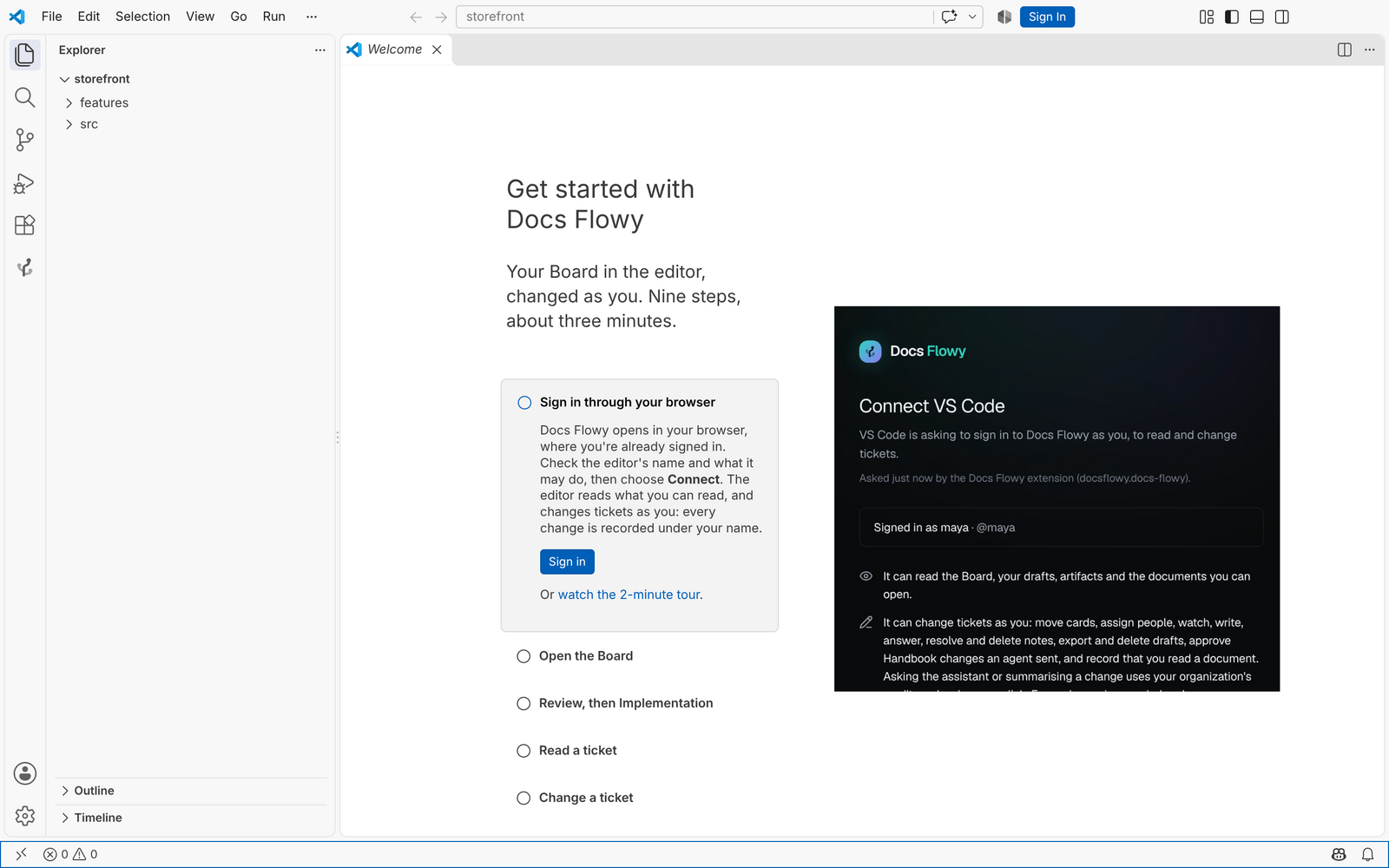
FAQVS Code asks "Do you want Code to open the external website?" That's VS Code checking before it opens Docs Flowy in your browser to sign you in; it asks about any website it doesn't trust yet. Check that the address is your Docs Flowy server, then choose Open. If you chose Cancel, the sign-in waits: cancel it and sign in again. VS Code asks "Allow 'Docs Flowy' extension to open this URI?" That's VS Code checking the link your browser handed back after you chose Connect. Check that the link comes from Docs Flowy, then choose Open. The sign-in didn't finish. Confirm in the browser within ten minutes, then choose Open when VS Code asks. If
the browser didn't open, check My agent doesn't list Docs Flowy. Run MCP: List Servers and start Docs Flowy. If the key was revoked, run Docs Flowy: Connect your agent with a new one. The sidebar asked me to sign in again. Your sign-in was signed out in Docs Flowy, or it expired. Sign in again. The Board says "Sign in again to move cards". The editor signed in to read only: with 0.1.0, or from a sign-in approved to read. Choose Sign in again (or run Docs Flowy: Sign in again to change tickets); the old sign-in is signed out for you. Can I keep the editor read-only? Yes. Turn off I don't see Summarise this change, or Ask the assistant is refused. Both are on only where your organization has turned them on and has credits left: Summarise shows only then, and Ask says so, in Docs Flowy's words, when it's refused. Each uses one credit, only when you click. I deleted a ticket by mistake and the Undo is gone. It is in the project's Trash on the web for 30 days: open the project in Docs Flowy and restore it from there. The person who deleted it, or an Owner or Admin, can. Something else? Output → Docs Flowy lists what the extension did. It never contains a sign-in, a key or a code, so it's safe to share with us. SupportQuestions and help at docsflowy.com. What changed in each version is on the Changelog tab. |