GitHub Actions Embedded Syntax Highlighting



This VS Code extension injects embedded syntax highlighting into GitHub Actions YAML.
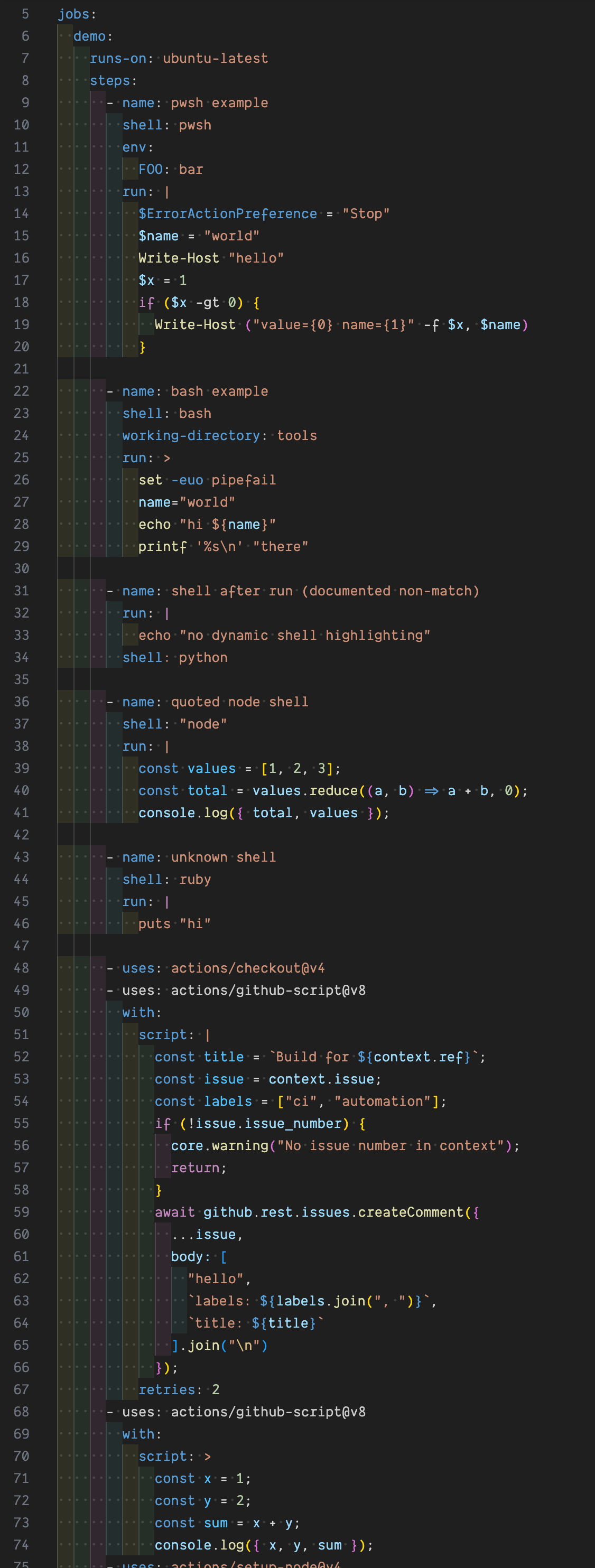
It supports:
- JavaScript highlighting for
actions/github-script with.script blocks
run: block syntax highlighting based on an explicit step shell: value (for common shells/languages), when shell appears before run in the same step
Requirements
- VS Code 1.85.0 or newer
- Requires
redhat.vscode-yaml or another YAML grammar that exposes the standard scopes VS Code uses for YAML and embedded TextMate injections. This redhat extension is what is installed by default.
- Requires
github.vscode-github-actions
Installation
Install from the VS Code Marketplace:
- Search for
GitHub Actions Embedded Syntax Highlighting
- Or install from the command line:
code --install-extension dncrews.vscode-github-actions-embedded-syntax
If you want to test a local package instead:
npm install
npm run package
code --install-extension vscode-github-actions-embedded-syntax-0.0.1.vsix
To try the latest build from main before a Marketplace release:
- Download the
.vsix from the Nightly release.
- In VS Code, run
Extensions: Install from VSIX....
- Select the downloaded
.vsix file.
The Nightly prerelease is overwritten on each push to main and is intended for testing the latest unreleased build.
Required companion extension
Github Actions extension
This extension declares github.vscode-github-actions as an extension dependency. VS Code should install it alongside this extension, and it provides the GitHub Actions language mode, schemas, and validations that this grammar injection builds on.
YAML extension
This extension also requires a YAML grammar that exposes the standard scopes for YAML and embedded TextMate injections. The extension defaults to redhat.vscode-yaml for this, but it can be disabled or uninstalled if you have another YAML extension that provides the necessary grammar support.
What it does
- Detects YAML step entries like
uses: actions/github-script@...
- Looks for a nested
with: block
- Treats the
script: block scalar as embedded JavaScript
- Detects explicit step
shell: values before run:
- Treats
run: block scalars as embedded shell/language code for common shells
run + shell support (experimental heuristic)
Supported explicit shell: values:
bash, sh -> shell script highlightingpwsh, powershell -> PowerShell highlightingcmd -> Windows batch highlightingpython -> Python highlightingnode -> JavaScript highlighting
Limitations
shell must appear before run in the same step- Best support is for block scalars (
run: | / run: >)
- Dynamic expressions or custom shell templates are not detected
- Behavior depends on the installed YAML grammar because this extension works by TextMate grammar injection
Before / After
Without this extension, embedded script content in workflow files is treated like plain YAML text:
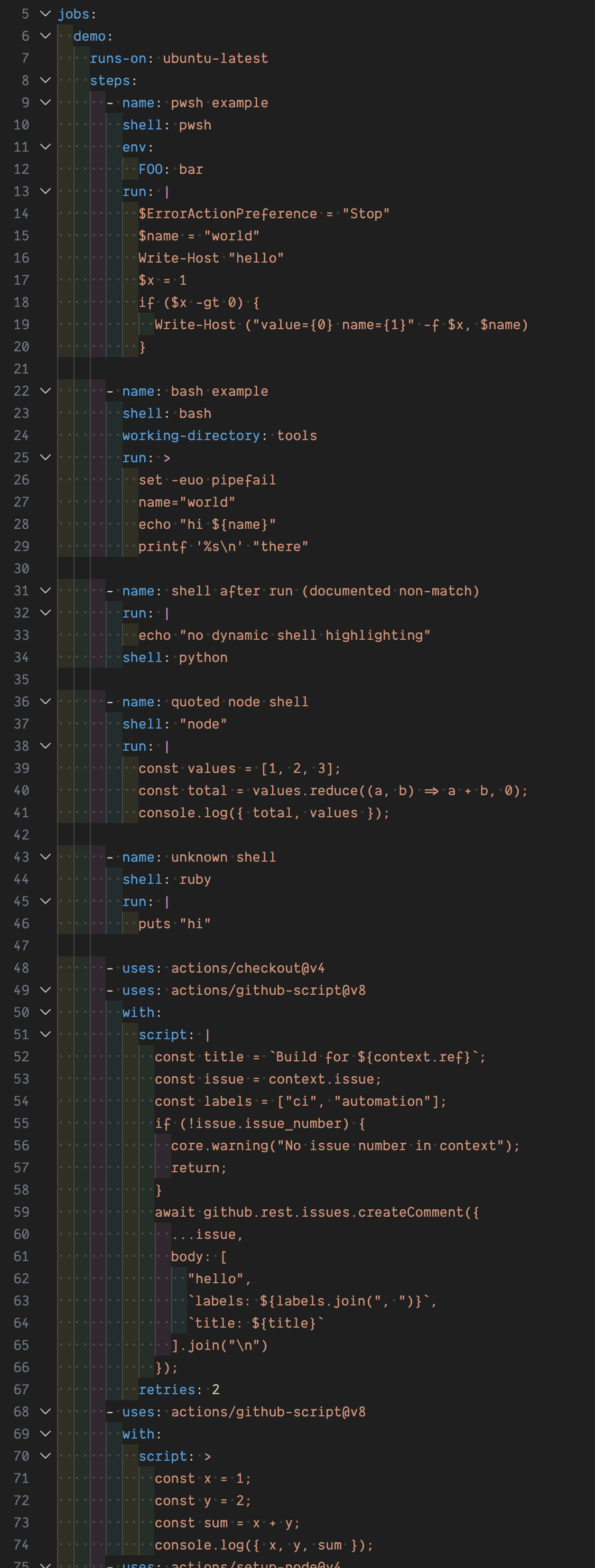
With this extension, actions/github-script and supported run + shell blocks get embedded language highlighting:
Notes
- This is a TextMate grammar injection, so behavior depends on the installed YAML grammar in VS Code.
- The current heuristic targets
source.yaml and GitHub Actions-style step structure.
Development
npm install
npm test
npm run package
The packaged .vsix can be installed locally in VS Code for manual validation.
Publishing
This repository includes GitHub Actions release automation. For local publishing, authenticate vsce with a Visual Studio Marketplace personal access token and then run:
npm install
npm run publish:extension
For GitHub Actions publishing, add these repository secrets:
RELEASE_PLEASE_TOKEN for the token used by release-please to open/update release PRs and create the final release tagVSCE_PAT for publishing the extension to the Visual Studio Marketplace
Tagged releases will package the extension, upload the .vsix as an artifact, and publish to the Marketplace when that secret is available. Pushes to main also update a GitHub prerelease named Nightly with the latest .vsix attached for manual testing.
Versioned releases are managed by release-please from conventional commits on main. The release-please.yml workflow opens or updates a release PR with the generated changelog and version bumps. When that PR is merged, release-please creates the v* tag and your existing release workflow publishes the extension from that tag.
Release Process
flowchart LR
  A["Conventional commits merged to main"] --> B["Release Please workflow runs"]
  B --> C["Release PR updates package.json, package-lock.json, and CHANGELOG.md"]
  C --> D["Release PR is reviewed and merged"]
  D --> E["release-please creates v* tag"]
  E --> F["Release workflow packages VSIX and publishes release"]
  D --> G["Push to main updates Nightly prerelease"]
In practice:
- Merge conventional commits into
main.
- Review the release PR opened or updated by
release-please.
- Merge that PR when the proposed version and changelog look correct.
- Let the tag-triggered release workflow publish the extension.
Support
Issues and feature requests: GitHub issues

