Agent Observer — VS Code Extension
Real-time monitoring of AI agents across projects and VS Code windows.
Important: This extension only displays agent status — each AI agent needs a dedicated plugin to report its status. See supported plugins and installation instructions.
Requirements
- VS Code
code CLI — required for "click to focus" feature. Install via: Cmd+Shift+P → "Shell Command: Install 'code' command in PATH"
Features
- Sidebar TreeView — See all running agents grouped by project, with live status and relative timestamps
- Status Bar — Aggregated status at a glance (running, waiting, error)
- Click to Focus — Click an agent to jump to its VS Code window
- Automatic Server — The extension manages the observer server automatically, no setup needed
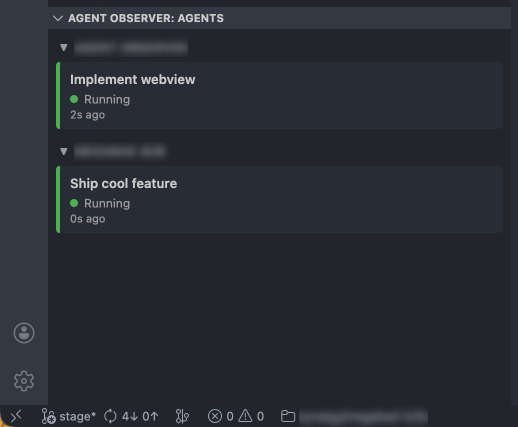
Status Bar



Status Icons
| Status |
Icon |
Meaning |
| Running |
Green dot |
Agent is actively working |
| Waiting |
Orange ring |
Agent needs your input |
| Idle |
Grey dot |
Agent is inactive |
| Error |
Red X |
Agent encountered an error |
Setup
- Install this extension from the VS Code Marketplace
- Install an agent plugin (e.g. Claude Code Plugin)
- The extension activates automatically and starts monitoring
| |

