a-stranger-theme
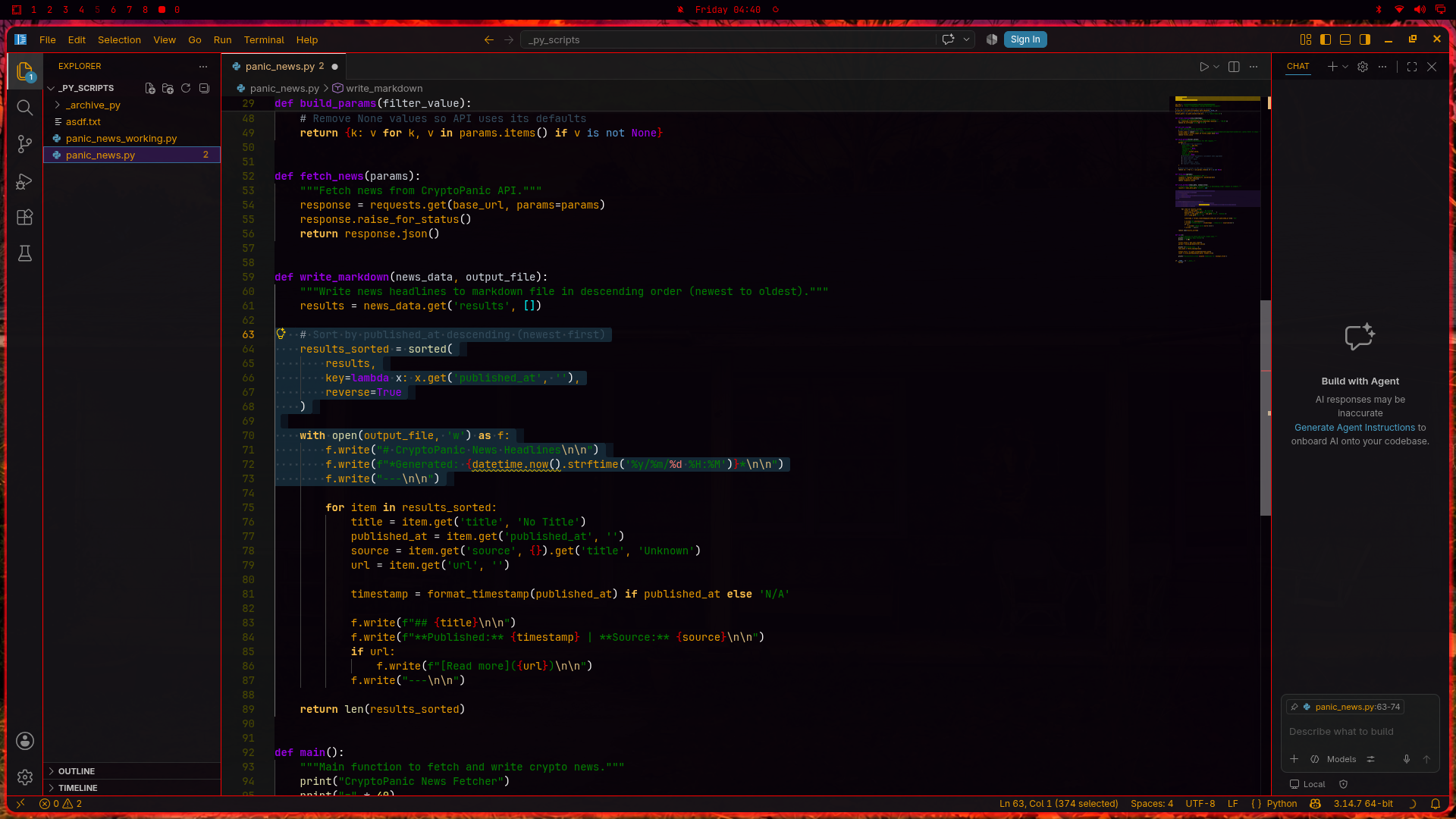
Inspired by "Stranger Things", 1980s era Amdek 300A monitor I tinkered with as a kid, and eye comfort in very low light.
Look for the *full Linux theme on omarchy.org
Screenshots
Note below only for users of Lisp, Clojure, and Racket - Curly-brace nest coloring
This theme colors curly braces by nest depth (outer #eb0000, inner #b80000). Parentheses and square brackets are left to ordinary syntax colors. Editing, bracket matching, IntelliSense, and language tools are unchanged.
Lisp / Clojure / Racket
Caveat. Pair colorization is limited to { }. Rainbow parens on () and [] will not appear. Nested lists will not read by bracket color. Nothing else in the workflow breaks.
This is visual only. Do not install a second theme for it.
Remedy (restore rainbow parens)
Add a language-scoped override in your settings.json. Do not edit the extension.
"[clojure]": {
    "editor.language.colorizedBracketPairs": [
        ["(", ")"],
        ["[", "]"],
        ["{", "}"]
    ]
},
"[lisp]": {
    "editor.language.colorizedBracketPairs": [
        ["(", ")"],
        ["[", "]"],
        ["{", "}"]
    ]
},
"[racket]": {
    "editor.language.colorizedBracketPairs": [
        ["(", ")"],
        ["[", "]"],
        ["{", "}"]
    ]
}
Same pattern works for scheme, fennel, and clojurescript if you use those language IDs.
Remedy (turn nest coloring off)
"[clojure]": {
    "editor.bracketPairColorization.enabled": false
},
"[lisp]": {
    "editor.bracketPairColorization.enabled": false
},
"[racket]": {
    "editor.bracketPairColorization.enabled": false
}
Keep pair colorization, drop the reds
Override the six nest colors in workbench.colorCustomizations if you want rainbow parens globally. That will also recolor { } in other languages.
This extension does not set editor.language.colorizedBracketPairs as a default for all users. If you copy the companion settings to match the intended look, use the overrides above for Lisp-family files.
Optional companion settings
These are editor settings, not theme colors. Add them to your settings.json if you want curly-brace-only pair colorization:
"editor.bracketPairColorization.enabled": true,
"editor.bracketPairColorization.independentColorPoolPerBracketType": true,
"editor.language.colorizedBracketPairs": [
    ["{", "}"]
]

