
JTC (JSON/YAML Type Checker)
JTC validates json, jsonc, and yaml documents against TypeScript types using a $type field.
How It Works
- Write
$type in your document (example: "./types.ts#MyType").
- JTC parses the document into an internal rough JSON structure.
- JTC runs TypeScript diagnostics for that value against the target type.
- Diagnostics are shown directly in VS Code.
$type itself is treated as metadata and excluded from type checking.
Example
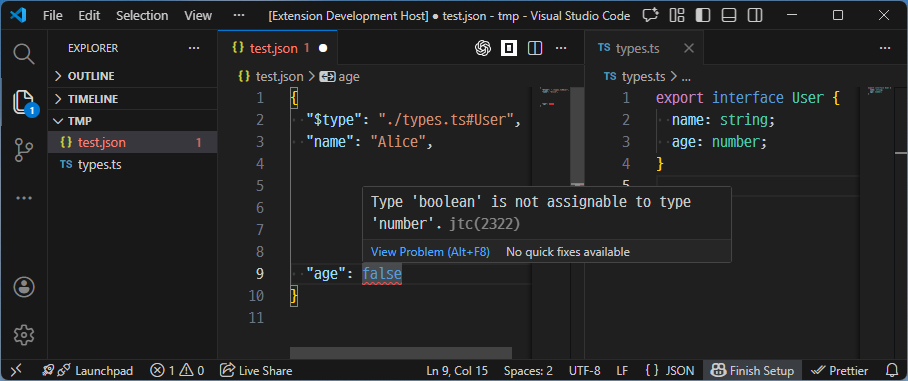
{
  "$type": "./types.ts#User",
  "name": "Alice",
  "age": 20
}
./types.ts
export interface User {
  name: string;
  age: number;
}
If a value has the wrong type, JTC reports a diagnostic at the corresponding JSON/YAML path.
| |

