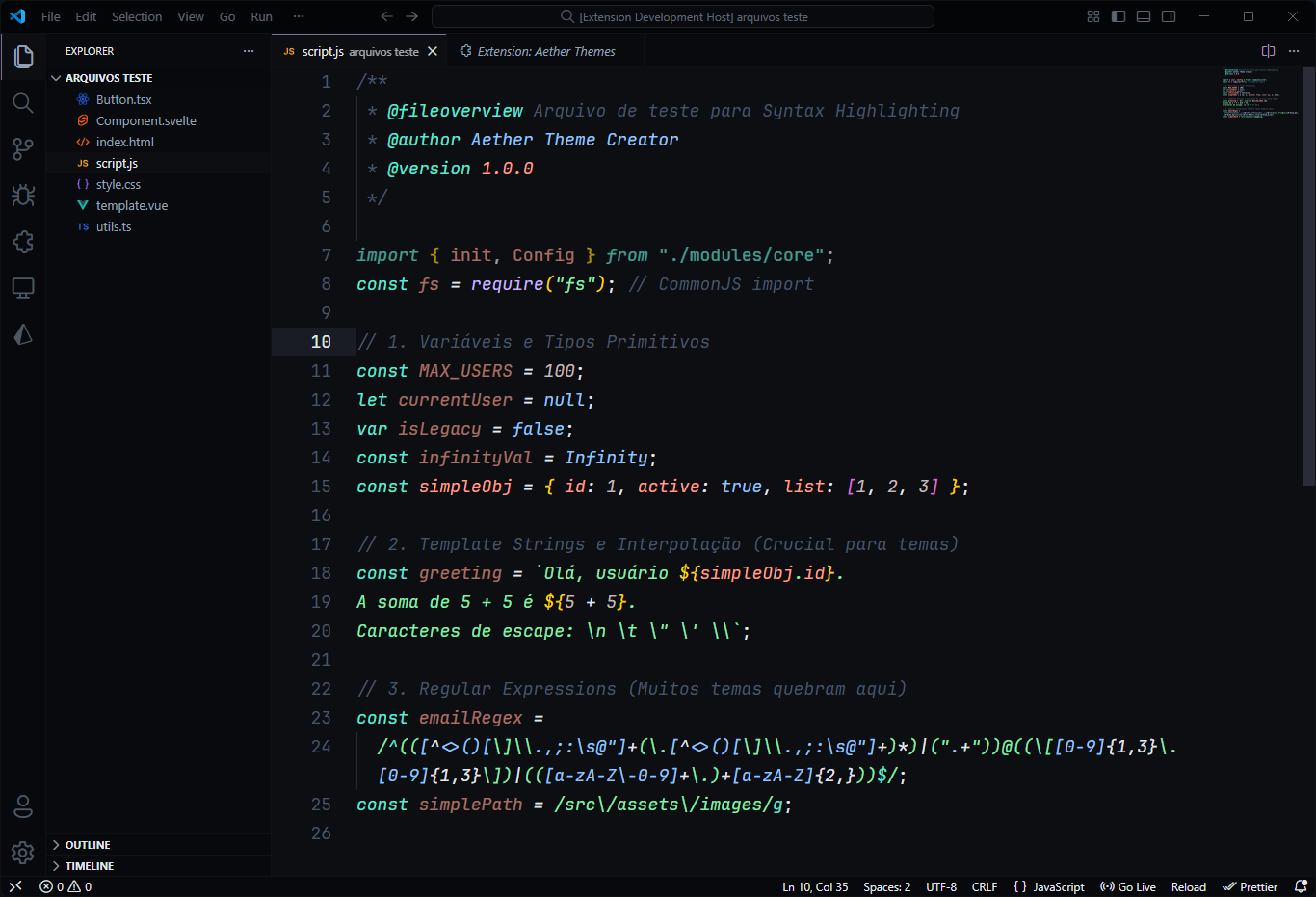
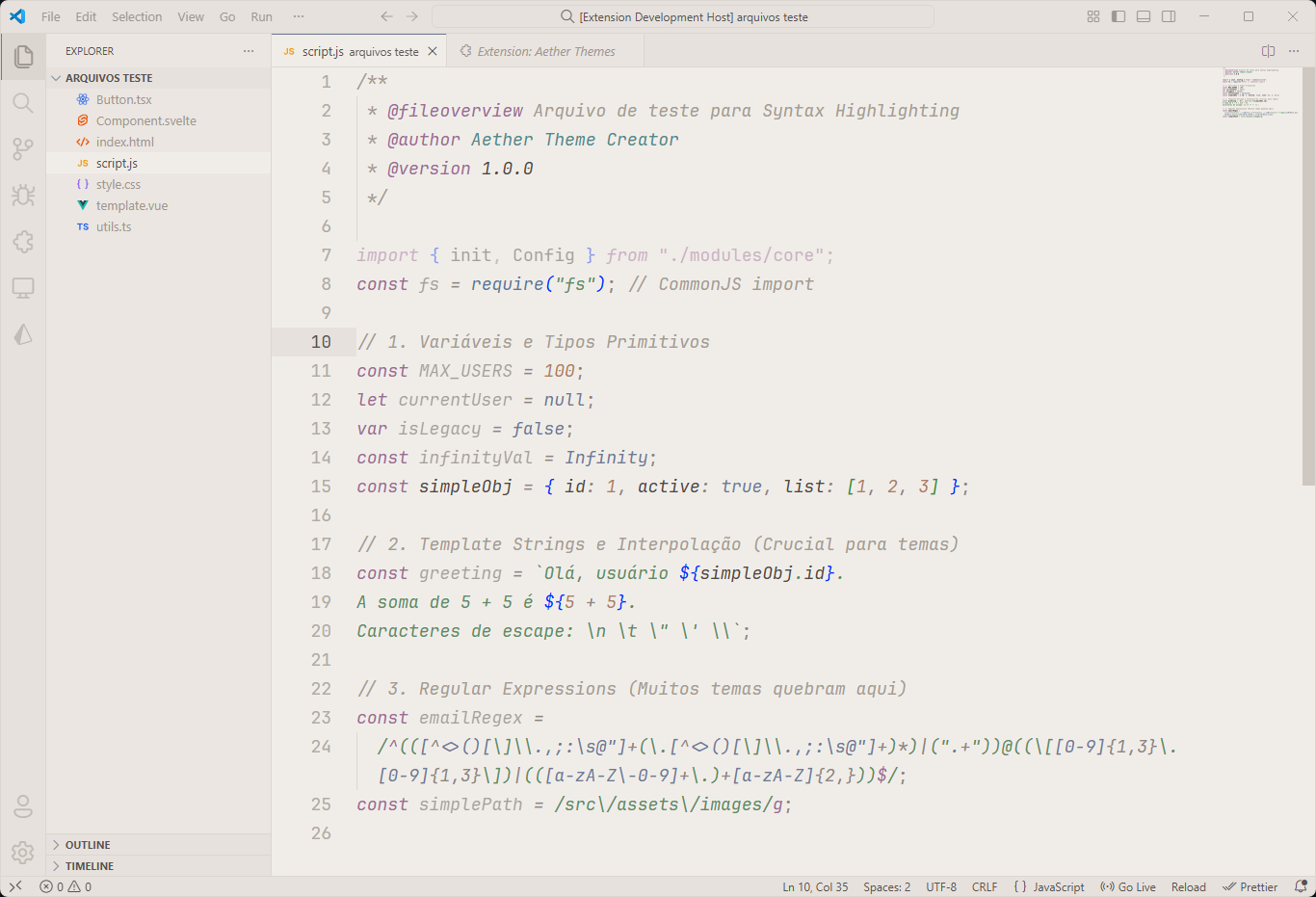
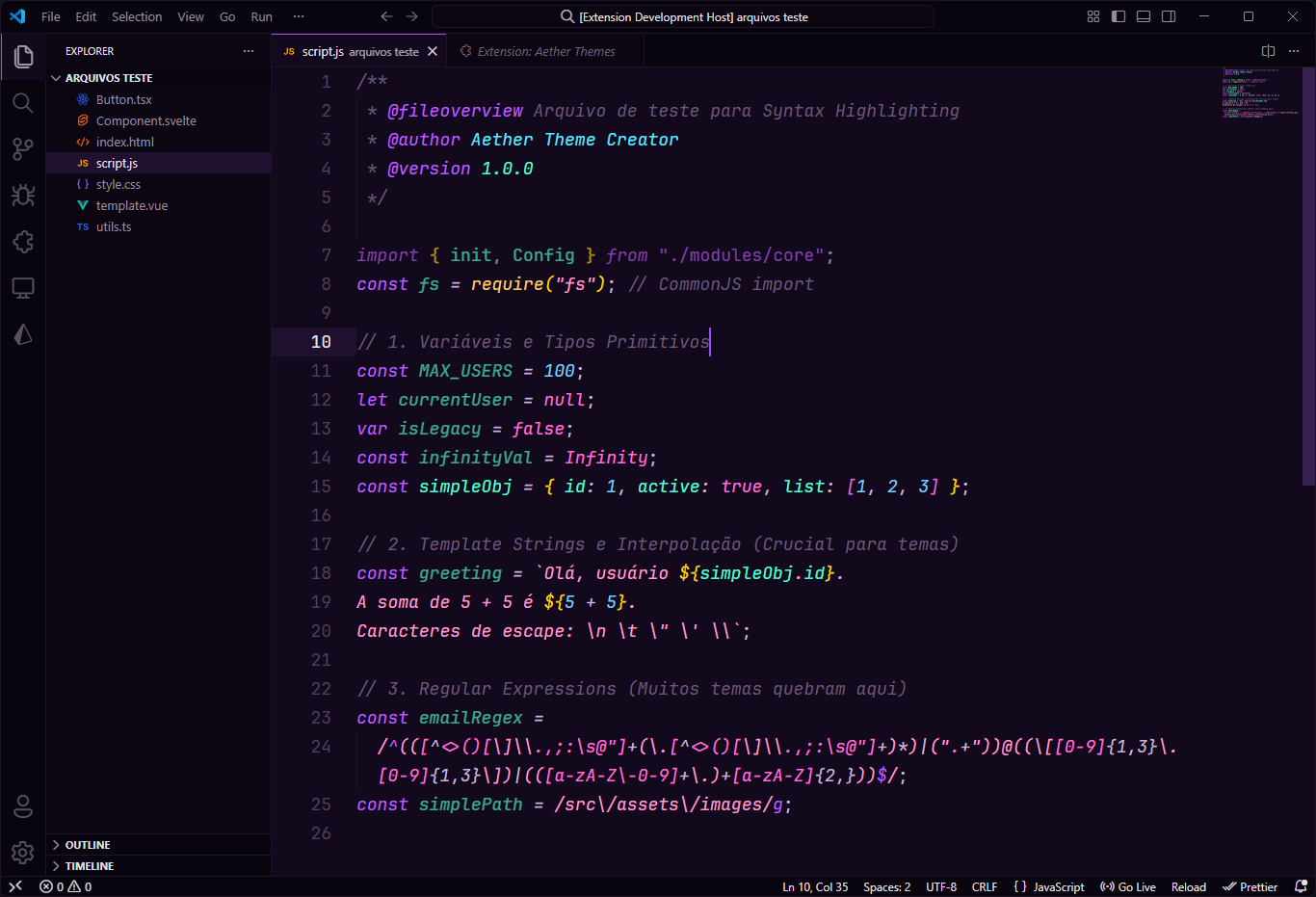
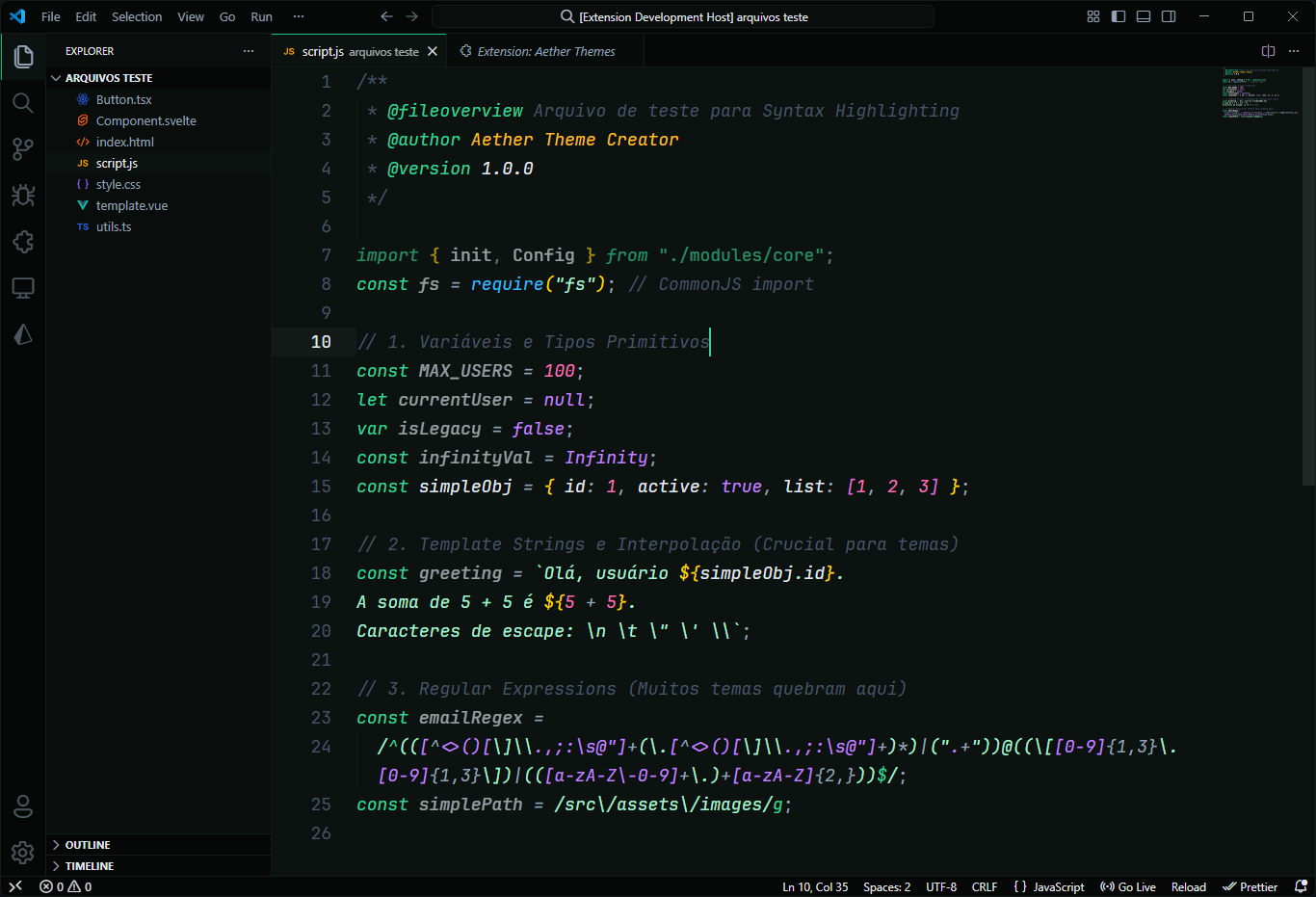
A premium collection of modern themes for Visual Studio Code.
Designed with absolute focus on visual experience, precise colors, and balanced contrast.
✨ Introduction
The Aether Themes collection was created to provide a modern, comfortable, and premium visual experience. Whether you prefer dark, light, nature-inspired, or warm coffee tones, this collection has been crafted with you in mind.
We offer comprehensive support for the most popular languages on the market, ensuring consistent syntax highlighting and a deep UI customization.
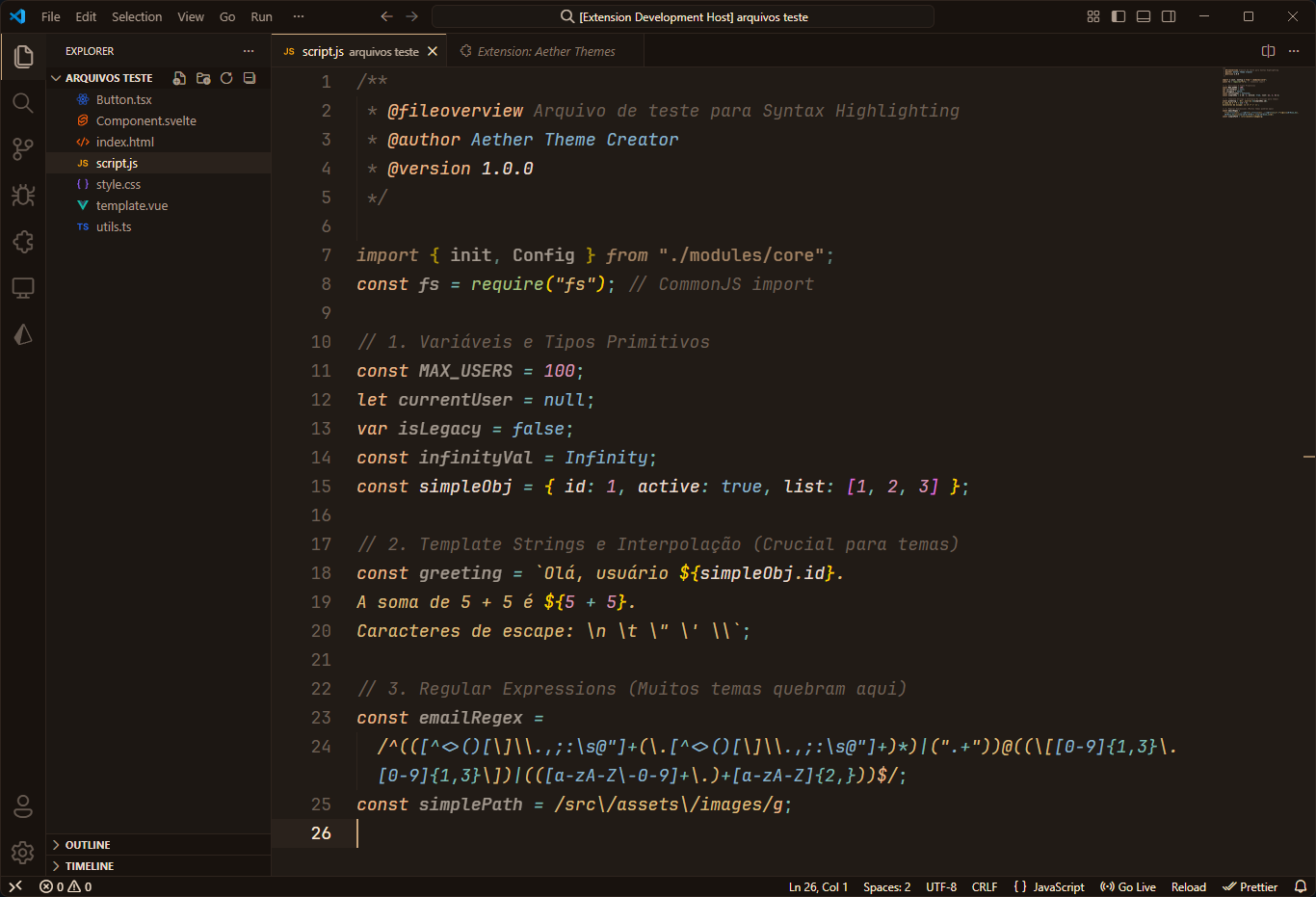
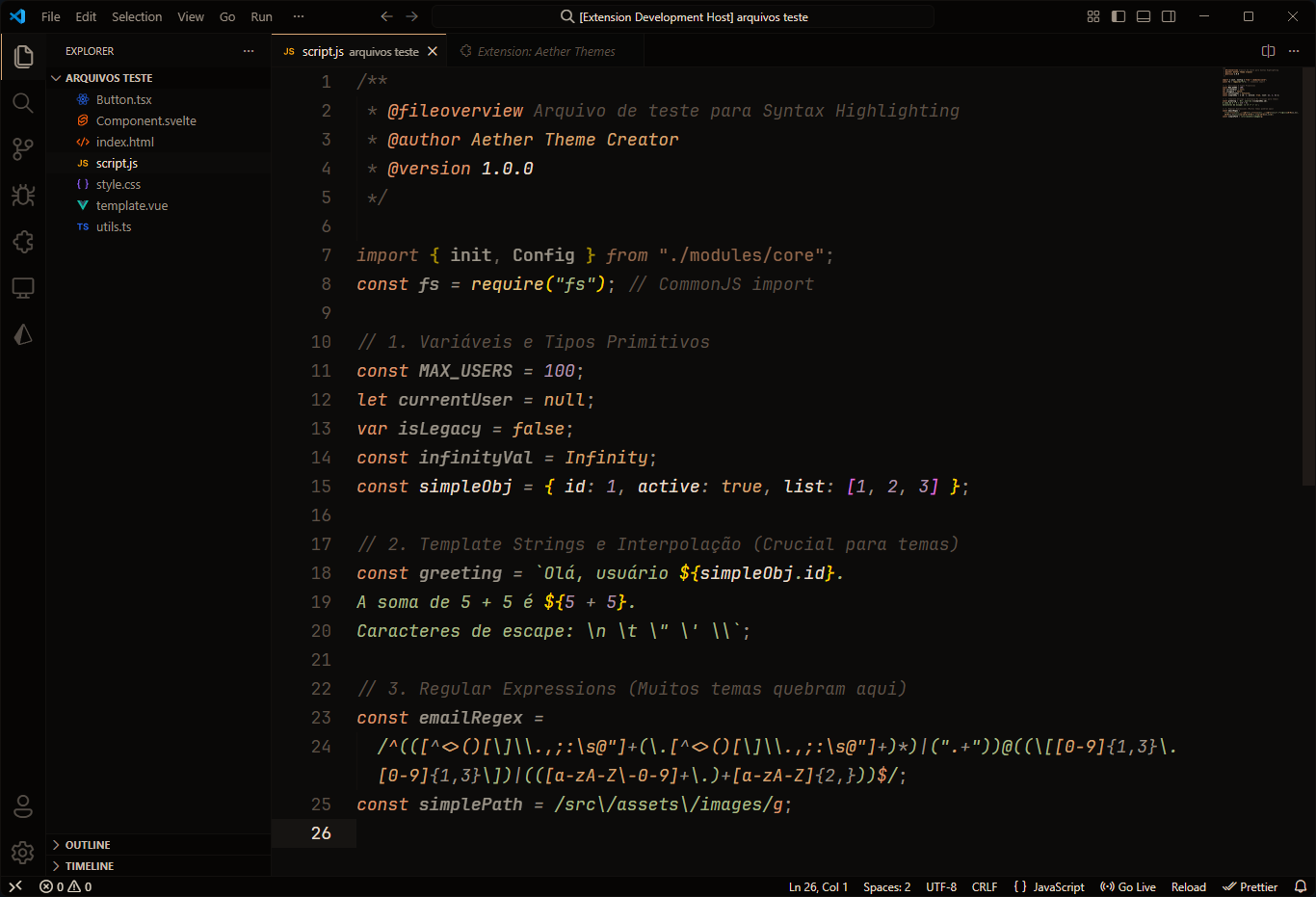
🎨 Themes Preview
Click on the images to view in high resolution.
Aether Dark

|
Aether Light

|
Dark Space

|
Emerald

|
Aether Coffee

|
Coffee Dark

|
⭐ Highlights
- Refined Syntax (Tokens): Dedicated colors to distinguish logic, types, and data in:
JavaScript, TypeScript, React (JSX/TSX), Svelte, VuePython, Java, Go, Rust, PHPRuby, Kotlin, Swift, Dart, ScalaC, C++, C#, Haskell, Elixir, Lua, RHTML, CSS, SCSS, Tailwind, XMLGraphQL, SQL, JSON, YAML, TOMLMarkdown, Shell/Bash, Docker, Diff
- Deep UI Styling: We don't just style the editor. We cover the entire workbench:
- Buttons, Inputs, Dropdowns, and Badges.
- Integrated Terminal and Search UI.
- Subtle Scrollbars and Sticky Scroll.
- Clean Git Diff View (Added/Removed/Modified/Renamed/Untracked/Staged).
- Debug Console and Token Expression colors.
- Inline Chat and AI suggestion colors (Ghost Text, Copilot).
- Notification Center and Marker Navigation.
- Premium Markdown: Clean visuals for Headings, Blockquotes, Links, Lists, and Code Blocks.
- Semantic Highlighting: Full support for VS Code's semantic engine to distinguish variables, parameters, interfaces, and readonly properties.
- WCAG AA Contrast: All themes meet minimum contrast requirements for comfortable long-session coding.
📦 Installation
Via Marketplace
- Open the Extensions sidebar in VS Code.
- Search for
Aether Themes.
- Click Install.
Via CLI
code --install-extension diogo-aether.aether-dark
🔧 Recommended Settings
For the best visual experience, add these to your settings.json:
{
  "editor.cursorBlinking": "smooth",
  "editor.cursorSmoothCaretAnimation": "on",
  "editor.renderLineHighlight": "all",
  "editor.fontFamily": "'JetBrains Mono', 'Fira Code', monospace",
  "editor.fontLigatures": true
}
Modern UI
VS Code's Modern UI turns each workbench area into a floating card, and every palette in this collection was rebuilt around it in v1.6.0. It ships as an experimental flag that is off by default and rolled out gradually, so it can be active on one machine and not on another. Pin it explicitly to get it everywhere:
{
  "workbench.experimental.modernUI": true
}
Run Developer: Reload Window afterwards. Being experimental, it may change or be removed in a future release, and VS Code forks generally don't have the flag at all. All six themes are fully supported in the classic UI too, so leaving this off costs you nothing.
Window Controls — Modern UI only (Windows & Linux)
With VS Code's Modern UI enabled (workbench.experimental.modernUI), the minimize / maximize / close buttons are drawn natively by Electron. VS Code feeds that native overlay a hardcoded background — #252526 for every dark theme and #F3F3F3 for every light one — instead of titleBar.activeBackground. The result is a gray patch in the corner of the title bar that no theme can override.
This setting makes VS Code render the controls itself, so they follow the theme:
{
  "window.controlsStyle": "custom"
}
Use "hidden" to remove them entirely.
You only need this on VS Code with the Modern UI turned on. In the classic UI — and in VS Code forks that don't ship the Modern UI, such as the builds installing from Open VSX — the window controls already follow the theme, so leave this setting alone. It has no effect on macOS.
❤️ Credits
Created and maintained by Diogo Pereira and Eliel Douglas.
📄 License
MIT License