
Purrfect Marshmallow ThemePastel pink & lavender Aesthetic for VS Code Installation Launch VS Code Quick Open ( Ctrl+P), paste the following command, and press enter.Copied to clipboard |

🐾💗 Purrfect Marshmallow ThemeA pastel–pink & lavender VS Code theme for soft–aesthetic lovers
A dreamy, cozy, soft-aesthetic theme designed for developers who love cute vibes, pastel palettes, and cute coding environments. Featuring a marshmallow cat peeping from a mug as your icon, your new coding companion! 💗💜 🎀 Features
☁️💜 Screenshot PreviewDark mode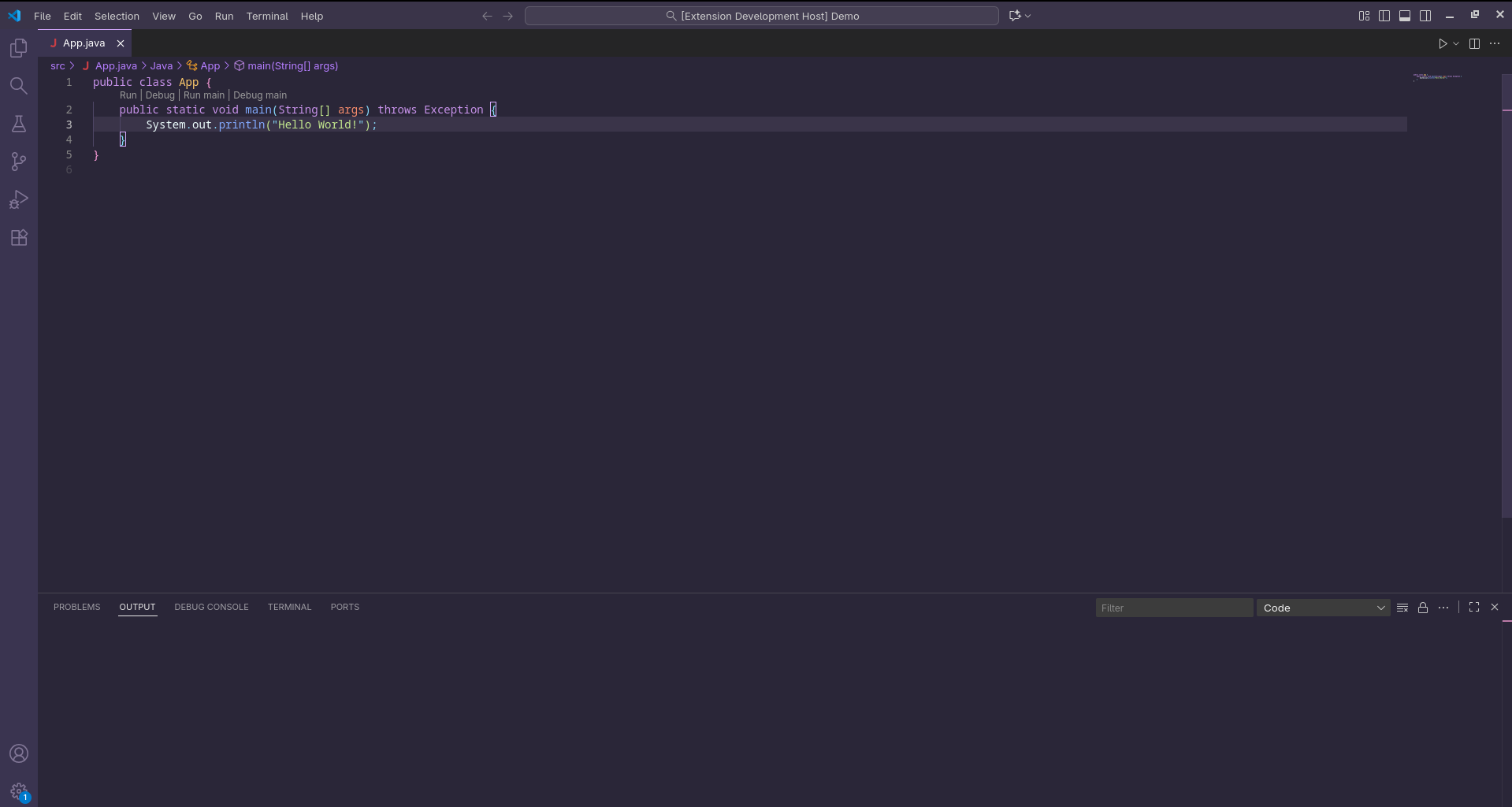
Light mode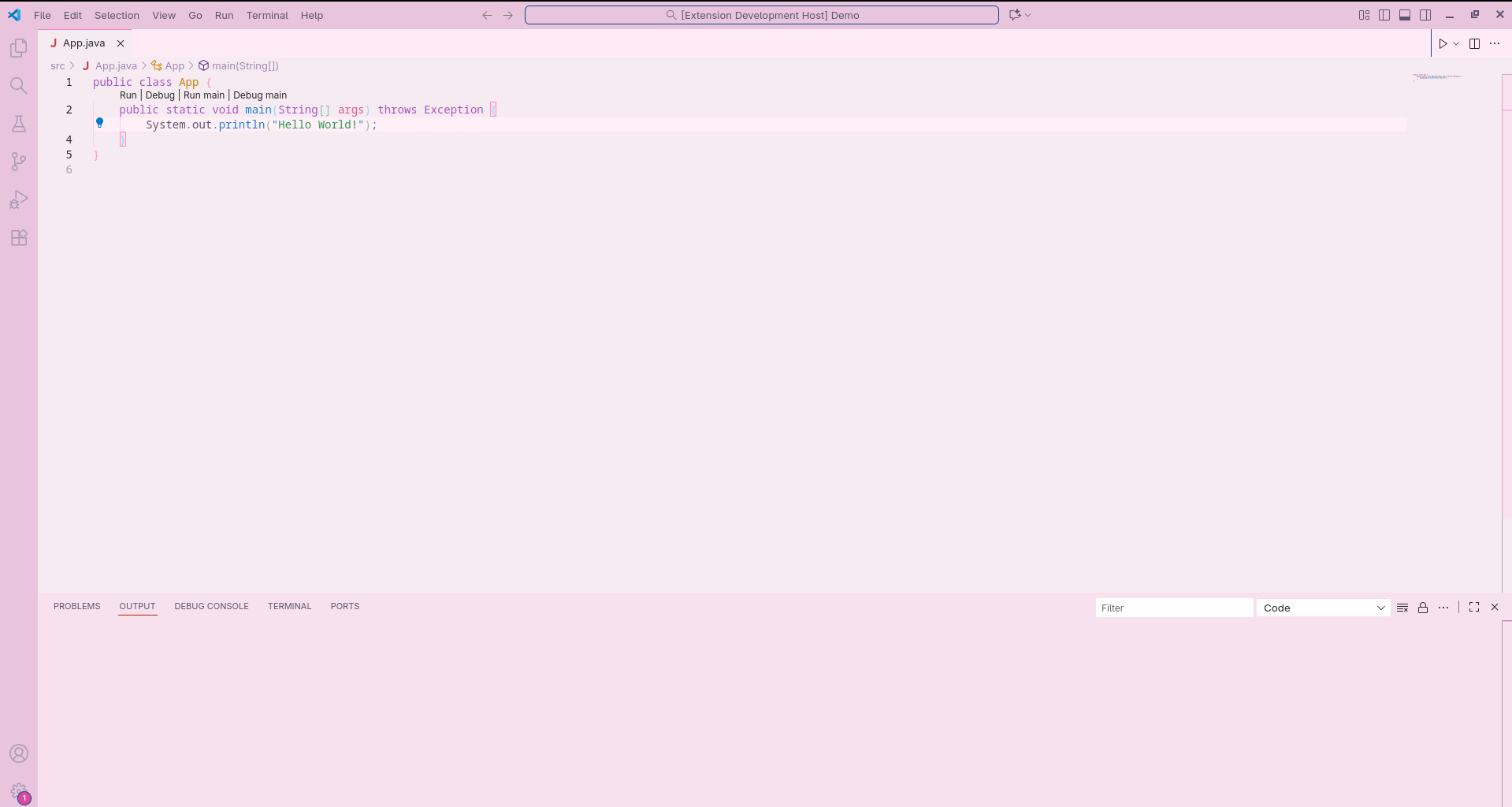
📦 InstallationFrom VS Code Marketplace
From Source (GitHub)ContributionPull requests are welcome! If you'd like to add new cute accents, pastel variants, or icons, feel free to contribute. Support the ThemeIf this theme makes your coding sessions cuter and cozier: ⭐ Star the repo 🌸 Share it with your aesthetic coder friends 💗 Tag me if you post about it!. Tag Me On Socials!
|