Skip to content
| Marketplace
Sign in
Visual Studio Code>Themes>Antigravity Markdown ThemeNew to Visual Studio Code? Get it now.
Antigravity Markdown Theme

Antigravity Markdown Theme

devnneth

|
1 install
| (1) | Free
A Markdown theme plugin for Antigravity and Visual Studio Code, inspired by the theme of Antigravity IDE's Plan/Review mode. It supports custom CSS.
Installation
Launch VS Code Quick Open (Ctrl+P), paste the following command, and press enter.
Copied to clipboard
More Info

Antigravity Markdown Theme

English | 한국어

A Markdown theme plugin for Antigravity and Visual Studio Code, inspired by the theme of Antigravity IDE's Plan/Review mode. It supports custom CSS.

Recent Changes (v0.1.2)

  • Removed: Removed the legacy pauseRabbitMarkdownGfm.customCss configuration key and its fallback logic.

For full release history, see CHANGELOG.md (or Korean).

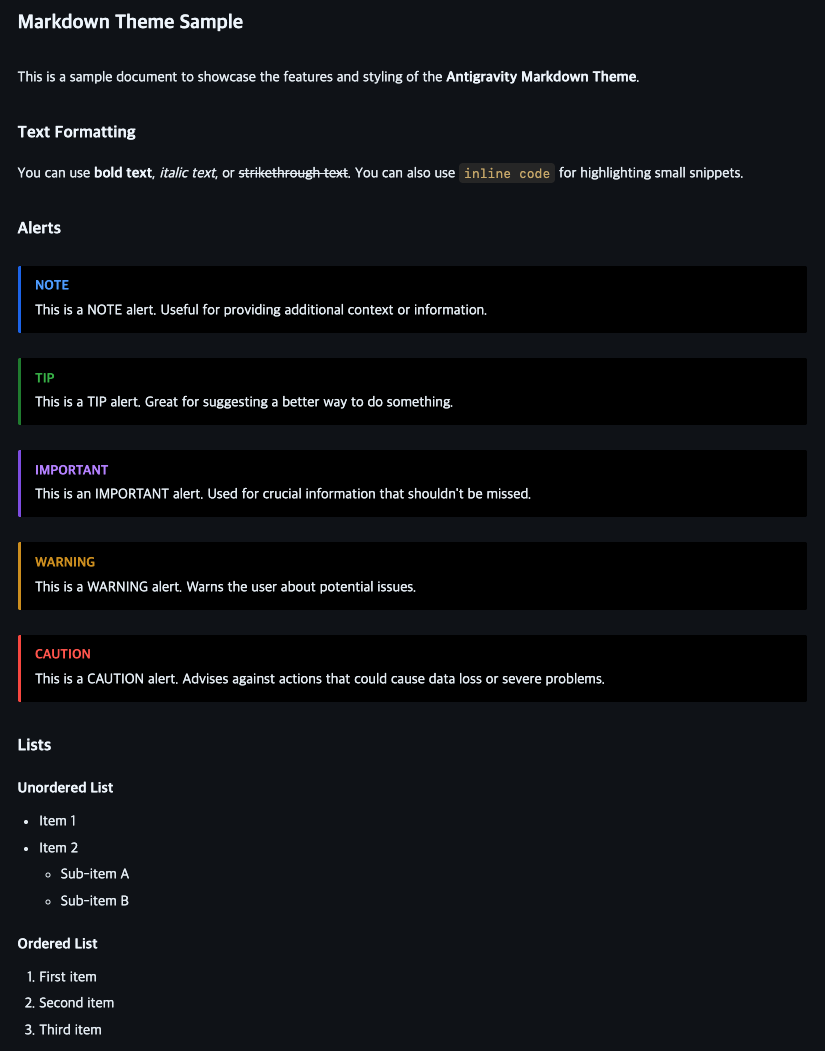
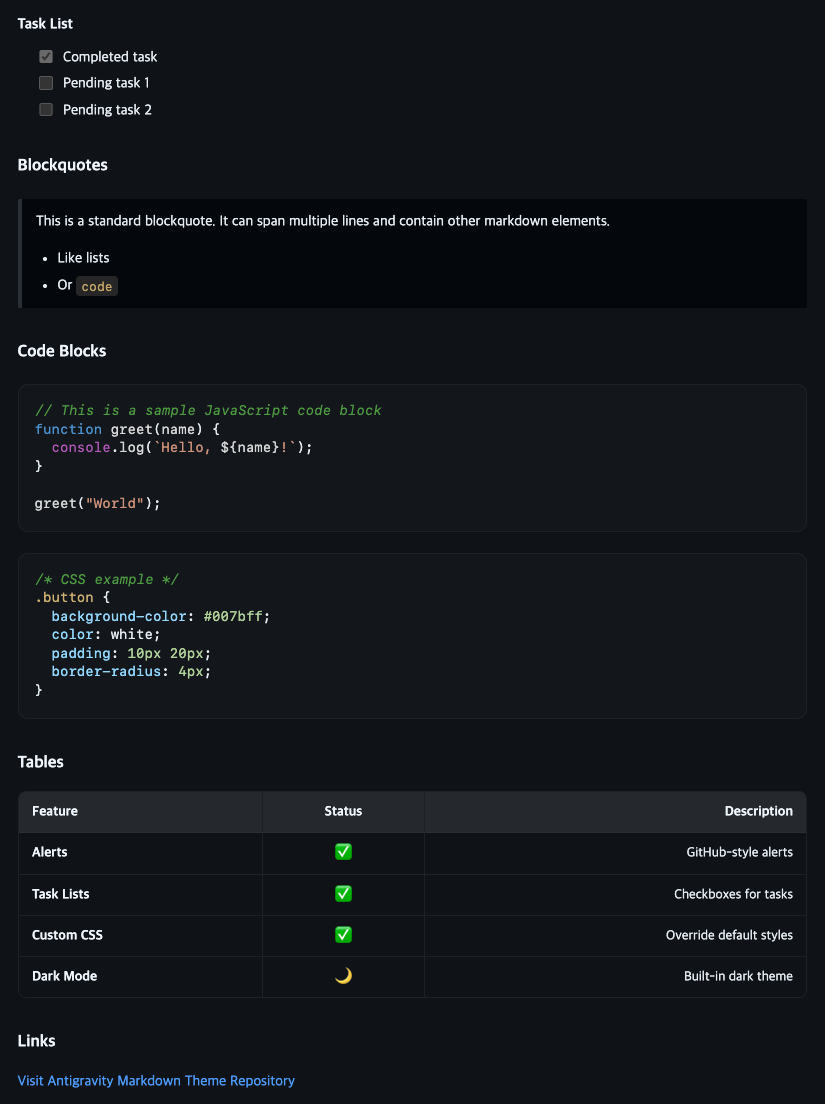
Markdown Rendering Samples

alt text alt text

Build Requirements

  • Node.js 20 or higher
  • npm
  • Antigravity IDE or VS Code 1.70 or higher

Setup for Development

git clone https://github.com/devnneth/antigravity-markdown-theme.git
cd antigravity-markdown-theme
npm ci

Build and Install

./scripts/build.sh
./scripts/install-antigravity.sh
./scripts/install-vscode.sh

build.sh runs static checks and tests, and generates antigravity-markdown-theme-<version>.vsix matching the package.json version. The installation scripts install the VSIX into the corresponding IDE after building.

If the CLI cannot be found automatically, you can specify the executable via environment variables:

ANTIGRAVITY_CLI=/path/to/antigravity-ide ./scripts/install-antigravity.sh
VSCODE_CLI=/path/to/code ./scripts/install-vscode.sh

Run Developer: Reload Window in your IDE after installation.

Custom CSS

Always applied as the default theme. If you add CSS paths in your user or workspace settings, those CSS files will be loaded afterward to override the built-in styles.

{
  "antigravityMarkdownTheme.customCss": [
    "/<PATH>/style.css"
  ]
}

Font Size

The base body text size follows the IDE's markdown.preview.fontSize setting. Headings, tables, code, etc. scale proportionally using relative units.

{
  "markdown.preview.fontSize": 16
}

Development Commands

npm run check
npm test
npm run package:vsix

Code Structure

extension.js                  Extension entry point and Markdown-it registration
src/markdown-transform.js     Alert and task list token transformation
src/custom-css-manager.js     Custom CSS setting sync and file watching
theme/basic-dark-theme.css    Default preview theme distributed
test/                         Unit tests based on Node's built-in test runner
scripts/                      Build and IDE-specific install scripts

Refer to CONTRIBUTING.md for how to make changes and verification criteria, and CHANGELOG.md for release history.

License

MIT © devnneth and contributors

  • Contact us
  • Jobs
  • Privacy
  • Manage cookies
  • Terms of use
  • Trademarks
© 2026 Microsoft