
Denodo VQL Syntax Highlighting for VS Code
This extension provides highly optimized syntax highlighting for *.vql files in VS Code, specifically targeting Denodo 9 capabilities. In the future, we plan to include semantic token functionality for context-based highlighting.
Features
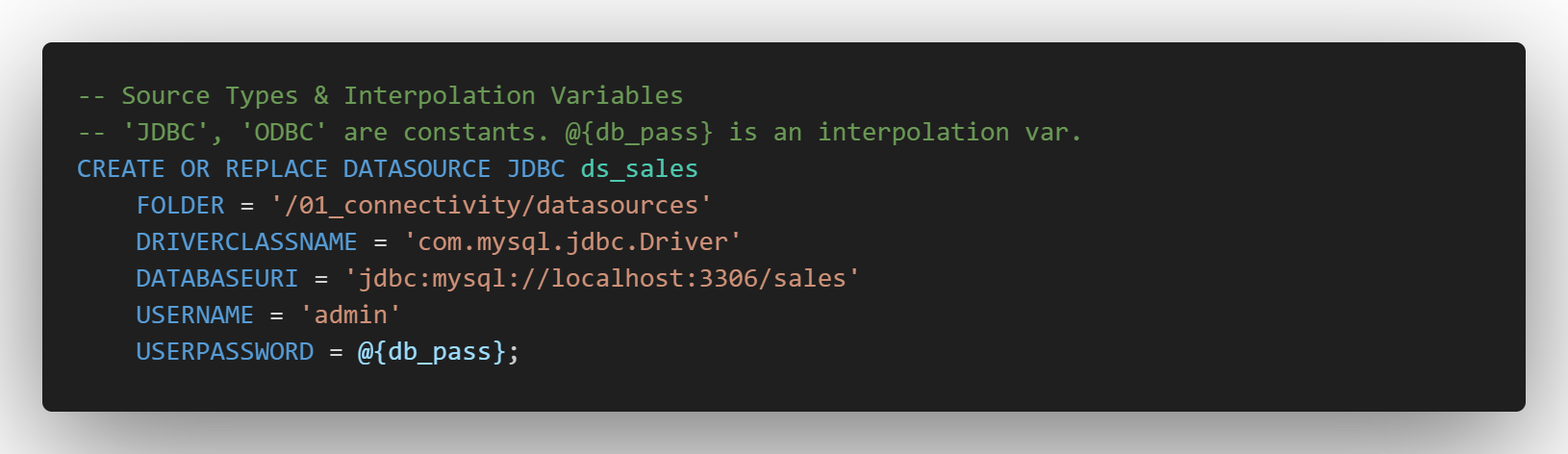
Rich Syntax Highlighting for Denodo 9:
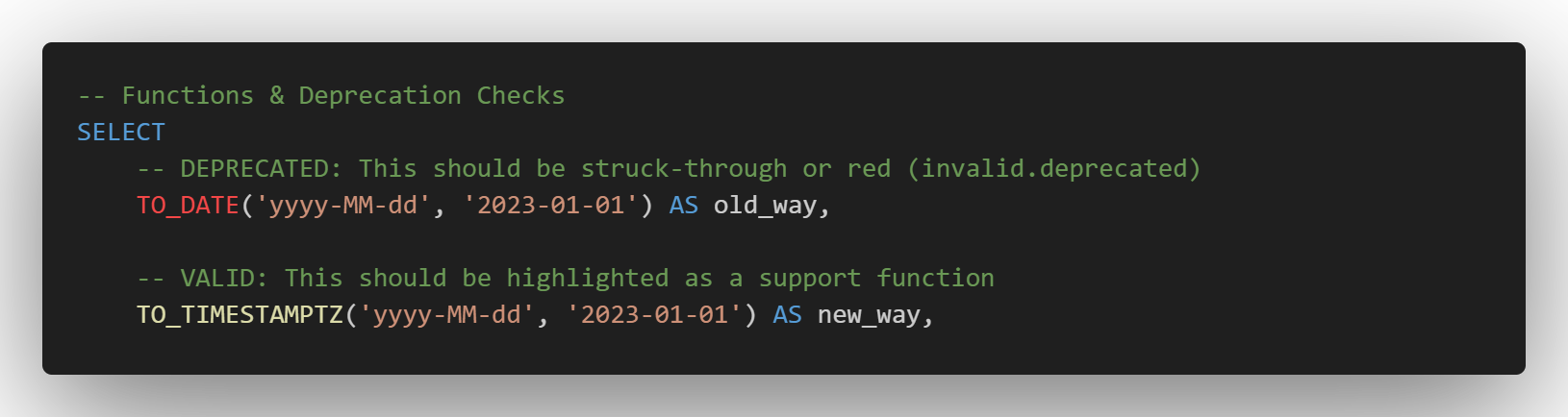
Built-in Deprecation Warnings:
- Syntax Highlighting (Coloring)
- Keywords & DDL: Colors
CREATE, ALTER, CONTEXT, WRAPPER, etc.
- Denodo Native Types: Colors
TIMESTAMPTZ, INTERVALYEARMONTH, REGISTER, etc.
- Advanced Functions: Fully supports Denodo 9 AI & Embedding functions (
EMBED_AI, CLASSIFY_AI), Spatial functions (ST_GEOMETRYTYPE), and standard VQL functions (GETVAR).
- Variables: Colors interpolation variables like
@{my_var} distinctively.
- Comments: Colors both Denodo-style
# and standard SQL -- comments correctly.
- Deprecation Warnings
- If a user types
TO_DATE, it will be colored as invalid.deprecated (usually struck-through or red), visually signaling that they should use TO_TIMESTAMPTZ instead.
- Language Configuration
- Comment Toggling:
Ctrl + / works correctly (inserts #).
- Bracket Matching: Clicking near a
( highlights the matching ).
- Auto-Closing: Typing
[ automatically inserts ].
Requirements
- VS Code 1.90.0 (May 2024 Release) or newer.
Installation
You can install this extension directly from within VS Code or via the standard command line tools.
Method A: Visual Studio Code
- Open VS Code and navigate to the Extensions view (
Ctrl+Shift+X or Cmd+Shift+X).
- Search for "VQL" or "Denodo VQL".
- Locate this extension in the list and click Install.
Method B: Command Palette
- Press
Ctrl+P (or Cmd+P on Mac) to open the Quick Open dialog.
- Paste the following command and press Enter:
ext install denodo.vql-vscode
Method C: The Terminal
If you prefer the command line, run:
code --install-extension denodo.vql-vscode
References Used
Virtual DataPort VQL Guide
Release Notes
1.0.3
Public release. Please refer to the CHANGELOG for details.
Author
Created and maintained by Jason Sandidge.
License
This project is licensed under the MIT License - see the LICENSE file for details.

