Protoboard
Design hardware with your AI agent, and see it take shape in VS Code.
protoboard.ai
A Protoboard project describes a device as code: its modules, the
interfaces between them, and the cables that connect them. Your agent
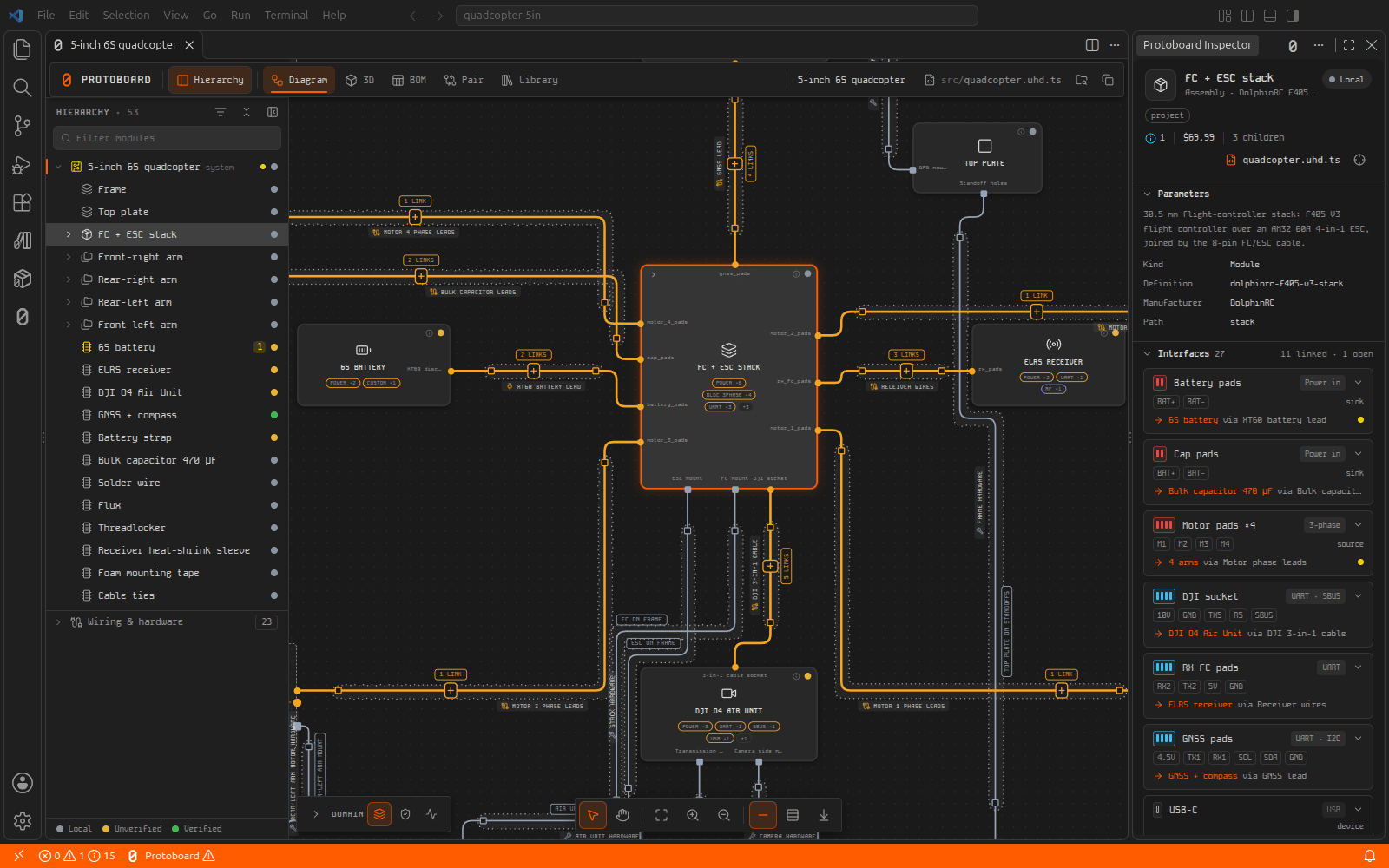
writes it; Protoboard checks it as you go and shows it as a live diagram
and a 3D assembly.
Features
- Live system diagram. Every module, interface and cable, updated each
time the project changes. Open any module in its own tab.
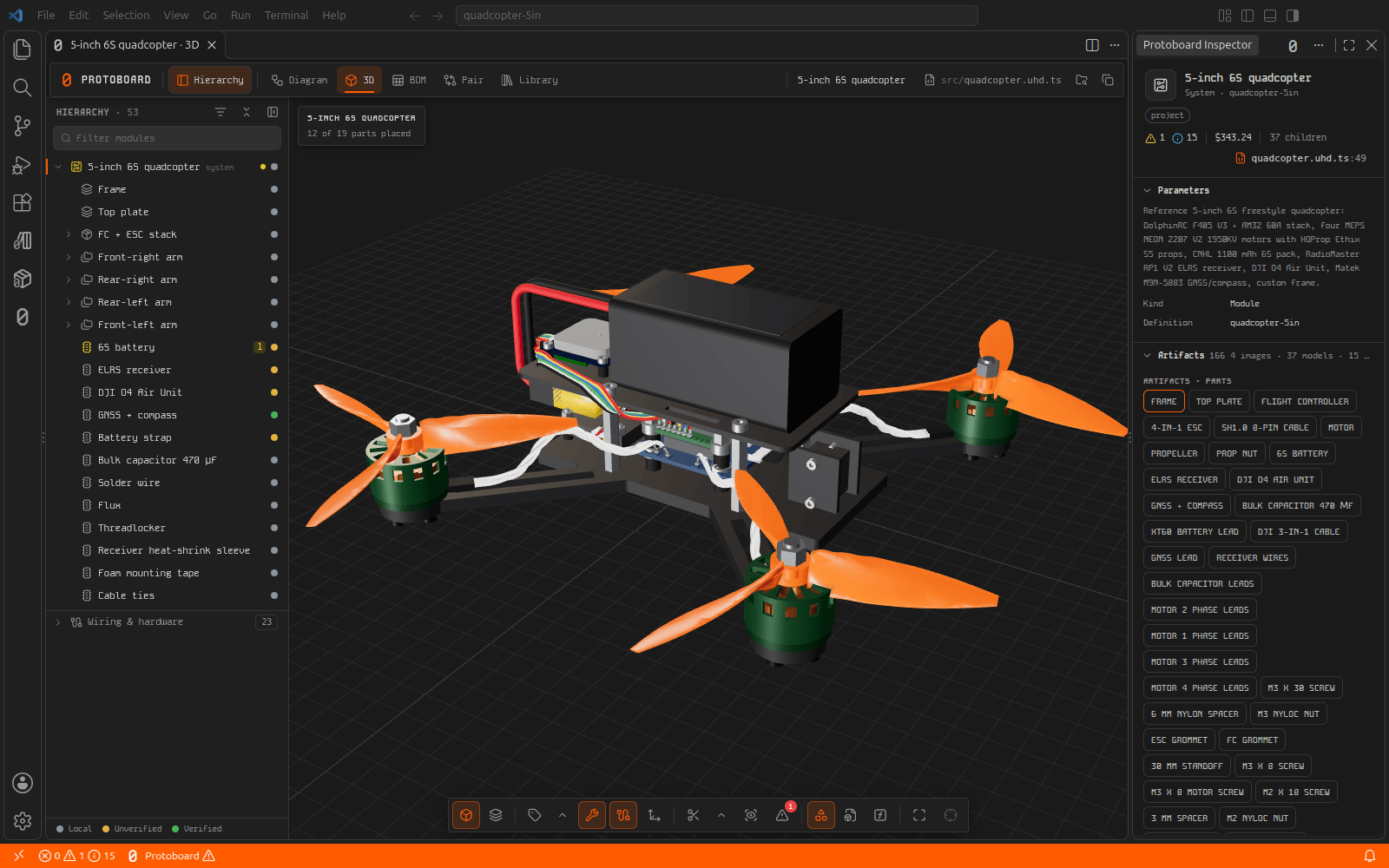
- 3D assembly. The assembled device, from each part's CAD model, with
X-ray for what sits inside.
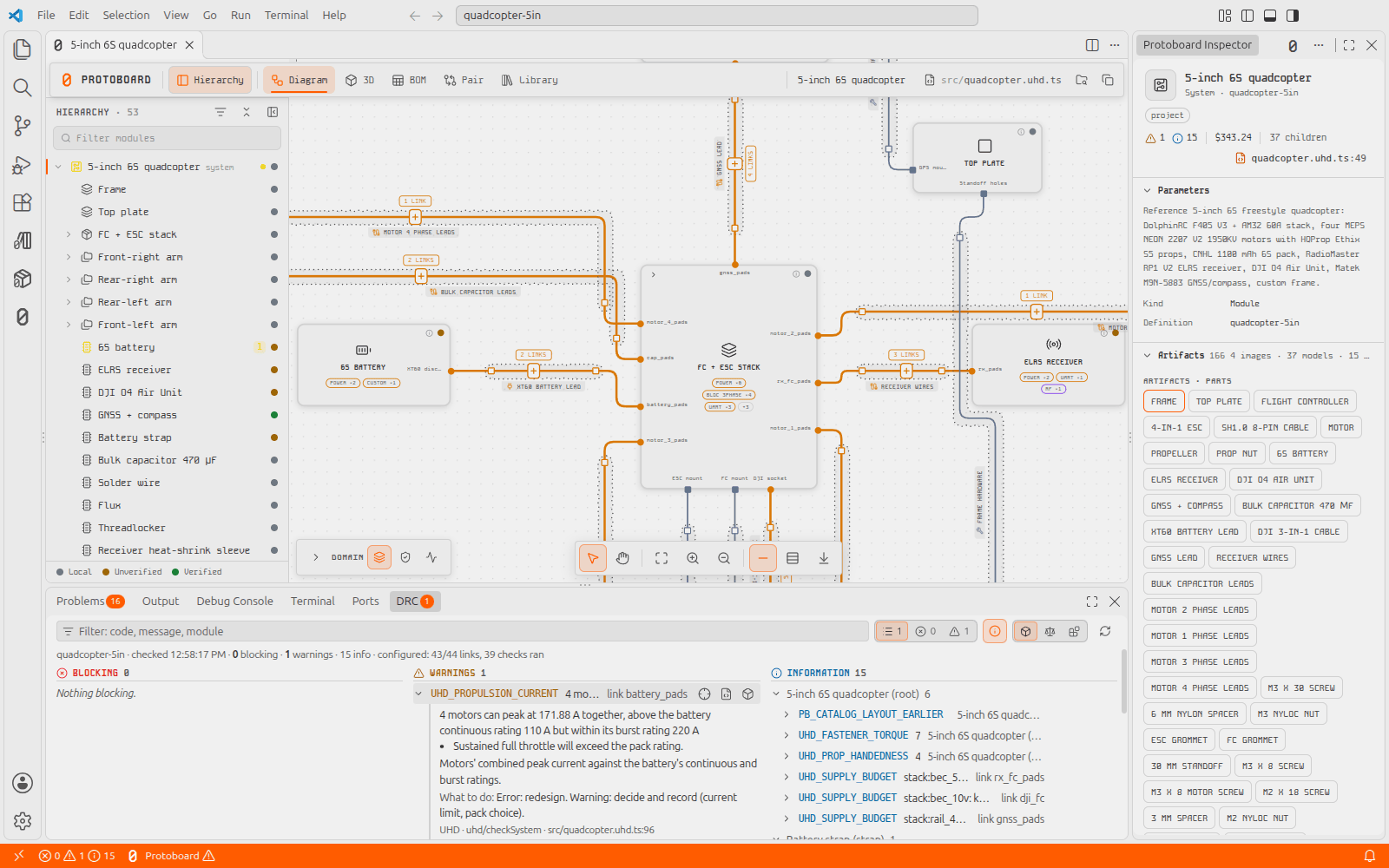
- Checks as you work. Design rule checks run on open and on save, with
every finding in the DRC panel and at its line in Problems.
- Inspector. Everything about the selected module: parameters, files,
checks, connections, and where to buy its parts.
- Parts library. Search parts with their CAD, datasheets and prices,
and add them to your project.
- Manufacturing package. One command produces the BOM, ordering list,
assembly guide, test plan and manufacturing files.
- Your agent, connected. Connects Claude Code, Codex, Cursor, Windsurf,
GitHub Copilot or any MCP client to your project in one step.
- Protoboard Dark and Light colour themes.
Get started
- Install the extension. It brings the whole Protoboard toolchain with
it, so there is nothing else to set up.
- Run Protoboard: New Project… from the Command Palette and pick a
starting point: a drone flight stack, a wearable, an IoT board, or an
empty project.
- Run Protoboard: Connect Agents (MCP), then ask your agent what to
build.
Already have a project? Open its folder, and Protoboard offers to set it up.
Requirements
- VS Code 1.106 or later, on Windows, macOS or Linux.
- For circuit boards: Node.js 22 or later.
- For generated 3D parts: Python 3.11 to 3.14.
- For PDFs: Google Chrome, Chromium, Microsoft Edge or Brave.
- Optional: KiCad 10, for board layout.
Local work needs no account. The parts library needs a Protoboard account.
Privacy
The extension sends no telemetry. Your project files never leave your
machine; the Protoboard service sees only your sign-in and the library
requests you make.
Learn more
Protoboard is open source under the Apache 2.0 licence. Protoboard is a
trademark of Delta Robotics, Inc.
| |

