Conductor – Service Orchestrator
Start a multi-service dev environment with one click. Services start in dependency order, and each one
only starts after the services it depends on are actually ready, not after a guessed sleep 5.
entity-service ──► backend ──► frontend
   port 8081       /health      "Local:" in logs
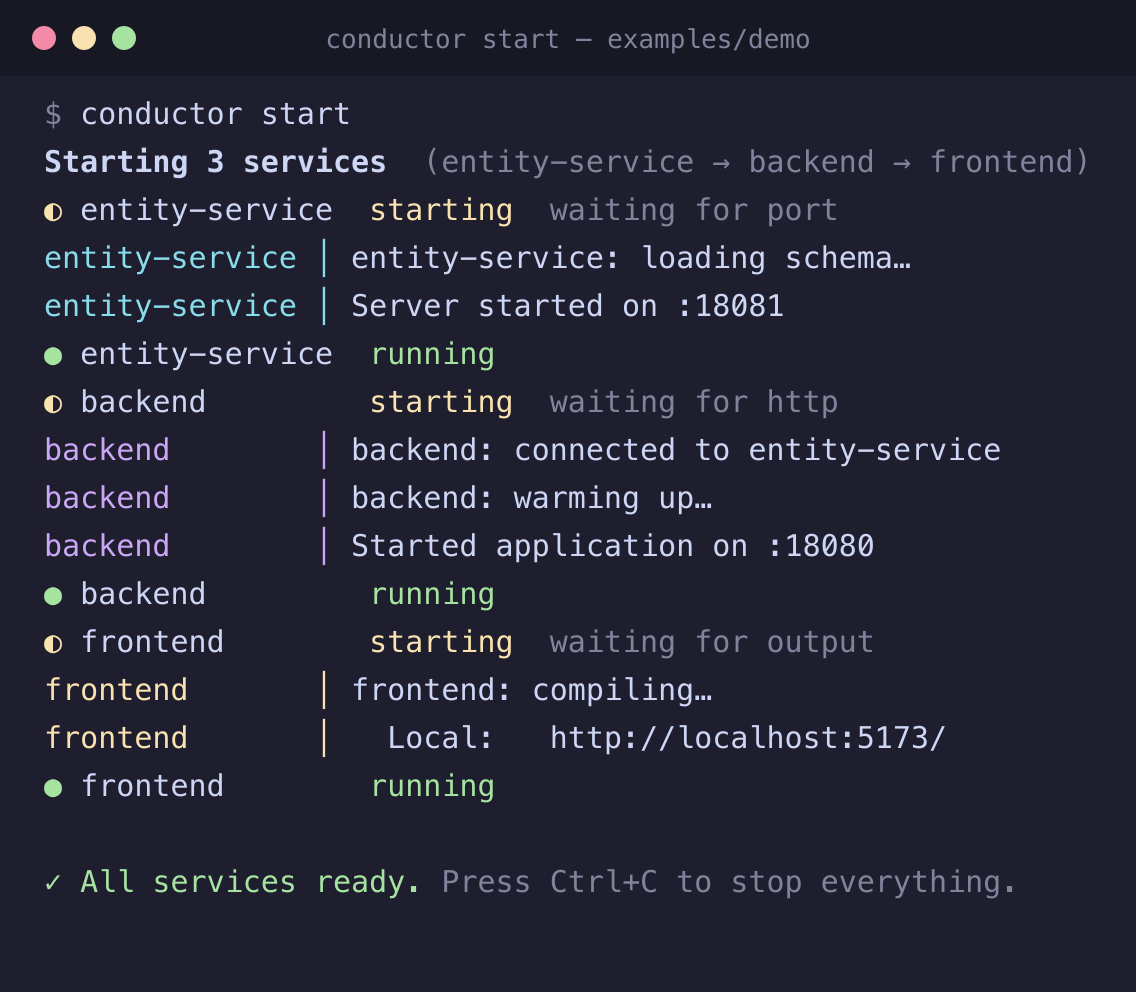
Real output of the Conductor engine on the bundled demo project; the sidebar and terminals in VS Code are driven by the same engine.
Describe your services once in .conductor/config.yaml, commit it, and everyone on the team boots the same way.
Features
- Readiness-aware ordering. Wait for a TCP port, an HTTP health endpoint, a line in the logs, or a clean exit (for migrations and seeds).
- Parallel where possible. Services with no dependency between them start together.
- One terminal per service, with live colour output, and a sidebar showing each service's status.
- Start / Stop / Restart all services or a single one. Stopping goes in reverse order and kills the whole process tree, so
npm run dev never leaves orphans holding your ports.
- Fails loudly and cleans up. If a service crashes or times out during startup, everything already started is stopped and you see why.
- Doctor. Checks directories, commands, required tools and busy ports before you start.
- Config autocomplete and validation (install the YAML extension by Red Hat).
Full walkthrough: setup guide — covers
controlling start order, picking a wait_for, and troubleshooting.
Getting started
- Open your project folder.
- Run Conductor: Create Config from the Command Palette (or click the button in the Conductor sidebar).
- Edit
.conductor/config.yaml:
services:
  entity-service:
    path: ./entity-service
    command: npm run dev
    wait_for: { type: port, value: 8081 }

  backend:
    path: ./backend
    command: ./gradlew bootRun
    depends_on: [entity-service]
    timeout: 180
    wait_for: { type: http, url: "http://localhost:8080/health" }

  frontend:
    path: ./frontend
    command: npm run dev
    depends_on: [backend]
    wait_for: { type: output, contains: "Local:" }
- Open the Conductor view in the activity bar and press Start All.
Configuration
| Field |
Description |
path |
Working directory, relative to the folder containing .conductor/ (default .) |
command |
Shell command that starts the service |
depends_on |
Services that must be ready first |
wait_for |
How to tell the service is ready (below). Default: the process is still alive after ~1s |
timeout |
Seconds to wait for readiness (default 120) |
env |
Extra environment variables |
requires |
Executables that must be on PATH (checked by Doctor) |
wait_for.type |
Ready when |
port (value, optional host) |
the TCP port accepts connections |
http (url, optional status) |
the URL answers 2xx/3xx (or exactly status) |
output (contains or regex) |
the text appears in the service's output |
exit |
the process exits with code 0 |
none |
the process is still alive after ~1s |
Commands
All under Conductor: in the Command Palette: Start All, Stop All, Restart All, Start / Stop / Restart Service,
Show Service Logs, Doctor, Open Config, Create Config, Reload Config.
Restarting one service leaves its dependents running. Stopping one service also stops the services that depend on it.
Limitations
- Services run without a pseudo-terminal, so interactive prompts don't work. This suits servers and watchers.
- Multi-root workspaces use the first folder.
- Developed and tested on macOS; Windows and Linux are not yet verified.
Also available as a CLI
The same engine powers a conductor command line tool. See the
project repository.
License
MIT

