djs for VS Code
D language support compiled by the D frontend itself. djs is the LDC 1.43.0 frontend (DMD 2.113) ported to
TypeScript; this extension runs it in a worker thread inside VS Code, so the diagnostics, hovers and completions are
the compiler's own, for the flags and target of your build, with no D toolchain installed.
Preview. Version 0.1.0 is the first release: expect rough edges, and report them.
Getting started
Install it from the Extensions view (search djs) or with code --install-extension deepglance.djs-vscode, then open a
folder and a D file: no setting is needed. With djs.ldc2Line empty the extension compiles with ldc2 -i -I<folder>,
plus the folder's source/ and src/ where they exist, so a dub layout works as it is; for anything else, put your
build's ldc2 command line in djs.ldc2Line (see Settings).
What it does
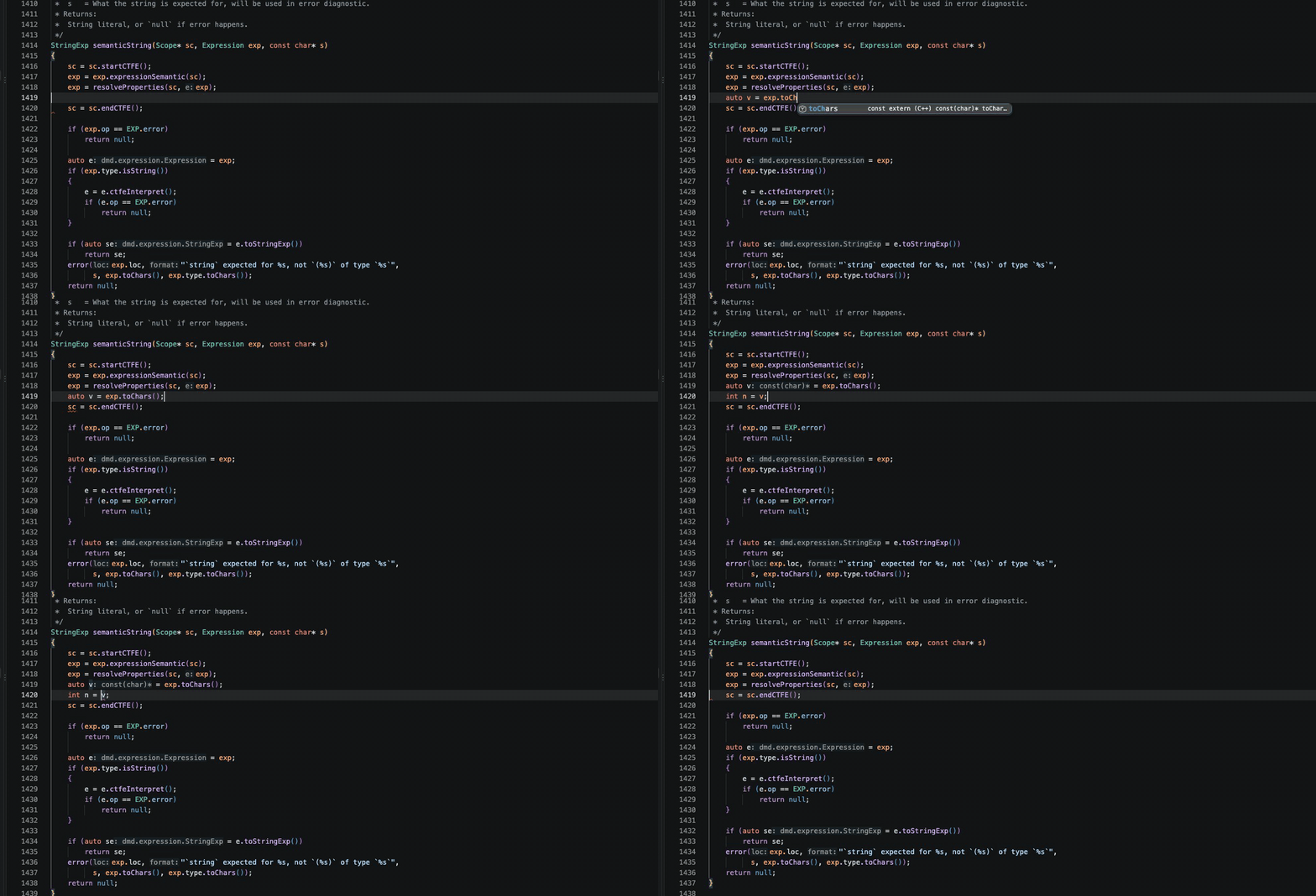
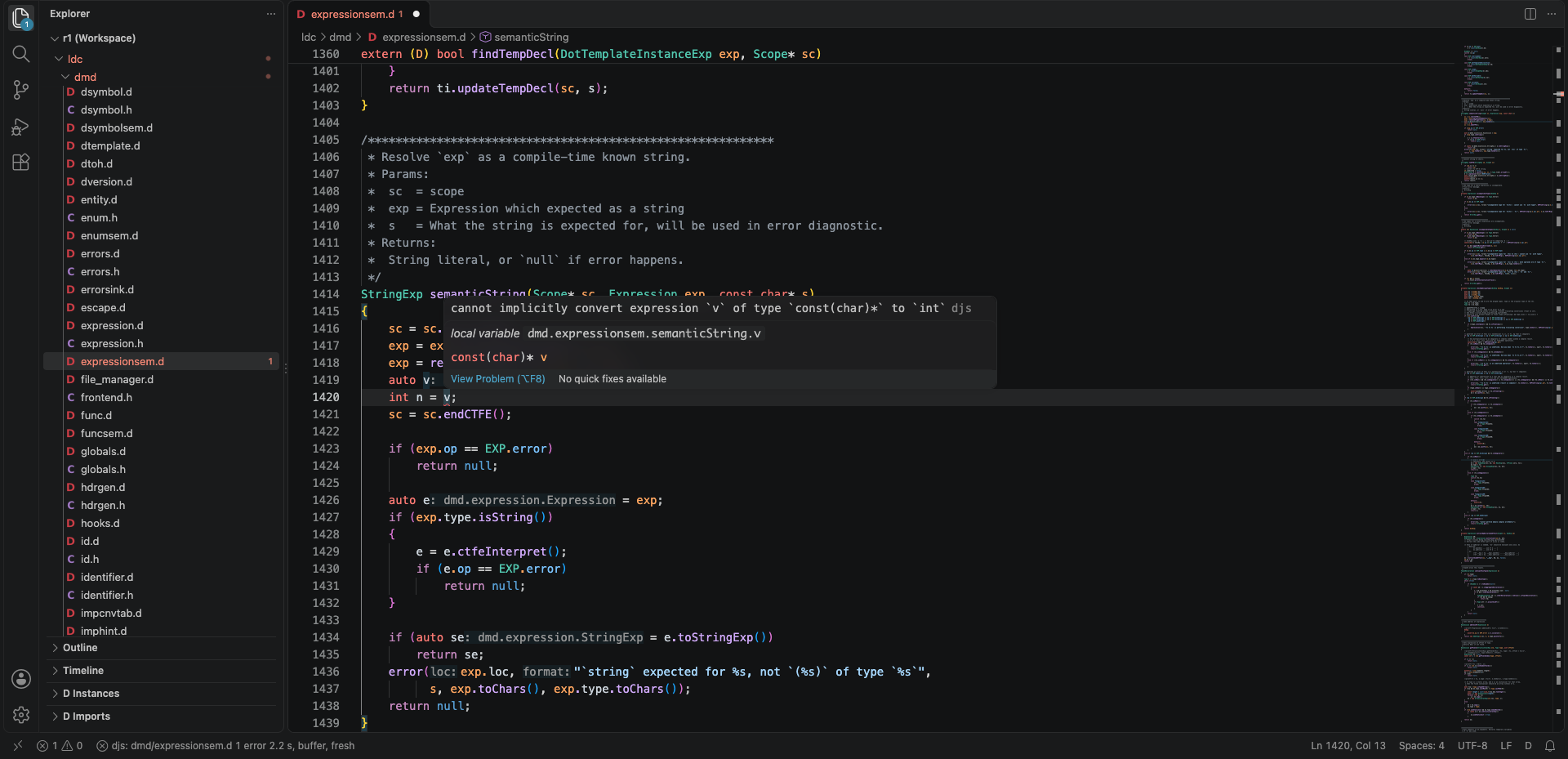
- Diagnostics when a file is opened, on save and after a pause in typing (300 ms by default), from the unsaved
text of every open D file: errors, warnings, deprecations and their supplemental lines, exactly as ldc2 reports
them.
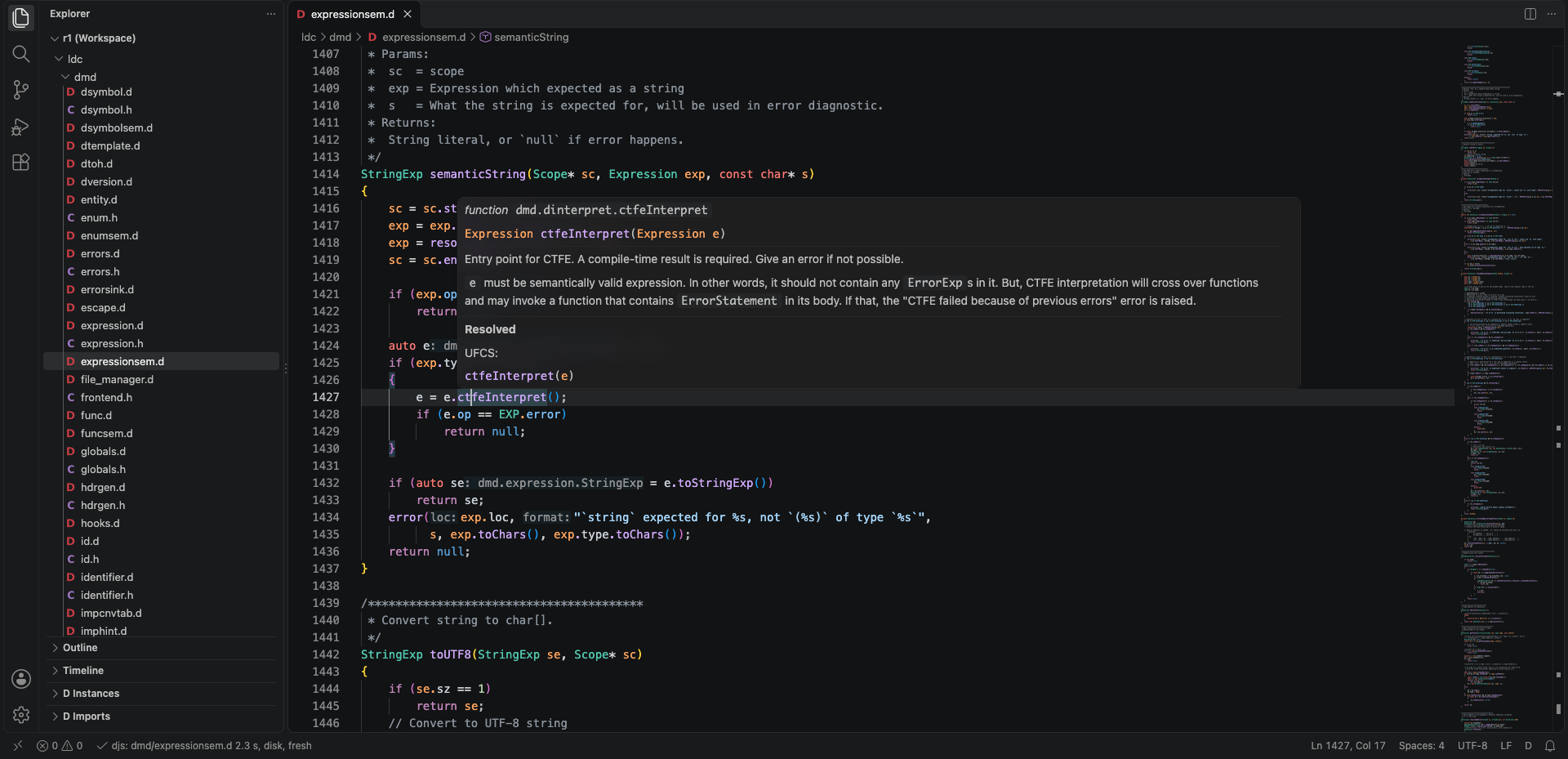
- Hover: kind, signature or type, the template instance, deprecation, the doc comment; and what the compiler
made of the code under the cursor: an operator lowered to
opBinary, a UFCS call, a property call, a call
through alias this, the overload picked among the candidates, an implicit conversion.
- Go to definition, from any identifier the compile resolved.
- Outline: the outline view, breadcrumbs and Go to Symbol in Editor, from the compiled declarations: aggregates
and templates with their members, nested functions, the
version and static if branches your target compiles,
string-mixin declarations marked (mixin).
- Find all references: every use the compile resolved to the symbol, in the files it analysed (with
-i, your
modules), through UFCS, property calls, template instances and folded constants. Not found: uses in modules the
compile only imports, in branches not compiled, and names spelled inside a string mixin's text.
- Rename over those references. Refused, with the reason, where a use could be missed: a name declared in a
module the compile only imports (Phobos, druntime), a special function, a name D calls implicitly (
opBinary,
front, empty, toString, ...), a name a string mixin spells; and a new name the scope already declares.
- Signature help on
( and ,: the overload the compiler picked first, then the others, the argument under the
cursor highlighted, with the doc summary; a template's instance with its types substituted.
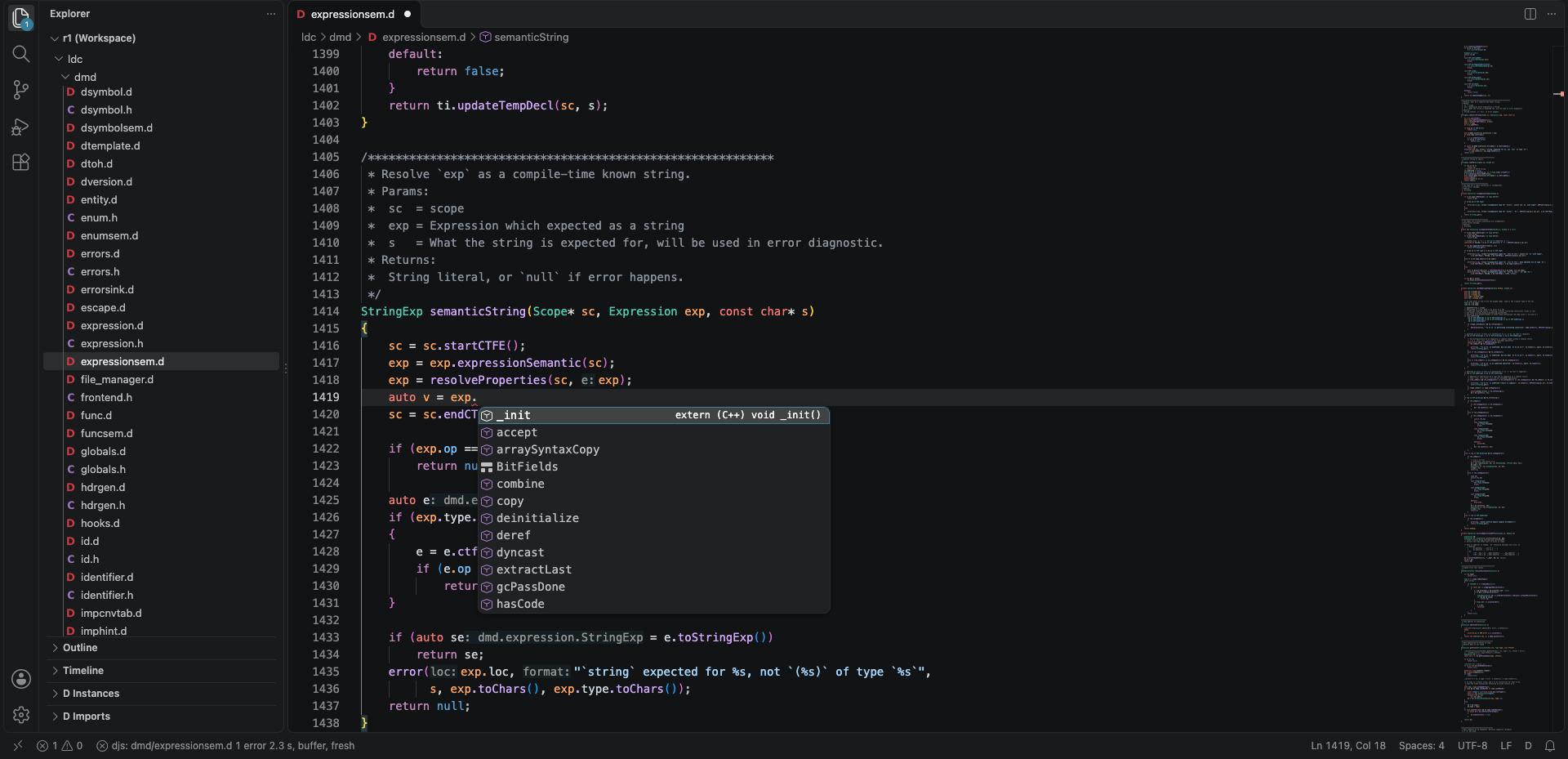
- Completion after a dot: members, then UFCS candidates, then built-in properties; while a name is typed, or on
request, the names in scope: locals and parameters, the enclosing type's members, the module's, the imported
modules'. Each with signature and doc summary.
- Semantic highlighting: each identifier coloured by what it names (type, function, variable, parameter,
member, enum member, namespace;
readonly, static, deprecated), over the TextMate grammar.
- Inlay hints: the inferred type of
auto variables and inferred return types, parameter names at call sites,
how many instances a template has.
- Inactive code dimmed: the
version, debug and static if branches your target and flags do not compile.
- Expansion peeks: code lenses over string mixins, template instances and folded values; a click (or
djs: Show Expansion at the cursor) shows the generated D.
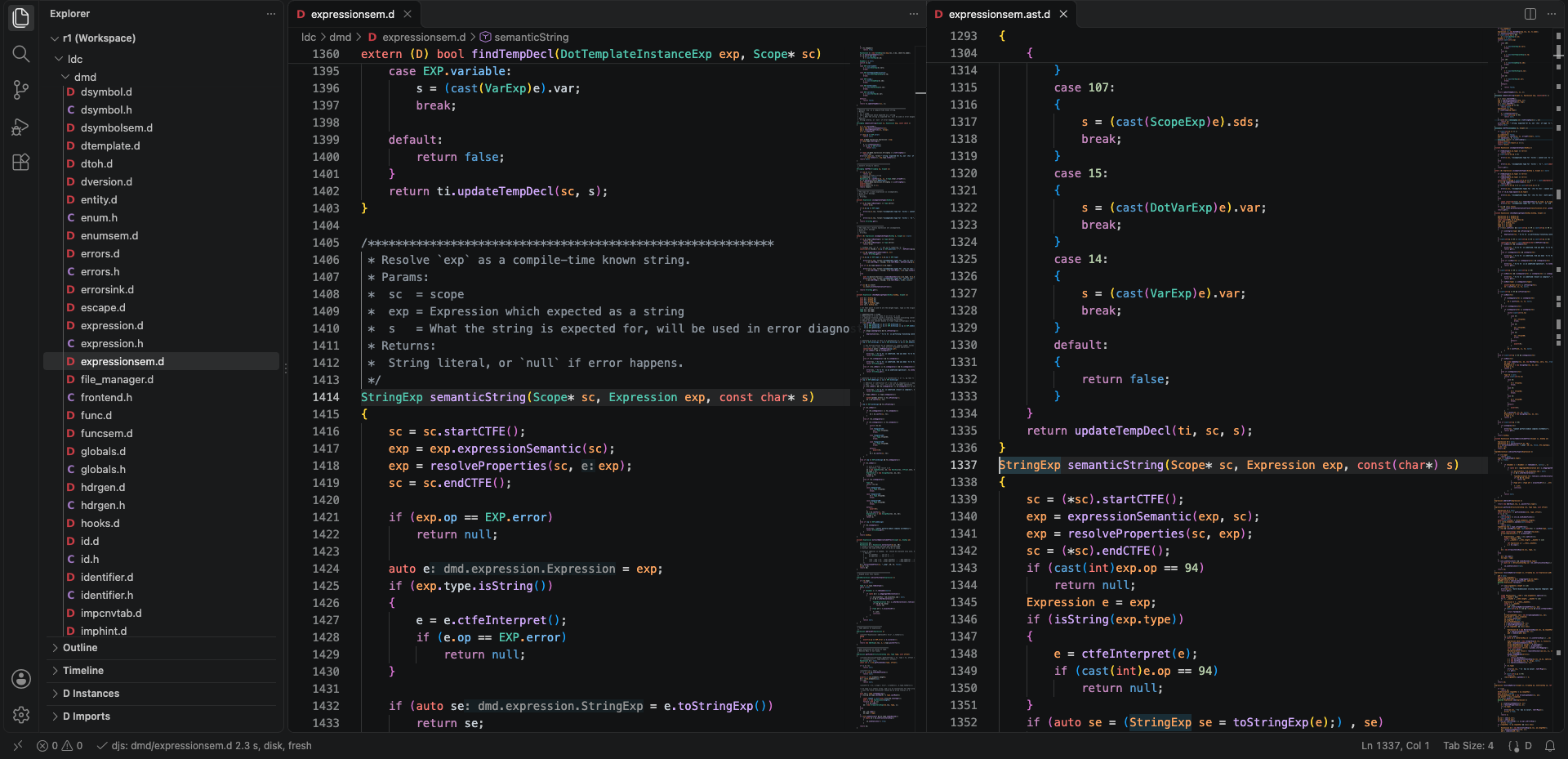
- AST view: djs: Show AST prints the module as
-vcg-ast does, beside the editor, with navigation back to
the source.
- Explorers: D Instances (every template with its instances) and D Imports (the import graph, cycles
marked) in the Explorer side bar.
Every feature answers from the last compile. While a file has edits not yet compiled, the hover says so and the
tokens, hints and lenses keep their previous state, moved with the edits.
Requirements
- VS Code 1.140 or later, on an arm64 Mac or on Linux (aarch64 or x86_64). Intel Macs and Windows are not
supported.
- No LDC, DMD or DUB install: djs runs on the Node.js inside VS Code and ships LDC 1.43.0's druntime and Phobos
import tree.
- ImportC (
.c files, #include from D): a C compiler for the preprocessor, $CC or cc on PATH, as ldc2.
Settings
| Setting |
Default |
Meaning |
djs.ldc2Line |
empty |
The ldc2 command line your build uses (ldc2 -i -Isrc -Jviews --preview=dip1000 ...). |
djs.target |
empty |
The target when djs.ldc2Line has no -mtriple. Empty: the host's. |
djs.ldcRoot |
empty |
An ldc2 1.43.0 install whose import tree replaces the bundled one. Empty: bundled. |
With djs.ldc2Line empty the extension compiles with ldc2 -i -I<folder>, plus -I<folder>/source and
-I<folder>/src where those directories exist (dub's layouts), and the status bar says default line.
From djs.ldc2Line the extension keeps the flags that define the compile (-I, -J, -i, -mtriple,
-d-version, -d-debug, -O, -release, -unittest, --preview, --revert, -P, --gcc, --vcolumns,
--checkaction) and drops the build-only ones (-c, -of, -L, -g, --deps, the source files). A flag djs does
not model is shown as djs: unsupported flag in the status bar and the file is not compiled.
The other settings switch single features on and off: djs.compileOnPause and djs.compileOnPauseDelay,
djs.semanticTokens, djs.inlayHints.types, .parameterNames, .instanceCounts, djs.dimInactiveCode and
djs.inactiveCodeOpacity, djs.expansionLenses.
Restricted Mode
In a folder you have not trusted the extension runs with limited support: the grammar, the diagnostics, the hovers
and the other features that read the code work, compiled with the default line and the bundled import tree. The
folder's djs.ldc2Line and djs.ldcRoot, which name a command line and a path, are ignored until you trust it; the
status bar then says restricted. Trusting the folder compiles the open files again with its settings.
Targets
| Target |
How |
| The host (arm64 macOS, aarch64 or x86_64 Linux) |
default |
aarch64-linux-gnu |
-mtriple in the line, or djs.target |
x86_64-linux-gnu |
-mtriple in the line, or djs.target |
arm64-apple-darwin24.0.0, arm64-apple-macos15 (and so on) |
-mtriple in the line, or djs.target |
Other triples (32-bit ARM, FreeBSD, Windows) are refused with a message.
Alongside code-d
code-d and this extension both serve the d
language. With both enabled you get two hovers, two completion lists and two sets of diagnostics for each file. djs
ships code-d's TextMate grammar unchanged (MIT, notice in syntaxes/LICENSE-code-d), so colours stay the same
without it. To use djs alone in a workspace: Extensions view, code-d, Disable (Workspace).
Limits
- Memory: the worker keeps the last compile's analysis to answer queries and to recompile only what changed.
A large program compiled with
-i (some 170 files) holds 2.4-2.6 GiB.
- Fresh compiles: the first compile of a session, a changed command line, a refused flag or an aborted compile
analyse everything again; the status bar reads
fresh and its tooltip says why. Later compiles reanalyse only
the changes (under a second for a one-line edit in that program).
- A half-typed line: a compile of a file with a syntax error, after a good one, may report a deprecation a
compile from scratch would not, and leave some symbols analysed that it would skip. It clears at the next
compile without the syntax error.
- Completion answers from the last compile, one compile behind the text: a local declared since is offered after
the next compile. After a dot it lists the compiler-generated
_init first.
- Large codebases: on some (the DMD frontend in LDC's sources, for one) the kept engine does not keep, and every
compile is fresh, 2-3 s.
djs.ldc2Line also accepts ldmd2's spellings, -version=X among them, which ldc2 itself refuses.- No codegen: djs is a frontend. It does not build, run or debug programs; keep your build tool for that.
Licence
BSL-1.0, with the derived sets (DMD, LDC, LLVM behaviour models, code-d's grammar, LDC's import tree) named in
LICENSE.
| |

