Solar Theme
A dynamic dark theme that shifts colors throughout the day based on sunrise and sunset at your location. Optimized for Cursor.
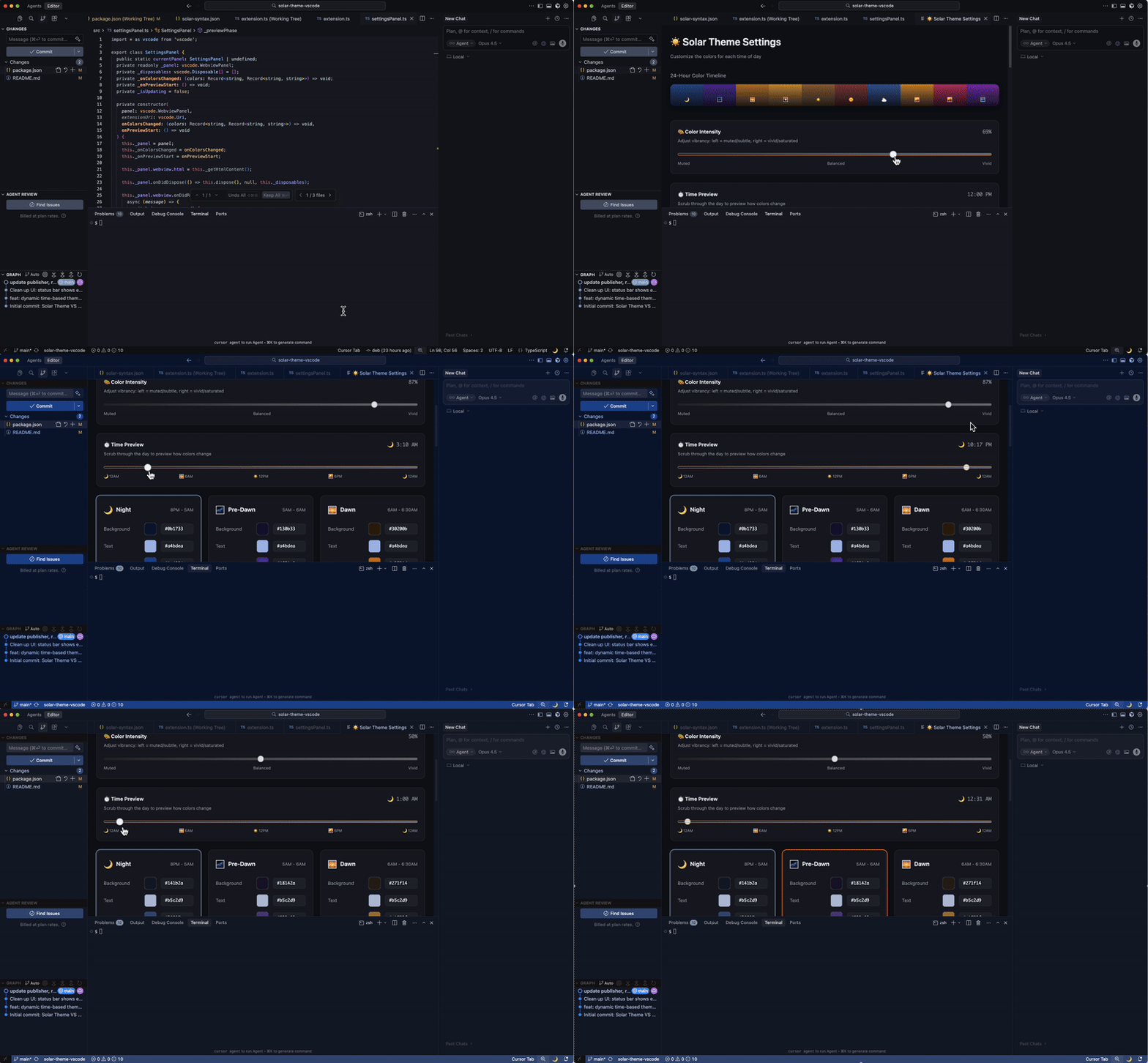
How it works
- Uses SunCalc to get actual sun times for your coordinates
- Interpolates smoothly between 10 phases (dawn, morning, midday, golden hour, dusk, night, etc.)
- Stays dark mode throughout — just the temperature shifts (warm tones during golden hour, cool slate at night)
- Auto-detects your location on first run
Install
Marketplace
ext install debiday.solar-theme
Manual
git clone https://github.com/debiday/solar-theme-vscode.git
cd solar-theme-vscode
npm install && npm run package
code --install-extension solar-theme-*.vsix
Settings
| Setting |
Default |
Description |
solarTheme.enabled |
true |
Enable/disable |
solarTheme.latitude |
auto |
Your latitude |
solarTheme.longitude |
auto |
Your longitude |
solarTheme.intensity |
100 |
Color intensity (0–100) |
solarTheme.updateIntervalSeconds |
5 |
Update frequency |
To set location manually: right-click on Google Maps → copy coordinates.
Commands
Solar Theme: Open Color Settings Panel — preview any time of daySolar Theme: Show Sunrise/Sunset Times — see today's sun timesSolar Theme: Update Theme Now — force refreshSolar Theme: Toggle Enabled — on/offSolar Theme: Reset Colors — reset to current time
Phases
| Phase |
Description |
| 🌙 Night |
Deep slate blue |
| 🌌 Pre-dawn |
Soft lavender |
| 🌅 Dawn |
Warm peach |
| 🌄 Sunrise |
Golden cream |
| ☀️ Morning |
Warm neutral |
| 🌞 Midday |
Pure neutral |
| ⛅ Afternoon |
Cool steel |
| 🌇 Golden Hour |
Amber glow |
| 🌆 Sunset |
Coral rose |
| 🌃 Dusk |
Soft violet |
MIT License
| |

