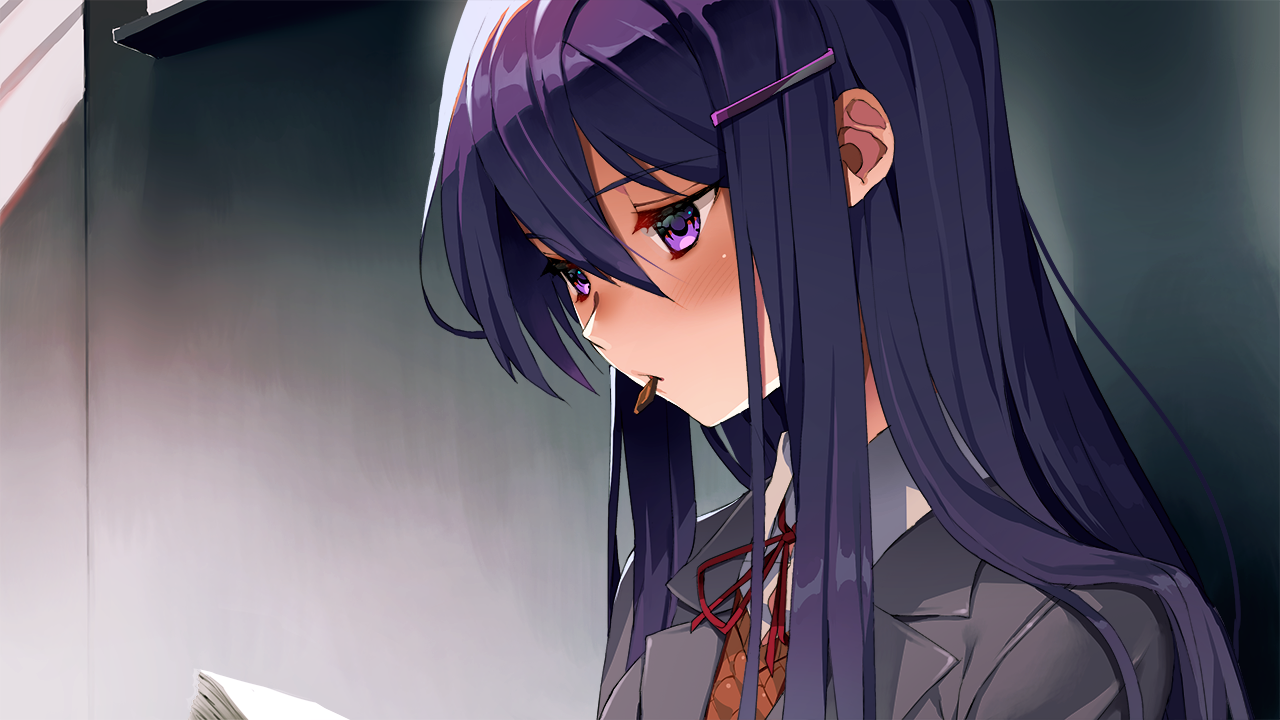
Hello, my name is Visel ^_^
Look at this extension and check out the structure or the README file <3
Yuri, she's so cute 💜. (I am a Yuri lover >u<)
About
DDLC Extension adds four dark themes inspired by the Dokis and a Webview View inside the Explorer. When the IDE color theme changes, the extension automatically detects the matching Doki and displays her chibi together with a short phrase.
The chibi stays separate from the open code and does not require manual character selection.
Features





- Four dark themes inspired by the Dokis.
- Automatic character switching based on the active theme.
- A Webview View named
DDLC: Doki Chibis.
- PNG chibis paired with individual
.txt phrases.
- Custom Literature Club product icons for the IDE chrome.
- Visual content kept outside the main editing area.
- Compatibility with IDEs that support extensions and Webviews.
Product Icons
DDLC Literature Club Icons is a full product icon theme: the little glyphs that show up in the Activity Bar, status bar, menus, and editor chrome. Instead of the default Codicons, you get a soft Literature Club set — same layout, more heart.
Activate it with Preferences: Product Icon Theme → DDLC Literature Club Icons.
Here is a taste of the set, woven into the places you already look at every day:
When you open the Explorer you will meet

files, and searching the workspace brings

search. The integrated terminal uses

terminal, while Debug and Extensions keep their usual spots with

debug-alt and

extensions. Account and settings stay recognizable as

account and

settings-gear, Source Control keeps

source-control, and yes — there is a little

heart in the clubhouse too.
The icons are shipped as an icon font (producticons/ddlc-icons.woff) built from the SVG sources under producticons/svg/. The build pipeline keeps metrics friendly for VS Code forks (Cursor, Antigravity, and friends) and scales the artwork so the glyphs read clearly at IDE size.
Dokis and Themes
| Theme |
Doki |
Style |
Chibi |
DDLC - Monika Dark |
💚 Monika |
Confident and charismatic |
chibimonika.png |
DDLC - Sayori Dark |
💙 Sayori |
Cheerful and warm |
chibisayori.png |
DDLC - Natsuki Dark |
💗 Natsuki |
Direct and charming |
chibinatsuki.png |
DDLC - Yuri Dark |
💜 Yuri |
Elegant and mysterious |
chibiyuri.png |
Installation


Generated Extension
npm run compile
vsce package
Marketplace
IDE --install-extension ddlc-fan.ddlc-themes
Open VSX
IDE --install-extension ddlc-fan.ddlc-themes
Local VSIX package
IDE --install-extension ./ddlc-extension.vsix
How the Chibi Works
The image and phrase share the same base name inside the chibis/ folder:
chibis/
|- chibimonika.png
|- chibimonika.txt
|- chibisayori.png
|- chibisayori.txt
|- chibinatsuki.png
|- chibinatsuki.txt
|- chibiyuri.png
`- chibiyuri.txt
When DDLC - Yuri Dark is active, the extension loads:
chibis/chibiyuri.png
chibis/chibiyuri.txt
Interactive Dialogue System
The sidebar now features a fully interactive visual novel style dialogue system where you can chat directly with the Dokis!
Here is how the new system works in detail:
- Event-driven Reactions: The Dokis are aware of your workflow. They react with specific dialogues and emotions when you save a file, open a new terminal, encounter an error, create or delete files, start debugging, switch between editor files, create a Git commit, enter a new period of the day, or stay idle.
- Random Conversations: You can initiate a conversation at any time by clicking the "Chat..." button. The Doki will pick a random topic to talk about.
- Interactive Choices: During certain conversations, you will be presented with multiple choices on how to respond. The buttons provide visual feedback when pressed, and your selected choice will dictate the Doki's reply and her next emotional sprite.
- Dynamic Sprites: The Doki's sprite changes smoothly with a fade effect to match her current emotion (happy, thinking, surprised, reflective, etc.) based on the context of the conversation.
- History & Localization: The UI includes a history panel to show recent dialogue lines, and supports changing languages (EN, PT-BR, ES) on the fly via the language selector buttons.
- Personal & Meaningful Conversations: Engage in deeper, more intimate conversations with romantic and heartfelt undertones. The Dokis discuss emotional closeness, quiet moments together, vulnerability, and reassurance — each offering 3 distinct choices for you to reply and see their reactions.
Workflow-aware Doki Reactions
The action detector connects common IDE events to dedicated dialogue pools and matching sprites:
| Detected action |
Doki reaction |
| Extension activation |
Greets you when the Doki view starts. |
| File save |
Comments on your saved progress. |
| New diagnostic error |
Reacts when the IDE reports an error. |
| New terminal opened |
Notices a newly created terminal without repeatedly reacting to terminal output. |
| File created or deleted |
Responds to changes in the workspace structure. |
| Debug session started |
Reacts when debugging begins. |
| Active editor changed |
Notices when you move to another file, with an emotion tailored to the active Doki. |
| Git commit created |
Celebrates when the repository HEAD advances to a new commit. |
| Time period changed |
Reacts when the day moves between morning, afternoon, evening, and late night. |
| Inactivity |
Checks in after the configured idle timeout. |
To keep interactive chats readable, automatic action detection pauses while a conversation and its reply are being displayed. Detection resumes five seconds after the conversation finishes. A global cooldown also prevents several IDE events from flooding the dialogue panel at once.
The dialogue collections in English, Brazilian Portuguese, and Spanish now include the new workflow reactions, more lines for existing actions, and additional expressive conversations using emotions such as blushing.
Deeper & Personal Conversations
Beyond everyday coding reactions, you can connect with the Dokis on a deeper emotional level:
- Intimate Topics: Heartfelt conversations covering trust, comfort, vulnerability, and romantic undertones.
- Tailored Personalities: Each girl reflects her distinctive charm — Monika's attentive warmth, Sayori's sweet encouragement, Natsuki's tsundere sincerity, and Yuri's poetic intimacy.
- 3 Choices for Every Question: Every question gives you 3 distinct ways to reply, each triggering unique responses and expressive emotion sprites.
Gallery
Credits
This is an unofficial fan-made extension. Credit for the original universe belongs to:
Thank You
Thank you for checking out DDLC Chibi Themes and for spending some time with this little fan project ❤️.
Thank you to everyone who tests the extension, shares suggestions, and helps make the IDE a little more "Doki".
Enjoy! :3

Объект :: ÿÇÿ :: 0x00
ÿÇÿÇÿÇÿÇÿÇÿÇÿÇÿÇÿÇ
Объект: файл не читаетÑÑ :: 404 :: ؤظػصؽ
¡¡¡ ÿþòрõöôõýøõ ¡¡¡
продолжение :: ÑиÑтема :: ÿÿÿ
Моника :: Ãœþýøúð :: 01

Саеори :: áðõþÀø :: 02

ÐќÐ°Ñ†ÑƒÐºÐ¸ :: ÚðÆуúø :: 03

Юри :: îрø :: 04

úþýõц :: ýõø÷òõÑÂтýþ :: ÿÇÿ