Declarative Capability Language (DCL)Workbench support for Declarative Capability Language: authoring, diagnostics, semantic navigation, and architecture graphs. Installation Launch VS Code Quick Open ( Ctrl+P), paste the following command, and press enter.Copied to clipboard |

Declarative Capability Language (DCL)Describe software systems by what they mean. Declarative Capability Language (DCL) is a language for modelling software systems through capabilities, intents, outcomes, rules, effects, events, policies, lifecycles, and contexts. This extension brings DCL authoring, compiler-backed feedback, semantic navigation, and architecture graphs into VS Code.
Version
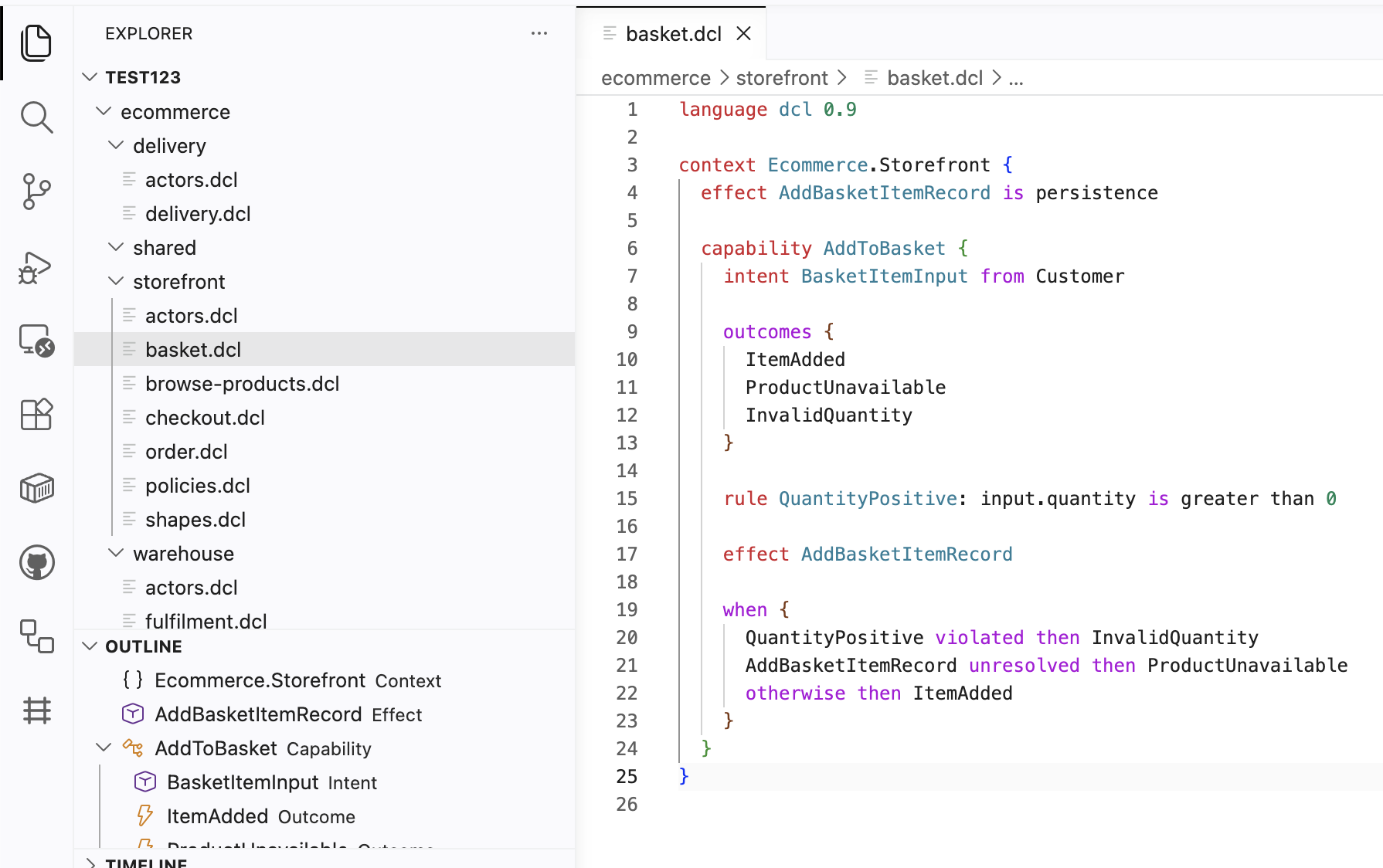
The extension is available on the VS Code Marketplace and can also be downloaded from the DCL website. It bundles DCL Compiler 1.1.0 and provides version-aware diagnostics, completion, hover, highlighting, summaries, and graphs for DCL Language 1.0 and 1.1. ScreenshotsDCL authoring with syntax highlighting, hover help, and compiler diagnostics:
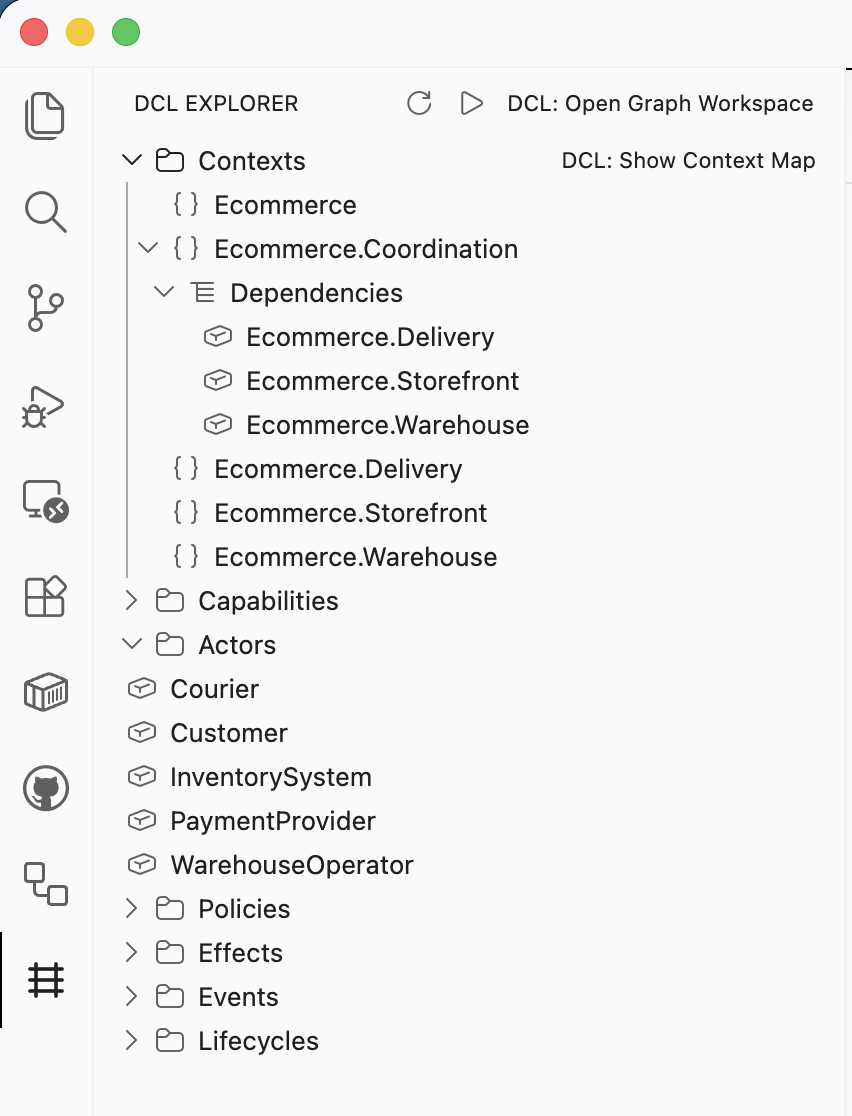
DCL Explorer for contexts, capabilities, and events:
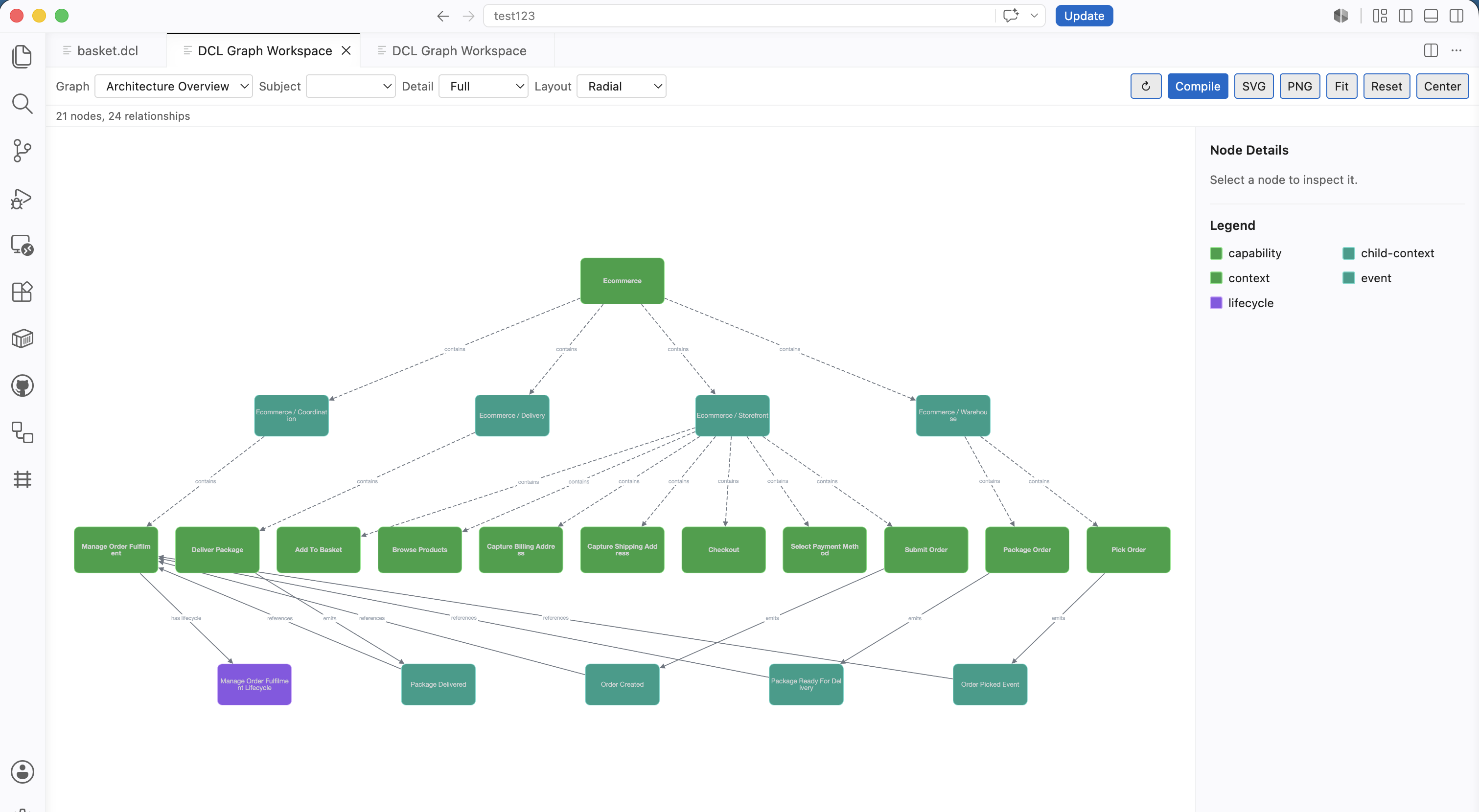
Graph Workspace with Architecture Overview:
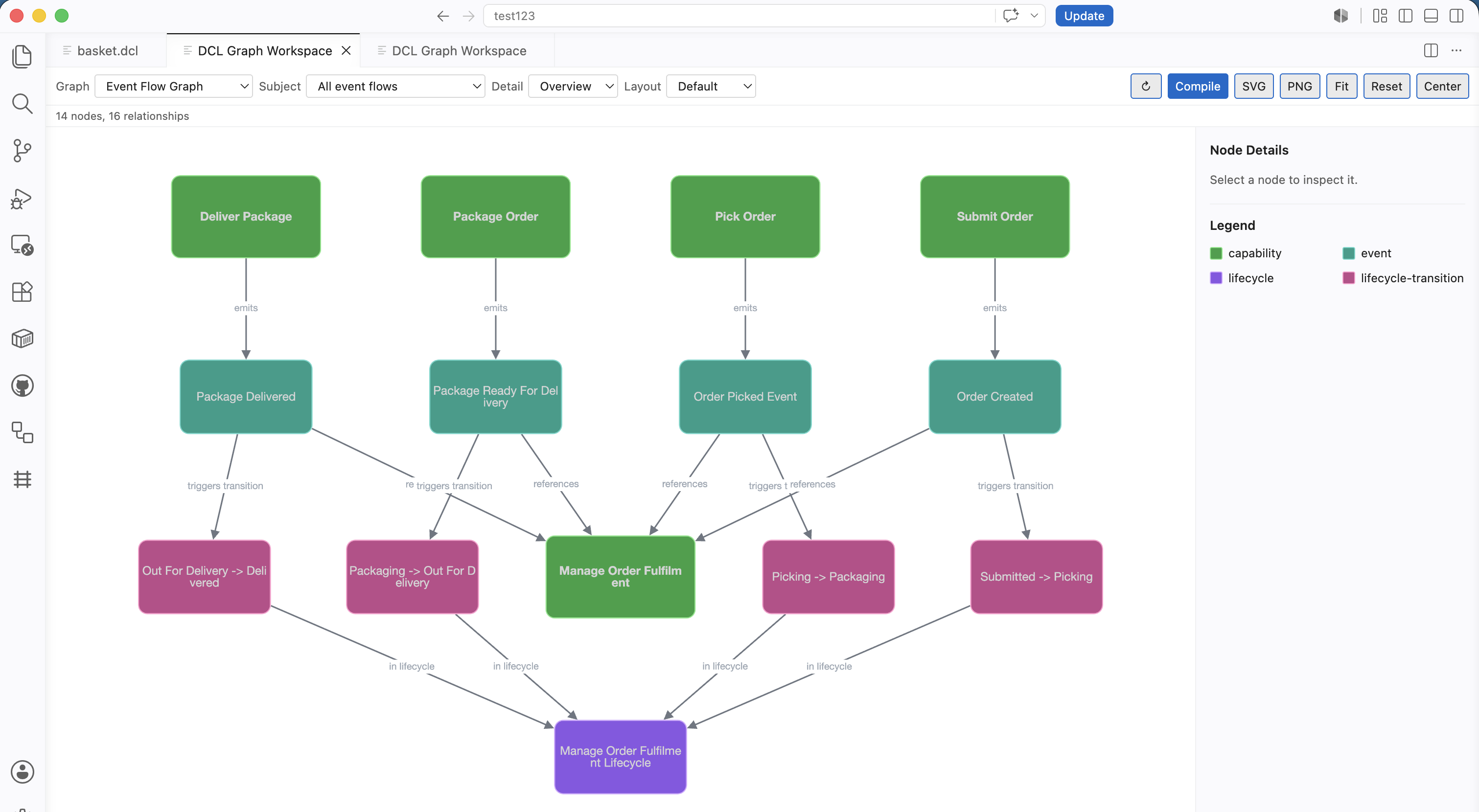
Event Flow and Lifecycle graph views:
FeaturesAuthoring
Navigation
Architecture Visualisation
The Capability Map shows declared capabilities grouped by DCL context. It is a business responsibility map, not an implementation, dependency, runtime, service, or infrastructure diagram. Contexts are shown as labelled containers, capabilities are shown as tiles, and badges indicate available semantic metadata such as lifecycle, effects, events, policies, and compiler analysis warnings. The Capability Influence Graph shows explicit compiler-derived semantic influence between capabilities. It does not show all dependencies, shared ownership, similarity, or implementation coupling. Thicker arrows indicate stronger explicit semantic influence from compiler-derived evidence such as lifecycle supervision, event-triggered transitions, effect targets, policy constraints, explicit capability references, or concrete context dependency references. It does not infer influence from naming, folder layout, shared actors, or context proximity. The cause-and-effect graph shows how intents, rules, policies, effects and outcomes are causally connected. Entry edges such as intent starts capability are shown for orientation, but outcomes, events, and lifecycle movement are only connected when causation is explicit in source or compiler IR. Language Intelligence
Quick Start
Commands
Settings
Controls compile-on-save for
Optional path to a custom DCL compiler executable. Leave empty to use the bundled compiler for supported platforms, falling back to
Enables the bundled DCL language server for compiler-backed diagnostics, document symbols, workspace symbols, definition navigation, and find references. Disabled by default.
Optional path to a custom
Controls language server protocol logging. Use
When enabled, moving the cursor inside compiler-known DCL semantic items focuses the matching node in the open Graph Workspace.
When enabled, source cursor movement can reveal the Graph Workspace from a DCL editor. Disabled by default. Bundled Compiler And Language ServerThe extension includes the DCL compiler and DCL language server for supported macOS, Linux, and Windows platforms. Use Known Limitations
Feedback And IssuesPlease report issues at https://github.com/russelleast/Capability-Language/issues. LicenseApache-2.0 |