Skip to content
| Marketplace
Sign in
Visual Studio Code>Data Science>dbxlite - SQL ClientNew to Visual Studio Code? Get it now.
dbxlite - SQL Client

dbxlite - SQL Client

dbxlite

|
7 installs
| (0) | Free
Lightning-fast SQL client with cross-database JOINs powered by DuckDB. Query CSV, Parquet, JSON files and PostgreSQL databases.
Installation
Launch VS Code Quick Open (Ctrl+P), paste the following command, and press enter.
Copied to clipboard
More Info
dbx.lite

dbx.lite

Lightning Fast SQL. Query databases, lakehouses, and files - PostgreSQL, MySQL, Databricks, S3, Delta Lake, Iceberg, Parquet, CSV, JSON. Powered by DuckDB.

Turn your VS Code into a database engine. Snowflake, BigQuery & more coming soon.

VS Code 1.85+ Powered by DuckDB


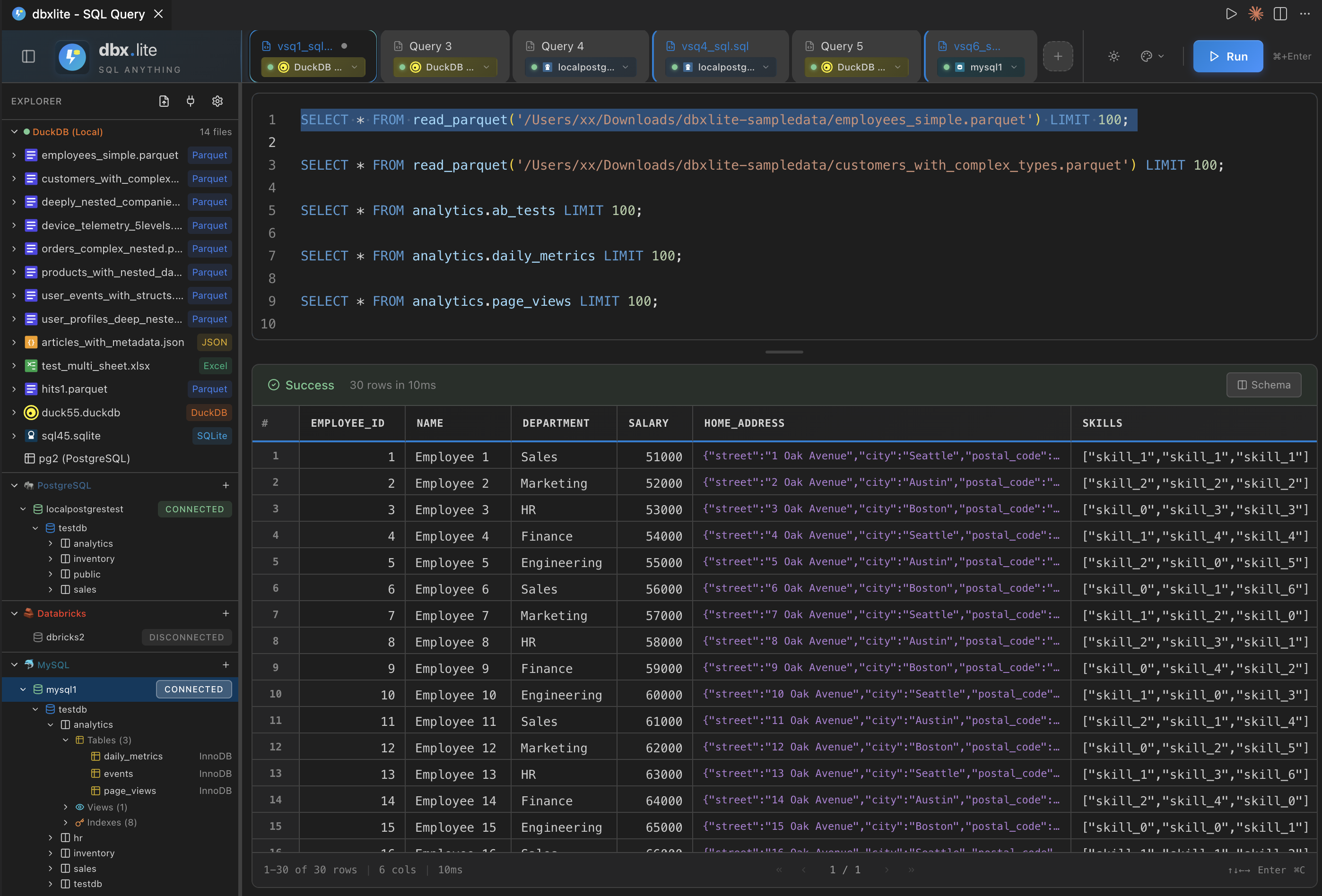
Main Interface


Features

Multi-Tab Query Editor

Write SQL in multiple tabs with full Monaco editor support - syntax highlighting, autocomplete, and keyboard shortcuts. Each tab remembers its database engine.

Multi-Engine Support

Connect to multiple database engines, each tab can use a different one:

Available Coming Soon
DuckDB Snowflake
PostgreSQL BigQuery
MySQL Redshift
SQLite Supabase
Databricks ClickHouse, Trino, SQL Server, Oracle

Cloud Storage and Data Lakes

Available Coming Soon
S3, Delta Lake, Iceberg GCS, Azure, Hudi

Query Any File

Drag and drop files directly into the explorer:

Supported formats: CSV, TSV, Parquet, JSON, JSONL, Excel

Lightning-Fast Results Grid

Virtual scrolling handles millions of rows smoothly. Auto-limits large queries to keep things responsive.

Cell Data Viewer

Click any cell to open a modal with the full content - perfect for JSON blobs, long text, or nested data.

Cross-Source JOINs

The magic of DuckDB - JOIN a CSV file with a PostgreSQL table in one query:

SELECT c.name, o.total
FROM 'customers.csv' c
JOIN pg.orders o ON c.id = o.customer_id

Cloud Storage Queries

Query files directly from S3, with Delta Lake and Iceberg support:

SELECT * FROM 's3://bucket/data.parquet'

Schema Explorer

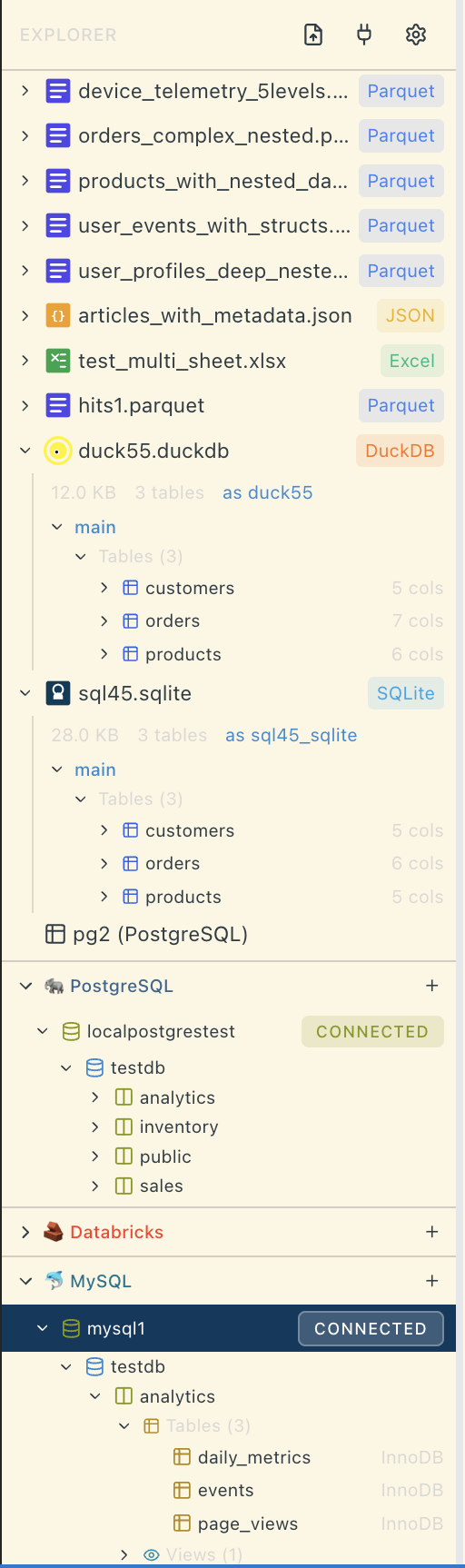
Browse tables, columns, and data types in the sidebar tree view. Drag tables into the editor to generate queries.

Smart Query Execution

Press Cmd+Enter to run the statement at your cursor - no need to select text. Full query runs if nothing is selected.

Save and Restore

Save queries to .sql files with Cmd+S. Tabs remember their file association and show the file path on hover.


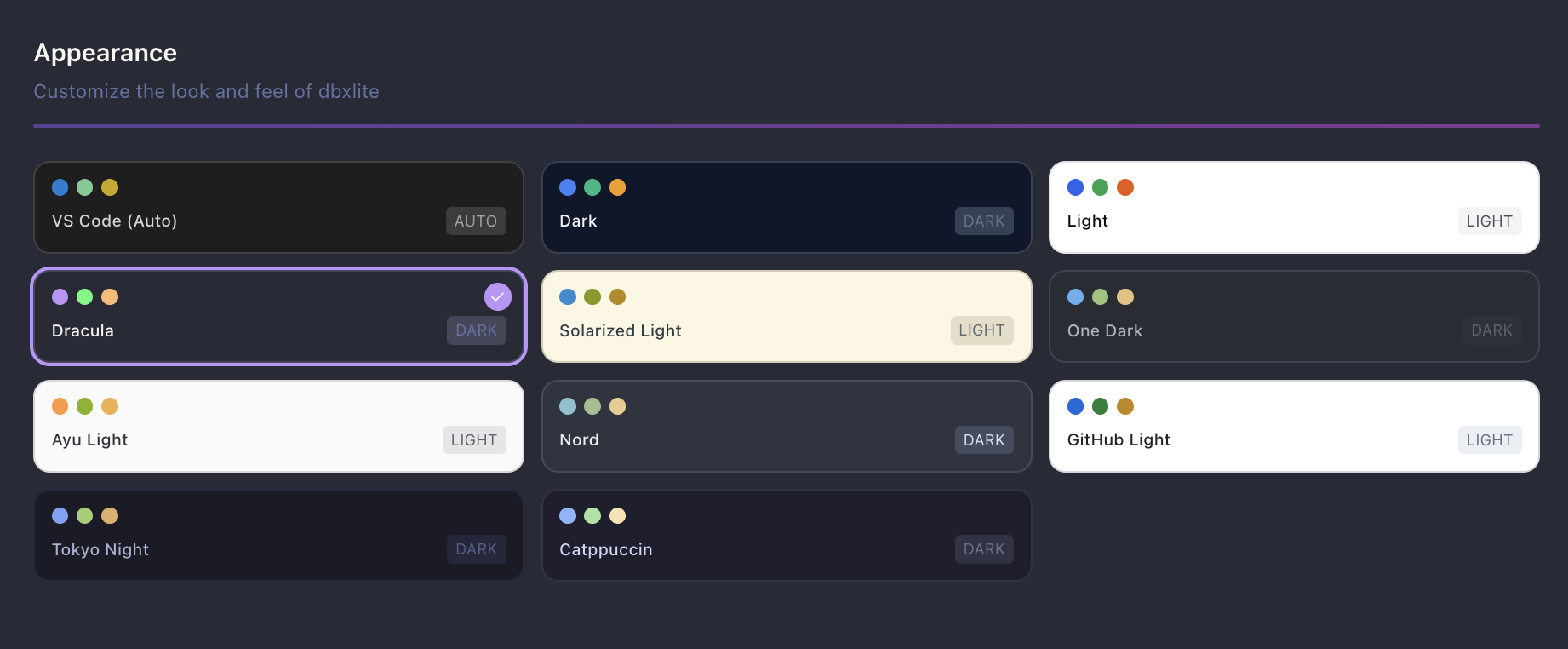
Color Themes

Choose from 12+ beautiful color themes including VS Code native (auto-syncs with your editor theme), Dracula, Monokai, Nord, Solarized, and more. Access via the gear icon > Appearance.

Color Themes


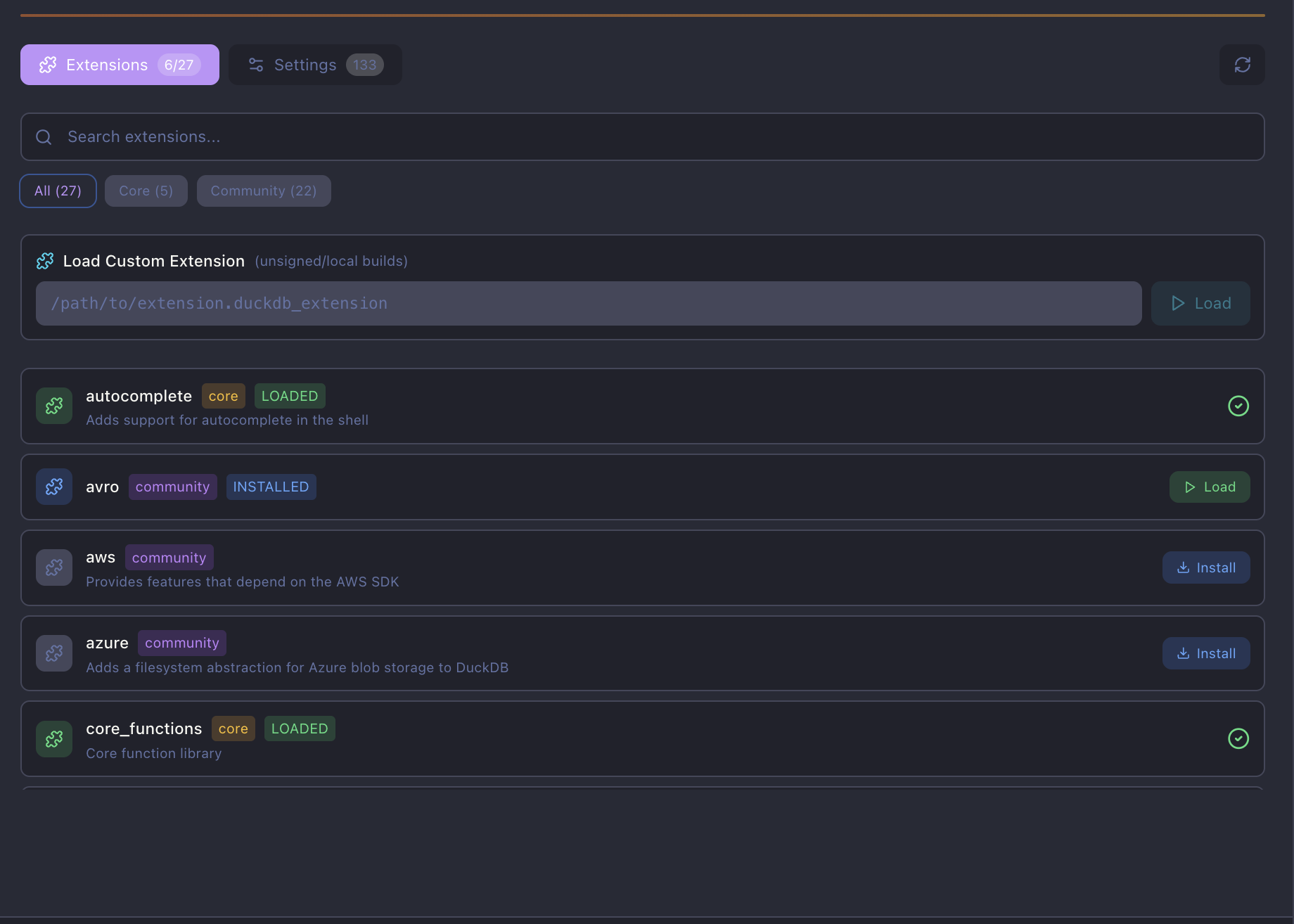
DuckDB Extension Manager

Install and manage DuckDB extensions directly from the UI. Enable cloud storage (httpfs), data lakes (delta, iceberg), spatial queries, and more. Load custom/unsigned extensions from local paths for development.

DuckDB Extensions

Popular Extensions:

  • httpfs - S3, HTTP/HTTPS file access
  • delta - Delta Lake table support
  • iceberg - Apache Iceberg tables
  • postgres - PostgreSQL scanner
  • mysql - MySQL scanner
  • spatial - Geospatial functions + Excel support

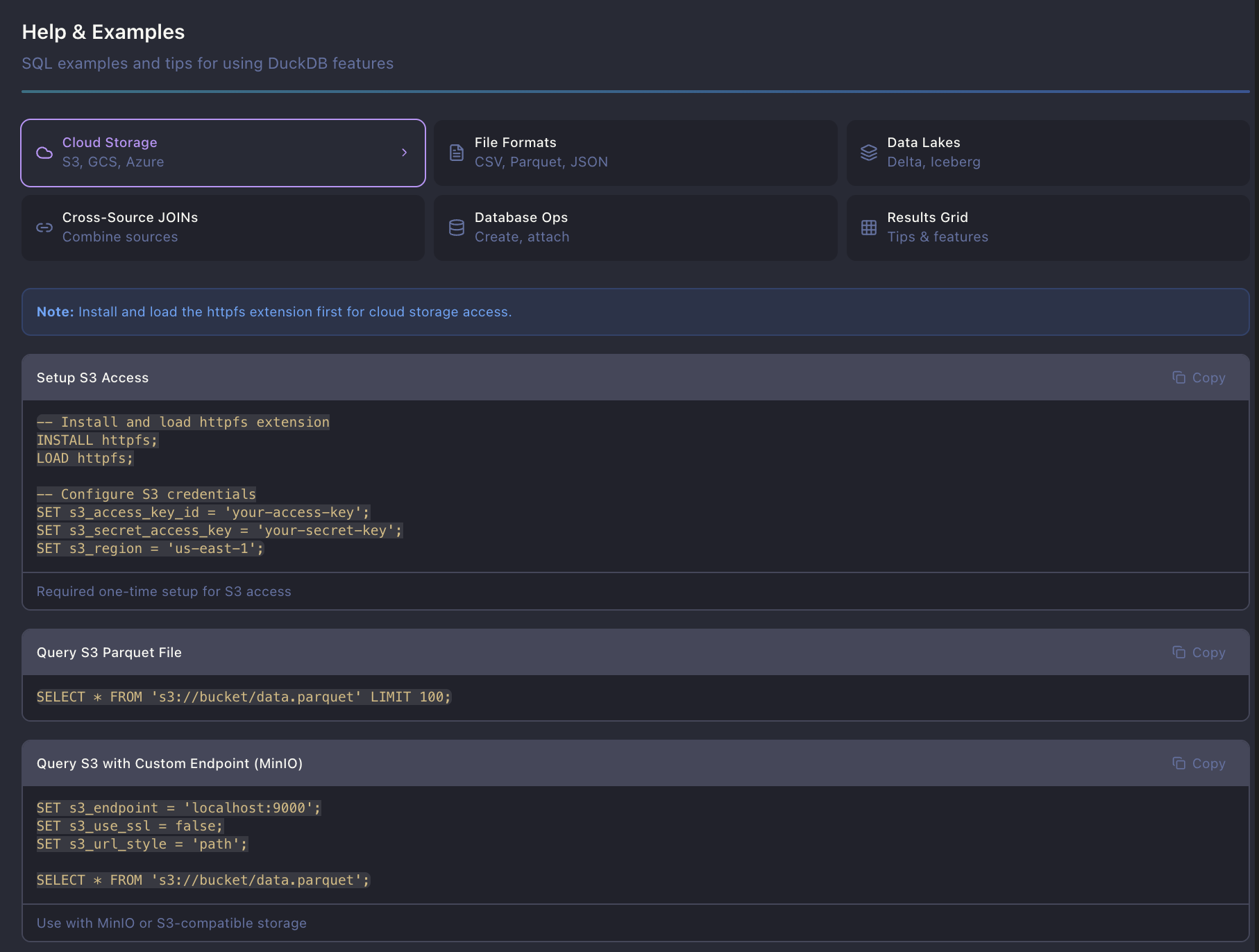
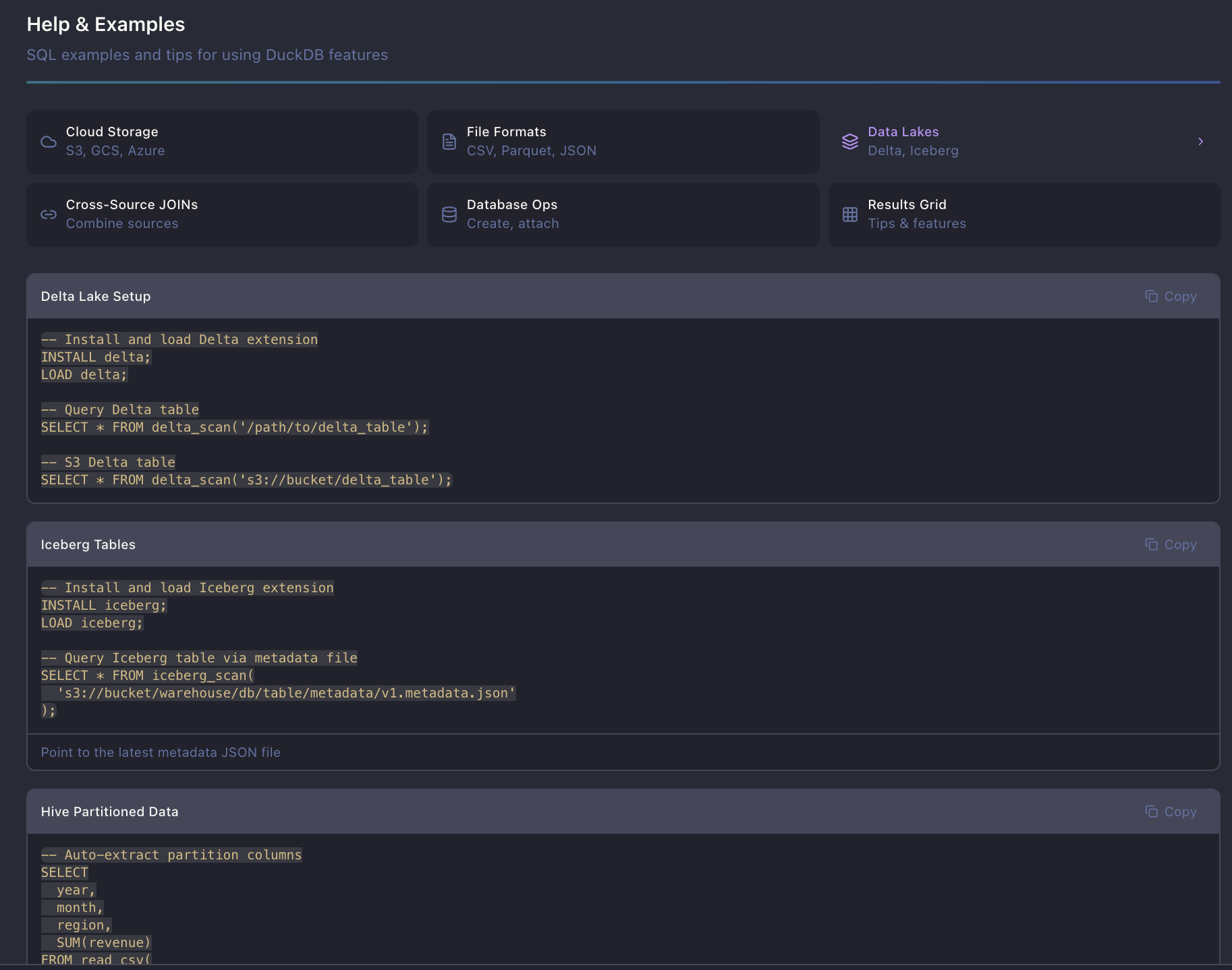
Built-in Help & SQL Examples

Comprehensive help section with copy-paste SQL examples for:

  • Cloud Storage - S3 setup, credentials, MinIO
  • File Formats - CSV, Parquet, JSON, Excel queries
  • Data Lakes - Delta Lake, Iceberg, Hive partitioning
  • Cross-Source JOINs - Combine files + databases
  • Database Operations - Create tables, attach DBs, export data

Help & Examples

Lakehouse & File Format Examples


Quick Start

  1. Click the dbx.lite icon in the Activity Bar
  2. Drop a CSV or Parquet file into the explorer
  3. Write SQL and press Cmd+Enter

Screenshots

File Explorer

Drop files directly into the explorer to query them instantly.

File Explorer

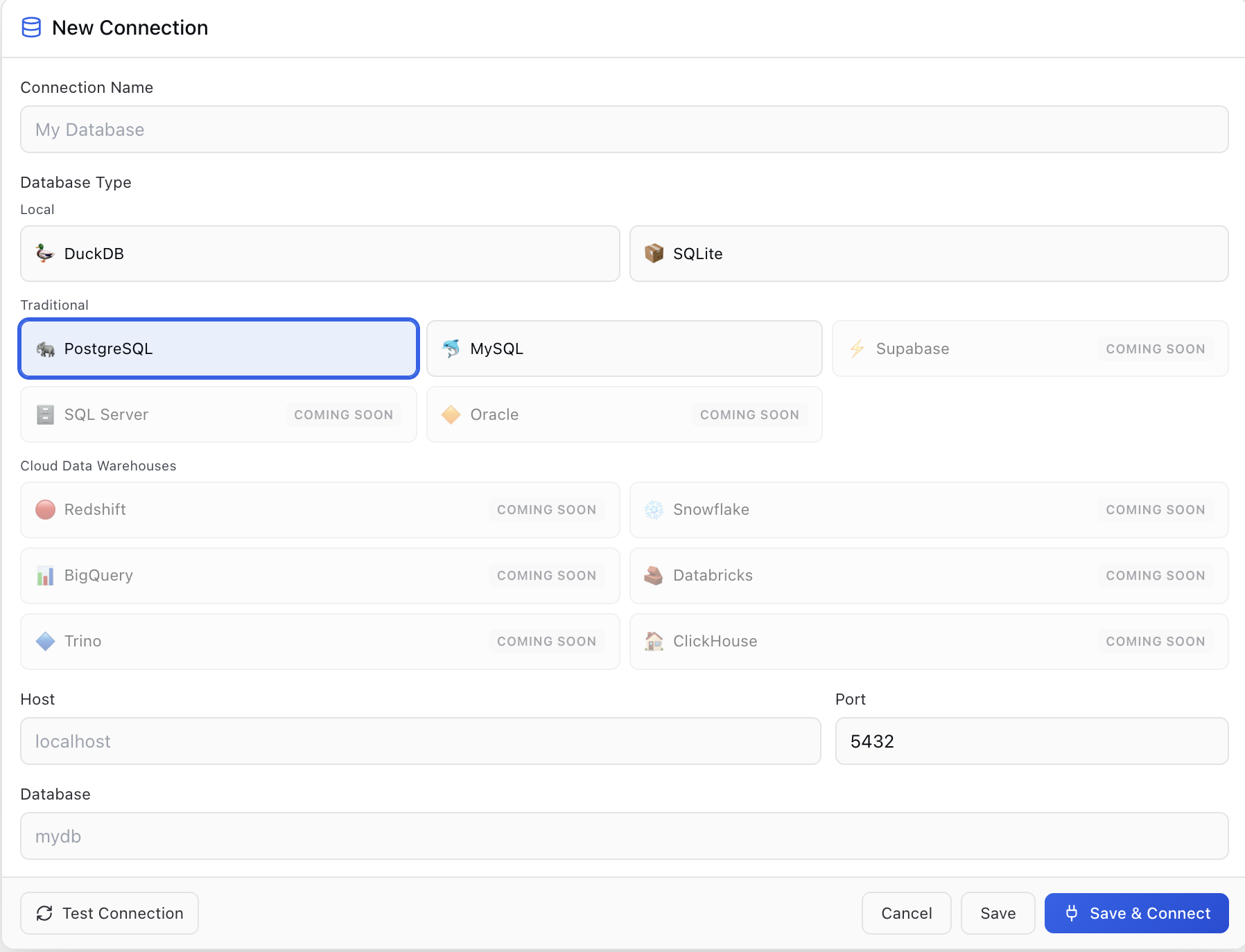
Database Connections

Connect to PostgreSQL, MySQL, SQLite, Databricks, and more.

Database Connections


Keyboard Shortcuts

Action Mac Windows
Run Query Cmd+Enter Ctrl+Enter
Save Query Cmd+S Ctrl+S
Copy Selection Cmd+C Ctrl+C
Copy with Headers Shift+Cmd+C Shift+Ctrl+C
Select All Cells Cmd+A Ctrl+A
View Cell Detail Enter Enter
New Tab Cmd+N Ctrl+N
Close Tab Cmd+W Ctrl+W

Settings

Access settings via the gear icon in the header.

Appearance

Choose from 12+ color themes including VS Code native (auto-syncs with your VS Code theme), Dracula, Monokai, Nord, Solarized, and more.

Editor

  • Font Size: 10-20px for SQL editor
  • Tab Size: 2 or 4 spaces
  • Word Wrap: Toggle line wrapping
  • Minimap: Show/hide code overview
  • Max Tabs: Limit open query tabs (1-10)

Results Grid

  • Font Size: 10-18px for result cells
  • Row Height: 24-48px
  • Page Size: 25-500 rows per page
  • Copy Delimiter: Tab, comma, pipe, or space
  • Auto-LIMIT: Automatically limit SELECT queries (1K-50K rows)

Performance

  • Cache Threshold: Max rows for in-memory sorting (1K-100K)
  • Chunk Size: Rows per streaming chunk
  • Payload Warnings: Alert thresholds for large results
  • Virtual Scrolling: Render only visible rows

DuckDB Server

  • View and manage DuckDB extensions (install, load)
  • Load custom/unsigned extensions from local paths
  • Browse all DuckDB configuration settings

Roadmap

v0.2 - Snowflake, BigQuery, Redshift, Supabase v0.3 - Trino, ClickHouse, SQL Server, Oracle Future - Query history, schema visualization, AI suggestions


Send Feedback | Request Feature

  • Contact us
  • Jobs
  • Privacy
  • Manage cookies
  • Terms of use
  • Trademarks
© 2026 Microsoft