DBDeck
Your databases. Inside your editor.
A free, open-source database client for VS Code and Cursor.
No accounts, paywalls, telemetry or cloud sync.
Website ·
GitHub ·
Report a bug
What it does
Browse databases, run queries and edit data without leaving your editor. Keep connections together, use SSH tunnels and inspect results in a virtualized grid.
| Service |
Tools |
| PostgreSQL, MySQL / MariaDB |
SQL editor, data grid, primary-key row editing, DDL |
| ClickHouse |
SQL editor, data browsing, DDL |
| MongoDB |
Document editor, filters, aggregation and shell-style scripts |
| Redis |
Key browser, value editors, TTL, CLI |
| Elasticsearch / OpenSearch |
Index browser, documents and request console |
| S3 / MinIO / R2 |
Buckets, folders, uploads and downloads |
| Docker |
Containers, logs, shell and database connection discovery |
Features
- Connection tree with groups, per-type icons and connection status
- SSH tunnels (password or private key), SSL/TLS, read-only mode
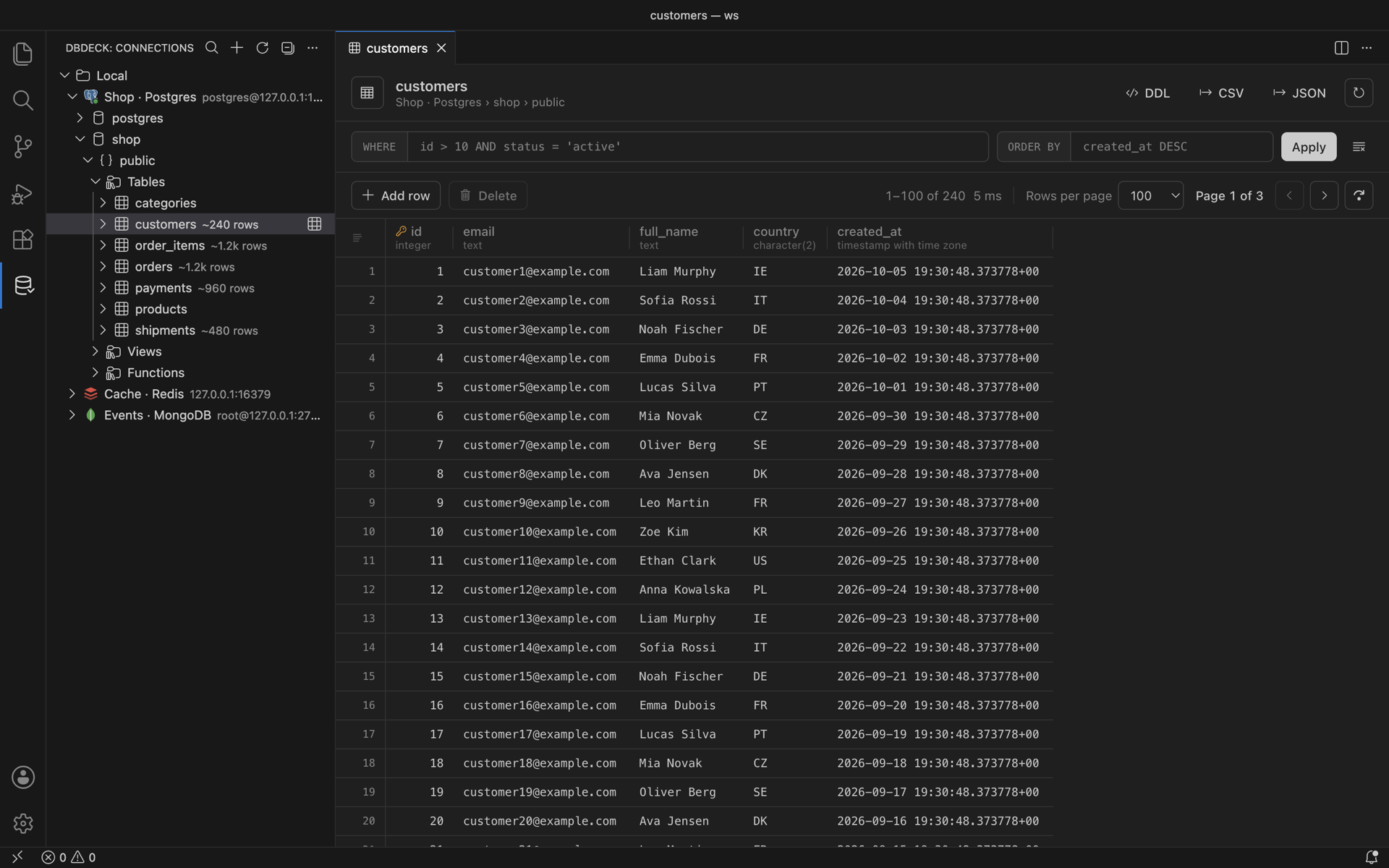
- Data viewer with a virtualized grid: server-side paging, sorting,
WHERE / ORDER BY filters, column resize, keyboard navigation, copy as TSV / JSON / INSERT
- Inline editing for PostgreSQL and MySQL tables with a primary key: edit cells, add rows, delete rows, set
NULL. Changes are staged and saved in one transaction
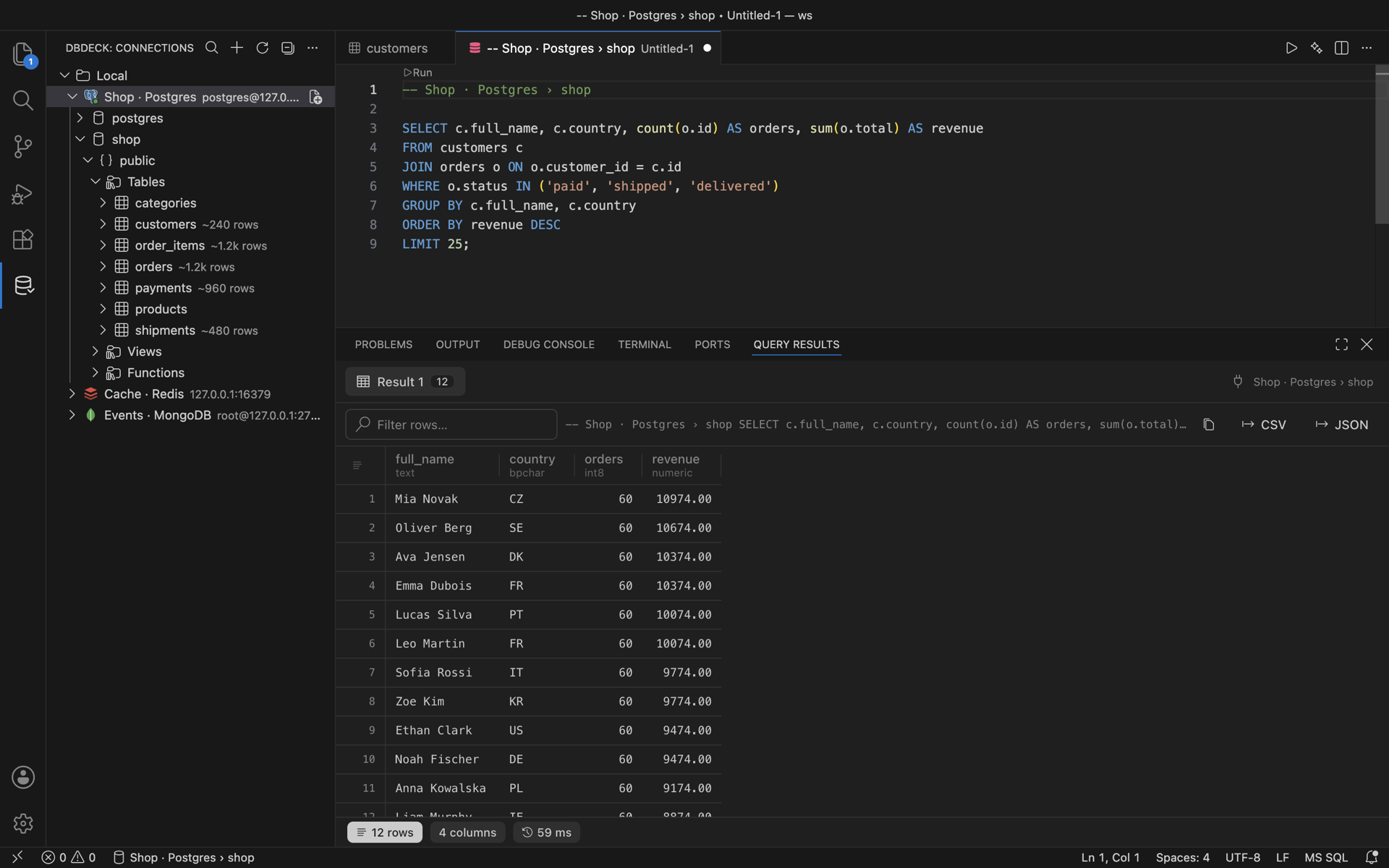
- SQL editor: run the statement under the cursor (
⌘/Ctrl+Enter), run all (⌘/Ctrl+Shift+Enter), ▶ Run CodeLens, table and column completion with alias resolution
- Results panel: one tab per statement, row filter, JSON view, export to CSV / JSON
- DDL for tables, views, functions and procedures; truncate and drop
- MongoDB: document grid and JSON view, filter / sort / projection, edit / insert / clone / delete documents, shell-style scripts (
db.users.find({...}).sort(...), aggregate, ObjectId(), ISODate())
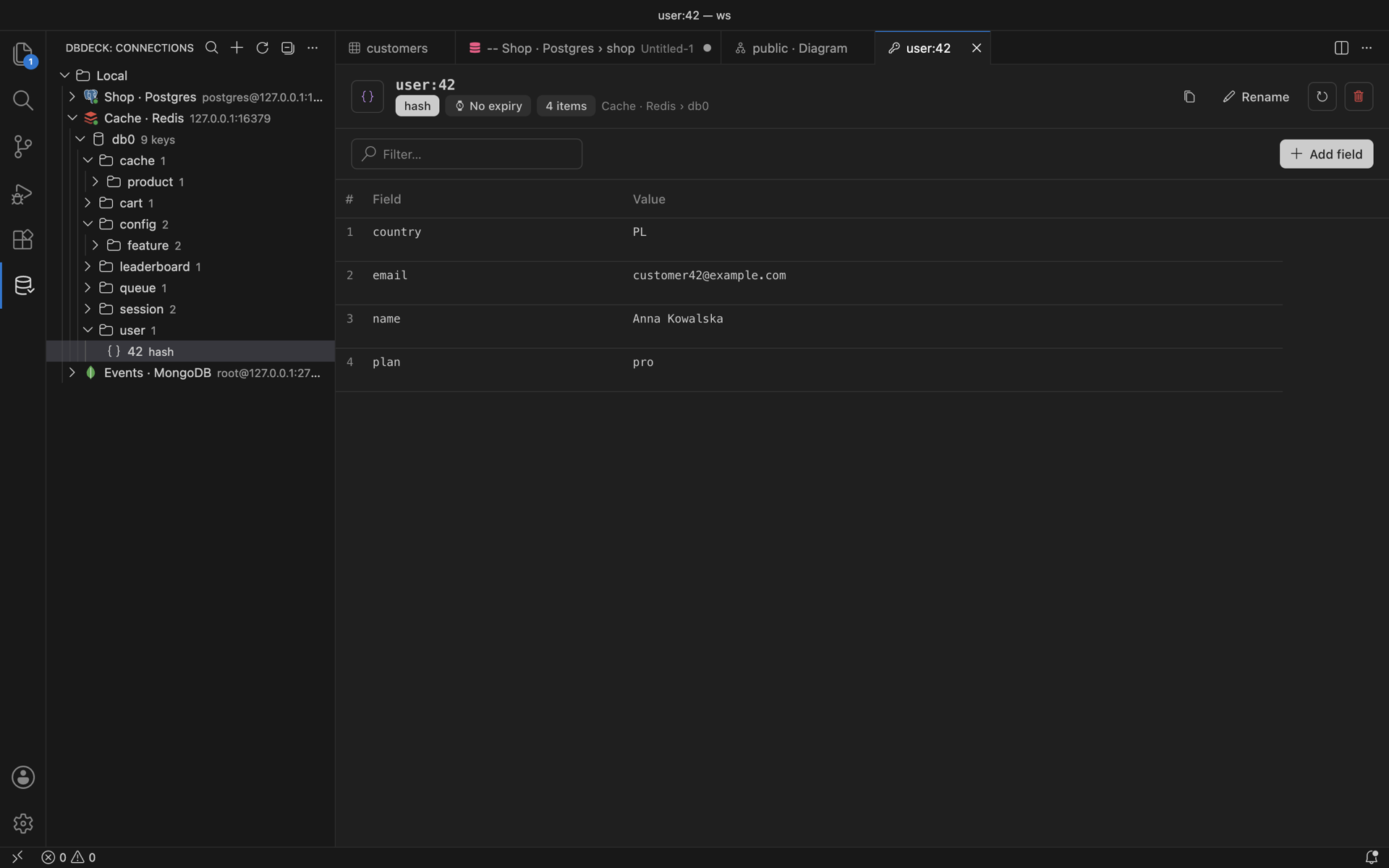
- Redis: key tree grouped by separator, SCAN filter, editors for string (text / JSON), hash, list, set, sorted set, stream and RedisJSON, TTL and rename, built-in CLI terminal
- Elasticsearch: index list with health, field mapping, document search (query string or DSL), edit / add / delete documents, Kibana-style request console (
.esreq files)
- S3: buckets and folders in the tree, open / download / upload / delete objects, copy
s3:// URI; works with AWS, MinIO, Cloudflare R2 and other S3-compatible servers
- Docker: containers grouped by Compose project, start / stop / restart / remove, logs, shell, inspect, images, volumes, networks, and Add as Database Connection that reads credentials from container env
Getting started
Install DBDeck from the Extensions view in VS Code (Visual Studio Marketplace) or in Cursor, VSCodium and Windsurf (Open VSX). You can also download the VSIX from GitHub Releases and choose Extensions: Install from VSIX….
Open DBDeck in the activity bar, choose Add Connection, then select a database type. Open a table or create a query from the connection menu.
| Action |
macOS |
Windows / Linux |
| Run current statement |
Cmd+Enter |
Ctrl+Enter |
| Run all statements |
Cmd+Shift+Enter |
Ctrl+Shift+Enter |
Screenshots
Privacy
DBDeck makes network connections only to the databases you configure. Nothing is sent anywhere else.
- Connection settings are stored in VS Code / Cursor global state on this machine.
- Passwords, API keys and connection strings are stored in the OS keychain through VS Code SecretStorage.
- Turn off Remember password on a connection to keep its secrets in memory only: you are asked for them once per session and nothing is written to disk.
- Query results are not stored.
Schema diagram
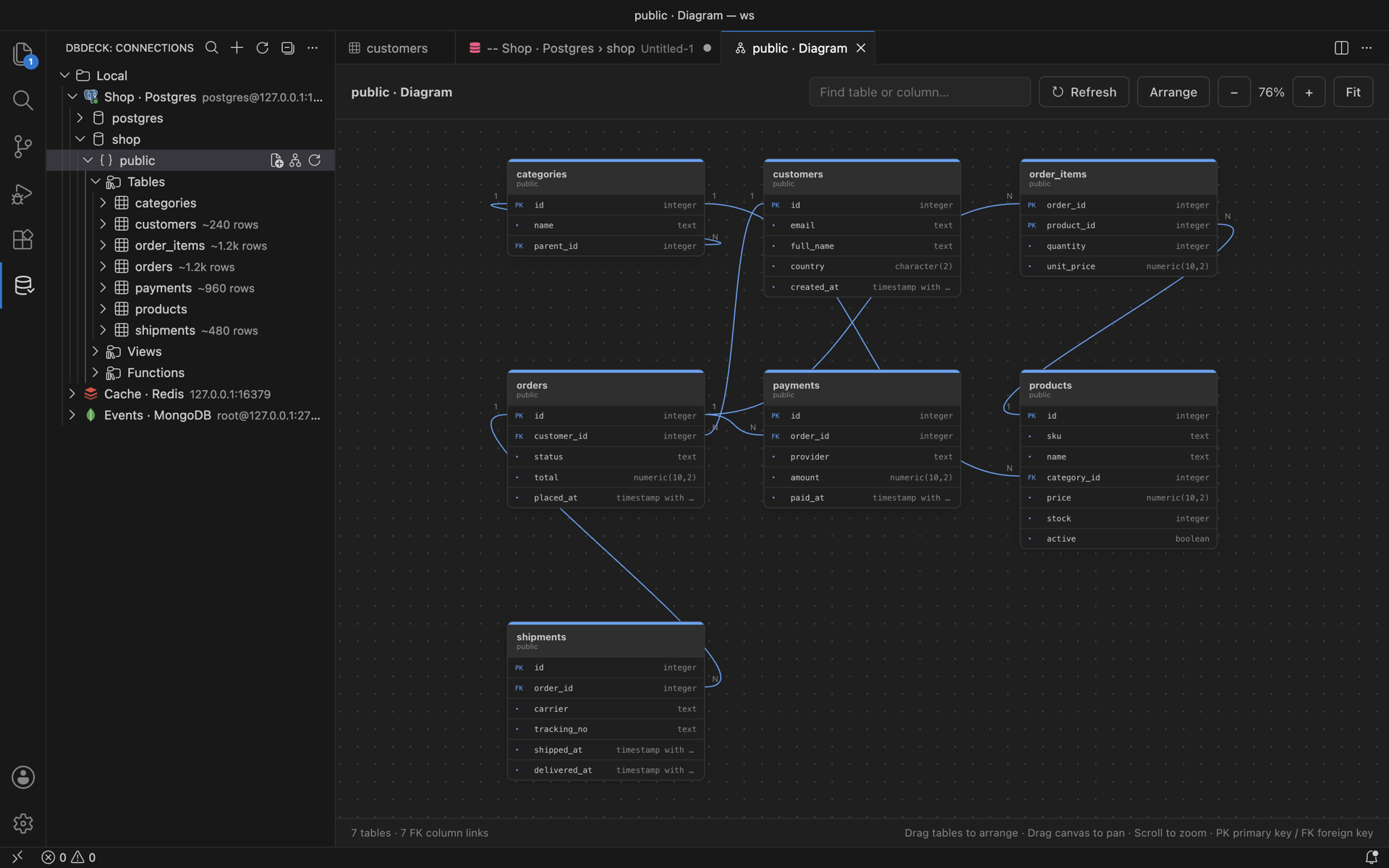
Choose Show Schema Diagram on a SQL database or PostgreSQL schema in Connections. Tables show columns, primary keys and foreign keys, with column-to-column relationship lines for PostgreSQL and MySQL/MariaDB. Drag table headers to arrange cards, drag the dotted canvas to pan, and scroll to zoom. Use Fit, Arrange, search and Refresh from the toolbar. The panel remembers its layout when restored. ClickHouse displays tables and columns without foreign key relationships. Relationships to tables outside the selected schema/database are omitted.
AI queries
Use DBDeck: Generate Query with AI, the sparkle button in a SQL editor, or the SQL connection/table context menu. Select the tables to share, describe your request in any language, and review the generated SQL. Open in query editor creates a query bound to the selected connection; it does not execute it. PostgreSQL, MySQL and ClickHouse are supported.
Choose OpenAI · Continue with ChatGPT to authorize DBDeck directly through OpenAI using your own eligible ChatGPT plan or credits. DBDeck uses OpenAI's public Responses API and your account's model catalog. Manage access and limits in ChatGPT Settings → Usage. Availability depends on OpenAI's preview and your account permissions. See OpenAI's sign-in documentation.
Alternatively, supply your own OpenAI API key, an OpenAI-compatible provider URL and key, or an installed Ollama model (http://127.0.0.1:11434/v1). API charges are paid directly by the user. Remote providers must use HTTPS. Use DBDeck: Disconnect AI Provider to remove the active provider's credentials; ChatGPT sign-out also attempts to revoke its renewable session.
DBDeck has no AI backend, credential service or prompt analytics. Requests go from the extension host directly to the chosen provider. Only the written request and selected table/column names, types and key metadata are sent; database rows, passwords and connection strings are excluded. Provider data policies still apply. API keys and ChatGPT credentials are kept in VS Code SecretStorage, outside webview state and project files. Provider/model preferences and a stable local OAuth host identifier are stored in the editor. ChatGPT account registrations are kept separately; sign-out removes tokens while retaining the registration for later sign-in. No OpenAI client secret or publisher-owned API key is required.
License
MIT.
| |

