Hero Synergy
Hero Synergy is an unofficial Visual Studio Code cockpit for the wayfinder maps of Matt Pocock's skills. It shows each map's frontier, the tickets you can take right now, and starts any of them with one click as a Claude Code session named after the ticket. Every session's status stays in view, so you can see which one needs you.
Hero Synergy is a personal project and is not affiliated with or endorsed by Matt Pocock or Anthropic.
Requirements
- VS Code 1.105 or later. Built for VS Code; forks are expected to work.
- macOS and Linux are supported, dev containers and SSH remotes included. On Windows, use the WSL remote. Native Windows is untested and best-effort, with the native Claude Code installer.
- Claude Code 2.1.212 or later.
- mattpocock-skills with the
wayfinder skill: any release from 1.1.0; built and tested against 1.2.3 and 1.3.1. Install it as a plugin or with skills.sh, never both.
- Node 22.18 or later on
PATH in the session's environment.
gh, authenticated, for a GitHub tracker.
Quick start
Open a repository and select Hero Synergy in the Activity Bar. Until there is a map, the Tree leads with the next step, and every step shows the exact command it runs before you run it.
- Install the skills. Without mattpocock-skills, the Tree offers both ways to install them:
claude plugins install mattpocock-skills, or npx skills@latest add mattpocock/skills. Pick one.
- Setup. Without
docs/agents/issue-tracker.md, the Tree offers Setup, which runs /setup-matt-pocock-skills to record where the repository's issues live. The Cockpit reads GitHub and local markdown trackers.
- Chart a map. Chart a map starts the wayfinder skill and asks you for the loose idea. When the session has written the map, it appears in the Tree.
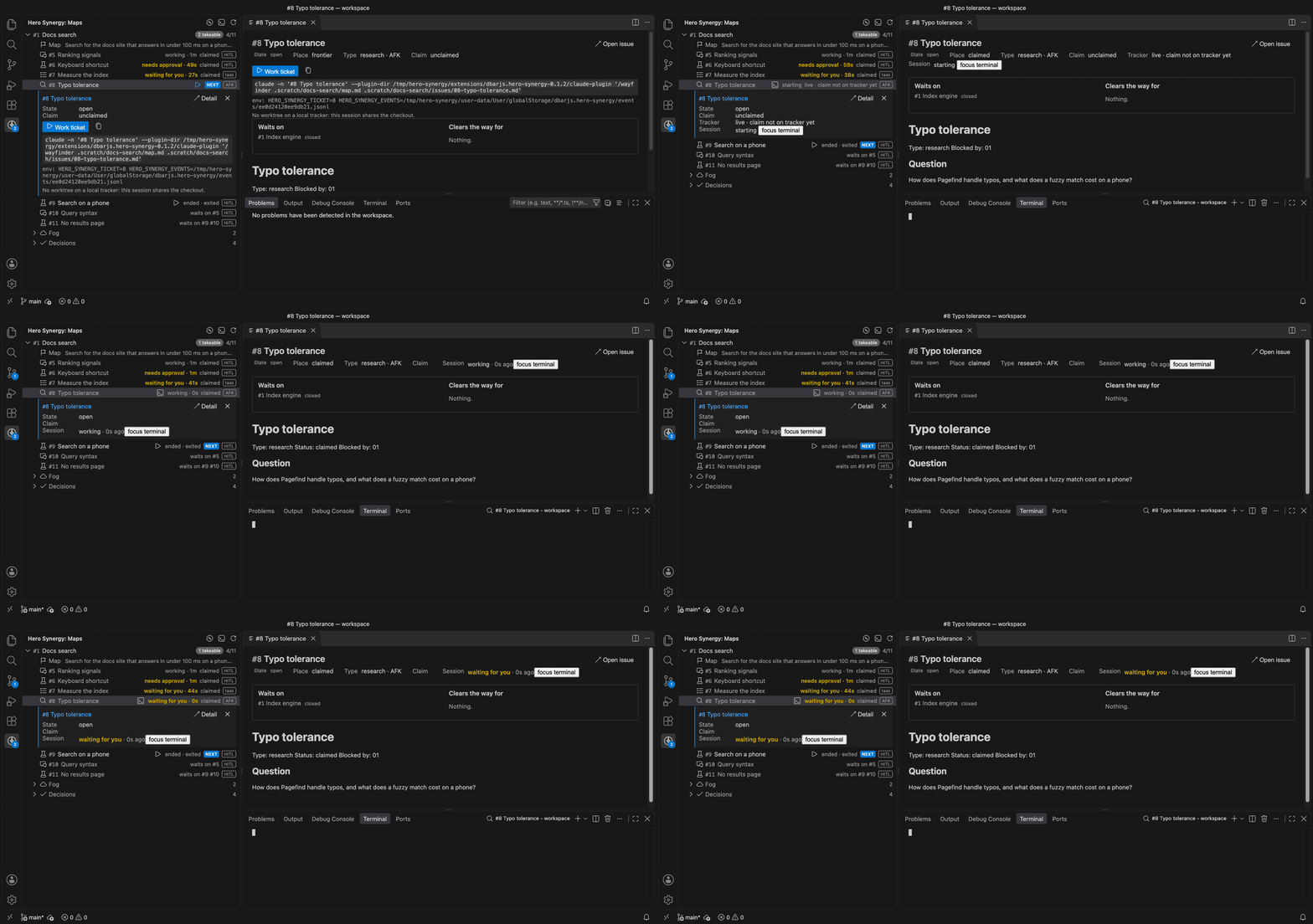
- ▶ on a frontier ticket. Every frontier ticket has a ▶, and the first in map order is marked NEXT. ▶ opens a terminal named
#<number> <title> and starts the ticket's session in it.
The Cockpit
The Tree
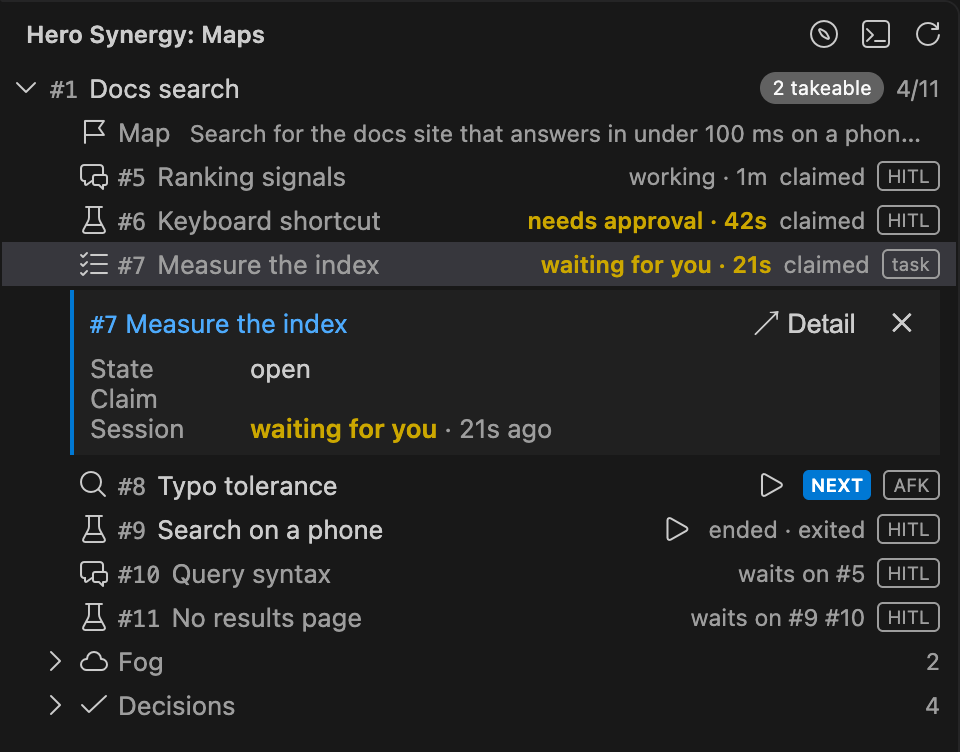
The Tree lists every open map of the repository. A map shows how many tickets are takeable and how many are decided, and unfolds into its tickets in map order, with its Fog and Decisions at the end. Each ticket shows its type, its session or what it waits on, its claim, and whether it is HITL or AFK. A finished map, with every ticket closed, folds away; a stuck map, whose open tickets are all claimed or blocked, says "nothing takeable".
The Focus pane
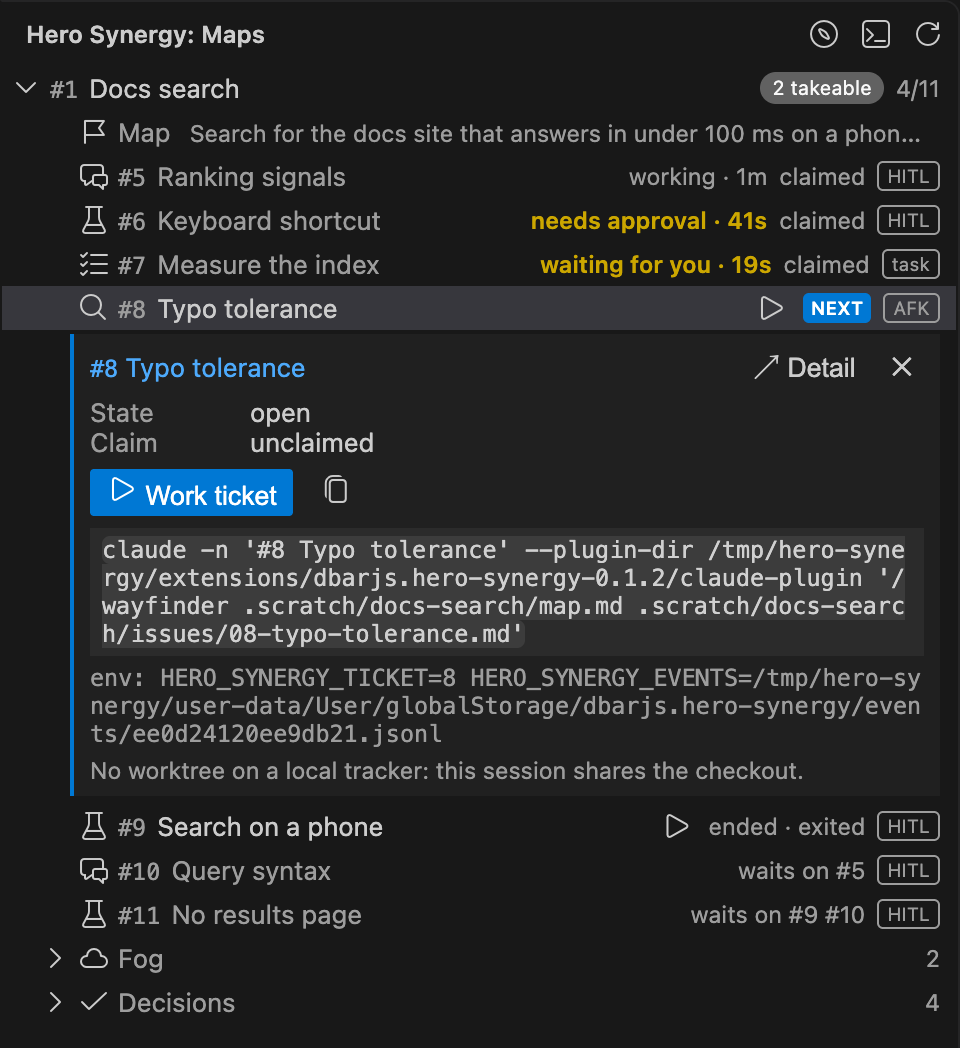
Select a row and the Focus pane opens under it: the ticket's state, its claim, its session, and its actions. Work ticket shows the exact command it runs, with a button to copy it.
The Detail
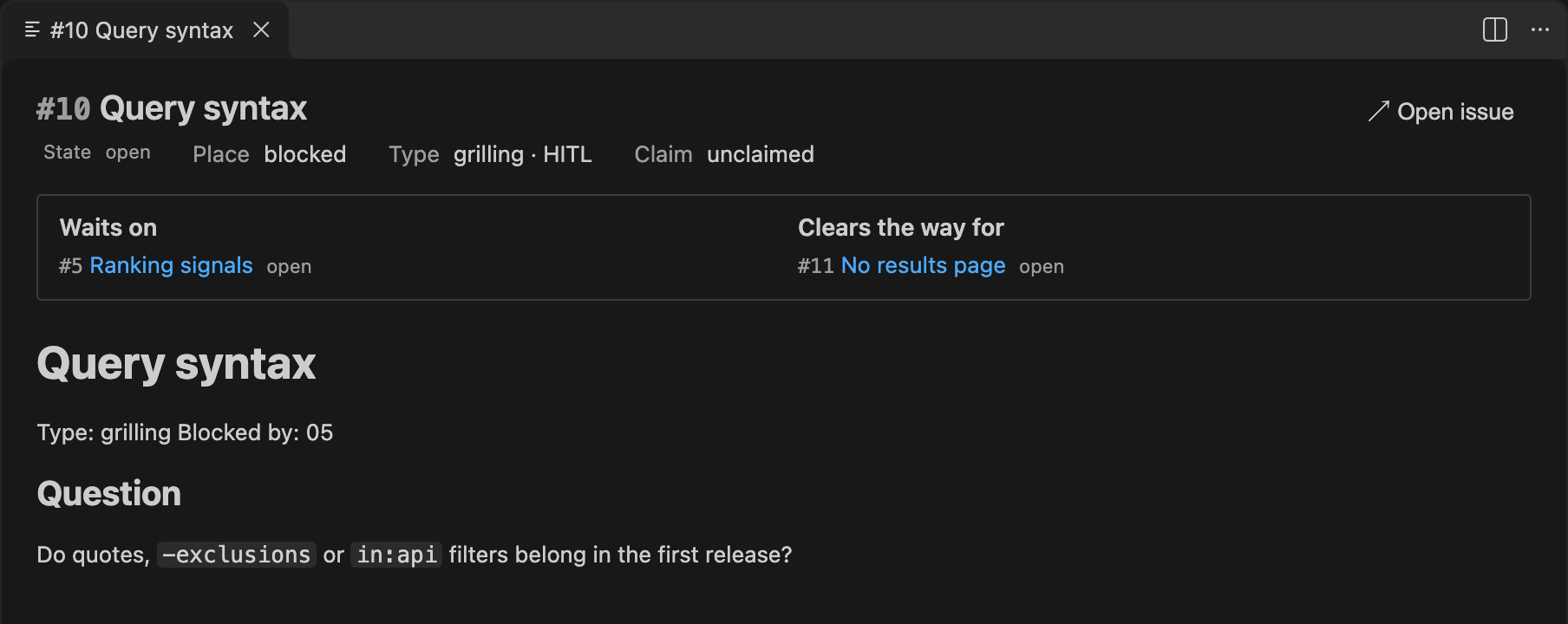
The Detail is an editor tab that follows the Tree's selection. For a map, it shows the destination, the decisions so far, what is not yet specified and what is out of scope. For a ticket, it shows what the ticket waits on, what it clears the way for, and its body.
Live status and the badge
Every ticket with a session shows its status and how long it has had it: starting, working, waiting for you, needs approval, failed, or ended and why. A session that is waiting for you, needs approval or has failed needs you: it counts on the Activity Bar badge, and its map moves to the top of the Tree.

The status comes from Claude Code's own list of live sessions, and from a small hooks plugin the Cockpit passes to the sessions it starts, which reports when a session fails or ends. The tracker alone says whether a ticket is claimed; the session alone says whether it is alive. When they disagree, the row says so, for example "not claimed on the tracker".
Settings
| Setting |
Default |
What it does |
heroSynergy.sessions.terminalLocation |
panel |
Open ticket sessions in the terminal panel (panel) or in editor tabs (editor). |
heroSynergy.claude.path |
empty |
Location of the claude executable. Empty resolves claude on PATH. |
Commands
- Hero Synergy: Open Cockpit Detail opens the Detail for the selected map or ticket, or for the first map when nothing is selected. Enter or a double-click on a Tree row opens it too, and Enter on a map's Fog or Decisions row opens it scrolled to that section.
- Hero Synergy: Chart a map runs the wayfinder skill with no input in a new terminal; the session asks you for the loose idea. It is also a button in the Tree's title bar.
- Hero Synergy: Run skill… lists every user-invoked skill (the command, where it was found, and what it does) and runs the one you pick as
claude "<skill>" in a new terminal. It is also a button in the Tree's title bar. Chart a map and Run skill… open plain terminals: no ticket, no status plugin, no badge. When a skill they need isn't installed they tell you instead of doing nothing.
- Hero Synergy: Refresh reads the tracker and the sessions again, whatever the 60 second gap between automatic reads; it only declines when GitHub's rate limit is spent.
Conventions
Naming a session you start by hand. The Cockpit matches a session to a ticket by the leading #<number> of the session's name, so start it with claude -n "#<number> <title>". A session named that way is shown as that ticket's session, whoever started it.
Pushing a worktree session back. A ticket session on a GitHub tracker runs in its own worktree. The Cockpit shows the worktree but never creates, merges or removes it. When the ticket closes, the session commits on the worktree branch, rebases onto origin/main with git pull --rebase origin main, and pushes with git push origin HEAD:main.
Troubleshooting
- The Health row. When something on this machine may make the Cockpit wrong or incomplete, such as Claude Code missing or older than its floor, the wayfinder skill not found, or a skill installed twice, a Health row is pinned at the top of the Tree:
Health · 2 warnings. Select it to read each warning and what to do about it. A row of notes only, without the ⚠, is something old or odd that was still read correctly. The Cockpit never stops for a warning.
- Drift. A map or ticket that is off the current wayfinder conventions, such as a legacy label or free-form markdown, gets a warning in its Focus pane and in a Drift section of its Detail. The Cockpit reads what it can and never corrects the tracker.
- The output channel. Output › Hero Synergy logs what failed when the Cockpit called
claude, gh or git, and every warning it raised. Include it when you open an issue.
Links

