DB Kit
在 VSCode 里搞定数据库的一切 —— 浏览 · 查询 · 编辑 · 导出
MySQL · PostgreSQL · SQL Server · SQLite · MongoDB · Redis


✨ Highlights (English)
UI text follows the VSCode display language (English / Chinese). Screenshots below were taken from the Chinese UI.
📊 The table is the workbench
Smoothly browse huge tables with virtual scrolling; double-click any cell to edit, review the parameterized SQL preview before commit, single-transaction commit with field-level optimistic locking that pinpoints conflicting rows; tables without a primary key are read-only by default. Oversized text / binary cells transfer a configurable preview prefix — the ▤ viewer, editing and copy fetch the full value automatically.
⌨️ A SQL Console that completes — and brakes
Context-aware completion for databases / tables / columns and dialect keywords; UPDATE/DELETE without WHERE is blocked outright, with tiered confirmation on production; EXPLAIN results are auto-indented as a tree; per-statement duration / error / canceled status annotations inline.
🧱 Schema management without writing DDL
Visual create/alter/drop for tables and columns with statement preview and red-bar warnings for destructive operations; database-level operations out of the box: MySQL create/alter/drop database, PostgreSQL and SQL Server create/drop schema, MongoDB create/drop database; PostgreSQL materialized views get their own tree folder (browse / view DDL).
📤 Million-row exports that never freeze the UI
Streaming export in six formats — CSV / JSON / NDJSON / Markdown / SQL INSERT / XLSX — runs in the background: track progress from the notification center, cancel anytime, run tasks concurrently, reveal the file when done.
🔌 Connections that just work
Per-driver dynamic connection forms; SSH tunneling (TOFU fingerprint verification) and SSL/TLS; passwords live only in the system keychain — zero telemetry, nothing written to disk.
🤖 AI assistant with its own key (BYOK)
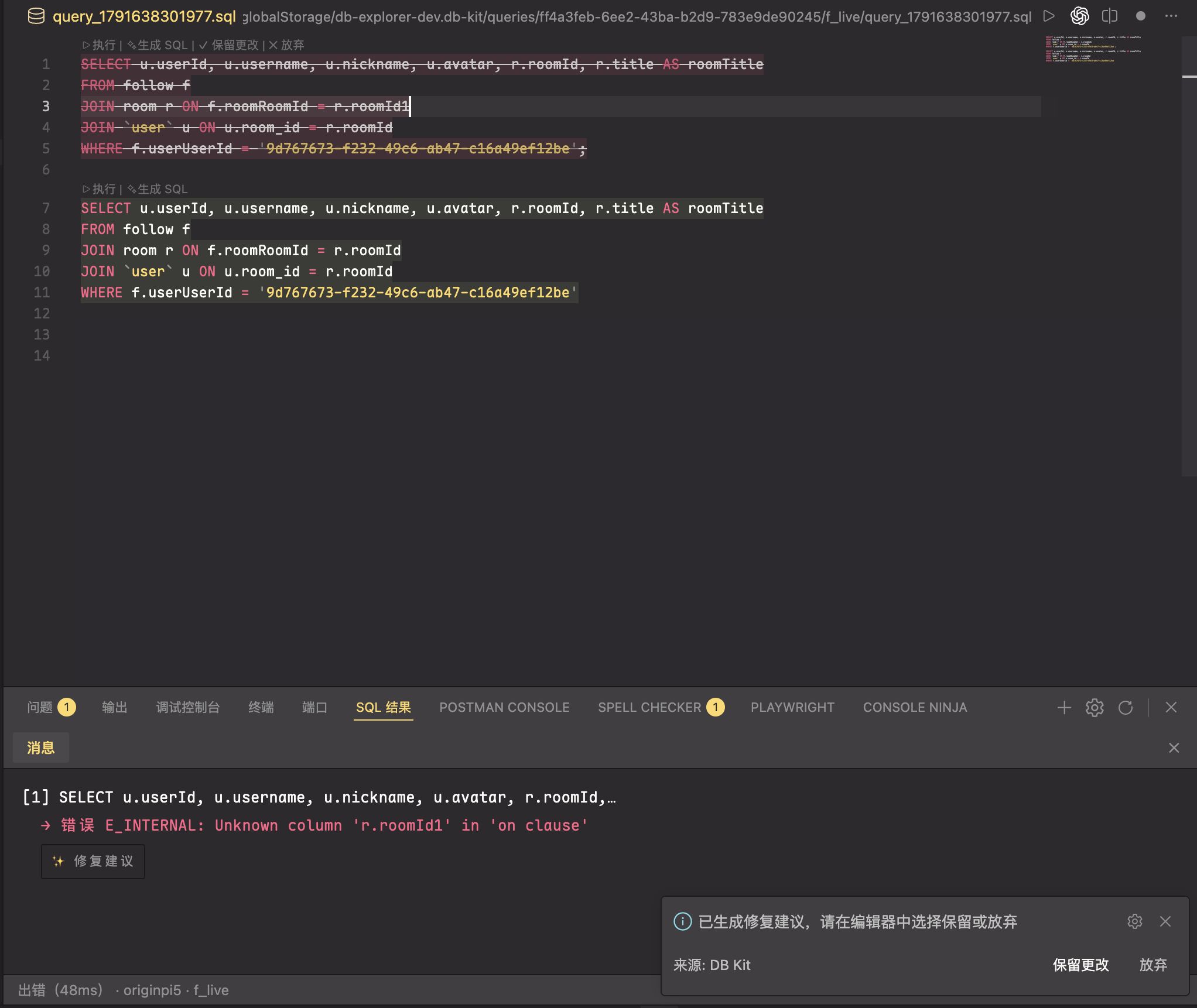
Generate SQL from natural language (CodeLens / Alt+\ inserts straight into the editor), explain a selection instantly, one-click fix suggestions for SQL errors (inline editor diff, applied only after confirmation) — plug in your own OpenAI-compatible service (DeepSeek / Moonshot / ollama and more); keys stay in the system keychain, only schema is sent by default — never data rows — and AI output still passes danger checks.
🚀 Quick Start (English)
- After installing, click the Database icon in the activity bar → + New Connection (any of MySQL / PostgreSQL / SQL Server / Oracle / SQLite / MongoDB / Redis)
- Click a table name to open the table view; use New Query in the tree to write SQL,
Ctrl+Enter to run
- Optional: Settings in the view title bar → AI settings — configure your own OpenAI-compatible service to generate SQL from natural language
🗺️ Support Matrix (English)
| Capability |
MySQL |
PostgreSQL |
SQL Server |
Oracle |
SQLite |
MongoDB |
Redis |
| Resource tree |
✓ |
✓ |
✓ |
✓ |
✓ |
✓ |
✓ |
| Table editing |
✓ |
✓ |
✓ |
✓ |
✓ |
✓ Document edit |
Read-only |
| SQL Console / command console |
✓ |
✓ |
✓ |
✓ |
✓ |
mongosh |
✓ |
| Schema editing (tables / columns) |
✓ |
✓ |
✓ |
✓ |
✓ |
— |
— |
| Database-level DDL |
✓ |
✓ Create/drop schema |
✓ Create/drop schema |
✓ Create/drop schema |
— |
✓ |
— |
| SSL / SSH tunnel |
✓ |
✓ |
✓ |
✓ Tunnel |
— |
✓ |
✓ |
| Background export |
✓ |
✓ |
✓ |
✓ |
✓ |
✓ |
✓ |
SQLite is limited to small-to-medium databases (≤ 100MB); MongoDB structural commands are not supported; SQL Server does not support GO batches or INSERT back-fill for tables with triggers; Oracle 19c+ (thin): empty string is NULL, very large integers have reduced precision in the Console, TCPS encryption not yet supported (see the driver notes); for the full picture see the repo docs.
📦 Install (English)
- Search
DB Kit in the VSCode Extensions panel, or from the command line: ext install db-explorer-dev.db-kit
- Or download the VSIX from GitHub Releases for a manual install
🌐 简体中文 documentation below / 完整英文介绍见 README.en.md。
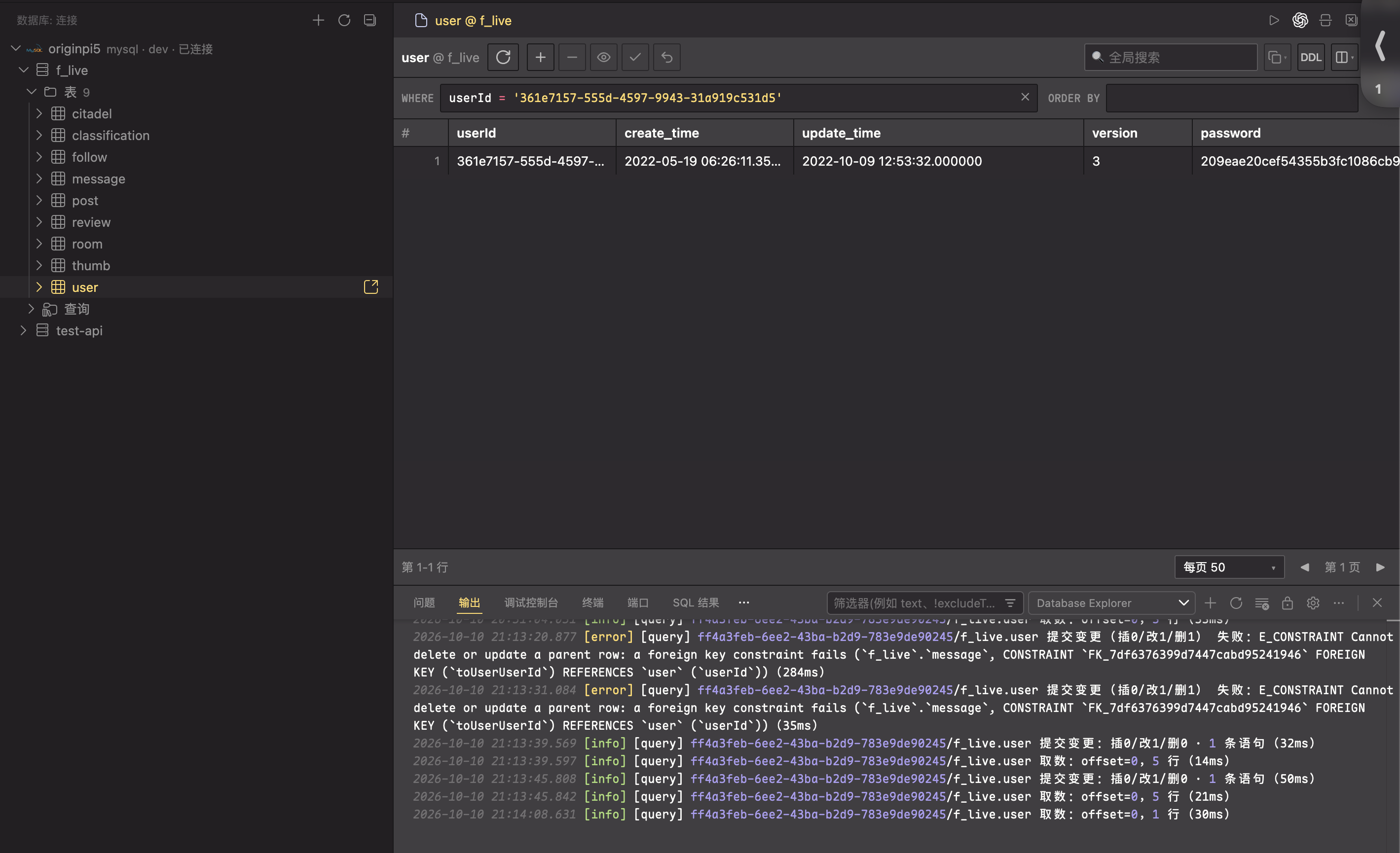
左侧资源树一键展开库 / 表 / 列 / 键 / 索引(系统库如 information_schema 默认不上树);多库实例(如 Oracle 几十个 schema)可筛选显示的数据库——连接节点 $(filter) 行内按钮 / 右键勾选,节点上显示 n/m 计数;右侧表格视图的筛选、排序、搜索全部参数化下推到数据库执行——不拉全表,千万行级也只取你看到的那一页。
✨ 亮点
📊 表格即工作台
虚拟滚动流畅浏览大表;单元格双击直改,提交前给出参数化 SQL 预览,单事务提交 + 字段级乐观锁,并发冲突精准定位到错误行;无主键表默认只读保护。超长文本 / 二进制单元格按阈值传输预览前缀(可配置),▤ 查看器、编辑与复制自动取整值——大字段翻页不再卡传输。
⌨️ SQL Console 会补全也会踩刹车
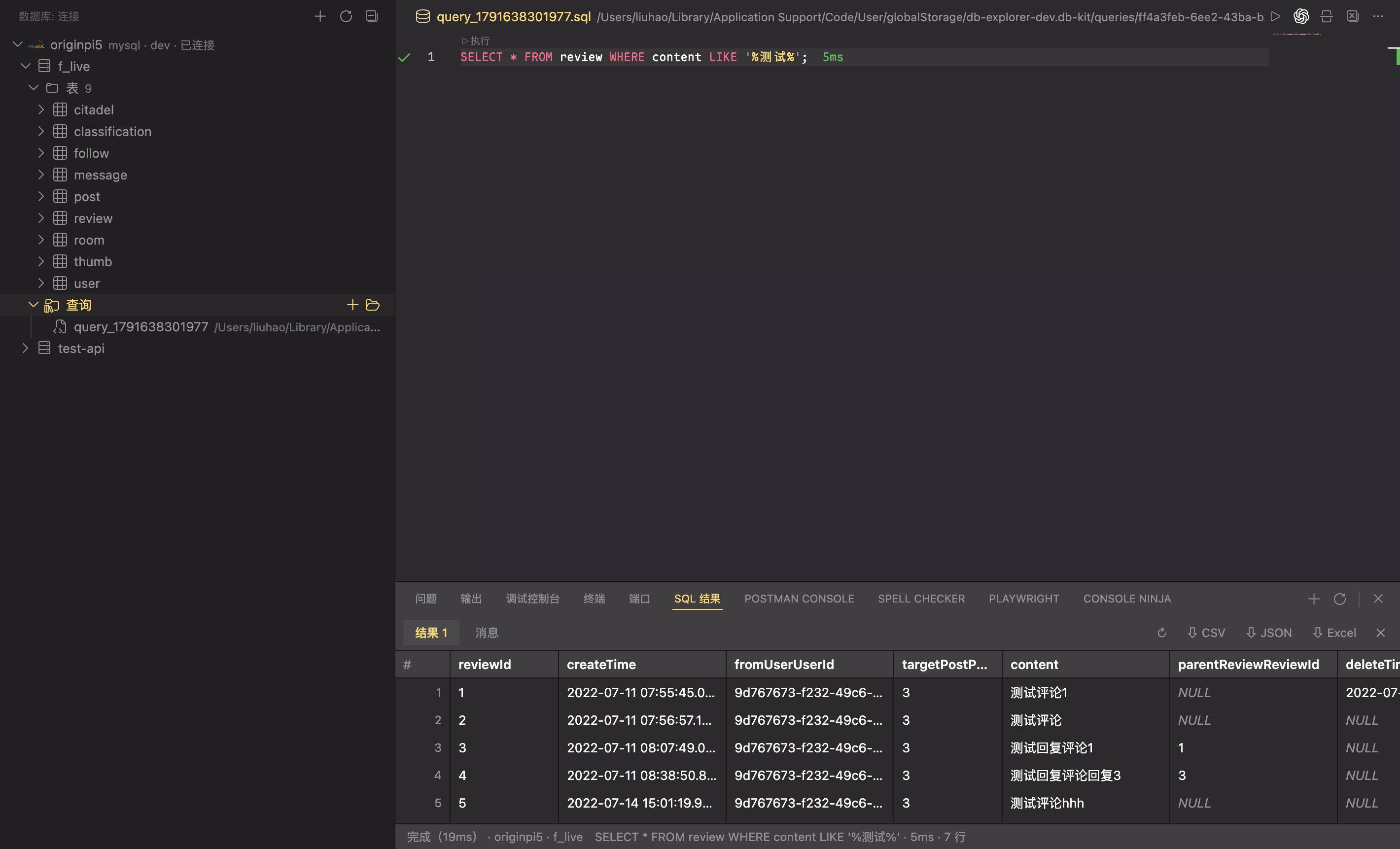
按上下文补全库 / 表 / 列与方言关键字;UPDATE/DELETE 不带 WHERE 直接拦截,生产库分级二次确认;EXPLAIN 结果自动树形缩进;每条语句的耗时 / 错误 / 取消状态行内注记。
🧱 结构管理不写 DDL
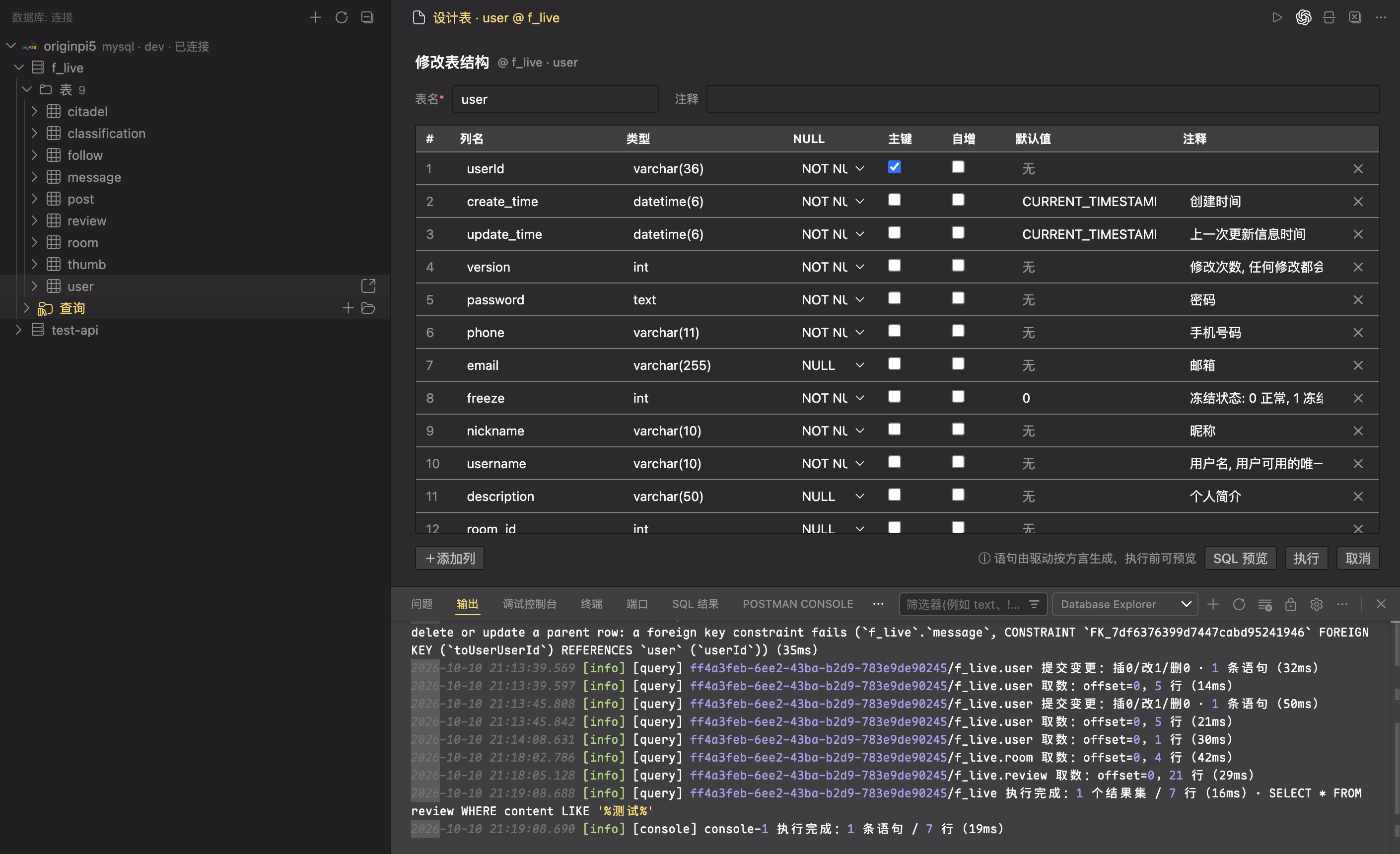
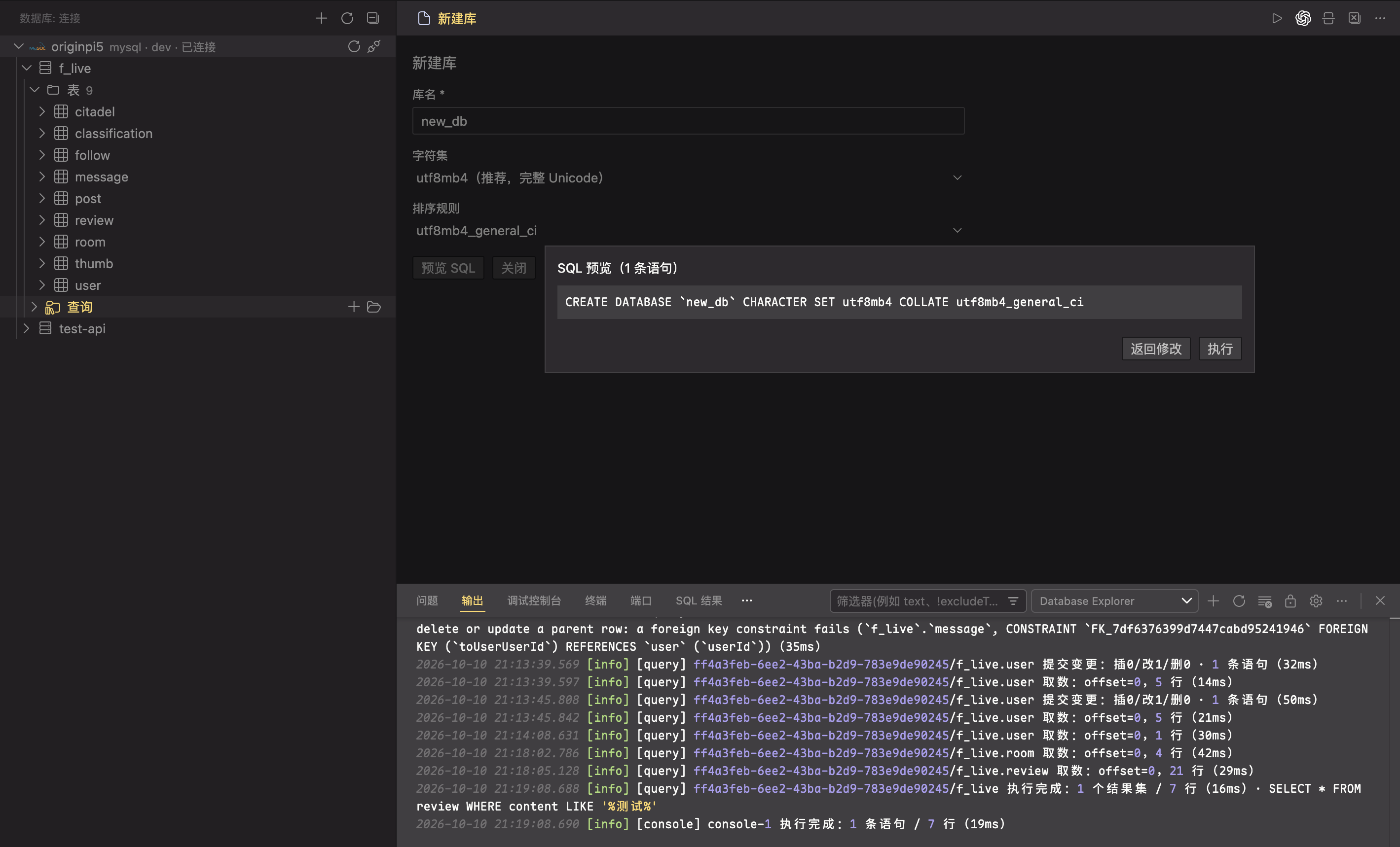
表与列的可视化增删改,语句预览 + 破坏性操作红条告警;库级操作开箱可用:MySQL 建 / 改 / 删库,PostgreSQL 与 SQL Server 建 / 删 schema,MongoDB 建 / 删库;PostgreSQL 物化视图独立目录(浏览 / 查 DDL)。
📤 百万行导出不卡界面
CSV / JSON / NDJSON / Markdown / SQL INSERT / XLSX 六种格式流式导出转入后台执行:通知中心看进度、随时取消、多任务并发,导完一键定位文件。
🔌 连接开箱即用
每驱动动态连接表单;SSH 隧道(TOFU 指纹校验)与 SSL/TLS;密码只存系统密钥链,零遥测、不落盘。
🤖 AI 助手,自带钥匙(BYOK)
自然语言生成 SQL(CodeLens / Alt+\ 直插编辑器)、选中即解释、报错一键生成修复建议(编辑器内联 diff,确认后才落地)——接入你自己的 OpenAI 兼容服务(DeepSeek / Moonshot / ollama 等均可);密钥只存系统密钥链,默认只发表结构、不发数据行,AI 产物照常过危险语句拦截。
🚀 30 秒上手
- 安装后点活动栏「数据库」图标 → + 新建连接(MySQL / PostgreSQL / SQL Server / Oracle / SQLite / MongoDB / Redis 任一)
- 单击表名打开表格视图;树中「新增查询」写 SQL,
Ctrl+Enter 执行
- 可选:标题栏「⚙ 设置」→ AI 辅助,配置自己的 OpenAI 兼容服务后即可用自然语言生成 SQL
📸 更多界面
| SQL Console |
表结构编辑器 |
 |
 |
| 库级操作 |
AI 修复建议 |
 |
 |
🗺️ 支持矩阵
| 能力 |
MySQL |
PostgreSQL |
SQL Server |
Oracle |
SQLite |
MongoDB |
Redis |
| 资源树浏览 |
✓ |
✓ |
✓ |
✓ |
✓ |
✓ |
✓ |
| 数据库列表筛选(多库实例找库,树展示层) |
✓ |
✓ |
✓ |
✓ |
✓ |
✓ |
✓ |
| 表格编辑 |
✓ |
✓ |
✓ |
✓ |
✓ |
✓ 文档编辑 |
只读 |
| SQL Console / 命令控制台 |
✓ |
✓ |
✓ |
✓ |
✓ |
mongosh |
✓ |
| 结构编辑(表 / 列) |
✓ |
✓ |
✓ |
✓ |
✓ |
— |
— |
| 库级 DDL |
✓ |
✓ 建/删 schema |
✓ 建/删 schema |
✓ 建/删 schema |
— |
✓ |
— |
| SSL / SSH 隧道 |
✓ |
✓ |
✓ |
✓ 隧道 |
— |
✓ |
✓ |
| 后台导出 |
✓ |
✓ |
✓ |
✓ |
✓ |
✓ |
✓ |
SQLite 限中小库(≤ 100MB);MongoDB 结构类命令不支持;SQL Server 不支持 GO 批与触发器表的 INSERT 回填;Oracle 19c+(thin):空串即 NULL(引擎语义)、Console 超大整数精度受限、暂不支持 TCPS 加密(详见驱动说明);完整口径见仓库文档。
📦 安装
- VSCode 扩展面板搜索
DB Kit,或命令行:ext install db-explorer-dev.db-kit
- 也可从 GitHub Releases 下载 VSIX 手动安装
📚 文档
License
Apache-2.0

