LP & MPS Language Server
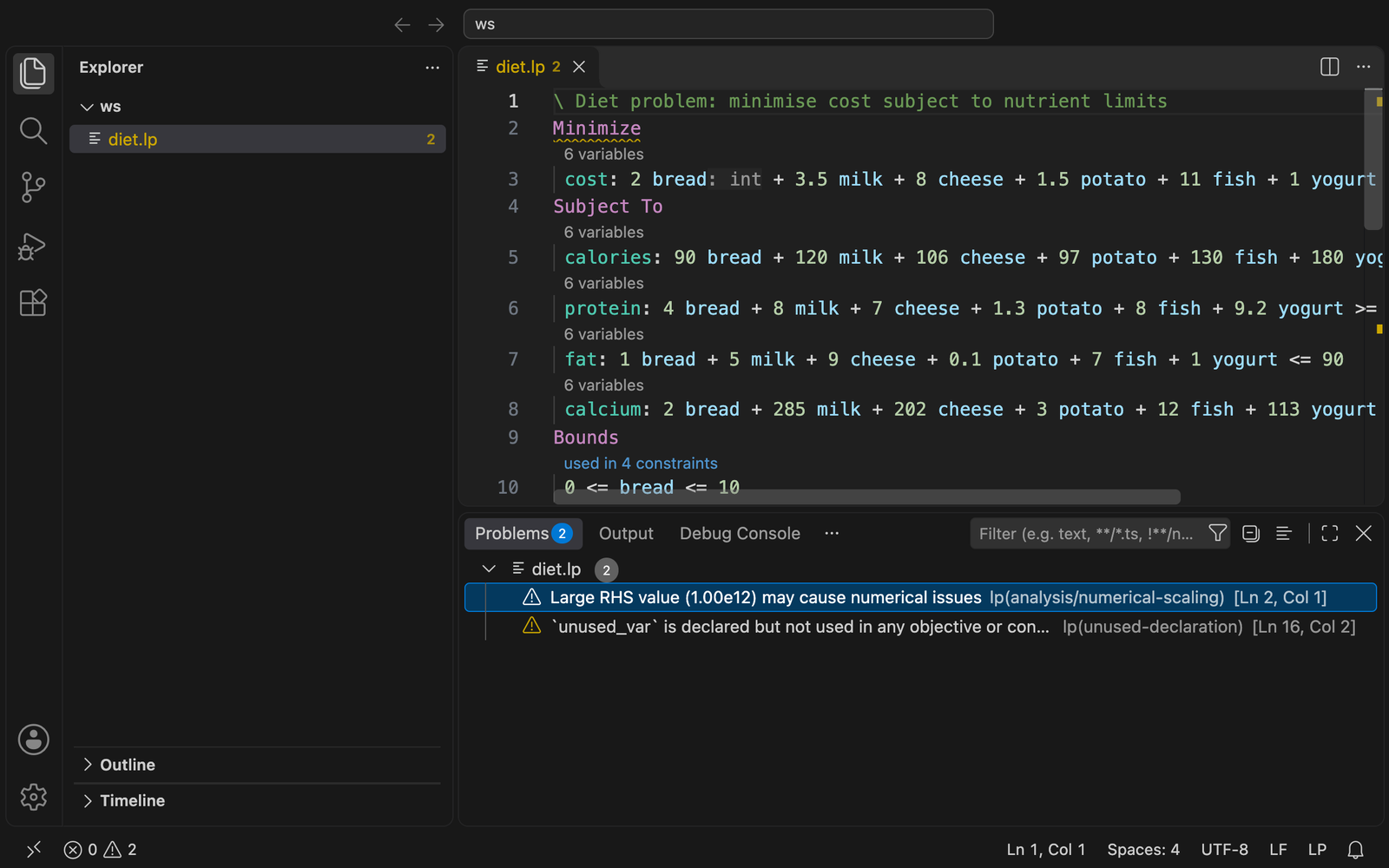
VS Code client for lp-lsp, a language server for LP (linear programming) files in the CPLEX LP format with Gurobi extensions.
Requirements
The Marketplace build bundles the server for your platform and needs nothing else. If you installed from a source build, install the server and put it on your PATH (or set lp.server.path):
cargo install --locked lp-lsp
Prebuilt binaries are on the releases page.
Features
- Syntax highlighting, comment toggling and bracket matching
- Diagnostics (syntax errors and model analysis), hover, completion, signature help
- Go to definition, declaration and type definition, references, highlights, rename, linked editing, call hierarchy, document and workspace symbols
- Formatting, folding, selection ranges, semantic tokens, inlay hints, code lenses and quick fixes
- Commands (palette category LP): Analyse Model, Convert to MPS, Show Model Statistics, Restart Language Server
- The "used in N constraints" code lens opens the references peek view
Settings
| Setting |
Default |
Description |
lp.server.path |
empty |
Server binary; empty uses the bundled server, then PATH |
lp.trace.server |
off |
Trace client/server messages |
lp.analysis.* |
|
Toggle analysis diagnostics and their thresholds |
lp.semantic.maxFileSizeMb / debounceMs |
20 / 300 |
Full-parse scheduling |
lp.format.* |
|
indent, lineWidth, alignOperators, keywordCase |
lp.inlayHints.* |
true |
generatedNames, rangePartners, variableTypes, normalisedRhs |
Development
npm ci
npm run compile   # or: npm run watch
npm run package   # produces lp-lsp-<version>.vsix
code --install-extension lp-lsp-*.vsix
Other .lp extensions
.lp is also used for Answer Set Programming (clingo) files. If another extension claims it, pin the association:
"files.associations": { "*.lp": "lp" }
| |

