DocuMind — Smart Documentation Generator
Generate JSDoc/TSDoc comments instantly. Place your cursor on any function, method, or class, run the command, and get a clean documentation comment. Pro adds AI-powered descriptions via a local Ollama model — no data ever leaves your machine.
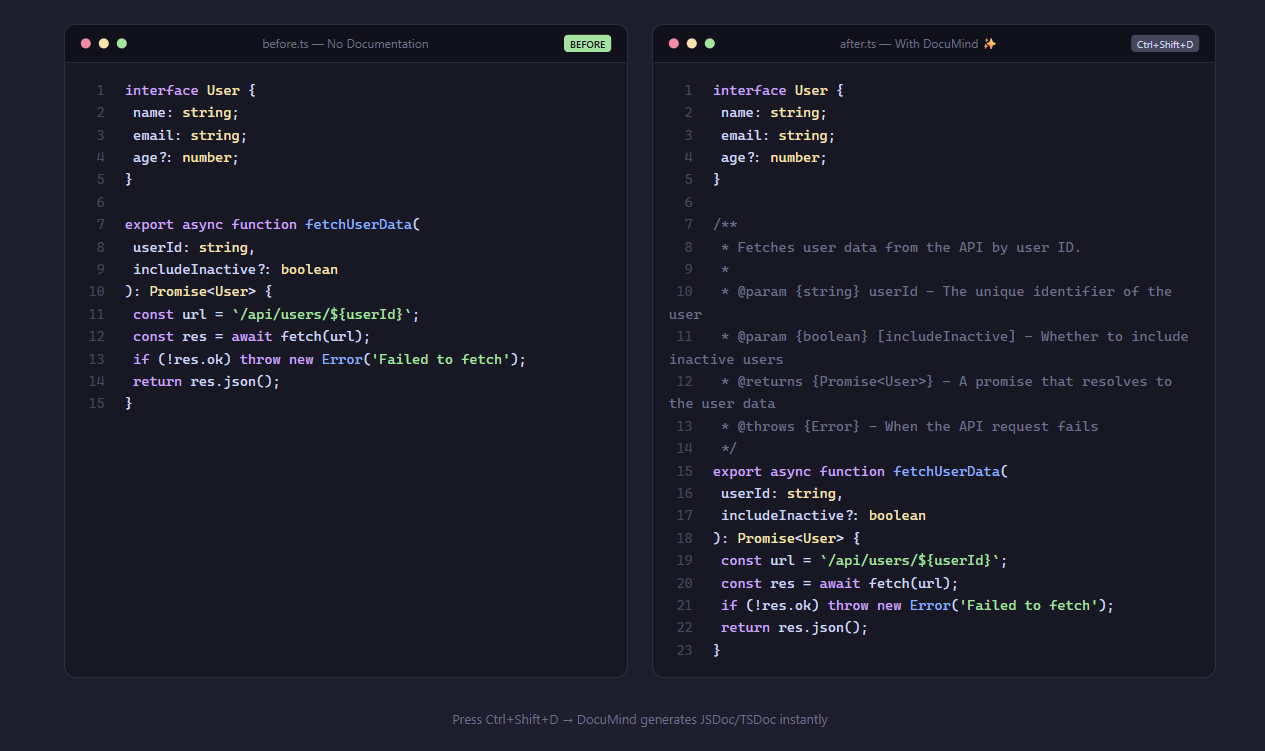
Features
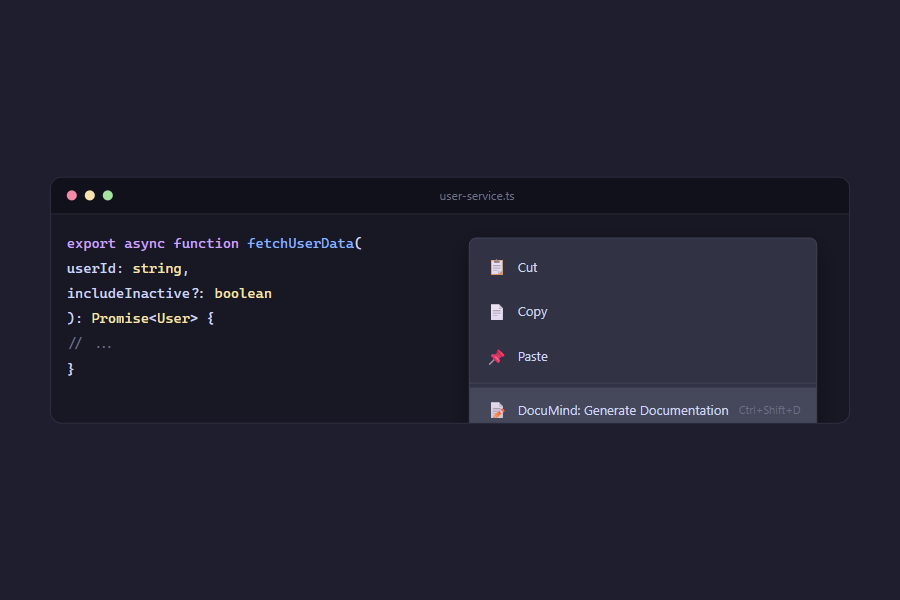
- One-Key Documentation — Press
Ctrl+Shift+D (Cmd+Shift+D on Mac) to generate a doc comment for the symbol at your cursor
- Right-Click Context Menu — Right-click any function/class and select "DocuMind: Generate Documentation"
- Smart Language Detection — Auto-detects JavaScript vs TypeScript and generates JSDoc or TSDoc accordingly
- Comprehensive Parsing — Detects parameters (including optional, rest, destructured), return types, async/generator modifiers,
@throws statements, and @yields
- Class Support — Generates class, constructor, getter, and setter documentation
- Overwrite Protection — Detects existing doc comments and asks before overwriting
- Privacy-First — Free tier works 100% offline. No data ever leaves your machine.
Pro Tier
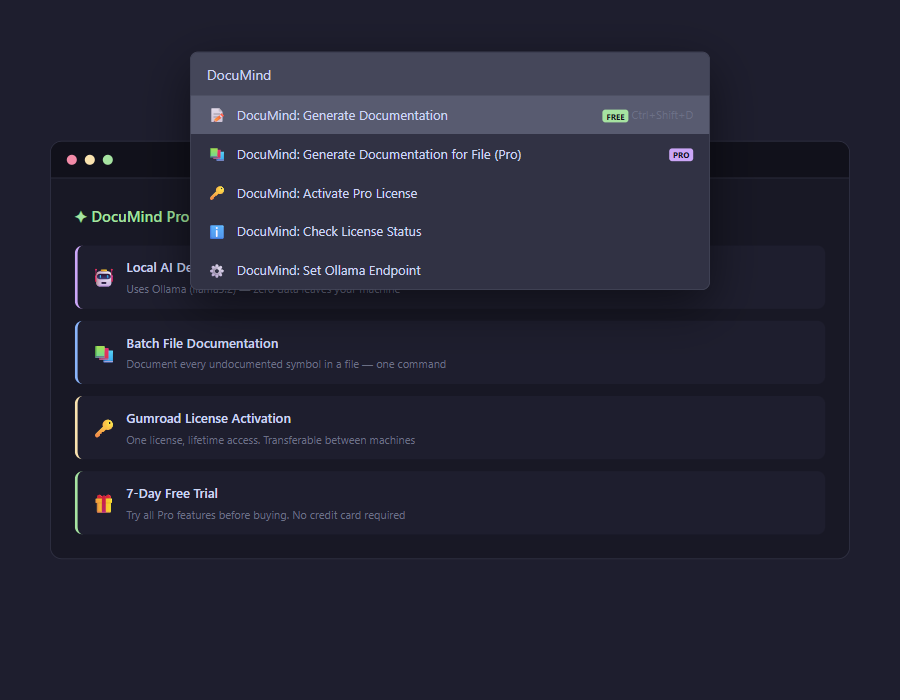
- AI Descriptions — Local Ollama integration generates meaningful descriptions using your chosen model (llama3.2, etc.)
- Batch File Documentation — Document every undocumented function/class in a file in one command
- 7-Day Free Trial — Try all Pro features before purchasing a license
Requirements
- VS Code ^1.120.0
- Pro (Ollama): Ollama installed locally with a model pulled (e.g.,
ollama pull llama3.2)
Usage
Free Tier
- Open a
.js, .ts, .jsx, or .tsx file
- Place your cursor on a function, method, or class name
- Press
Ctrl+Shift+D (or right-click → "DocuMind: Generate Documentation")
- A JSDoc/TSDoc comment is inserted above the symbol
Pro Tier (AI Descriptions)
- Install Ollama and pull a model:
ollama pull llama3.2
- Use DocuMind — you get a 7-day free trial automatically
- If Ollama is running, AI-powered descriptions are added to your doc comments
- To configure a custom Ollama endpoint or model, run "DocuMind: Set Ollama Endpoint" from the command palette
Pro Tier (Batch File Documentation)
- Open a file with multiple functions/classes
- Run "DocuMind: Generate Documentation for File (Pro)" from the command palette
- All undocumented symbols get doc comments in one pass
Commands
| Command |
Keybinding |
Description |
DocuMind: Generate Documentation |
Ctrl+Shift+D |
Generate doc comment for symbol at cursor |
DocuMind: Generate Documentation for File (Pro) |
— |
Document all undocumented symbols in file |
DocuMind: Activate Pro License |
— |
Enter your Gumroad license key |
DocuMind: Check License Status |
— |
View trial status or license info |
DocuMind: Set Ollama Endpoint |
— |
Configure custom Ollama URL |
Extension Settings
| Setting |
Default |
Description |
documind.ollamaEndpoint |
http://localhost:11434 |
Ollama API endpoint URL (Pro) |
documind.ollamaModel |
llama3.2 |
Ollama model for AI descriptions (Pro) |
Known Issues
- Batch file documentation uses a heuristic to find function/class declarations; arrow functions assigned to
const/let variables may not be detected
- TypeScript type annotations in destructured parameters may generate verbose type strings
Release Notes
0.1.1
- Fixed arrow function cursor detection
- Fixed Gumroad product license activation URL
0.1.0
Initial release:
- Generate JSDoc/TSDoc for functions, methods, classes, getters/setters, constructors
- Async, generator, and exported symbol support
- Pro: AI descriptions via local Ollama
- Pro: Batch file documentation
- Pro: 7-day trial with Gumroad license activation
- Keyboard shortcut and context menu integration
Privacy-first documentation generator. No data leaves your machine.
| |

