ScriptC: Real-time Security & Quality Auditor
English | Español
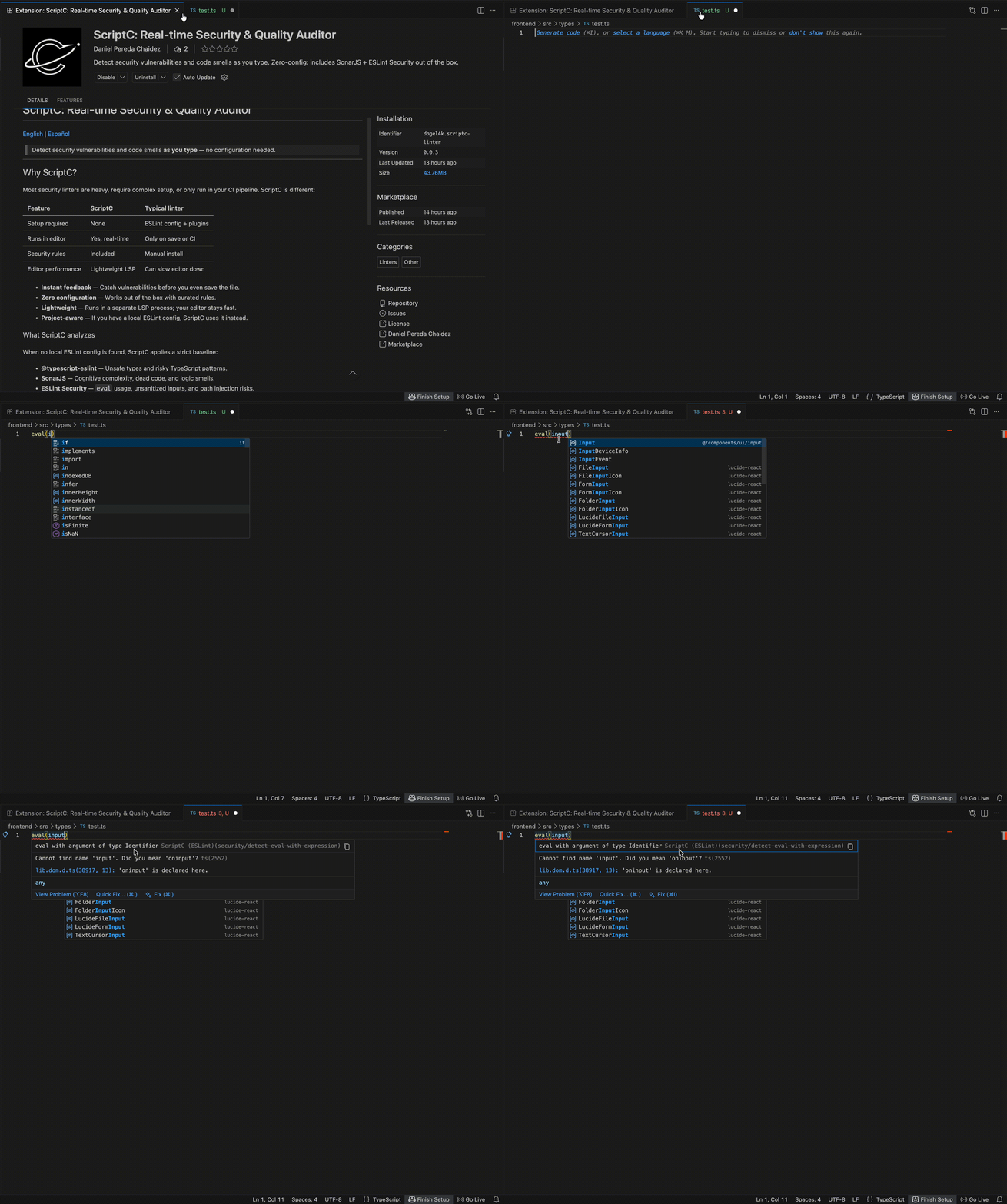
Detect security vulnerabilities and code smells as you type — no configuration needed.
Why ScriptC?
Most security linters are heavy, require complex setup, or only run in your CI pipeline. ScriptC is different:
| Feature |
ScriptC |
Typical linter |
| Setup required |
None |
ESLint config + plugins |
| Runs in editor |
Yes, real-time |
Only on save or CI |
| Security rules |
Included |
Manual install |
| Editor performance |
Lightweight LSP |
Can slow editor down |
- Instant feedback — Catch vulnerabilities before you even save the file.
- Zero configuration — Works out of the box with curated rules.
- Lightweight — Runs in a separate LSP process; your editor stays fast.
- Project-aware — If you have a local ESLint config, ScriptC uses it instead.
What ScriptC analyzes
When no local ESLint config is found, ScriptC applies a strict baseline:
- @typescript-eslint — Unsafe types and risky TypeScript patterns.
- SonarJS — Cognitive complexity, dead code, and logic smells.
- ESLint Security —
eval usage, unsanitized inputs, and path injection risks.
Usage
- Install the extension from the Marketplace.
- Open any
.ts, .tsx, .js, or .jsx file.
- Diagnostics appear as underlines in the editor and in the Problems panel (
Cmd+Shift+M / Ctrl+Shift+M).
To see server logs: View → Output → ScriptC Linter.
No .eslintrc. No npm install. Just open the file.
¿Por qué ScriptC?
La mayoría de los linters de seguridad son pesados, requieren configuración compleja, o solo se ejecutan en el CI. ScriptC es diferente:
- Feedback inmediato — Detecta vulnerabilidades mientras escribes, antes de guardar.
- Configuración cero — Funciona sin instalar nada en tu proyecto.
- Ligero — Corre en un proceso LSP separado; tu editor no se frena.
- Respetuoso — Si ya tienes ESLint configurado, ScriptC usa tus reglas.
Qué analiza ScriptC
Cuando no hay configuración local de ESLint, aplica estas reglas por defecto:
- @typescript-eslint — Tipos inseguros y patrones problemáticos de TypeScript.
- SonarJS — Complejidad cognitiva, código muerto y errores de lógica.
- ESLint Security — Uso de
eval, entradas no sanitizadas e inyección de rutas.
Cómo usarlo
- Instala la extensión desde el Marketplace.
- Abre cualquier archivo
.ts, .tsx, .js, o .jsx.
- Los diagnósticos aparecen como subrayados en el editor y en el panel Problemas (
Cmd+Shift+M / Ctrl+Shift+M).
Sin .eslintrc. Sin npm install. Solo abre el archivo.
Repository
github.com/Dagel4k/QCAnalisis/tree/main/packages/vscode-extension

