CtrlZebra
CtrlZebra is a local-first workspace agent for desktop Visual Studio Code. It streams model
responses, reads a selected workspace, proposes reviewable file edits, runs commands only after an
exact single-use approval, and keeps local Sessions and recovery Checkpoints.
It is a preview extension. Read the product scope and known limitations
before using it on important work.
Requirements
- Desktop Visual Studio Code 1.125.0 or later.
- Exactly one open workspace folder.
- A supported model and exact model ID.
- Workspace Trust for file changes, commands, and MCP process startup. Untrusted workspaces expose
read-only tools only.
Features
- OpenAI, Google Gemini, and explicitly configured OpenAI-compatible Providers.
- Bounded workspace file tools, reviewable edits, direct command execution, and single-use approvals.
- Local Sessions, interruption-safe recovery, conflict-safe Checkpoints, and bounded diagnostics.
- Explicit editor-context actions that create an editable Composer draft; they never send a request
automatically.
- Optional connection to one explicitly configured local stdio MCP Server.
Install from VSIX
- Obtain a verified
ctrl-zebra-*.vsix artifact.
- Run Extensions: Install from VSIX... in VS Code and select the artifact.
- Open exactly one workspace folder and select the CtrlZebra icon in the Activity Bar.
Maintainers can create a local artifact with pnpm package:vsix. The release policy
and packaging contract define verification and content checks.
Quick start with a Provider
- Set CtrlZebra › Provider: Id to
openai, gemini, or openai-compatible.
- Select an official model with CtrlZebra: Select Model, or enter the exact model ID for a
custom endpoint.
- Save a remote Provider key through its password-masked Command Palette action. Keys are kept in
VS Code SecretStorage; never paste them into chat, settings, files, logs, or command arguments.
- Open the Agent view, enter a request, and select Send.
- Review every file-change and command approval. Use Saved sessions and Agent changes for
interrupted history and conflict-safe restore.
Provider connection checks are user-triggered and send only bounded model metadata. They do not send
prompts, workspace/session content, or Tool data, and do not change settings or credentials.
Marketplace preview
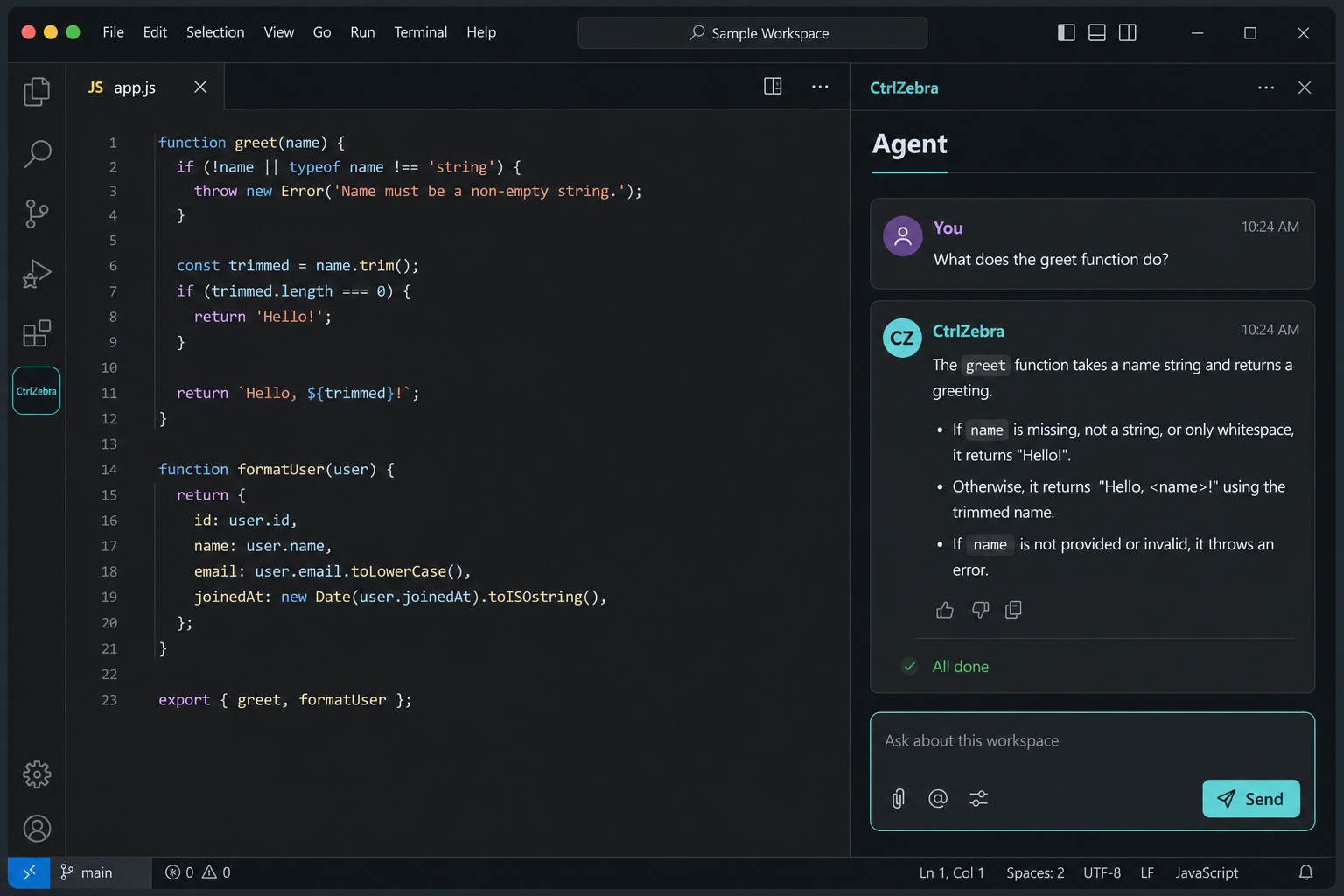
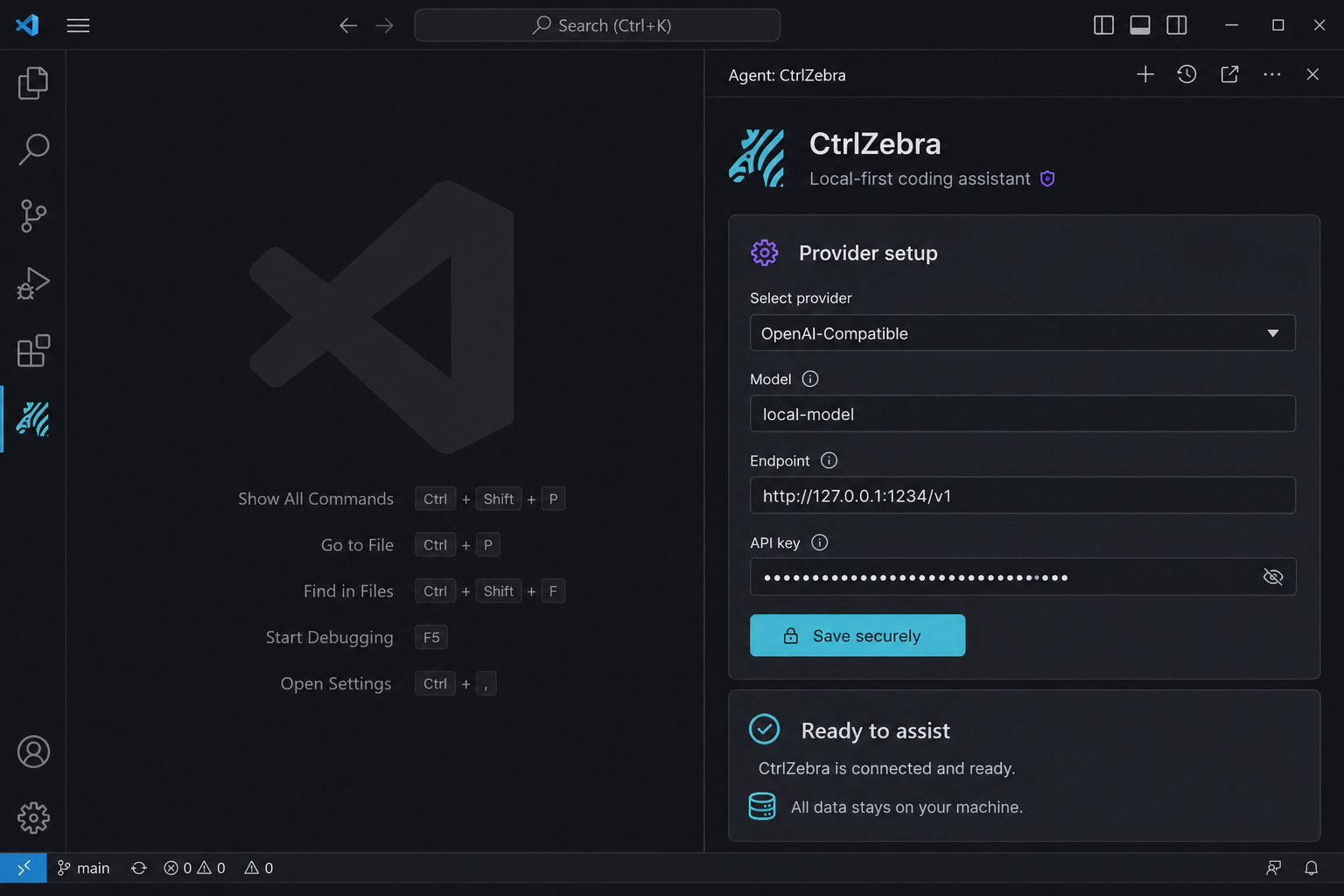
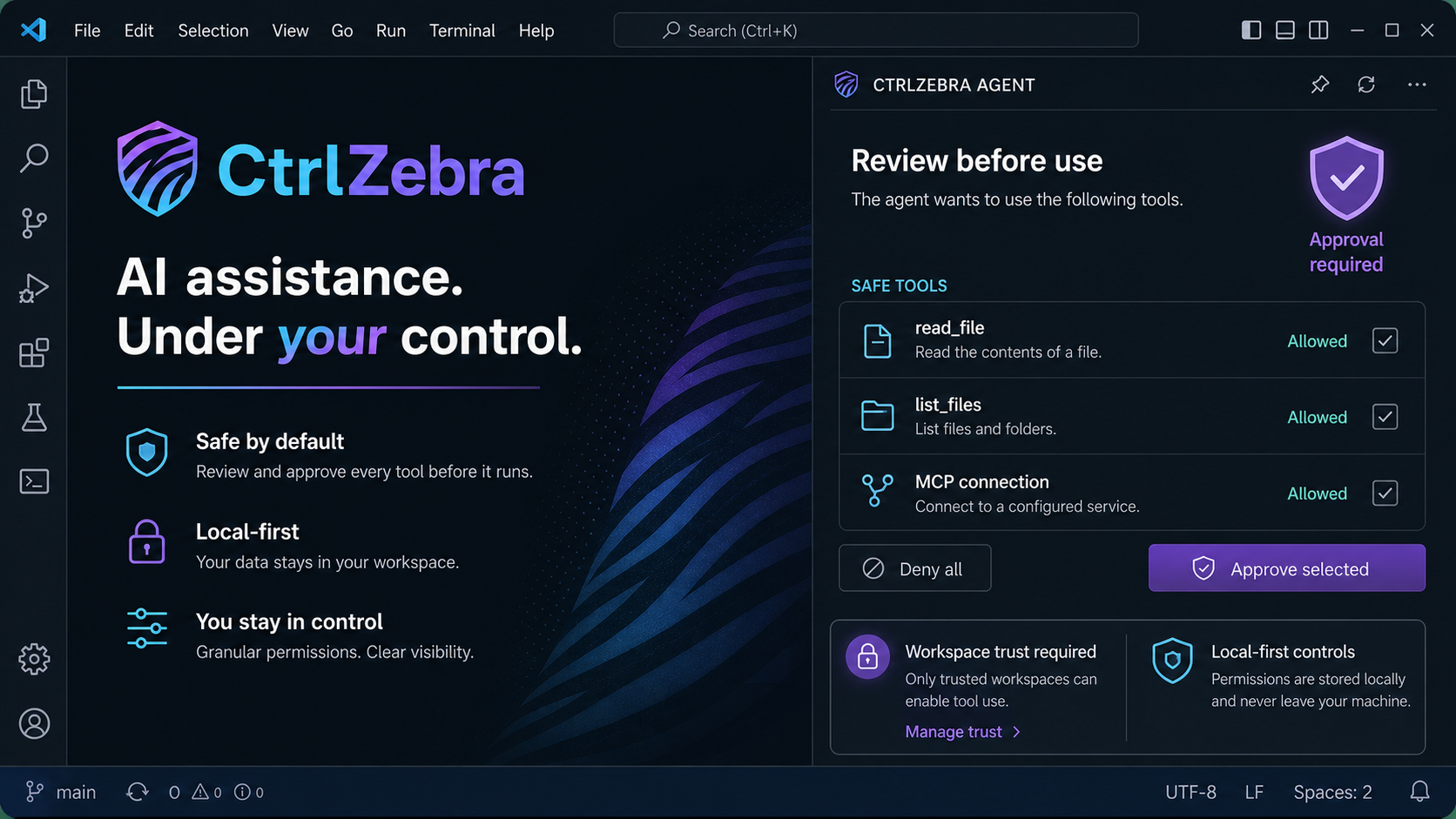
The extension keeps model access, workspace tools, and approvals local to desktop VS Code. Listing
screenshots use invented values only:
MCP overview
CtrlZebra supports one explicitly configured local stdio MCP Server. The Server runs with your
operating-system authority and may have local or network side effects, so startup requires a trusted
single-folder workspace and an exact approval. CtrlZebra never downloads, installs, authenticates,
starts, reconnects, or resumes a Server automatically.
MCP Tools are external execute operations and require a fresh exact approval for every call.
Resources and Prompts are shown only after explicit user actions, and bounded results remain
ordinary untrusted text. Version 1 is modern-only; version 2 explicitly selects modern-only or dual
compatibility for the supported local protocol versions. See the MCP contract.
Safety and privacy
Workspace paths are canonicalized and confined to the selected workspace. File writes and commands
require Trust and an exact approval; commands use direct process spawning without shell interpretation.
Provider keys remain in SecretStorage. Prompts, relevant context, Tool definitions, and Tool results
may be sent to the selected Provider, while Sessions, Checkpoints, and diagnostics remain local.
See the Privacy Notice and security contract.
Known limitations
- Desktop VS Code only; Web Extensions are not supported.
- Exactly one workspace folder and one user-configured local stdio MCP Server are supported.
- There is no browser automation, multi-agent execution, Git commit/PR automation, cloud sync, or
automatic release behavior.
- MCP supports Tools, bounded text Resources/Resource Templates, and bounded text Prompts only. It
does not support HTTP transport, OAuth, credential injection, sampling, elicitation, roots, tasks,
subscriptions, binary content, or automatic reconnect/recovery.
- Sessions interrupted by an Extension Host restart are restored as
interrupted; requests,
approvals, and tools are never resumed automatically.
- Checkpoint restore is conflict-safe, not a merge system. Large files, output, logs, and model
context are bounded and may be rejected or truncated.
- Local Session and Checkpoint retention defaults to 30 days and can be disabled or configured in
settings. CtrlZebra: Clear All Local Data removes CtrlZebra-owned local state but never
workspace files or VS Code data outside CtrlZebra.
Documentation
Privacy, support, and release links
Marketplace publication remains a separate release action.
Development
This repository uses pnpm 11 and Node.js 22 or later.
pnpm install --frozen-lockfile
pnpm check
pnpm typecheck
pnpm test
pnpm build
See the contributor guide for the development and pull-request workflow.
License
CtrlZebra is licensed under the MIT License. Copyright (c) 2026 Zuo Yang.

