Remoot: Bridge for Copilot & CursorPair VS Code or Cursor with the Remoot mobile app: QR pairing, trusted projects, and Cursor Agent or GitHub Copilot CLI from your phone. Installation Launch VS Code Quick Open ( Ctrl+P), paste the following command, and press enter.Copied to clipboard |

Remoot — your IDE, on your phoneRemoot bridges Visual Studio Code and Cursor to the Remoot mobile app over a secure relay. Pair once with a QR code, keep control of which projects and devices are trusted, and drive Cursor Agent or GitHub Copilot CLI workflows from your phone. This extension is not a standalone product: you need the Remoot mobile app on your phone to scan the pairing QR, receive agent sessions, and use trusted projects. Without the app, the bridge cannot complete setup. Remoot mobile app (iOS & Android)Install Remoot on your device — one link points to the correct store for your platform: You can open that link on your phone, or scan the QR below from another device (e.g. desktop listing) to jump straight to the install page.
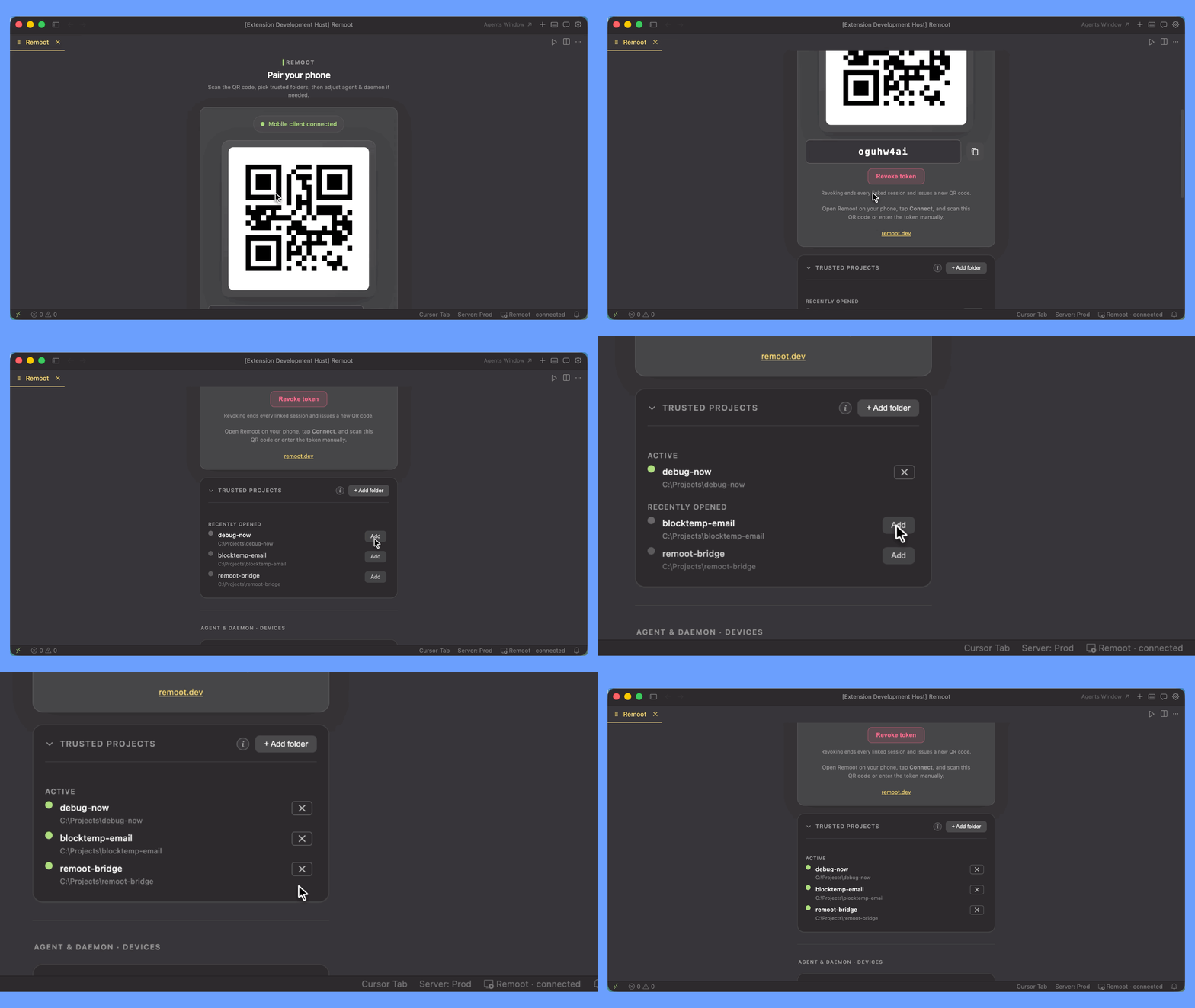
Trusted foldersRemoot only targets folders you trust (your projects). The animation shows how trusted folders are added in the mobile app so your phone stays scoped to what you approve.
Open the same workspace in your browser — web.remoot.devPair once from the IDE; then your trusted folders, files, terminal, and agent are reachable from any browser tab. Same relay, same trust model — no second pairing.
Sign in at web.remoot.dev with the same email you use on the mobile app. Web Pro is billed through Stripe and is independent of any mobile subscription. Highlights
Get started
Built-in walkthrough steps appear after install to guide the same flow inside the editor. In the IDEAfter activation you get a dedicated Remoot view: live connection status, pairing QR, shortcuts for agent and optional background daemon, and tools to manage trusted devices — aligned with the mobile experience. Requirements
Cursor and other editorsSome editors source extensions from registries other than the Visual Studio Marketplace. If Remoot does not appear in search, install the Learn more
Social
|