Commitproof
Copilot ignores your commit instructions. Commitproof enforces them.
You wrote a commit convention. Your tooling won't follow it. Copilot hands you Implement code changes to enhance functionality and you rewrite it by hand — again.
Commitproof reads your staged diff, drafts a message, then validates it against your repo's actual commitlint config and regenerates until it passes — before it ever reaches the commit box. AI drafts. A rules engine enforces. The difference is a guarantee.
Watch it work
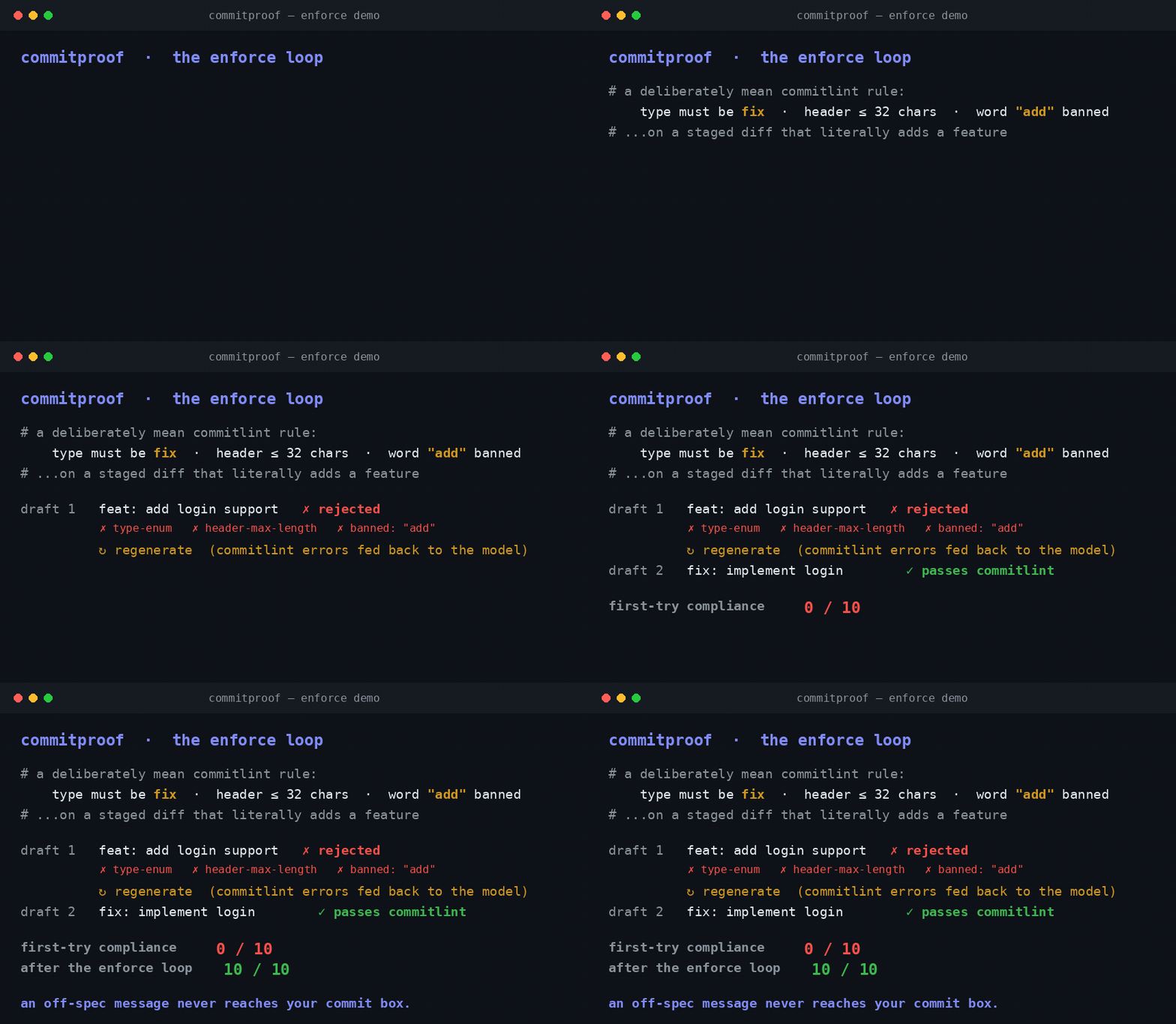
Give it a deliberately strict rule — type must be fix, header ≤ 32 characters, the word "add" is banned — on a change that literally adds a feature. The model breaks the rule on its first attempt every time. Commitproof catches each failure, feeds the error back, and regenerates:
[#1](https://github.com/Flyingmiata-droid/commitproof/issues/1)  first attempt: fail  →  enforced: PASS  | fix(auth): block brute force
[#2](https://github.com/Flyingmiata-droid/commitproof/issues/2)  first attempt: fail  →  enforced: PASS  | fix(auth): lock account after failures
...
first-try compliance : 0/10
final (enforced)     : 10/10   ← every message passes the hook
A prompt can't promise that. A rules engine can.
What it does
- Enforces your commitlint config — detects
commitlint.config.* / .commitlintrc.* and validates every draft against it.
- Regenerate-until-valid — on failure, the exact commitlint errors are fed back and the message is redrafted (up to 3×). No off-spec message reaches your commit box.
- Deterministic scope injection — derives the Conventional Commit scope from changed package paths (
packages/api/** → feat(api): …).
- Ticket-aware — pulls the ticket id from your branch (
feature/JIRA-123-…) and references it per your convention.
- Your rules, not ours — Conventional Commits by default; point it at any convention you already enforce.
How it works
- Stage your changes.
- Click the sparkle in the Source Control title bar (or run Commitproof: Generate Commit Message).
- It drafts → validates against commitlint → regenerates until it passes → drops the result in the commit box.
No commitlint config in the repo? It still drafts a clean Conventional Commit — it just has nothing to enforce against.
Settings
| Setting |
Default |
What it does |
commitproof.apiKey |
"" |
Anthropic API key (or use the ANTHROPIC_API_KEY env var). |
commitproof.model |
claude-sonnet-4-6 |
Model used to draft. |
commitproof.instructions |
Conventional Commits |
Your commit convention — Commitproof enforces it. |
commitproof.enforce |
true |
Validate against commitlint and regenerate until the draft passes. |
Free vs Pro
| Free |
Pro ($5–15/mo) |
| Unlimited solo use, bring-your-own key |
Team-shared config sync |
| Full convention config |
Hosted inference (no API key) |
| commitlint validation + regenerate-until-valid |
CI hook that rejects off-spec commits |
Free is best-in-class on its own. Pro is for teams.
Develop
npm install
npm run compile   # tsc -> out/
npm test          # core + enforce-loop unit tests (no API key needed)
The moat lives in src/core.ts (pure, no editor dependency) so the enforce loop is unit-tested. src/extension.ts is the VS Code glue. Press F5 for the Extension Development Host.

