Skip to content
| Marketplace
Sign in
Visual Studio Code>Visualization>Color SpacesNew to Visual Studio Code? Get it now.
Color Spaces

Color Spaces

Color JS

|
1 install
| (0) | Free
| Sponsor
Edit the colors in your code in OKLCH, Display P3 or any of 205 color spaces.
Installation
Launch VS Code Quick Open (Ctrl+P), paste the following command, and press enter.
Copied to clipboard
More Info

Color Spaces

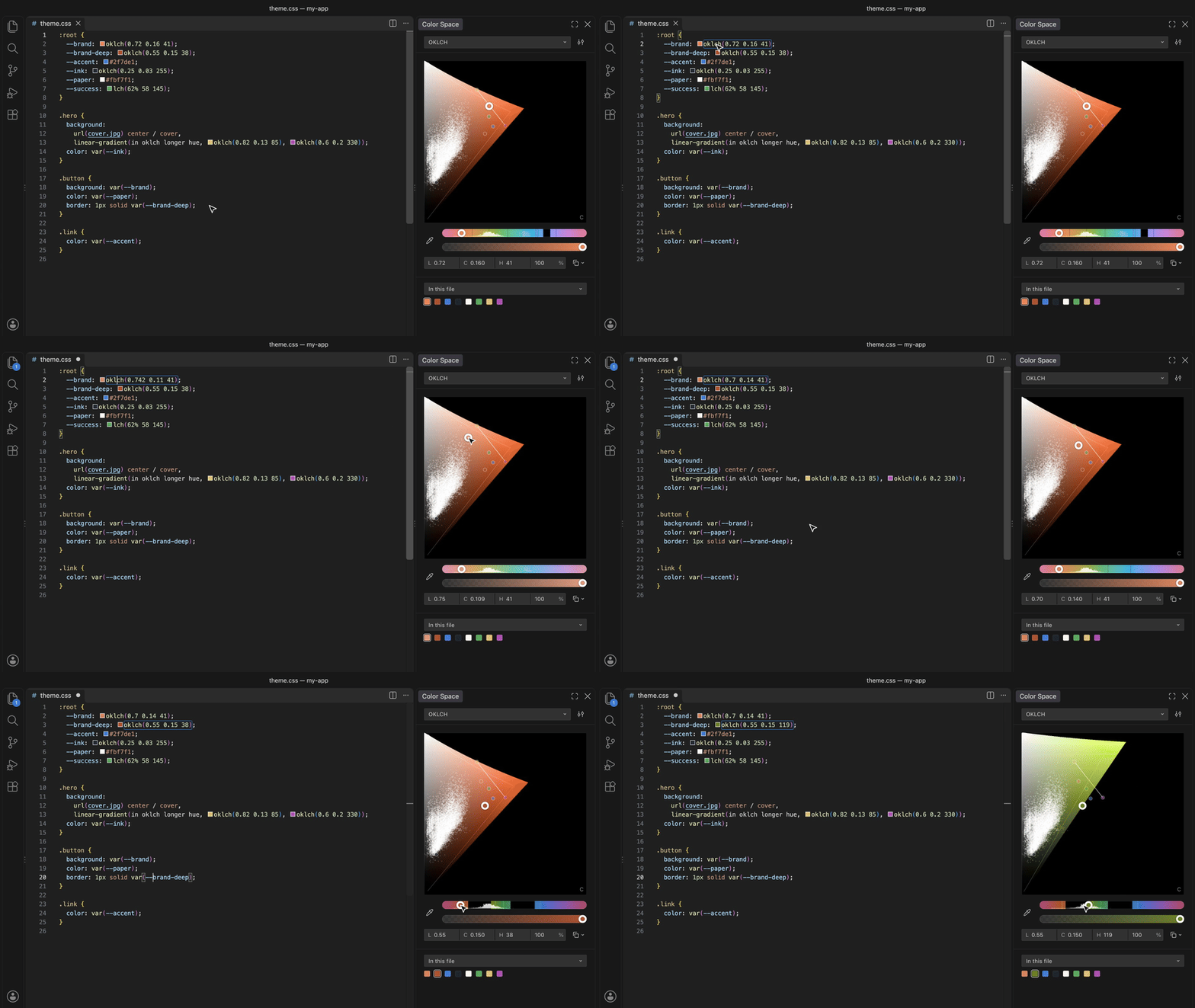
Picking a color in a stylesheet

Edit the colors in your code in OKLCH, Display P3 or any of 205 color spaces.

Open Color Space in the secondary side bar, put the cursor on a color, drag.

  • Reads CSS, Swift, Flutter, Jetpack Compose, Unity, Godot, Unreal, design tokens, themes and palettes.
  • Writes each edit back in the color's own notation.
  • Shows all the file's colors on one plane: gradients as lines, image pixels as dots.
  • Edits a CSS, Sass or Less variable from any of its uses in the file.
  • Hover a color for its OKLCH, Display P3 and hex.

Settings: colorSpace.gamut (p3 or srgb), colorSpace.shaders (read shader vectors as colors).

Free, CC0. Source · All 205 spaces · Figma plugin

  • Contact us
  • Jobs
  • Privacy
  • Manage cookies
  • Terms of use
  • Trademarks
  • Your Privacy Choices
  • Consumer Health Privacy
© 2026 Microsoft