Paste Go
Paste Go — Smart paste for VS Code with local parsing and AI fallback.
Features
- Fast local parsing for JSON, SQL CREATE TABLE, Go structs, and simple code snippets.
- AI fallback (OpenAI/Gemini). The
openai format works with OpenAI-compatible services (DeepSeek / GLM / Moonshot / Proxy).
- Multi-language output: Go, TypeScript, Python, Java, Rust, C#, Kotlin, Swift, PHP, Ruby, Dart, C/C++, Scala.
Quick Start
- Copy a JSON/SQL/code snippet or a natural language description to clipboard.
- Open a code file in the target language.
- Press
Ctrl+Alt+V (Windows/Linux) or Cmd+Alt+V (macOS) to paste generated code.
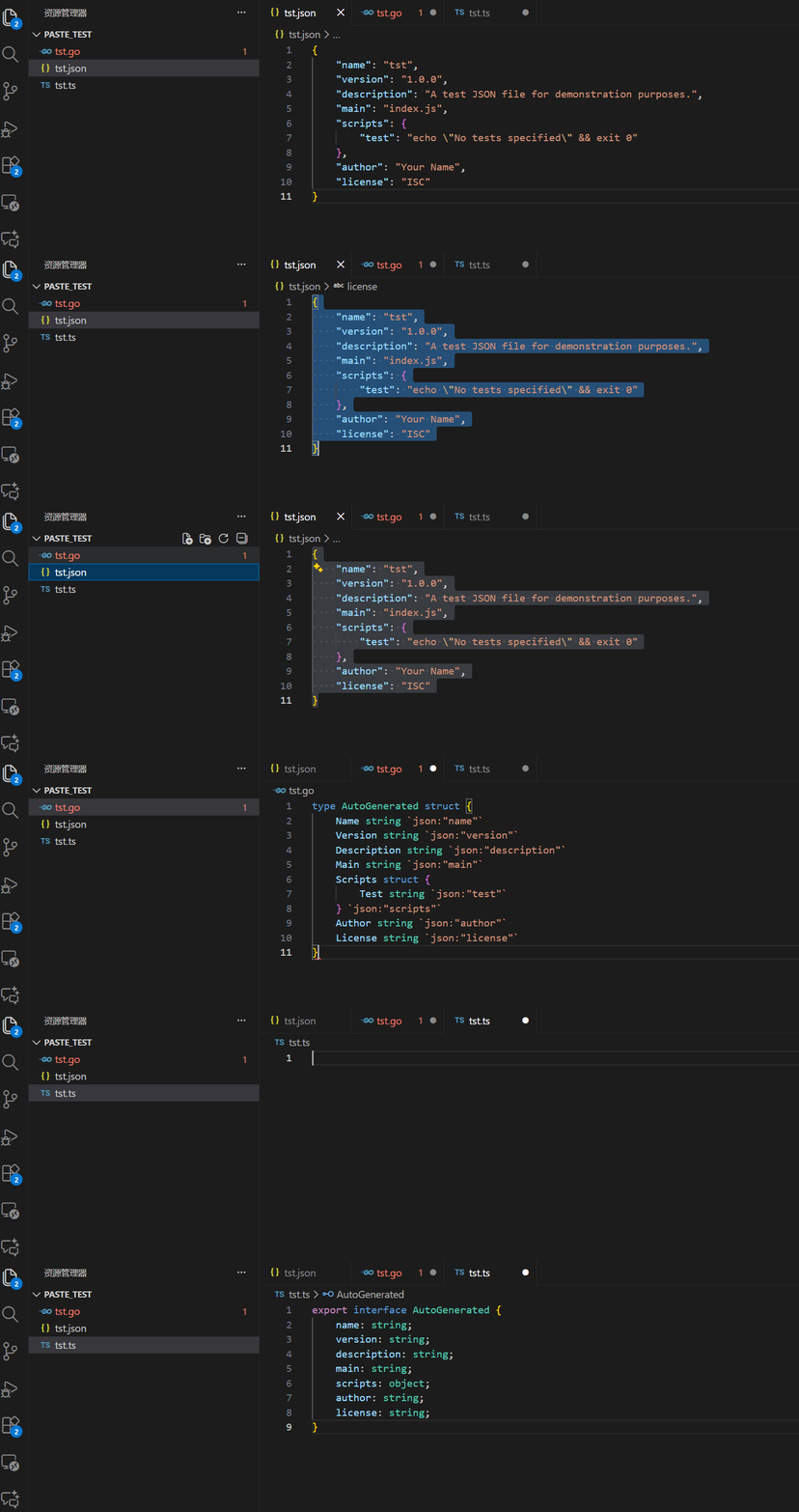
Example: copy the JSON below, then paste into types.go to generate a Go struct.
{
  "id": 123,
  "name": "Alice",
  "items": [{ "sku": "A1", "qty": 2 }]
}
Configuration
Method 1: GUI Settings
Open File > Preferences > Settings → search Paste Go → select the API format and enter your key.
Method 2: settings.json
{
  // ===== OpenAI API format (compatible with OpenAI-style services) =====
  "pasteGo.aiApiFormat": "openai",
  "pasteGo.aiApiKey": "sk-xxxx",
  "pasteGo.aiBaseUrl": "https://api.deepseek.com/v1",
  "pasteGo.aiModel": "deepseek-chat",

  // ===== Gemini =====
  // "pasteGo.aiApiFormat": "gemini",
  // "pasteGo.aiApiKey": "your-gemini-key",
  // "pasteGo.aiModel": "gemini-1.5-flash",

}
Config Fields
pasteGo.aiApiFormat — gemini / openai.pasteGo.aiApiKey — API key for AI fallback.pasteGo.aiBaseUrl — Base URL for OpenAI-format services (not needed for Gemini).pasteGo.aiModel — Specific model name (leave empty for default).
Privacy & Data
Local parsing happens entirely offline by the bundled binary. AI fallback will send the minimal required prompt to your configured AI provider — never send API keys or sensitive data in public.
Contributing
Contributions are welcome. See the repository: cointem/paste-go
License
MIT — see LICENSE file.

