🚀 HTML PATH — The Ultimate Interactive HTML5 Powerhouse & Masterclass





🌌 Stop switching between tabs. Master HTML directly inside your code editor.
HTML PATH transforms your VS Code into an interactive, gamified HTML development battle station. Whether you are building production frontend web applications or mastering the latest WHATWG standards, get 1,134 hands-on interactive lessons, 100+ accessible production snippets, intelligent hover docs for 115+ tags, and real-time code evaluation right beside your active editor tabs.
⚡ Zero Context Switching · 🎮 Gamified XP & Rank Progression · 📥 1-Click Snippet Injection · ✈️ 100% Offline-Ready
⚡ Why Developers Love HTML PATH:
| Superpower |
What It Does For You |
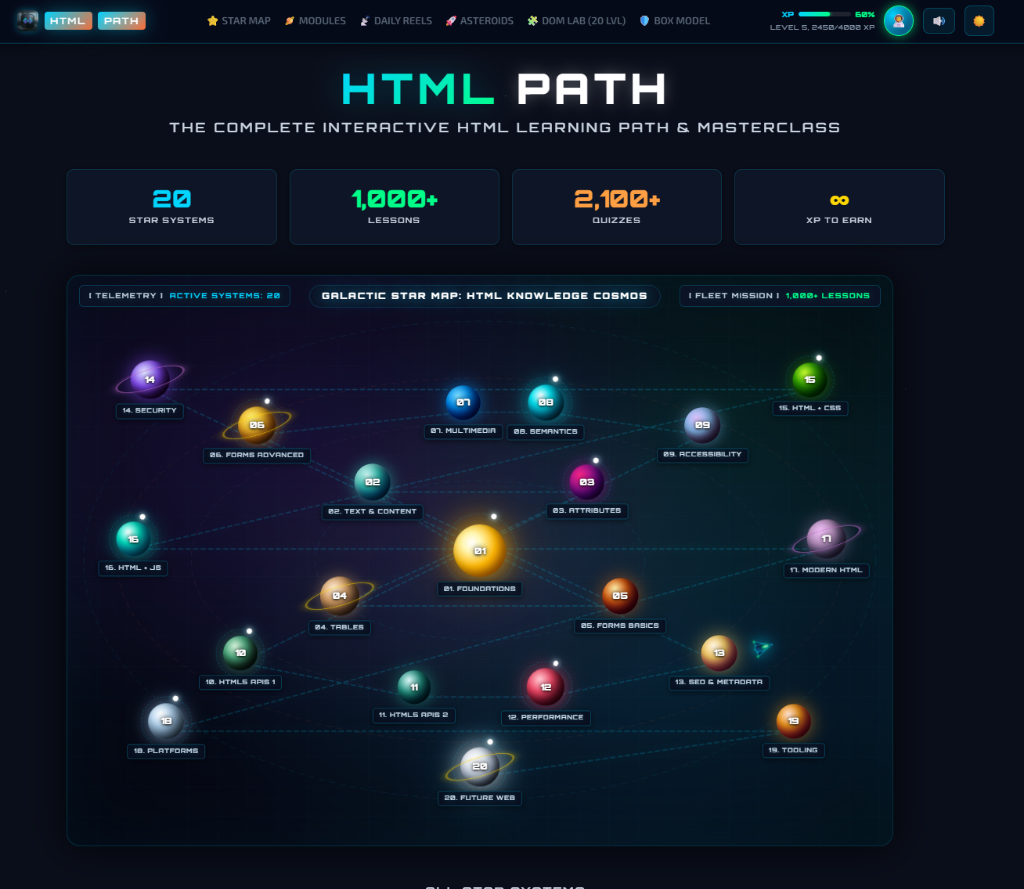
| 🪐 20 Planetary Systems |
Comprehensive curriculum spanning HTML Foundations, Responsive Media, Modern Forms, HTML5 APIs, Security (CSP/SRI), and Island Architecture. |
| 🔌 2-Way Editor Sync |
Click "📥 Insert into Editor" on any snippet to type it at your cursor, or "🧪 Test My File" to validate your real workspace .html files. |
| 💡 Intelligent Tag Hovers |
Hover over <dialog>, <picture>, <details>, or <canvas> in any file for instant MDN docs, baseline compatibility, and interactive examples. |
| 📑 100+ Production Snippets |
Type short shortcuts (html:5-modern, html:dialog, html:picture, html:seo) for accessible, audited HTML5 markup. |
| 🎮 Cosmic Mini-Games Hub |
Play Asteroid Blaster, DOM Snap Puzzle Lab, and Box Model Hull for productive 5-minute coding breaks. |
| ⚡ Smart SWR Cache Engine |
Instant <10ms load times from compressed local storage with silent background cloud sync. |
🌟 Deep-Dive Features
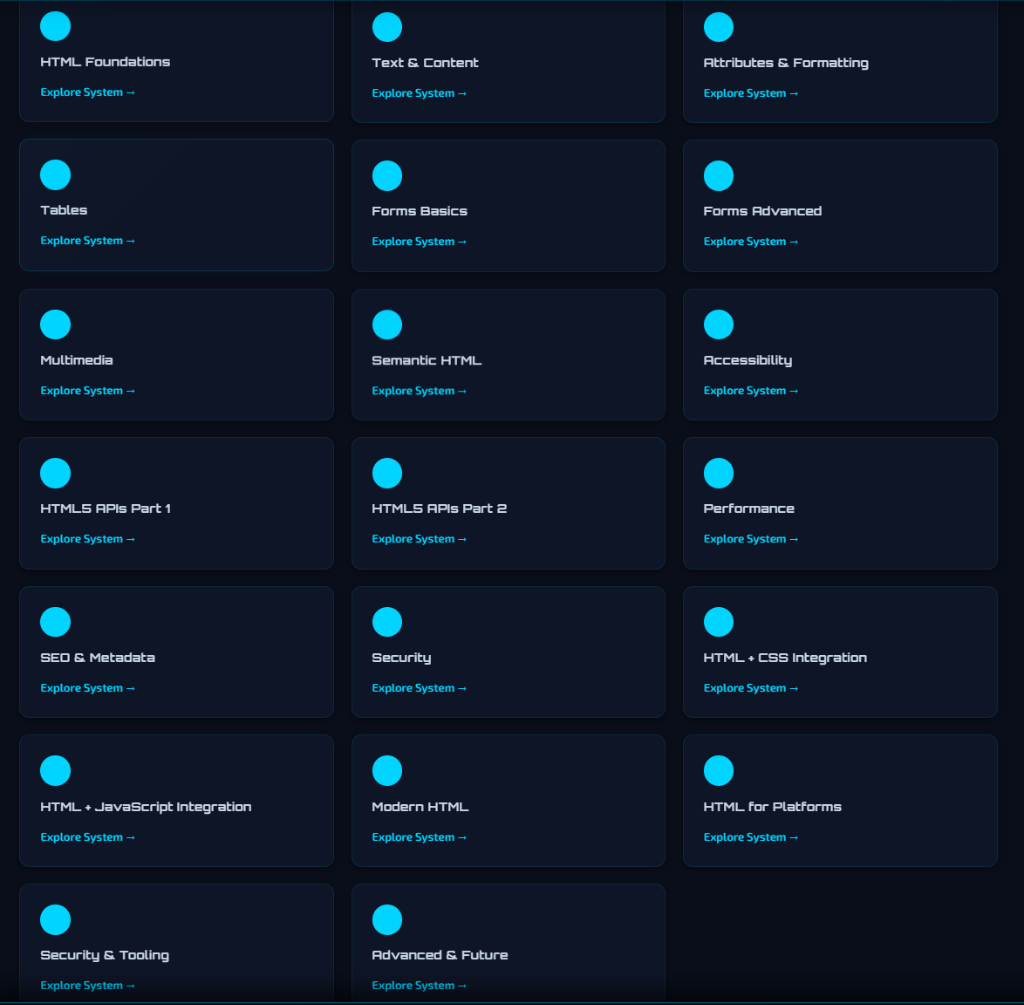
🪐 1. Complete Galactic Star Map & 20 Planetary Modules
Explore 20 comprehensive planetary modules with real-time progress tracking:
-
- HTML Foundations (Document Structure, Boilerplates, Browser Rendering Pipeline)
-
- Text & Content Mastery (Headings, Typography, Semantic Lists, Quotes)
-
- Attributes & Formatting (Global Attributes, Data Attributes, Links)
-
- Tables & Data (Accessible Data Tables, Column Groups, a11y Scopes)
-
- Forms & Inputs (Native HTML5 Validation, Accessible Controls)
- ...through to Advanced HTML5 APIs, Performance, Web Security & Web Components.
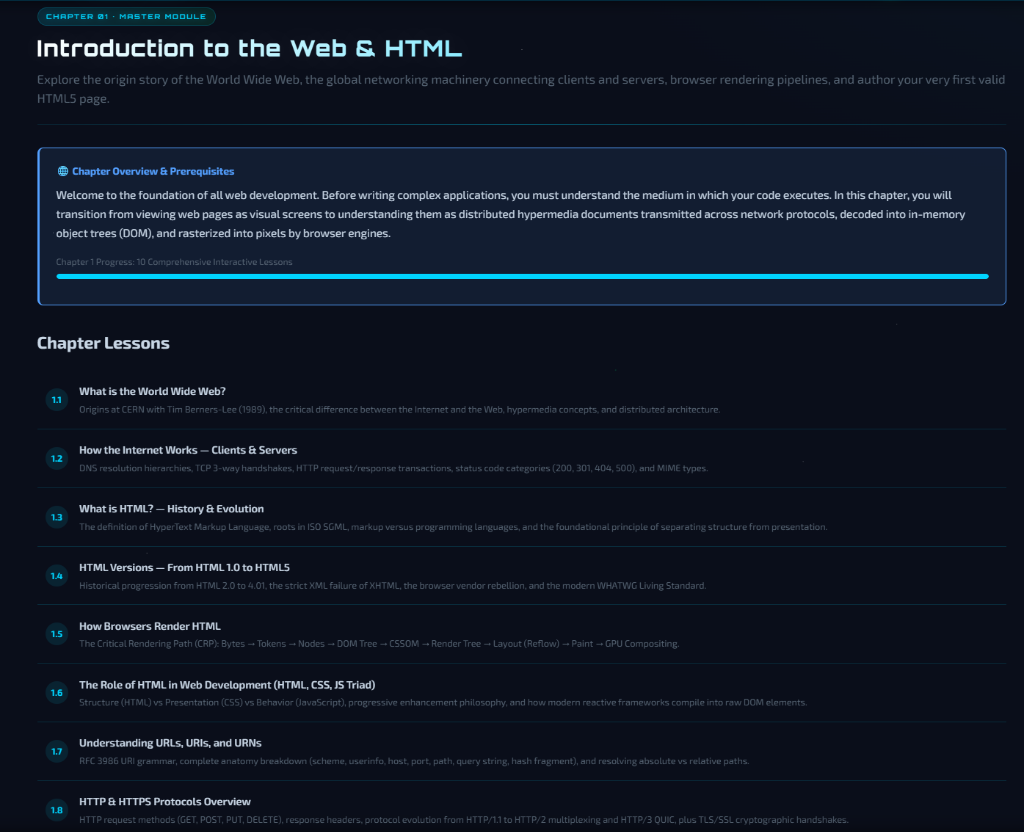
📖 2. 100 Structured Chapters & 1,134 Interactive Lessons
Every module contains 5 deeply researched chapters with step-by-step interactive exercises, conceptual breakdowns, and production guidelines:
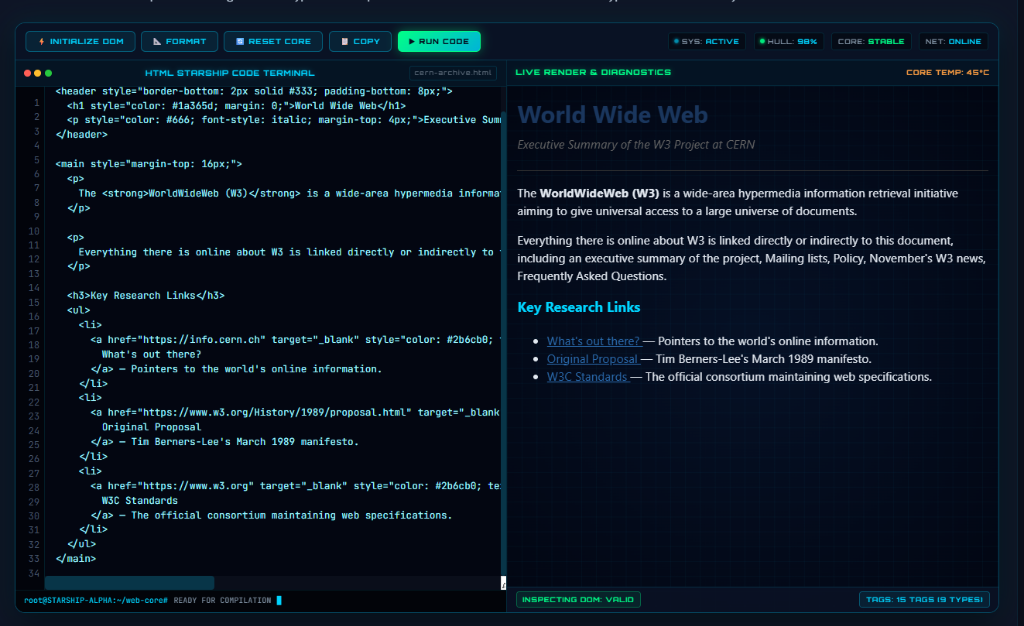
💻 3. Interactive Starship Code Terminal & Live Diagnostics
Write HTML code directly inside the built-in sci-fi code terminal with instant live preview, DOM inspection, and diagnostics:
- 📥 1-Click Code Injection: Click "Insert into Editor" on any snippet to insert directly into your active VS Code file.
- 🧪 Test My Open File: Validate your workspace
index.html file against the lesson criteria to earn XP and level up.
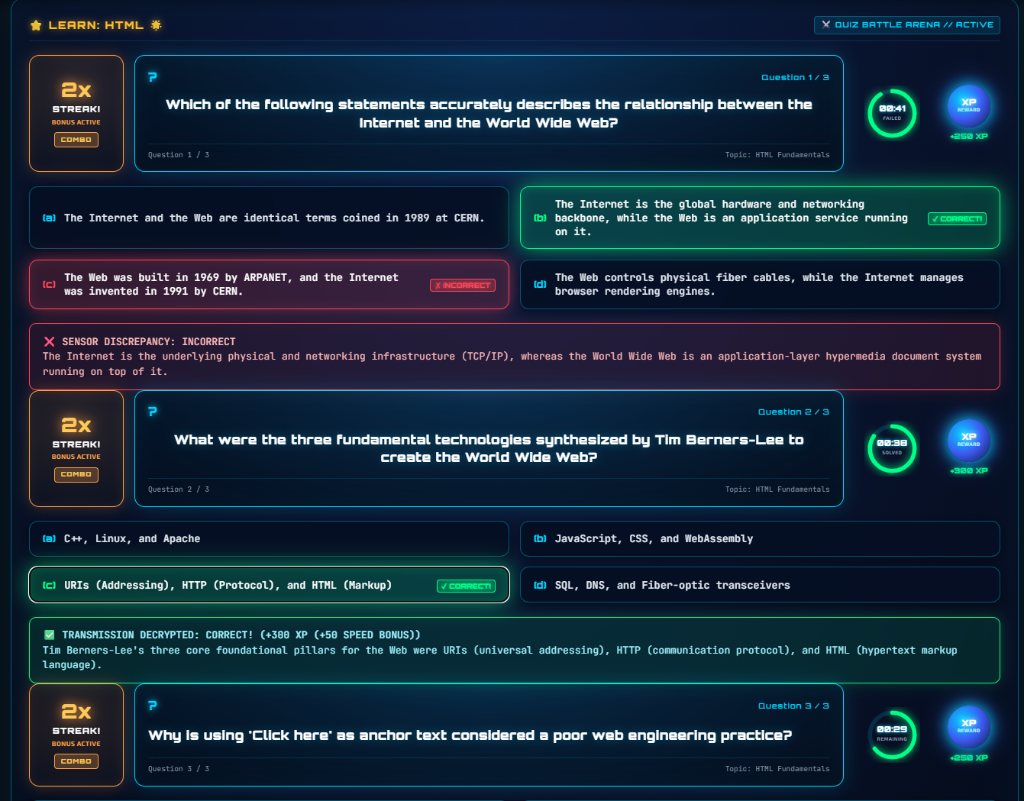
⚔️ 4. Gamified Quiz Battle Arena
Test your mastery with timed multiple-choice challenges, speed bonuses, streak combos, and XP rewards:
Hover over any HTML tag in your code (<dialog>, <picture>, <details>, <canvas>) in any .html file to see:
- Clear semantic explanation & MDN best practices.
- Production code examples with proper attributes.
- Baseline browser support status.
- Direct one-click link to open the tutorial in HTML PATH.
📑 6. 100+ Production HTML5 Snippets
Type short prefixes in any HTML file:
html:5-modern → Modern, accessible HTML5 starter boilerplate.html:dialog → Native modal with <dialog>, backdrop styling, and close form.html:picture → Responsive picture with AVIF, WebP, and lazy loading.html:seo → Complete head block with OpenGraph, Twitter Cards, and canonical URL.html:form-a11y → Accessible form with fieldset, legend, and validation.html:table-a11y → Accessible data table with captions and column scopes.
🎮 7. Cosmic Mini-Games Inside VS Code
Play 3 interactive mini-games directly in editor tabs during coding breaks:
- 🚀 Asteroid Blaster: Sci-fi HTML tag typing & shooting game.
- 🧩 DOM Snap Puzzle Lab: 20 interactive drag-and-snap puzzle levels.
- 🛡️ Box Model Hull Defense: Defend your starship by tuning margins, borders, and padding.
⚡ Quick Start & Commands
- Click the
🚀 HTML PATH icon in your left Activity Bar.
- Or press
Ctrl+Shift+P (Command Palette) and run:
| Command |
Action |
HTML PATH: 🪐 Open Star Map |
Opens the 3D Galactic Star Map HUD |
HTML PATH: 📖 Open Lesson |
Opens a specific lesson or chapter |
HTML PATH: 🧪 Test My Open HTML File |
Tests current open file against lesson challenges |
HTML PATH: 🌐 Open in Web Browser |
Opens the full platform on htmlpath.com |
HTML PATH: 🧹 Clear Local Cache |
Clears local disk cache to fetch fresh updates |
🌐 Online Masterclass
Visit the official online platform at https://www.htmlpath.com for daily story reels, certifications, and community leaderboards.
| |

