Brisqal Code: AI coding agent for VS Code
Describe what you need in plain words. Brisqal Code reads your project, edits files, runs commands and tests, and keeps going until the job is done. You review every change as a diff before it's saved.
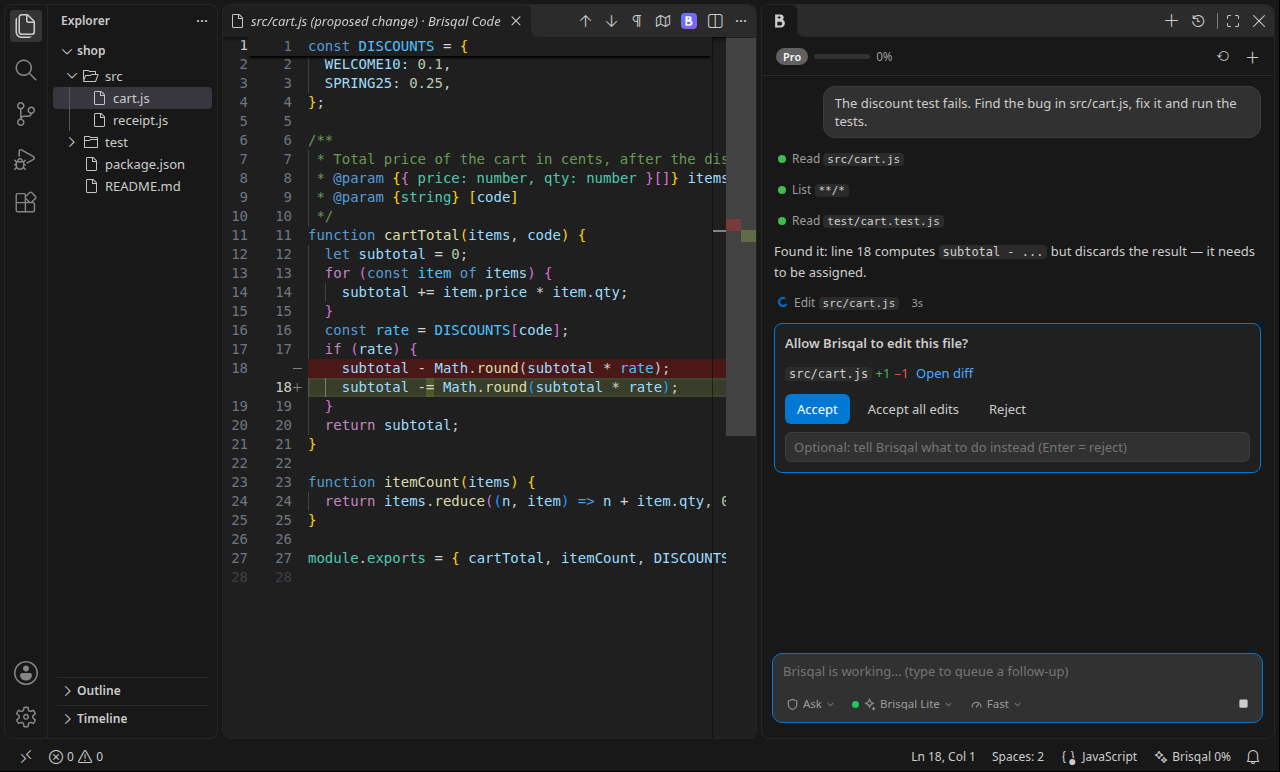
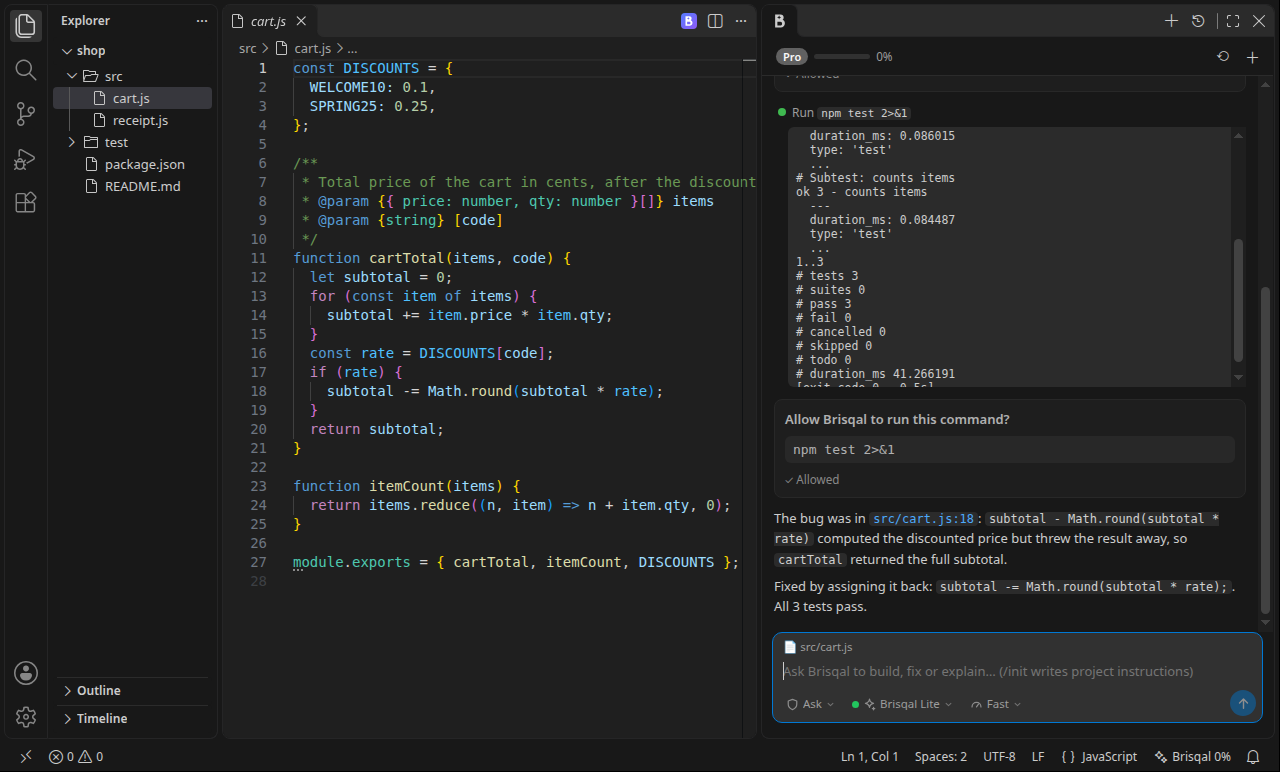
- Fix bugs: "The discount test fails. Find the bug and fix it."
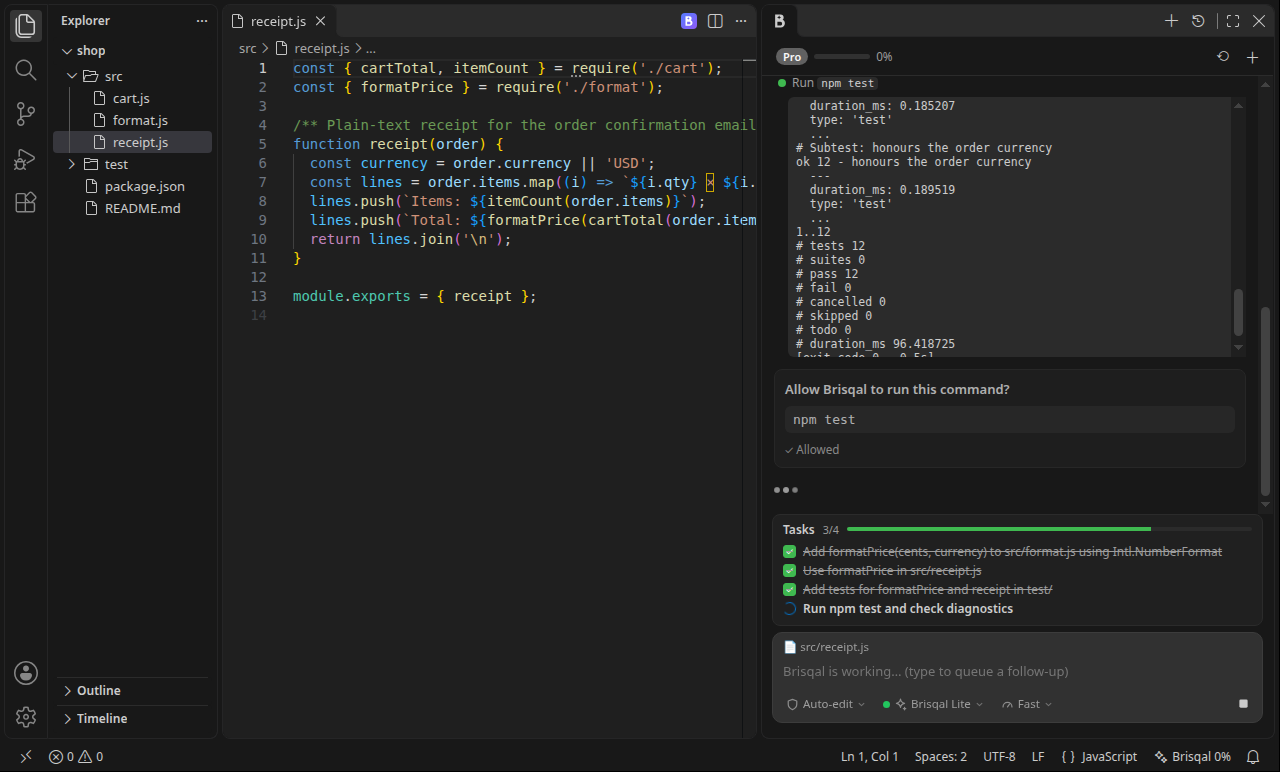
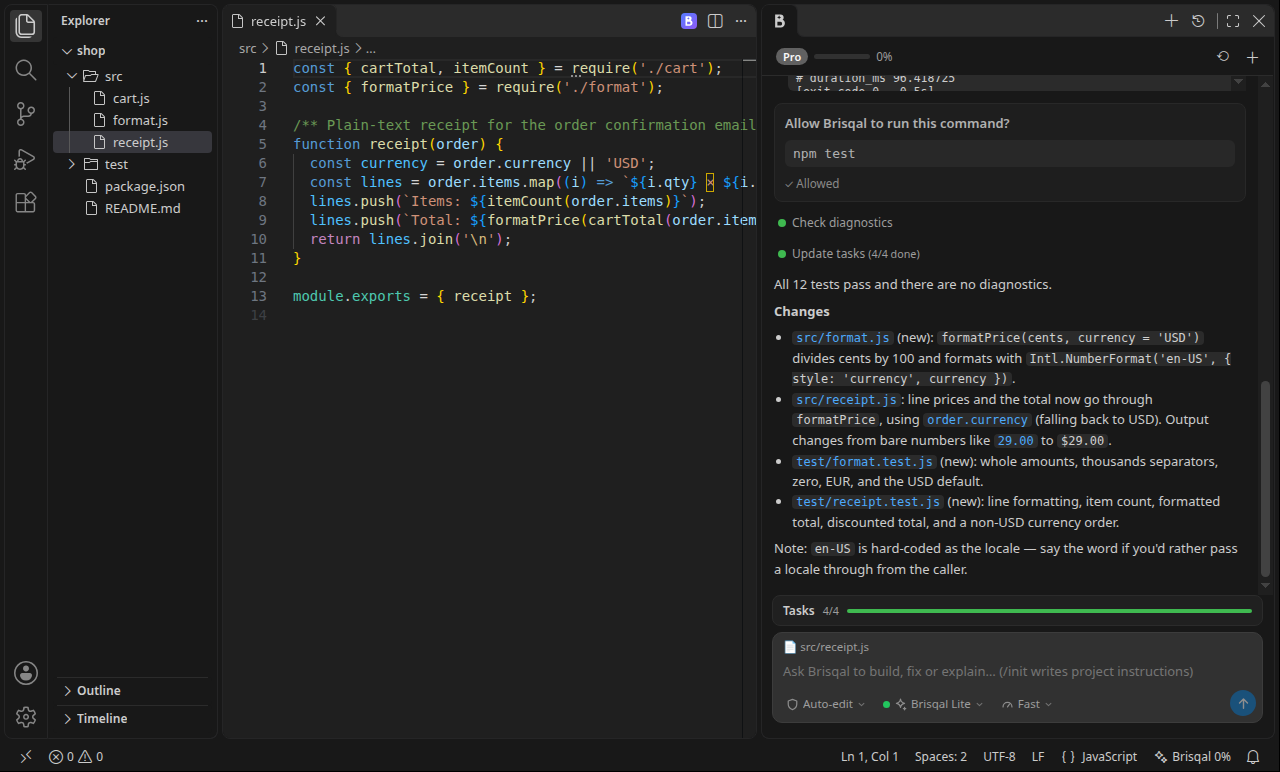
- Build features: "Add a formatPrice helper, use it in the receipt and add tests."
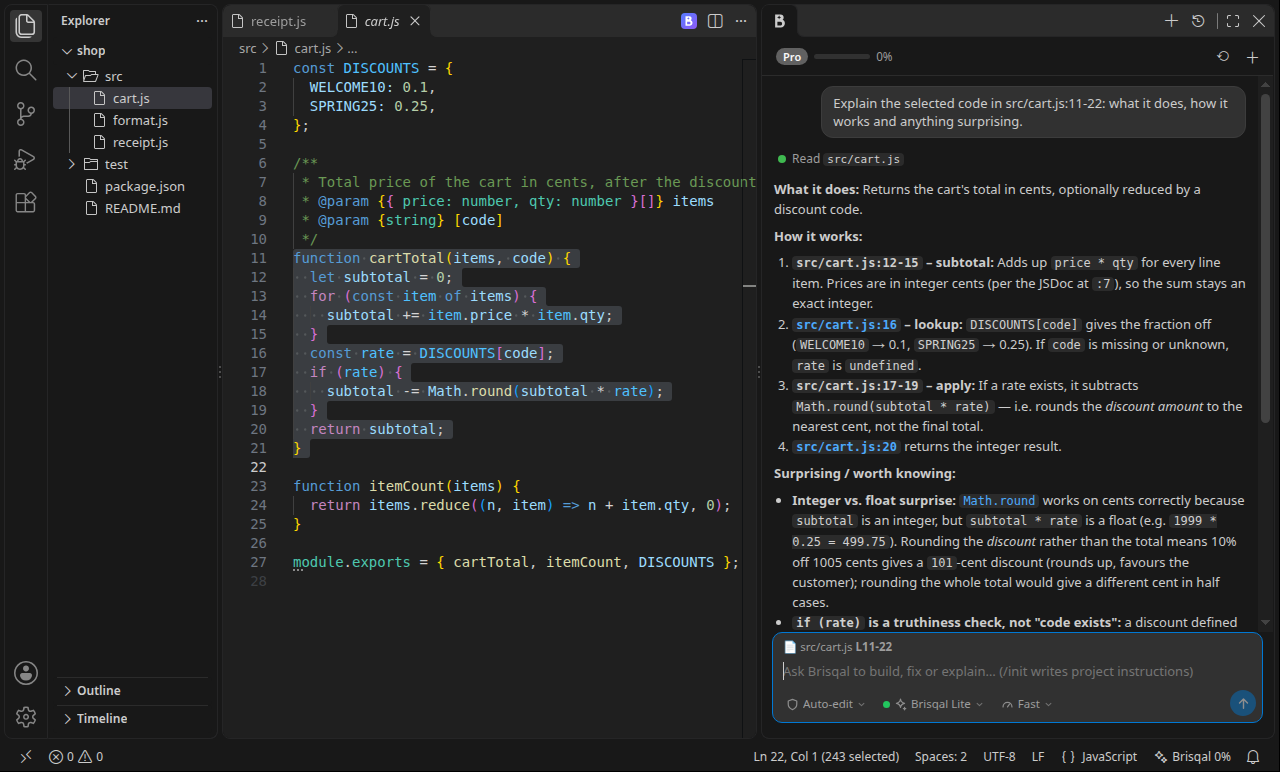
- Understand code: select a function and choose Explain Selection.
- Refactor, document, write tests, set up projects, and more.
Features
You review every change
In the default Ask before edits mode, each change opens as a side-by-side diff. Click Accept, Reject, or type what to do instead. Commands always ask before they run.
| Mode |
What happens |
| Ask (default) |
Every edit and command waits for your OK |
| Auto-edit |
Edits are saved straight away; commands still ask |
| Full auto |
Edits and commands run on their own. Clearly destructive commands (rm -rf, sudo, git push --force, database wipes and similar) still ask. |
| Plan |
Read-only: Brisqal investigates and proposes a plan |
It runs your tests and commands
Brisqal runs builds, tests, linters and scripts in your workspace, reads the output and fixes what fails. Output streams live into the chat, and dev servers can run in the background.
Task lists for bigger jobs
For work with several steps, Brisqal writes a task list, pins it above the input box and ticks items off as it goes.
Explain, fix and ask about any code
Right-click a selection for Explain Selection, Fix Selection or Add Selection to Chat (Ctrl+Alt+L). Brisqal also sees the file you have open.
More
- Project instructions: put a
BRISQAL.md in your project root with commands, conventions and gotchas, and every request follows it. Type /init to have Brisqal write one. An existing AGENTS.md is used when there is no BRISQAL.md.
- Sub-agents: for broad work, such as surveying a large codebase or auditing every use of something, Brisqal starts helpers that work in parallel and report back.
- Web search: Brisqal can look up current documentation and read web pages.
- Long sessions: older steps are summarized automatically, so big tasks keep going.
- Choose your model and effort: Brisqal Lite (lowest cost, the default), Brisqal Coder, Brisqal Pro and more, each labeled with its cost level. Fast, Thorough or Maximum reasoning.
- History: past conversations are saved per workspace.
Get started
- Install Brisqal Code. The chat opens in the right-side bar (or press
Ctrl+Alt+K, Cmd+Alt+K on Mac).
- Click Sign in with Brisqal. Your browser opens; log in, check the code and click Authorize. You don't need to copy an API key.
- Type a task and press Enter.
Requirements
- VS Code 1.90 or newer, on Windows, macOS or Linux.
- A Brisqal account with a plan. Plans start at $5 a month: see brisqal.codespeedy.com/pricing. The extension itself is free, and it uses the same plan and usage as the Brisqal web chat. A usage meter shows in the panel and the status bar.
Settings
| Setting |
Default |
Description |
brisqalCode.permissionMode |
ask |
ask, acceptEdits, auto (Full auto) or plan |
brisqalCode.defaultModel |
empty |
Empty uses your account's default. You can also switch models in the panel. |
brisqalCode.includeActiveFile |
true |
Send the open file name and selection with each message |
brisqalCode.commandTimeoutSeconds |
120 |
Time limit for commands Brisqal runs |
brisqalCode.maxSteps |
0 |
Maximum steps per request; 0 = no limit |
brisqalCode.subagents |
true |
Let Brisqal start sub-agents when a task needs them |
brisqalCode.customInstructions |
empty |
Your personal instructions for every project |
Privacy and security
- Your sign-in token is kept in VS Code's Secret Storage (your system keychain). You can disconnect editors at any time on the website under Billing → Connected editors.
- Brisqal reads only the files it needs for your request. File contents and command output are sent to Brisqal's servers to answer it. See the Privacy Policy.
- Nothing runs or changes without your approval in the default mode.
Support
Questions or problems: contact@codespeedy.com · Terms · Privacy
| |

