Selfcoder — Local AI coding agent for VS Code
Run a coding agent through Ollama, LM Studio, vLLM or any OpenAI-compatible server like llama.cpp.







A self-hosted Copilot alternative - local, private, and subscription-free.
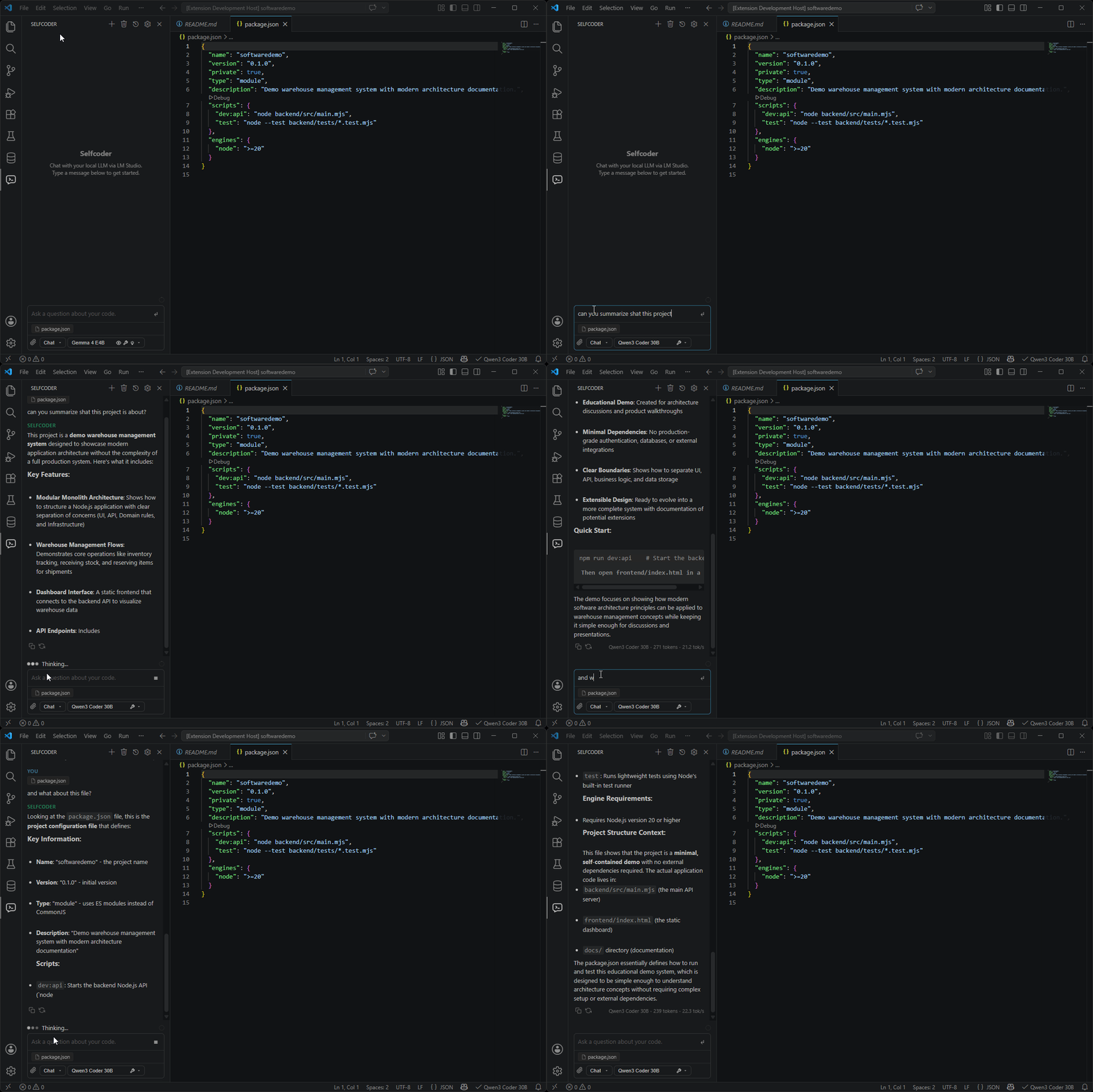
Overview
Selfcoder brings self-hosted AI coding workflows into Visual Studio Code without locking you into a hosted subscription. Connect it to LM Studio, Ollama, vLLM, llama.cpp, or another OpenAI compatible server, choose a model, and work from a dedicated sidepanel or VS Code native Copilot Chat.
It brings AI assistance into your development workflow while giving you control over where code, prompts, files, and workspace context are processed. By default, requests are routed to the backend endpoint you configure, typically a local server running on your machine.
Choose Your Workflow
Selfcoder gives you three ways to use local models in VS Code, each suited to a slightly different use case.
| Mode |
Best for |
What you get |
| Sidepanel Chat, Plan, and Agent |
Focused local coding sessions |
A dedicated panel built for local models: conversational Chat, read-only codebase investigation in Plan, workspace implementation in Agent, streaming responses, attachments, reasoning display, and saved history. |
@Selfcoder Chat Participant |
Working inside VS Code's native chat |
Mention @Selfcoder in Copilot Chat to reach your local model without leaving the native UI. It reuses your active backend, selected model, and workspace context. |
| Local Model Provider |
Native VS Code model picker flows |
Registers your tool-capable local models in VS Code's model picker, so native chat and agent flows can run powered by local models. |
Hint: For most workflows, the sidepanel is the best place to let Selfcoder manage context for you, especially when working with smaller models or limited hardware. Use the Local Model Provider when you specifically want to run the native flow and your machine has enough resources for the larger context it sends.
Key Features
Sidepanel Chat Optimized For Local Models
The Selfcoder sidepanel is the richest workflow surface. It is built for repeated coding work with local models.
- Streamed markdown responses with code blocks, copy actions, tables, lists, and links.
- Model picker with metadata such as context length, parameter size, vision, tool use, reasoning support, and aliases.
- Token usage indicator and conversation pruning when the request payload approaches the model's context limit.
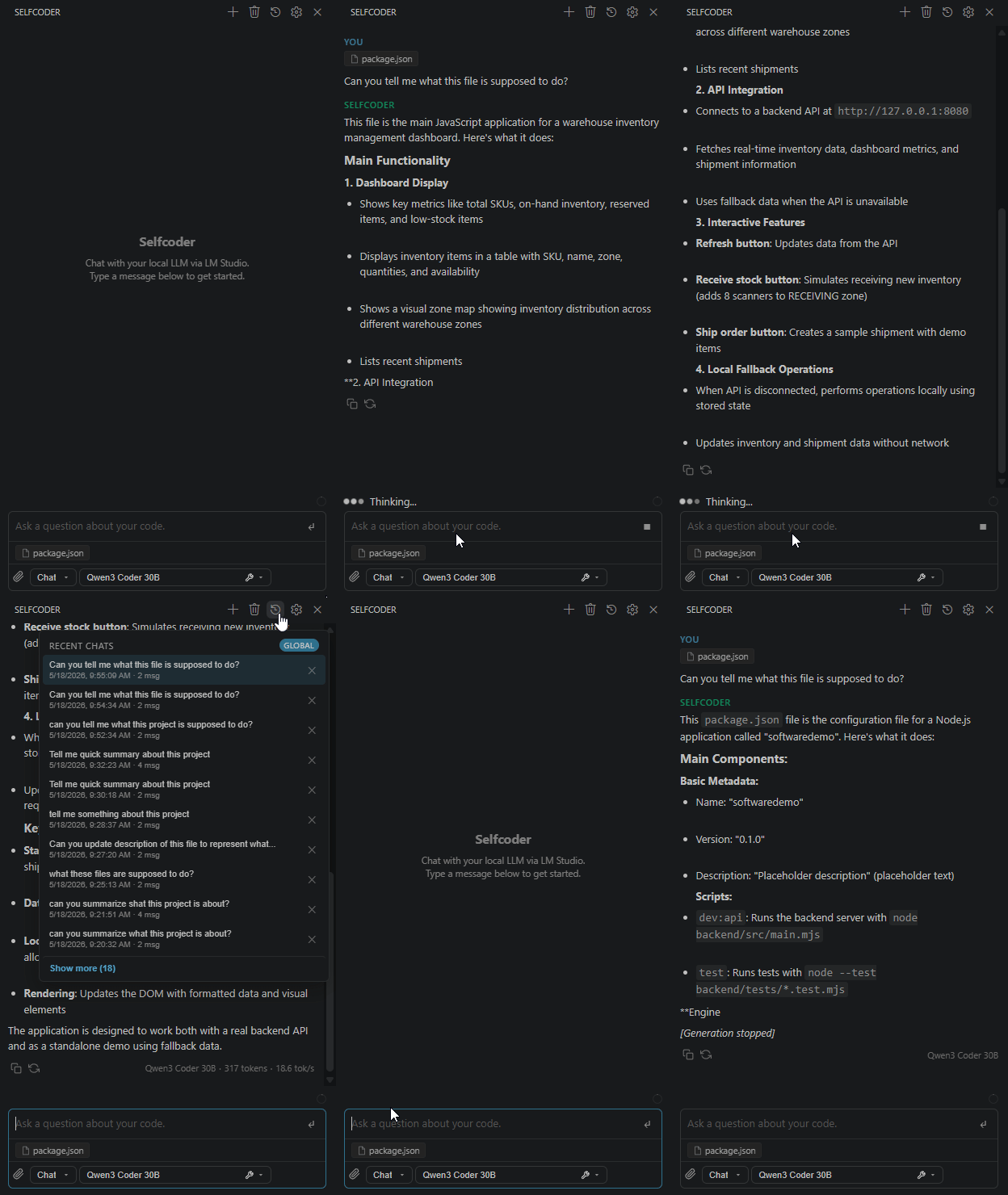
- Searchable chat history with editable names, favorites, global or per-repository filtering, and branching from any assistant response.
- File pins, manual text attachments, image attachments for vision-capable models, and clipboard image support.
- Reasoning/thinking display for supported models.
Plan And Agent Modes
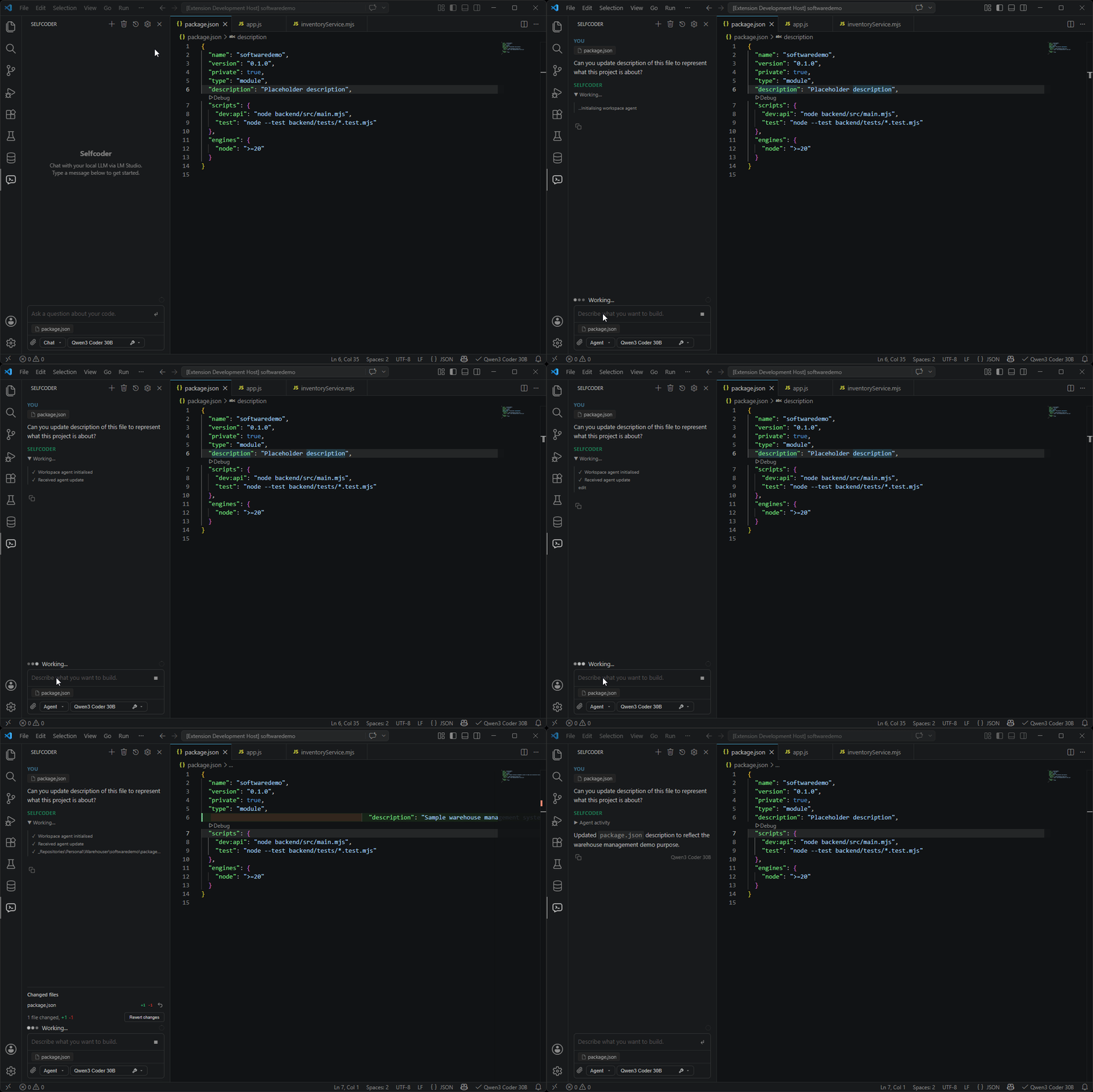
For users who want deeper workspace investigation or automation, Selfcoder drives its managed OpenCode CLI over ACP.
- Plan Mode can read and search the project, ask clarifying questions, and
produce an implementation plan, but it cannot edit files, run terminal
commands, delegate to mutating agents, or switch itself into Build.
- Agent Mode can implement the plan according to the selected permission tier.
- Plan and Agent share the same OpenCode session, so switching to Agent preserves
the investigation context but never starts implementation automatically.
- Surfaces agent activity, plans, reads/searches/edits, terminal output, and
permission requests in the sidepanel.
- Marks additions in already-open changed files with editor decorations. For a
visible changed editor with deletions, Selfcoder automatically opens VS Code's
native baseline-versus-current diff; any tracked file or diff can also be
opened from the sidepanel.
- Tracks files changed during a session and can summarize or revert those
changes from the sidepanel.
- Revert the most recent completed Agent edit from the change summary.
Model-Aware Context Budgeting
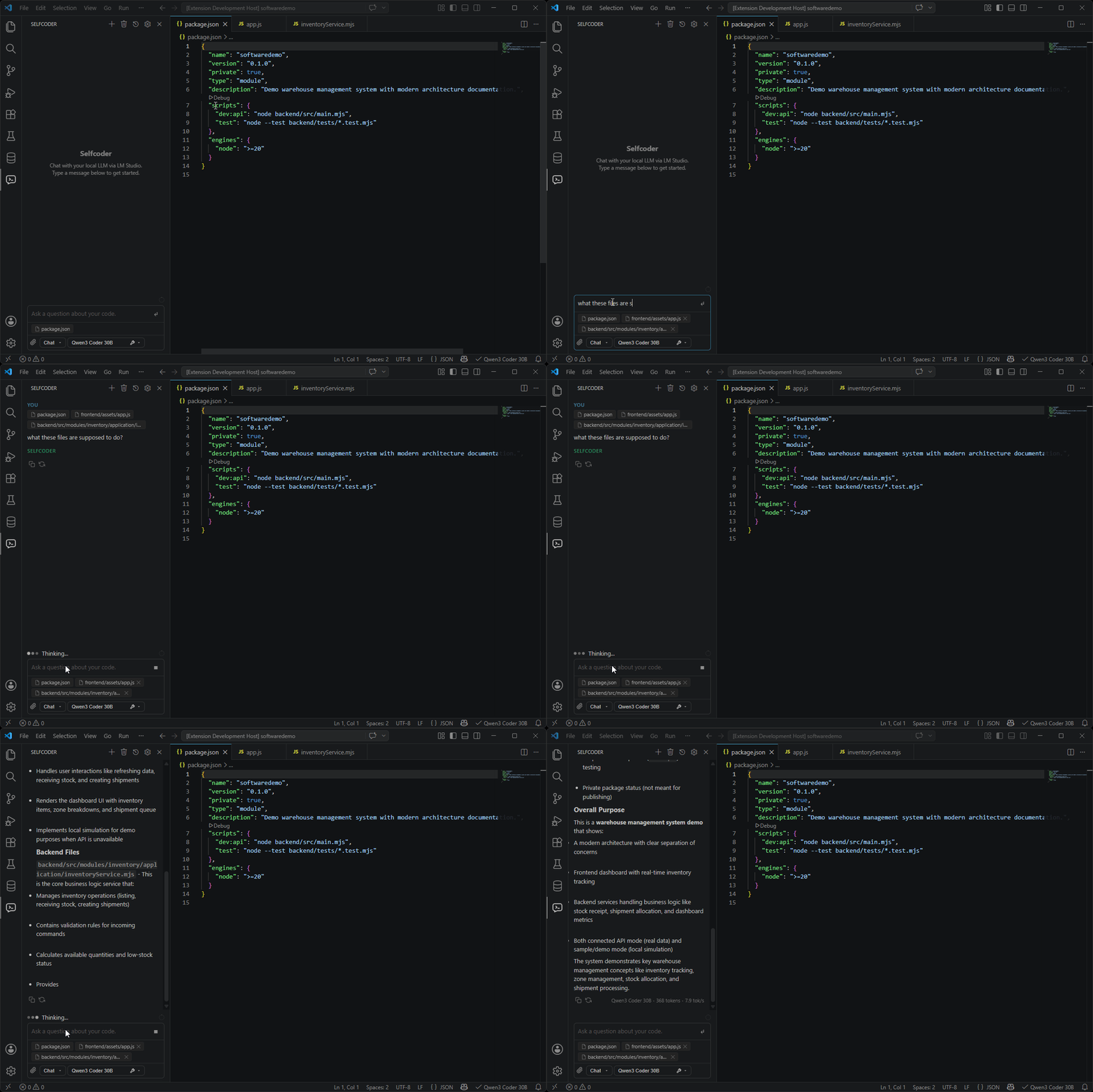
Local models vary widely in context size, so Selfcoder does not blindly dump the whole workspace into every request. It builds a request-scoped context package based on the selected model, the current conversation, and your prompt intent.
Selfcoder can include:
- active editor selection or active file
- diagnostics from the current file
- recently edited files
- git diff summaries or focused hunks
- repository search snippets when the question needs codebase discovery
- workspace instruction files such as root
local-instructions.md,
.github/copilot-instructions.md, root AGENTS.md, or root CLAUDE.md
- pinned files you explicitly choose
- explicit
@file, @folder, @symbol, @git, @terminal, or @codebase mentions
The result is a local-model-friendly balance: enough project context to answer well, without wasting the limited window that smaller local models often have.
Native VS Code/Copilot Chat Integration
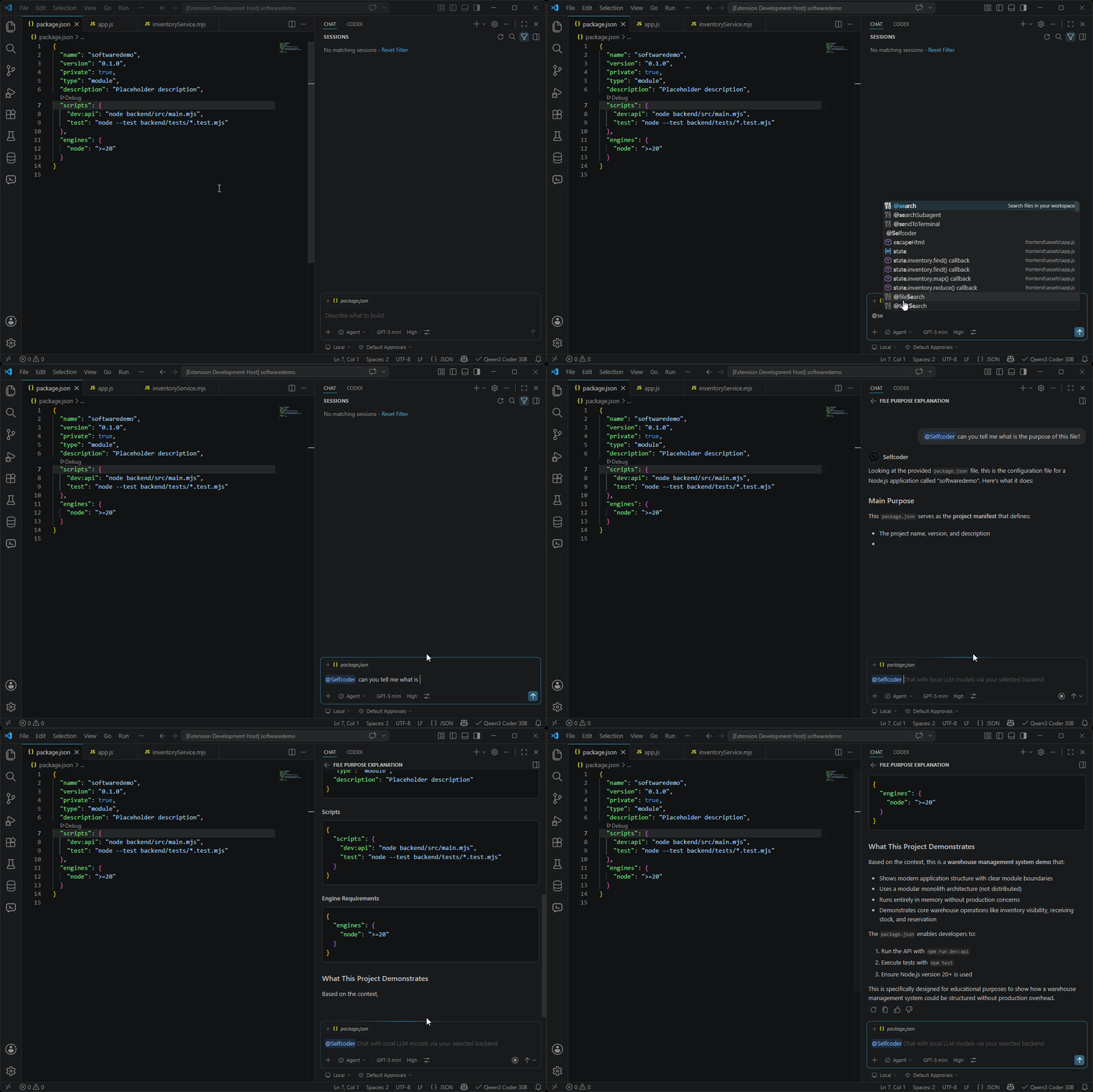
Use @Selfcoder in VS Code/Copilot Chat when you want local assistance without leaving the native chat surface.
- Streams answers directly into the native chat UI.
- Reuses the configured LM Studio, Ollama, vLLM, or other OpenAI-compatible backend.
- Includes native chat history, workspace instructions, and Selfcoder's request context pipeline.
Local Models In The Native Model Picker
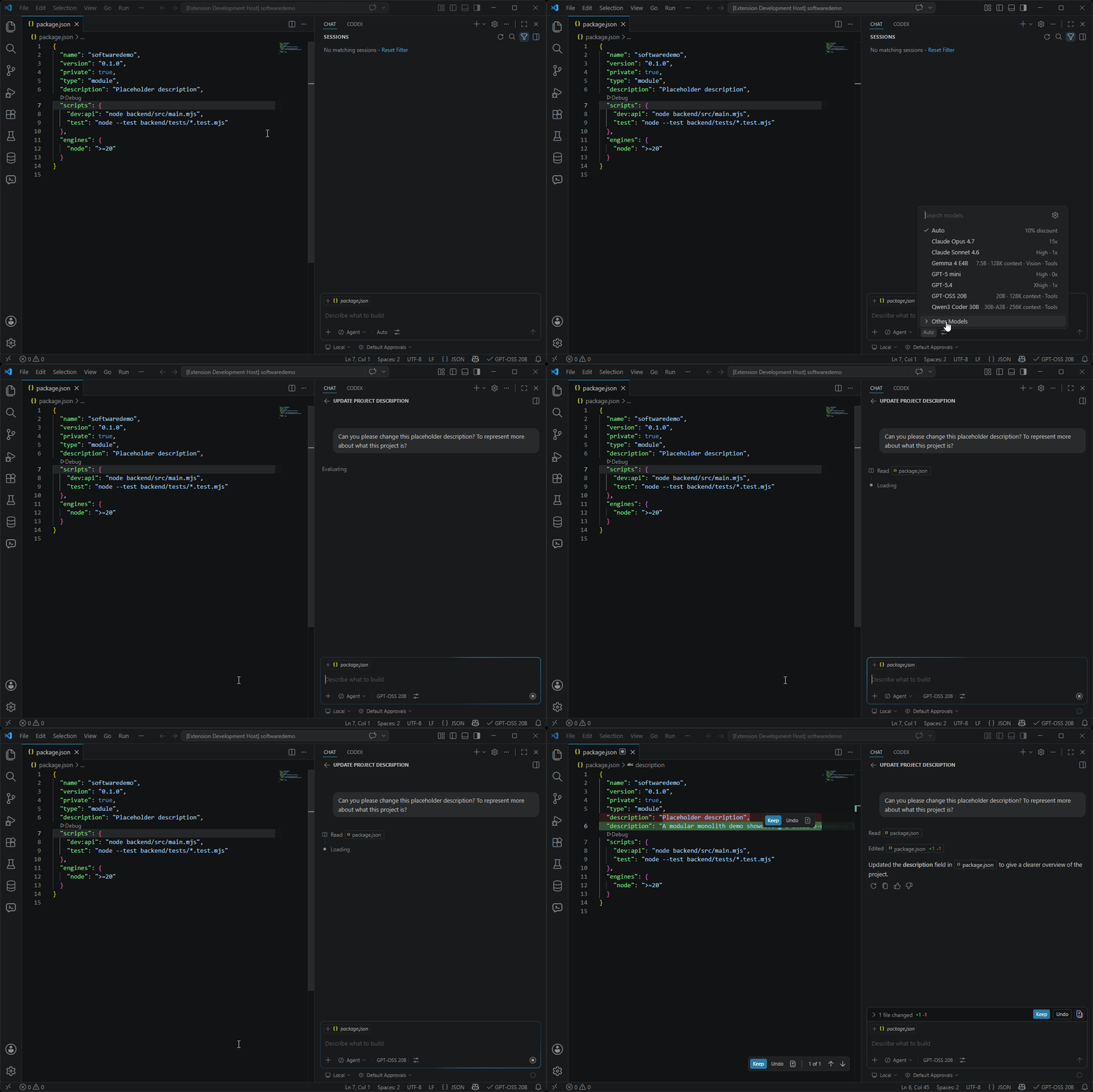
Selfcoder can register eligible local models as a VS Code LanguageModelChatProvider so they appear as Selfcoder models in native chat and agent-style flows.
- Shows local models with tool-calling support when reported by the backend.
- Maps model details such as context length, vision support, and tool support into VS Code's model metadata.
- Translates VS Code chat messages, tool calls, and tool results into OpenAI-compatible request shapes.
- Streams text and tool-call responses back through VS Code's native APIs.
Supported Backends
| Backend |
Default endpoint |
Notes |
| LM Studio |
http://localhost:1234 |
A great choice for users seeking a smooth local model setup, offering friendly model management, OpenAI-compatible chat, native model metadata, reasoning events, and response chaining when available. |
| Ollama |
http://localhost:11434 |
A great choice for developers who prefer a fast, CLI-first local runtime, with native chat streaming, model capability discovery, reasoning support, and OpenAI-compatible endpoints for provider flows. |
| vLLM |
http://localhost:8000 |
A great choice for teams that need a selfhosted AI server capable of serving multiple developers from a dedicated GPU machine. |
| OpenAI-compatible servers |
http://localhost:8000 |
A flexible choice for connecting Selfcoder to any local or remote server with an OpenAI-compatible API. |
Getting Started
- Install LM Studio, Ollama, vLLM or any other OpenAI compatible server such as llama.cpp.
- Download model which fits your hardware.
- Install Selfcoder in VS Code.
- Open the Selfcoder sidepanel, choose your backend/model, and select Chat, Plan, or Agent.
For llama.cpp or another OpenAI compatible server, use OpenAICompatible option. The profile accepts the server root or /v1 URL in Selfcoder.backendAddress. Set Selfcoder.backendAuthorizationToken only if the server requires bearer authentication.
Useful install commands:
| Tool |
Windows |
macOS/Linux |
| LM Studio |
irm https://lmstudio.ai/install.ps1 \| iex |
curl -fsSL https://lmstudio.ai/install.sh \| bash |
| Ollama |
irm https://ollama.com/install.ps1 \| iex |
curl -fsSL https://ollama.com/install.sh \| sh |
Why Selfcoder
Selfcoder is for developers who want a capable AI coding assistant but would rather not send their code to a hosted service or pay a subscription to use one. The model is selfhosted, through LM Studio, Ollama or vLLM so your code and prompts stay on your place.
Selfcoder also supports OpenAI-compatible endpoints when you need additional flexibility.
Running locally comes with trade-offs, and it’s worth being upfront about them. Performance depends on your hardware: a capable machine can run larger models and respond faster, while a more modest setup is better suited to smaller, lighter ones. Context windows are smaller than those of hosted models, too, and they vary from one model to the next.
Selfcoder is built around those realities. You pick the model that fits your machine and your task, and rather than sending the whole workspace on every request, it selects the files and context relevant to your question and fits them to the model you’re running.
| |

