Swift LookUp
Cmd+Click navigation for Swift files in VS Code.
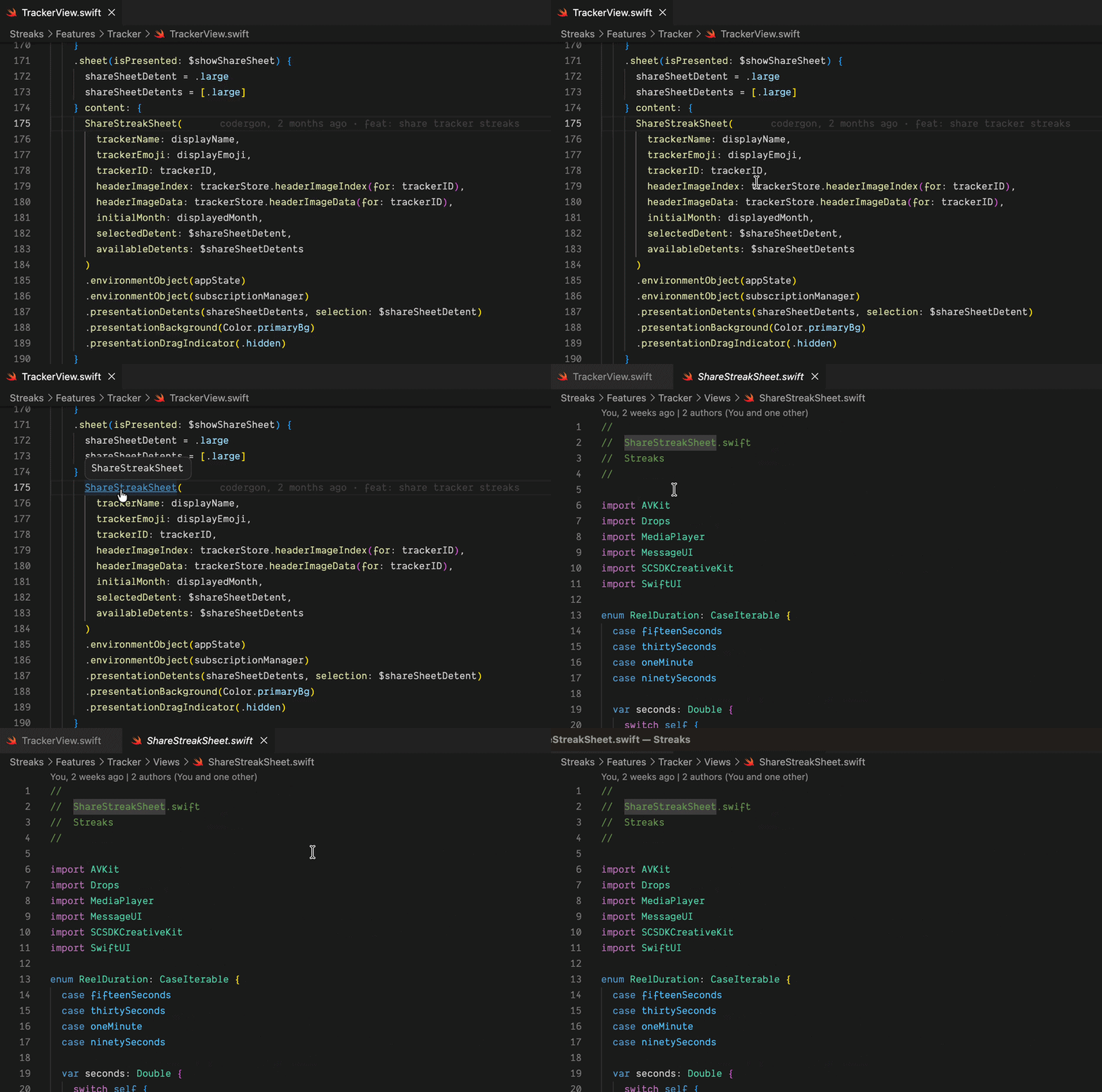
Swift LookUp adds a lightweight Go to Definition provider and basic Find All References support for .swift files. It is built for projects where you want quick navigation without waiting on a full language server setup.
What it supports
The extension scans workspace Swift files for common declarations:
struct ProfileView: View {}
class UserStore {}
enum Route {}
protocol AuthService {}
actor DataLoader {}
func makeProfileView() {}
let appName = "Demo"
var isEnabled = true
typealias UserID = String
When VS Code finds a match, Cmd+Hover shows the clickable underline and Cmd+Click jumps to the declaration.
The lookup ranks candidates before jumping. For example, this call:
trackerStore.trackerName(for: trackerID)
prefers:
func trackerName(for trackerID: UUID) -> String?
rather than:
let trackerName: String
Features
- Go to Definition for Swift symbols.
- Cmd+Hover and Cmd+Click support through VS Code's native definition API.
- Basic Find All References support.
- Ranking for duplicate names, with same-file and same-folder matches preferred.
- Function-call detection, so
name(...) prefers func name over let name.
- Line comments and string literals are ignored during reference search.
Limits
This extension uses text-based scanning. It does not replace SourceKit-LSP.
It can miss or mis-rank symbols in projects with heavy overloads, generated code, cross-module symbols, nested declarations, or multiple declarations with the same name.
Development
- Run
npm install.
- Run
npm run compile.
- Open this folder in VS Code.
- Press
F5 to launch an Extension Development Host.
- Open a Swift project in that host and try Cmd+Click on Swift symbols.
Packaging
npm run package
That creates a .vsix file you can install locally or upload to the Visual Studio Marketplace.

