Instant local server and live browser preview for VS Code. Powered by Guchho — a fast, native web build system.



Launch a local development server and preview your HTML pages directly from VS Code. Live Server (Guchho) uses Guchho's native development server for file watching, automatic rebuilds, and a smooth browser preview workflow.
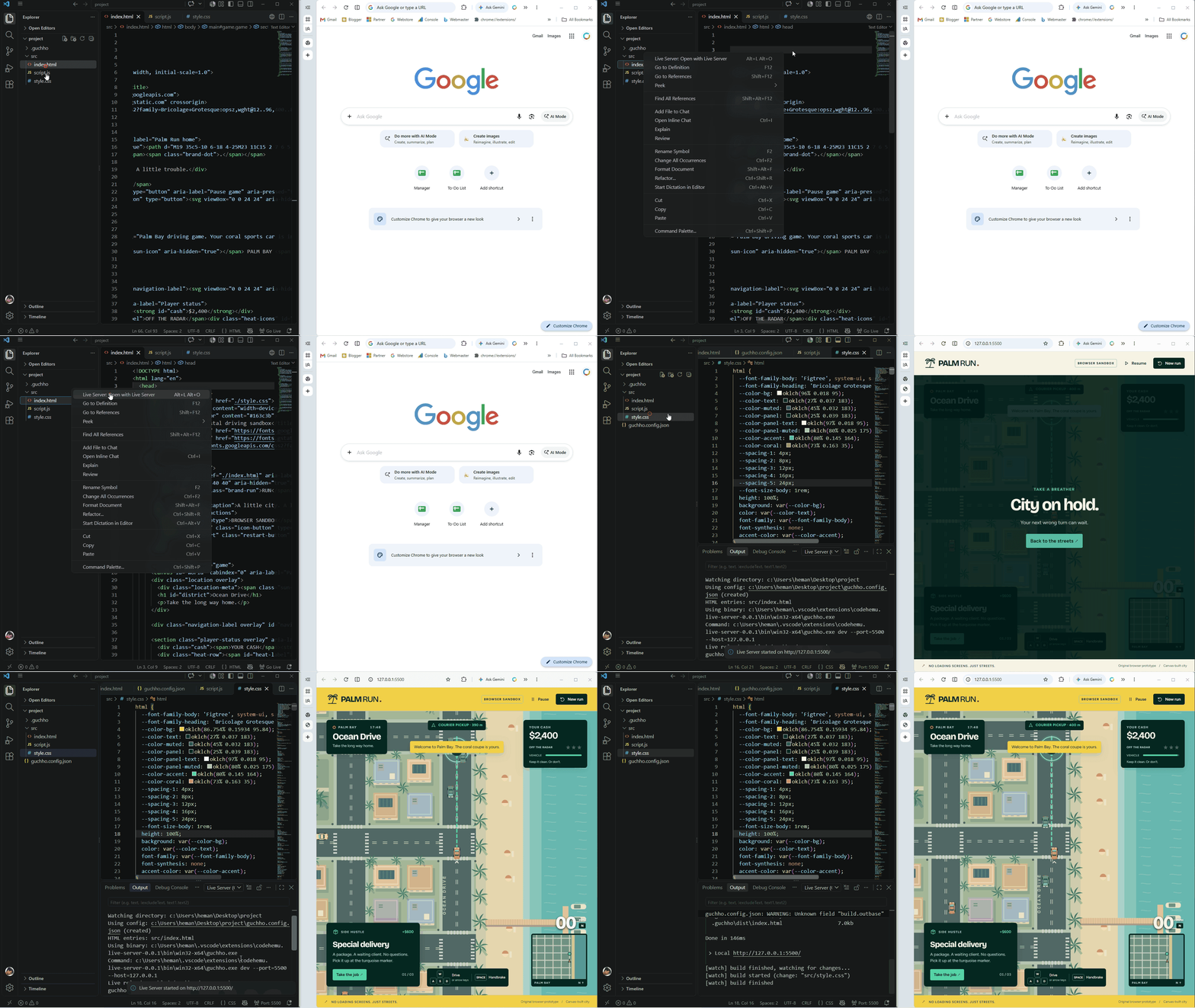
🚀 Getting Started
- Open your web project in VS Code.
- Open an HTML file.
- Click Go Live in the status bar, or right-click the HTML file and select Open with Live Server.
- Your page opens in the browser, ready for development.
Tip: If your project has no Guchho configuration, the extension creates guchho.config.json and opens it for you to review.
✨ Features
| Feature |
Description |
| 🚀 One-click launch |
Start or stop the server using Go Live in the status bar. |
| 🌐 Instant preview |
Open your HTML page in your default browser. |
| 🔄 Live rebuilds |
Watch project files and rebuild when changes are detected. |
| 📂 Explorer integration |
Right-click an HTML file and select Open with Live Server. |
| ⌨️ Keyboard shortcuts |
Open or stop the server without leaving the editor. |
| ⚙️ Smart configuration |
Automatically create a Guchho config when none exists. |
| 📦 Organized output |
Generate preview output inside .guchho/dist. |
| ⚡ Native performance |
Use Guchho's native development server and platform-specific binaries. |
⚙️ Configuration
The extension recognizes these configuration files:
guchho.config.jsguchho.config.jsonguchho.json
If none is found, it creates guchho.config.json in the served project root. The generated configuration uses the selected HTML file as the entry and .guchho/dist as the output directory.
Settings
| Setting |
Default |
Description |
liveServerGuchho.host |
127.0.0.1 |
Host address for the local server. |
liveServerGuchho.port |
5500 |
Port used by the server. |
liveServerGuchho.root |
. |
Project root directory to serve. |
liveServerGuchho.openBrowser |
true |
Automatically open the browser when the server starts. |
⌨️ Commands
Open the Command Palette with Ctrl+Shift+P (Cmd+Shift+P on macOS).
| Command |
Action |
Live Server: Open with Live Server |
Start the server and open the selected page. |
Live Server: Stop Live Server |
Stop the running server. |
Live Server: Restart Live Server |
Restart the server. |
Live Server: Open in Browser |
Open the preview in your browser. |
Live Server: Toggle Live Server |
Toggle the server on or off. |
Keyboard Shortcuts
| Action |
Windows / Linux |
macOS |
| Open server |
Alt+L, Alt+O |
Cmd+L, Cmd+O |
| Stop server |
Alt+L, Alt+C |
Cmd+L, Cmd+C |
Shortcuts can be customized in File → Preferences → Keyboard Shortcuts.
🛠️ Built with Guchho
Live Server (Guchho) is powered by Guchho, bringing native performance and a streamlined development workflow to your editor.
📄 License
Licensed under the MIT License.
Copyright © CodeHemu.

