
CleanMyPrompt — AI Security & Token IntelligenceStop leaking secrets. Stop burning tokens. Intercepts API keys, PII & credentials before they reach Copilot, and compresses code with LSP-aware squeeze to cut token costs by 30–70%. 100% local. Installation Launch VS Code Quick Open ( Ctrl+P), paste the following command, and press enter.Copied to clipboard |

CleanMyPrompt — AI Security & Token Intelligence
Why you need thisEvery time you paste code into Copilot Chat, your IDE quietly sends the full file context to OpenAI's servers. That includes the API keys, database passwords, and JWT tokens sitting three lines above where you're working. CleanMyPrompt sits between your editor and your AI assistant and stops that from happening — automatically, in real time, without interrupting your flow. And while it's there, it cuts the token noise: stripping dead comments, unused imports, and verbose type scaffolding so the AI sees exactly what it needs and nothing else. How it works
Pillar 1 — 🛡 Security: Intercept before it leaks
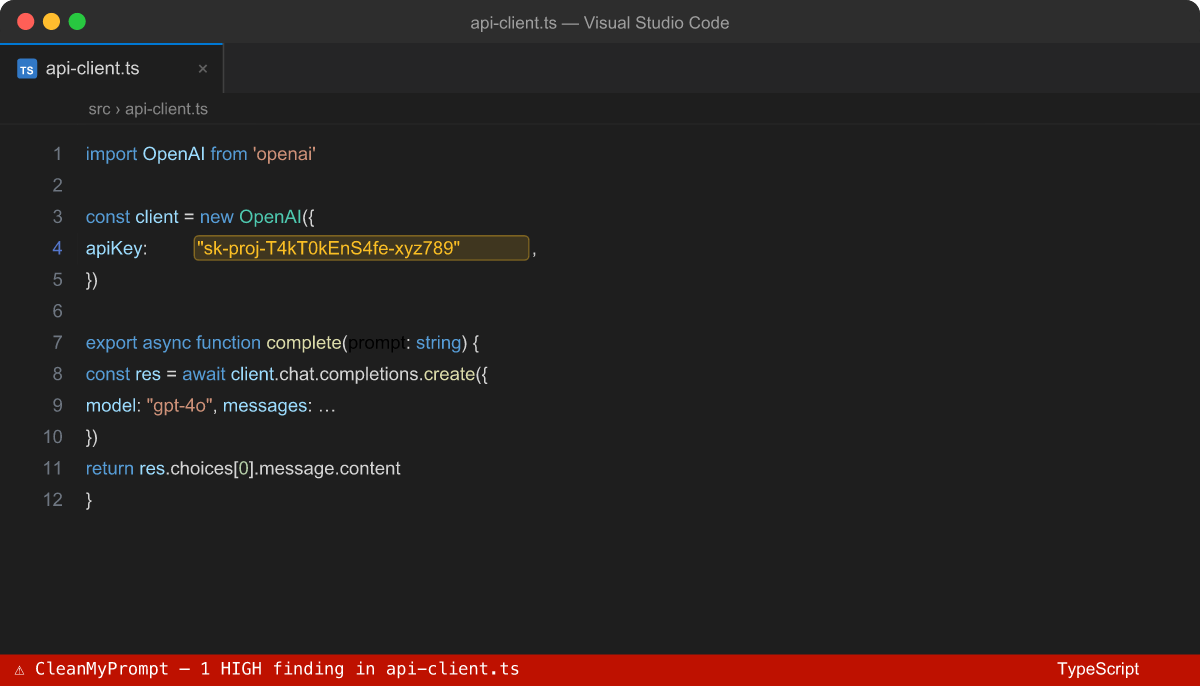
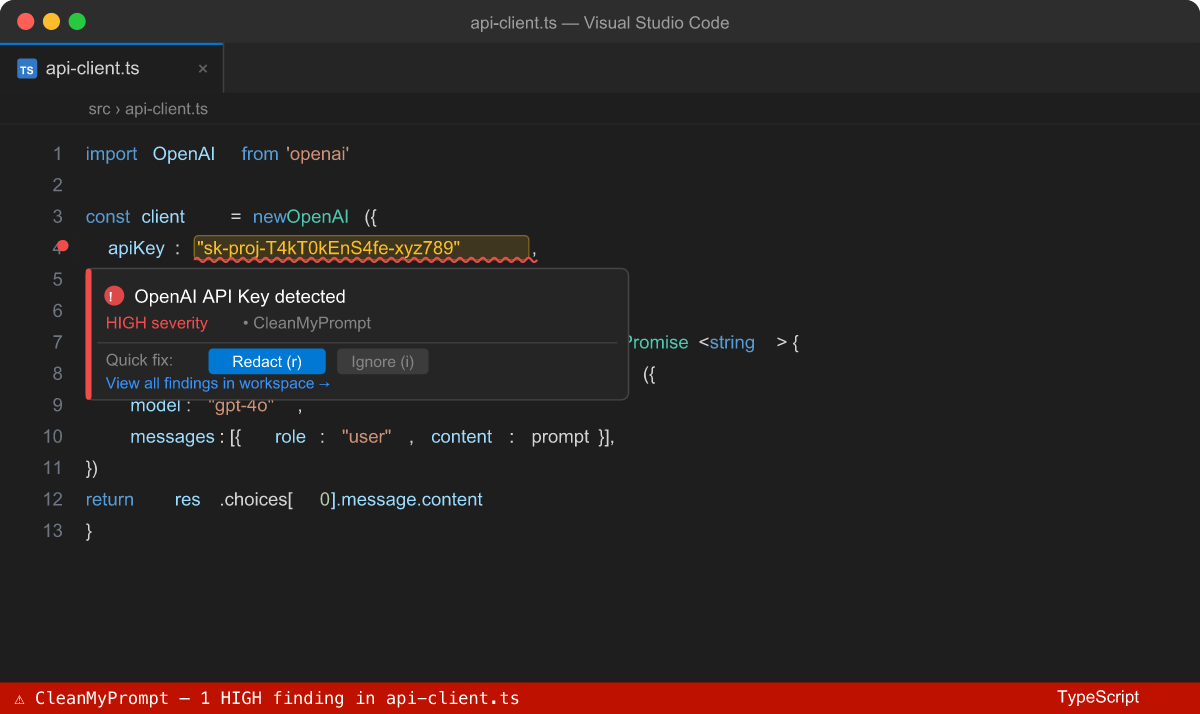
Real-time inline squiggles on every secret pattern — API keys, tokens, passwords, PII — in any language. Hover for context. One click to redact. What it catches (35+ patterns)
Supported: JavaScript, TypeScript, Python, Java, Go, Rust, C/C++, C#, Ruby, PHP, Swift, Kotlin, SQL, Shell, YAML, JSON, TOML, Markdown, HTML — and more. One-click Redact
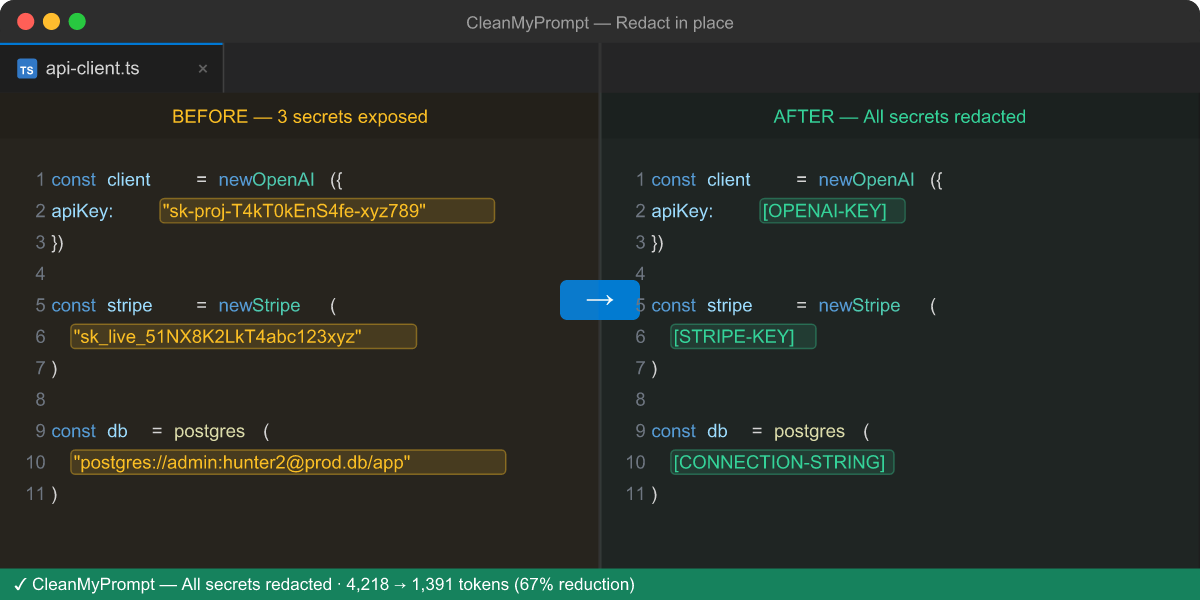
Right-click anywhere in a file → Redact. Or use the shortcut:
Before and after: All replacements are undoable. The diff viewer shows exactly what changed. Explorer Risk Badges
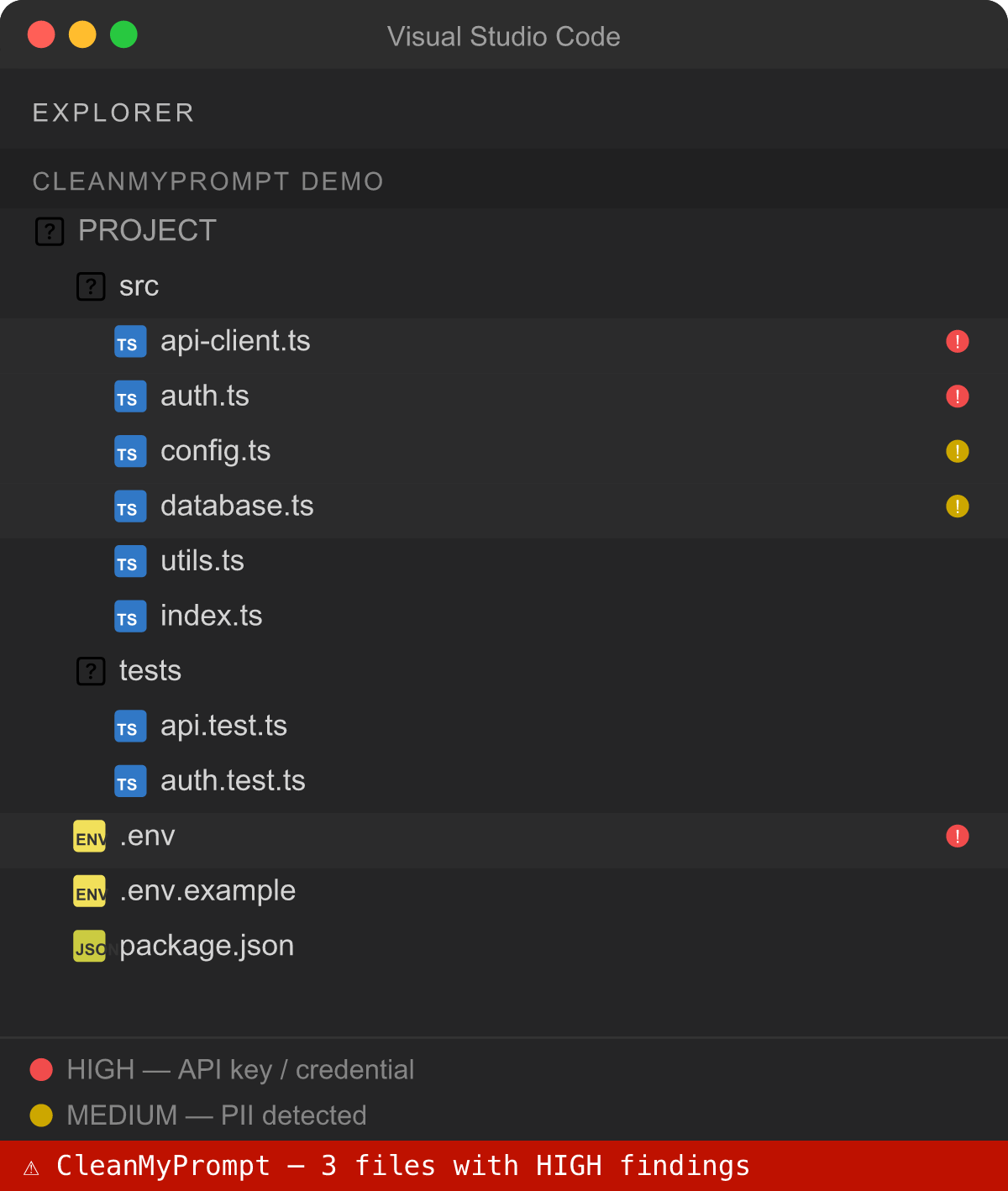
Every file in the Explorer tree gets a live risk badge:
Scans the workspace silently in the background on startup. Updates as you type. Secret Propagation Graph
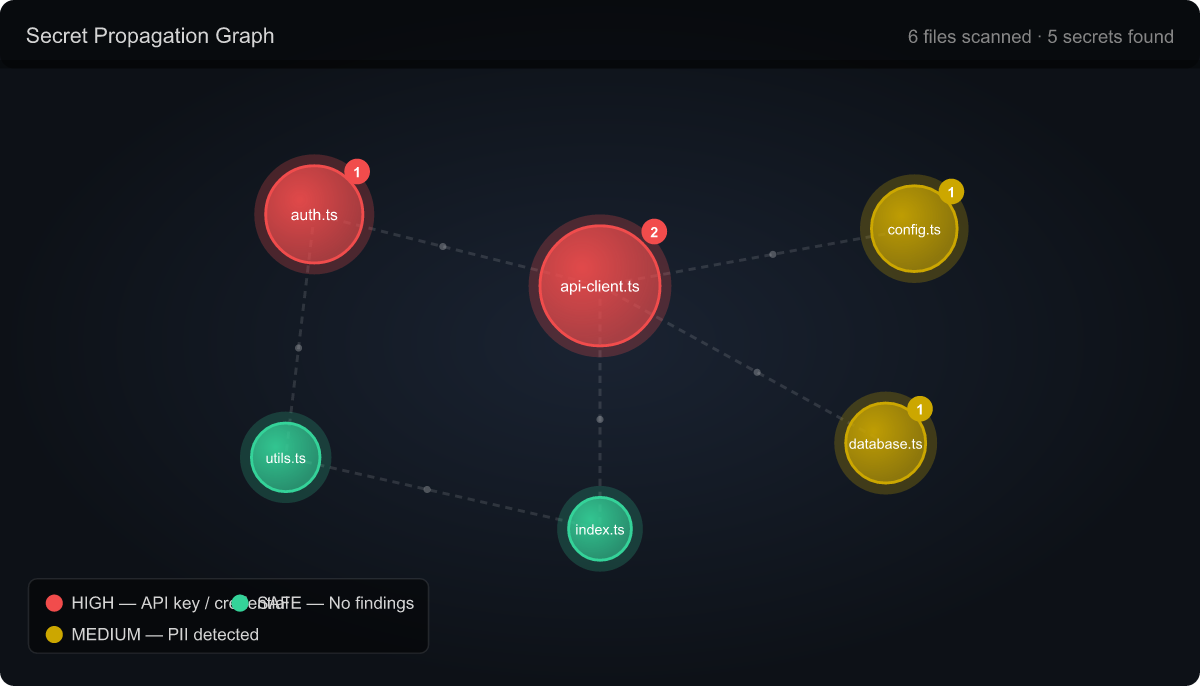
Command palette → CleanMyPrompt: Secret Propagation Graph A force-directed interactive graph showing every file that contains or imports secrets — and how they flow between files. Know exactly how far a leaked credential could travel in your codebase. @cleanmyprompt — Copilot Chat participantWhen you use Pillar 2 — ⚡ Token Intelligence: Send less, get more
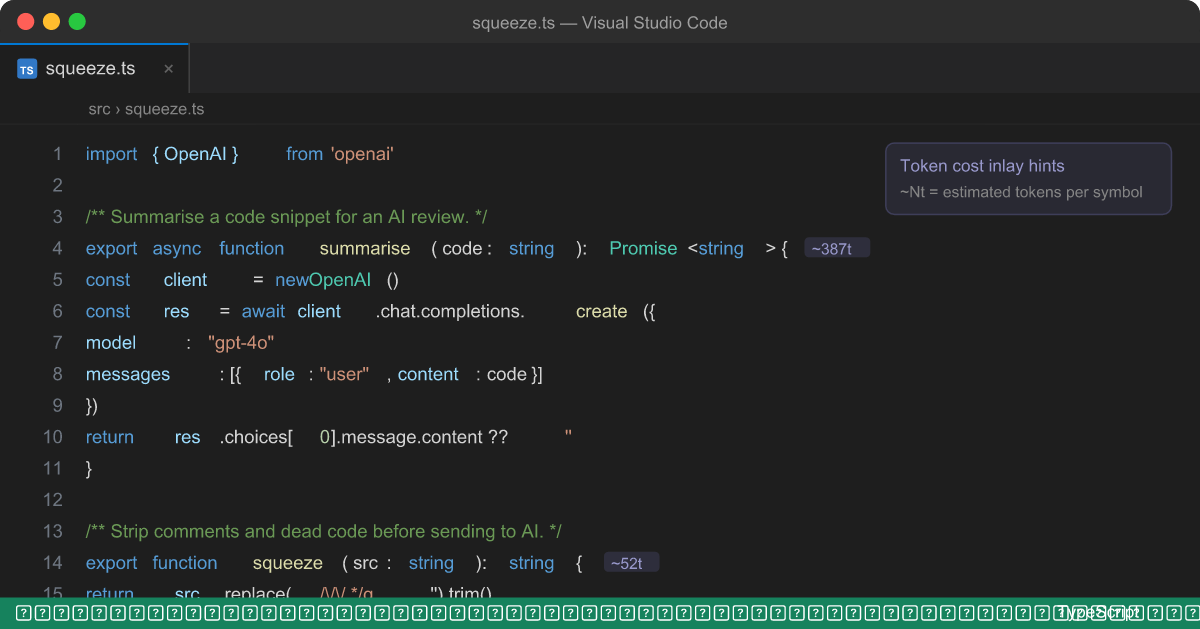
The problemVerbose code bloats Copilot's context window. License headers, JSDoc blocks, unused imports, triple-blank-lines, redundant type scaffolding — none of it helps the AI. It just burns tokens and dilutes the signal. Token Squeeze (
|




| Setting | Default | Description |
|---|---|---|
cleanmyprompt.enableDiagnostics |
true |
Inline squiggles for every finding |
cleanmyprompt.minimumSeverity |
warning |
error · warning · information |
cleanmyprompt.enableStatusBar |
true |
Risk indicator + token counter in status bar |
cleanmyprompt.enableCodeLens |
true |
Click-to-redact CodeLens above each finding |
cleanmyprompt.enableCodeRules |
true |
Detect hardcoded passwords and Bearer tokens |
cleanmyprompt.squeezeLevel |
aggressive |
safe = whitespace + comments · aggressive = also unused imports + type blocks |
cleanmyprompt.showTokenInlayHints |
false |
Token cost next to every function and class |
cleanmyprompt.auditLog |
true |
Append audit log entry for every operation |
Privacy — 100% Local
- Zero network calls. All scanning and squeezing runs entirely in the VS Code extension host process — nothing leaves your machine.
- Zero telemetry. No usage data, no crash reports, no analytics. Ever.
- No account or login. Install and use immediately.
- All detection rules are bundled in the extension. You can inspect them — they're not a black box.
Requirements
- VS Code 1.90 or later
- GitHub Copilot — required only for the
@cleanmypromptChat participant and token counter - Diagnostics, redact, squeeze, graph, badges, and inlay hints all work without Copilot
Enterprise & Teams
Need team-wide custom rule sets, centralised audit log exports, SSO integration, custom compliance report templates, or on-prem deployment?
Contact us at cleanmyprompt.io →
License
Personal and open-source use is available at no cost.
| Use case | License required |
|---|---|
| Individual developer, personal projects | ✅ No license required — install and use |
| Open-source projects (public repo) | ✅ No license required — install and use |
| Internal tooling at a company (any size) | 💼 Commercial license required |
| Integrating into a commercial product or SaaS | 💼 Commercial license required |
| Team/enterprise deployment | 💼 Commercial license required |
Commercial licenses include team management, audit log export, SSO, compliance report templates, and priority support. Get a commercial license →