Skip to content
| Marketplace
Sign in
Visual Studio Code>Programming Languages>CleanAI - Dead Code RemoverNew to Visual Studio Code? Get it now.
CleanAI - Dead Code Remover

CleanAI - Dead Code Remover

Clean AI

|
80 installs
| (1) | Free
Clean your code with AI. Find and remove dead code, unused imports, exports, and functions. Works in VS Code and Cursor. Supports TypeScript, JavaScript, Python, Swift.
Installation
Launch VS Code Quick Open (Ctrl+P), paste the following command, and press enter.
Copied to clipboard
More Info

CleanAI

Clean your code with AI

Website · Get Started Free


What is CleanAI?

CleanAI finds and removes dead code from your projects — unused functions, stale imports, deprecated exports — so you can ship cleaner, faster code.

Works with: VS Code, Cursor, and any VS Code-based editor.


The Problem

Every codebase accumulates dead weight:

  • Functions nobody calls anymore
  • Imports that do nothing
  • Code that "might be needed later" (it won't)
  • Legacy utils everyone's afraid to delete

This slows your builds, confuses your team, and makes refactoring terrifying.


The Solution

CleanAI scans your entire workspace and tells you exactly what's safe to delete.

One click. Clean code.


Features

Feature Description
Dead Code Detection Find unused functions, variables, imports, and exports
Multi-Language TypeScript, JavaScript, Python, Swift
Instant Scanning Analyze thousands of files in seconds
Tool-backed Uses best-in-class analyzers per language
Zero Config Works out of the box, no setup required
Explorer Badges Purple U badges for files with unused code

Installation

VS Code / Cursor

  1. Open the Extensions panel (Cmd+Shift+X)
  2. Search for CleanAI
  3. Click Install

Command Line

code --install-extension cleanai.cleanai

How It Works

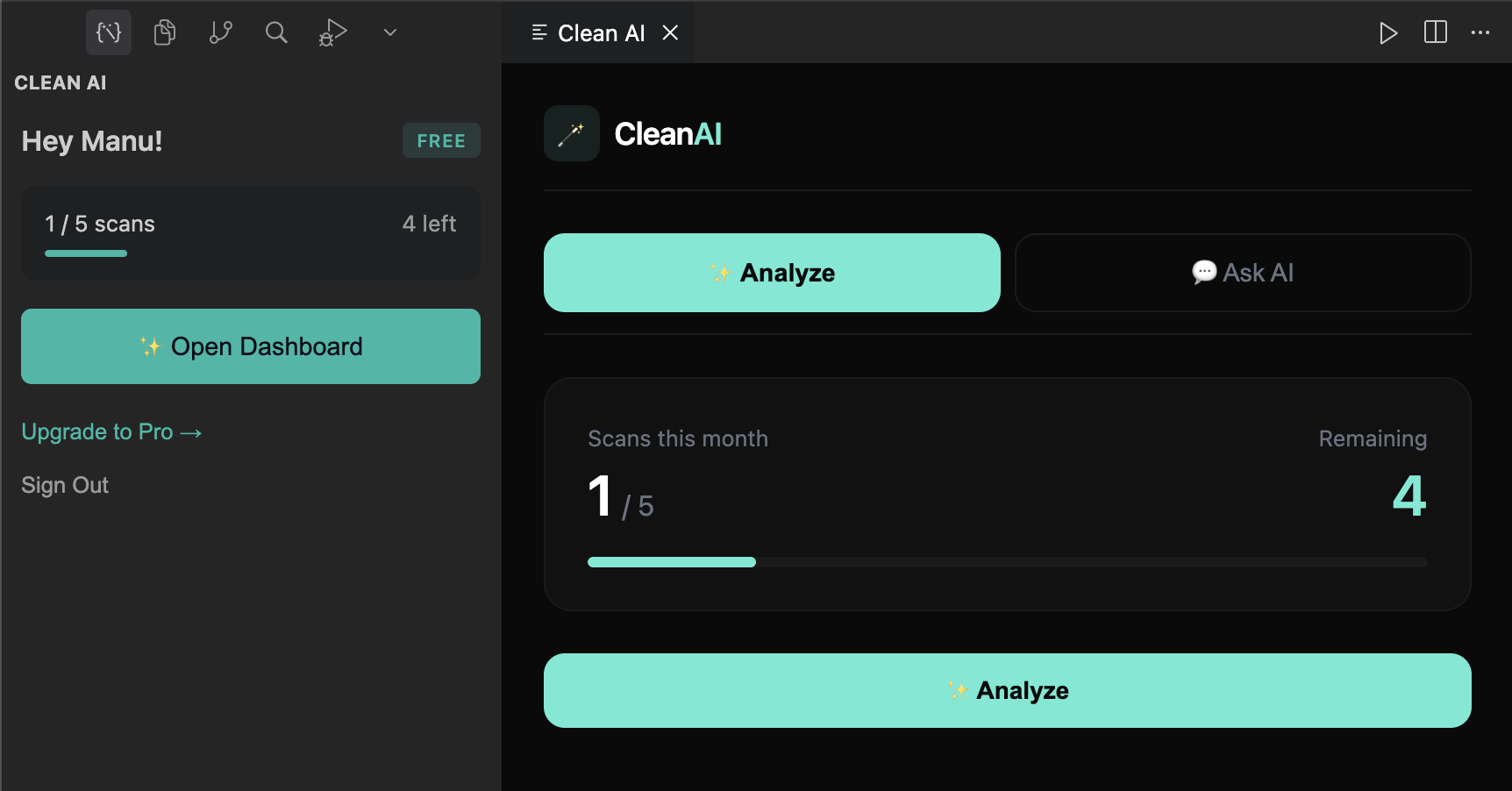
CleanAI Interface

Step Action
1 Install CleanAI from the Extensions panel
2 Click the CleanAI icon in the sidebar
3 Sign in with GitHub
4 Press Analyze or Cmd+Shift+A
5 Review and delete the dead code

That's it. No configuration, no complex setup.


Keyboard Shortcuts

Shortcut Action
Cmd/Ctrl + Shift + A Analyze Workspace
Cmd/Ctrl + Shift + C Open CleanAI Panel

Pricing

Free Pro Enterprise
Scans/month 5 Unlimited Unlimited
All languages Yes Yes Yes
AI analysis Yes Yes Yes
Priority support — Yes Yes
Team dashboard — — Yes
Price Free $20/mo Contact us

Start Free · Go Pro · Enterprise


Privacy & Security

  • Analysis happens locally on your machine
  • Your code is never uploaded
  • We only track scan counts, not code content

Support

  • cleanai.pro
  • Documentation
  • team@beloyal.app

Stop maintaining dead code. Start shipping faster.

Get CleanAI →

  • Contact us
  • Jobs
  • Privacy
  • Manage cookies
  • Terms of use
  • Trademarks
© 2026 Microsoft