
Ansible Flow Designer
Design Ansible automation as a diagram in VS Code. Draw the steps and decide what
happens when each one fails; the extension writes the playbook and runs it.
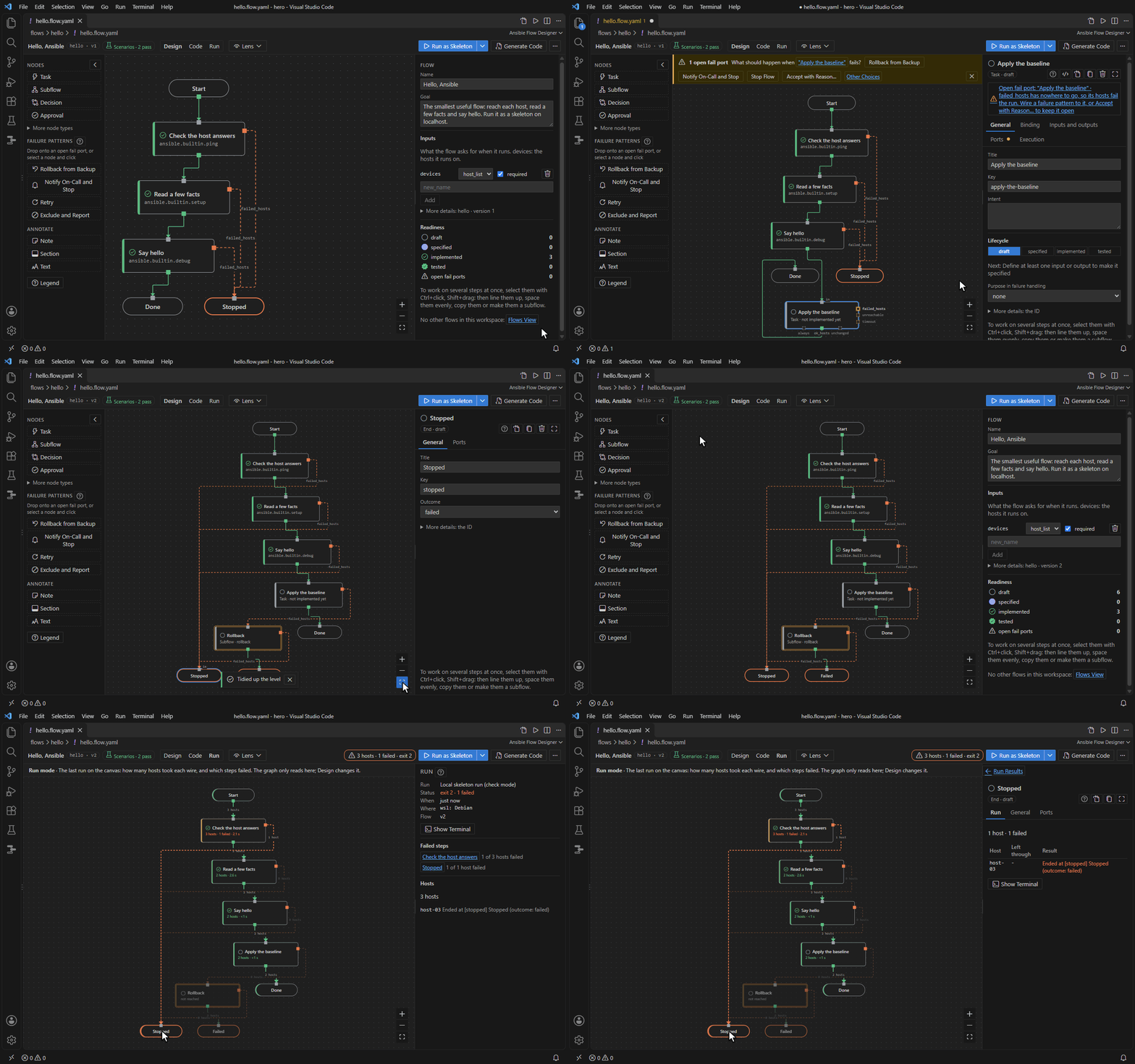
Why
- The diagram is the source. A flow is a YAML file (
*.flow.yaml) in your repository. The
playbook is generated from it on every save, and edits to the code are shown as drift, not lost.
- Failure paths are designed, not forgotten. Every step has a
failed_hosts port, and the
flow is not done until each one is handled or kept open with a reason.
- It runs before the code exists. A new flow runs as a skeleton in check mode. You then bind
each step to a module, a role or a playbook, one at a time.
Main features
- Top-down canvas: steps, decisions, approvals, parallel branches and subflows, with notes
and sections that explain the flow.
- Failures in one click: rollback from backup, notify on-call and stop, exclude and report,
retry.
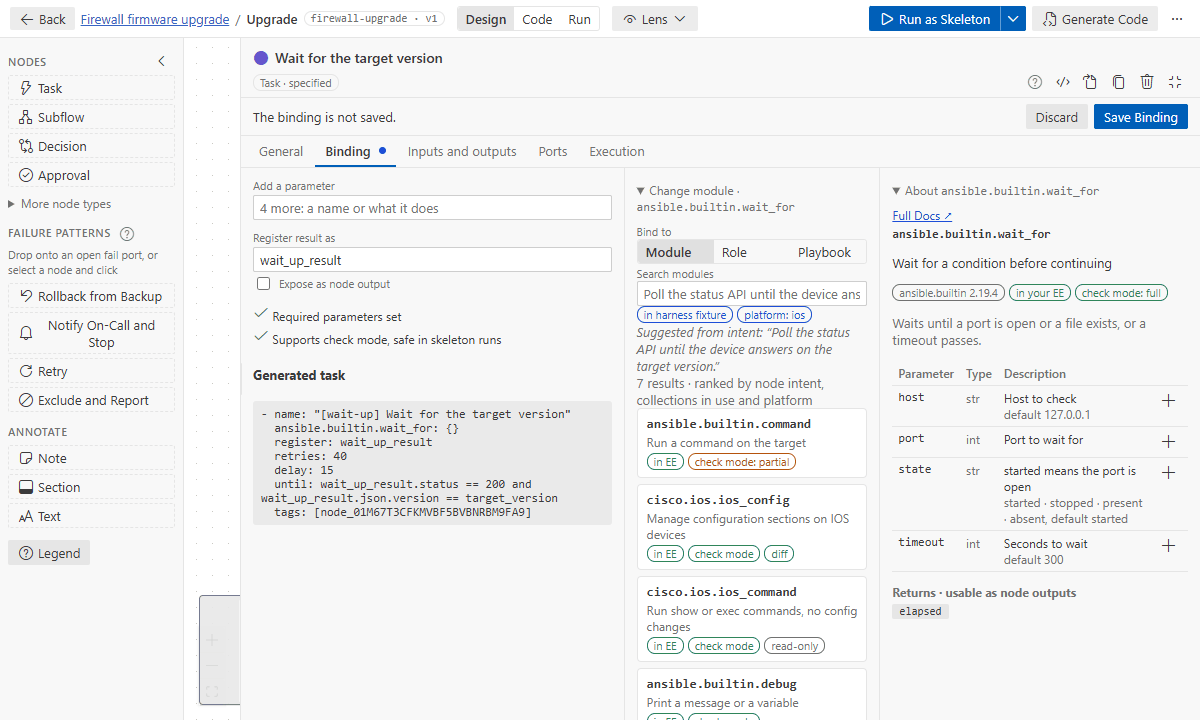
- Bind steps to modules, roles and playbooks from your execution environment's catalog, with
their docs. Pass data between steps with
@, and let whoever runs the flow set a step's
retries, delay or timeout.
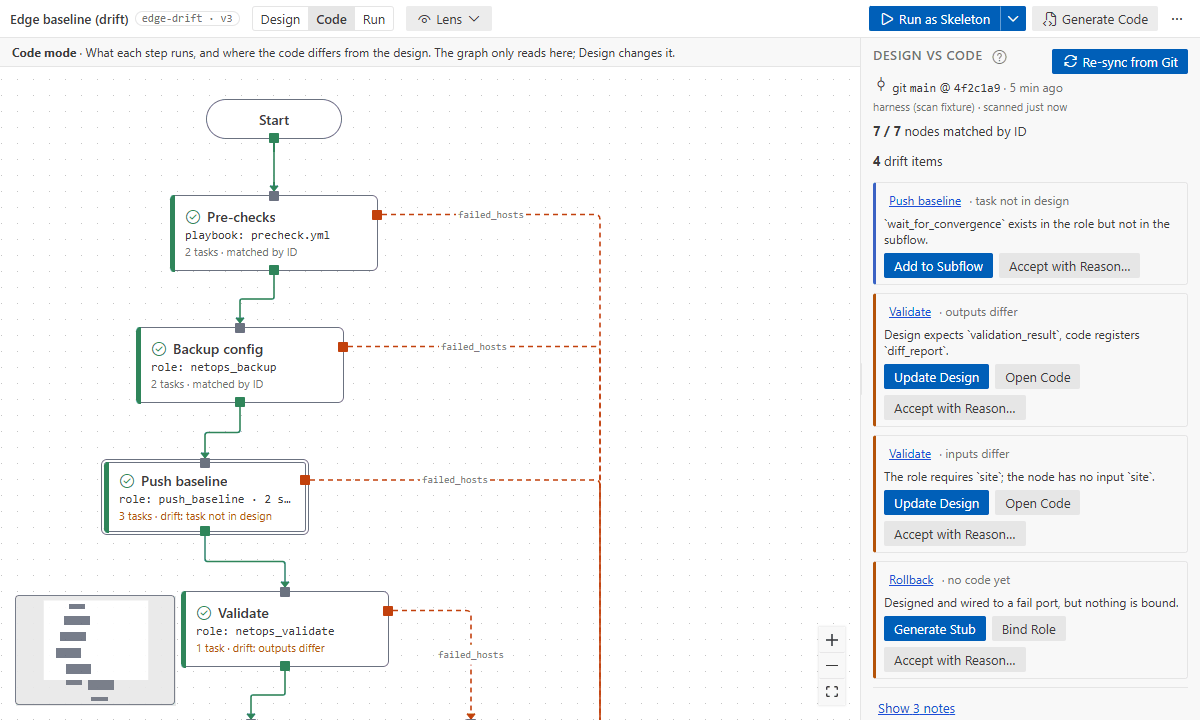
- Design versus code: Code mode compares the flow with the code it runs and fixes drift in
either direction.
- Run locally (check mode, or for real and audited) or in AWX with approvals. Run mode shows
where every host went.
- Scenario tests: make chosen steps fail for chosen hosts and say where each must end. A
simulation checks them as you edit; they also run in Ansible and in CI.
- Lenses over the whole flow: inventory, data, code, access, timing, and changes since a
commit.
- Bring what you have: import playbooks and AWX workflows. AI assistants (Copilot, Claude Code
and others) build and fix flows, and their scenario tests, through flow tools. Export to draw.io.
See it work
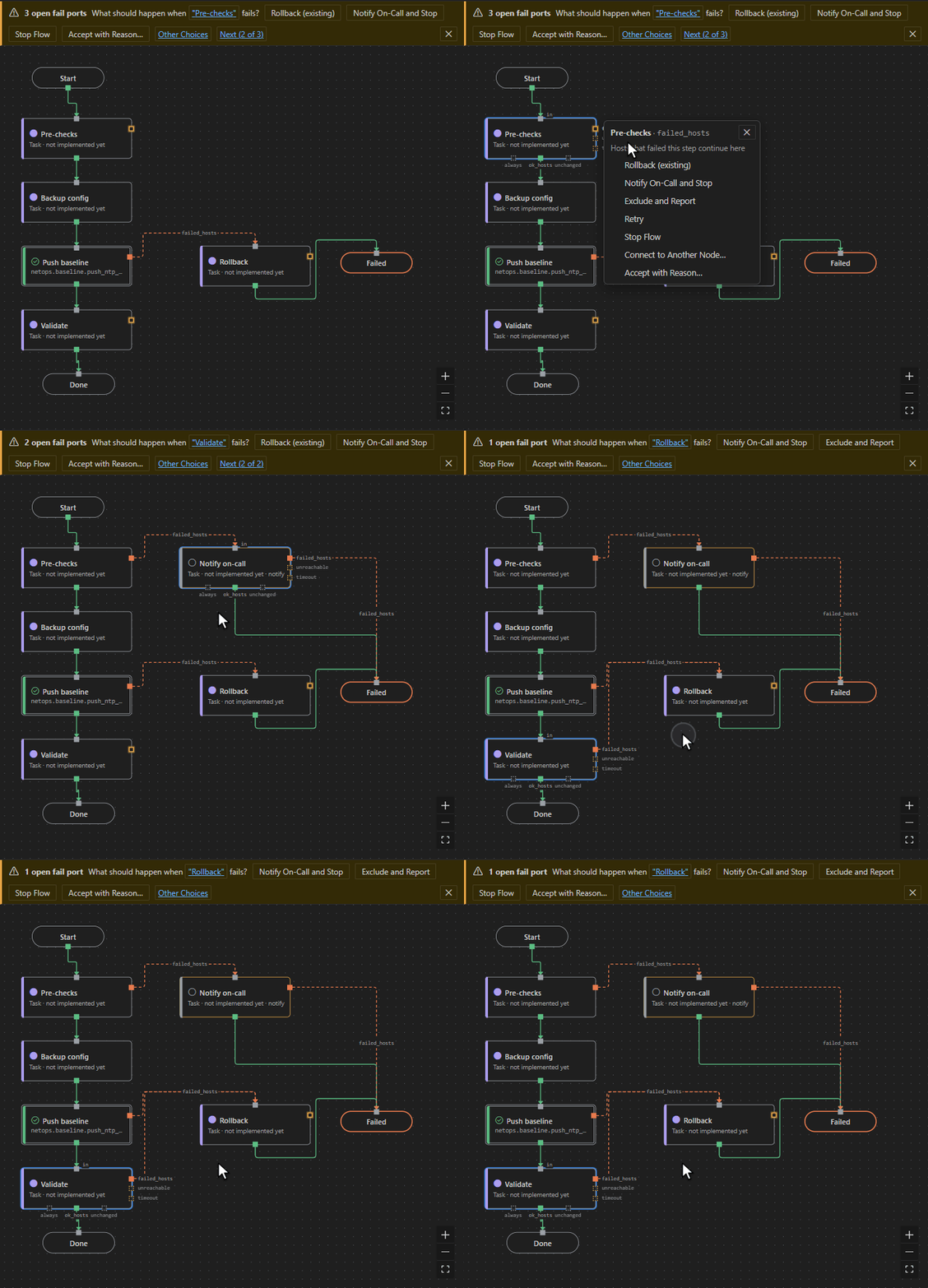
Handle a failure in one click. An open fail port offers the failure patterns; a rollback the
flow already has is reused.
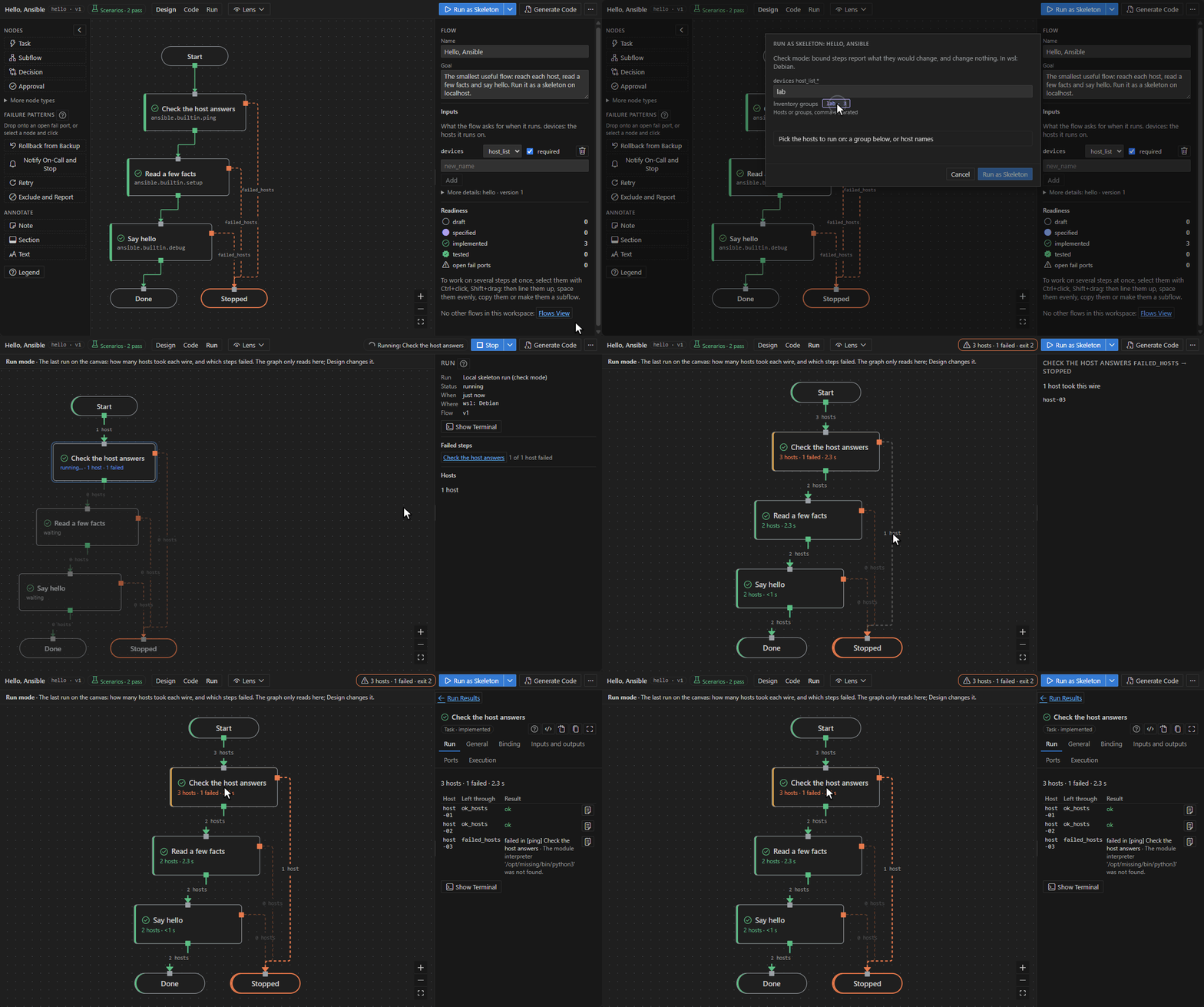
See where every host went. A run fills the canvas as it goes: how many hosts took each wire,
which hosts, and each host's result at the step that failed it.
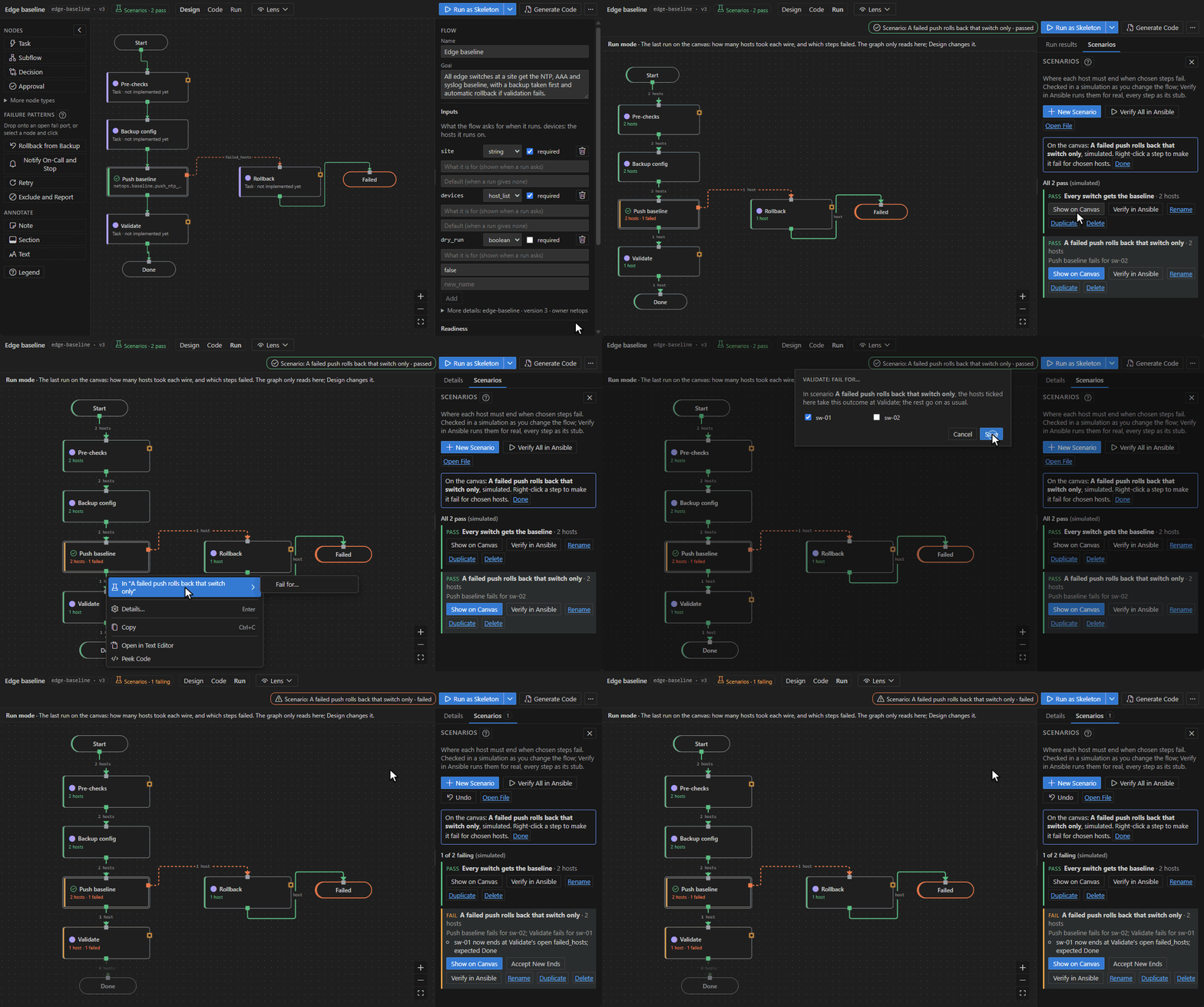
Test where hosts end, without a run. Show a scenario on the canvas, make a step fail for a
host, and the simulation says at once where that host now ends.
| Bind a step to a module |
Design versus code |
 |
 |
Get started
- Install the extension. Designing needs nothing else; runs need ansible-core 2.19 or later in
an execution environment image, WSL or a local venv (Set Up Ansible Environment… helps).
- Click the Ansible Flows icon in the Activity Bar, then New Flow (or Open Sample
Flow… for a flow that already runs).
- Add steps with Add a Step and N, answer the banner about failures, then Run as
Skeleton on
localhost.
The first tutorial takes 10 minutes. Then:
Requires VS Code 1.94 or later (the module catalog: 1.101 or later). MIT licensed.
The user guide also opens inside VS Code: run Ansible Flow: Open User Guide from the Command Palette.
| |

