Pine Script DevKitBuild TradingView Pine Script v6 indicators and strategies with IntelliSense, diagnostics, formatting, @pinescript Copilot chat, and MCP tools for AI agents. Installation Launch VS Code Quick Open ( Ctrl+P), paste the following command, and press enter.Copied to clipboard |

Pine Script DevKit for VS Code
This extension brings Pine Script v6 into your VS Code workflow. Here is what it can do:
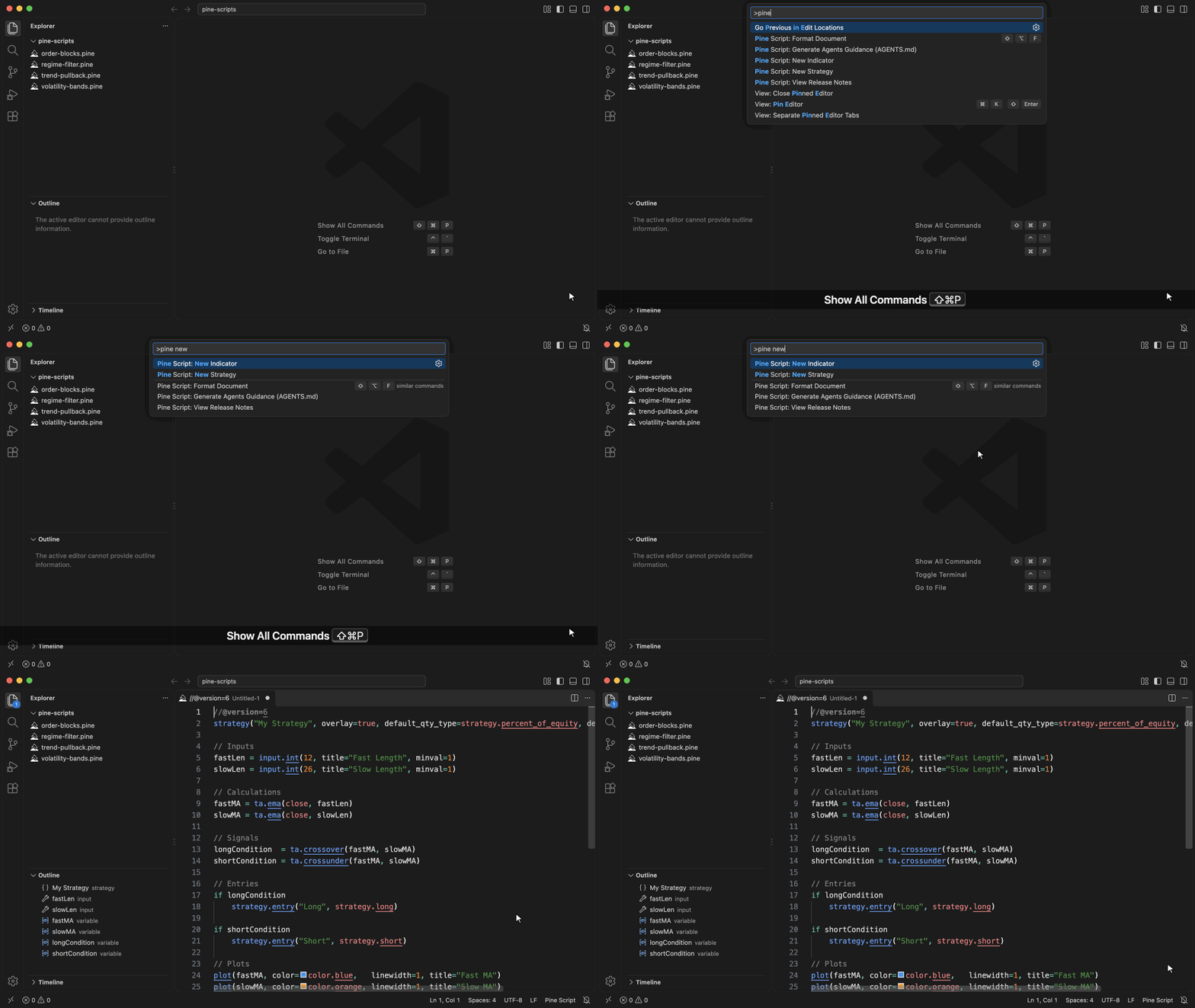
Create a scriptPress Ctrl+Shift+P (Cmd+Shift+P) and run "Pine Script: New Indicator" or "Pine Script: New Strategy" to open a ready-to-edit v6 template. Start a library with the
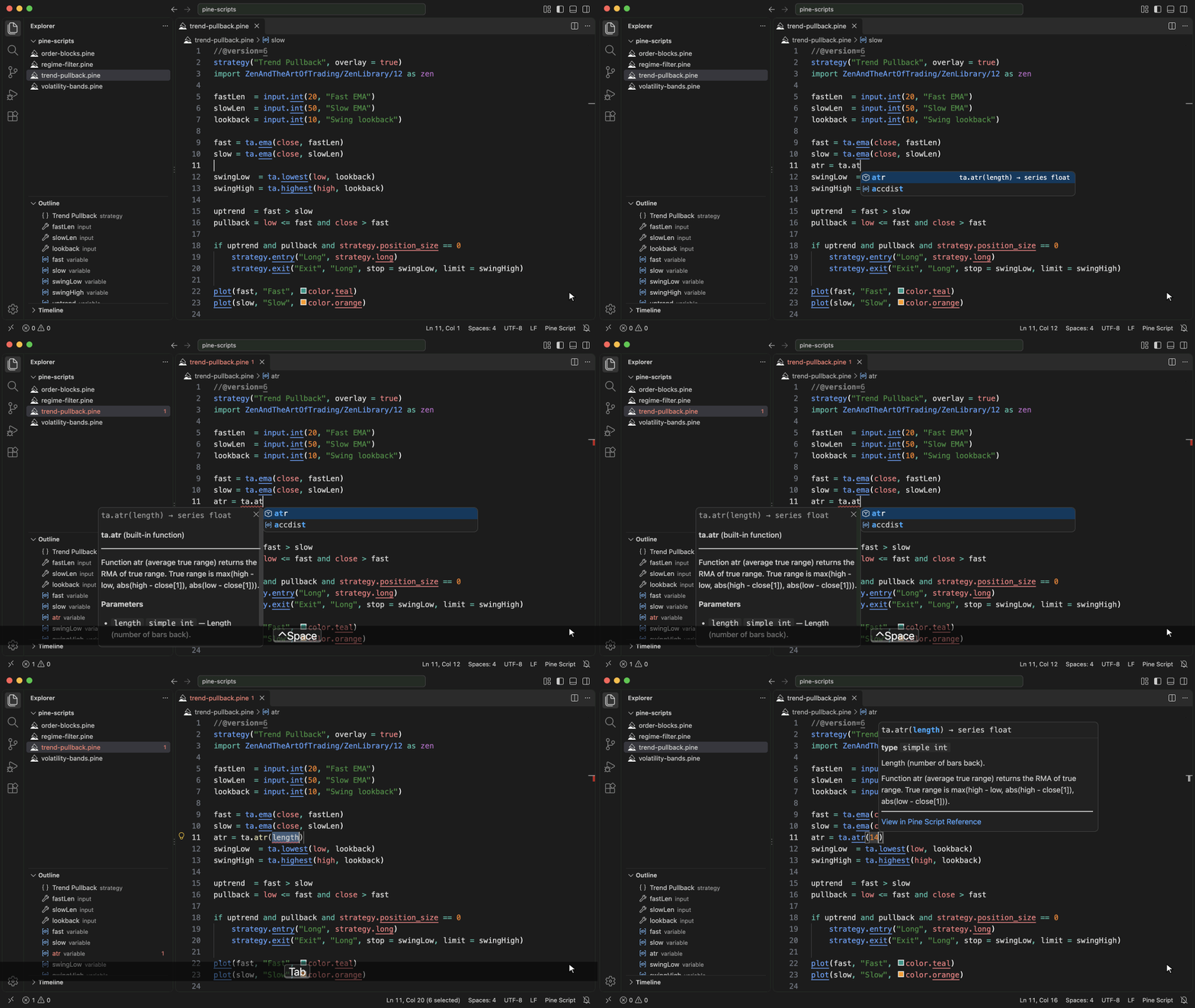
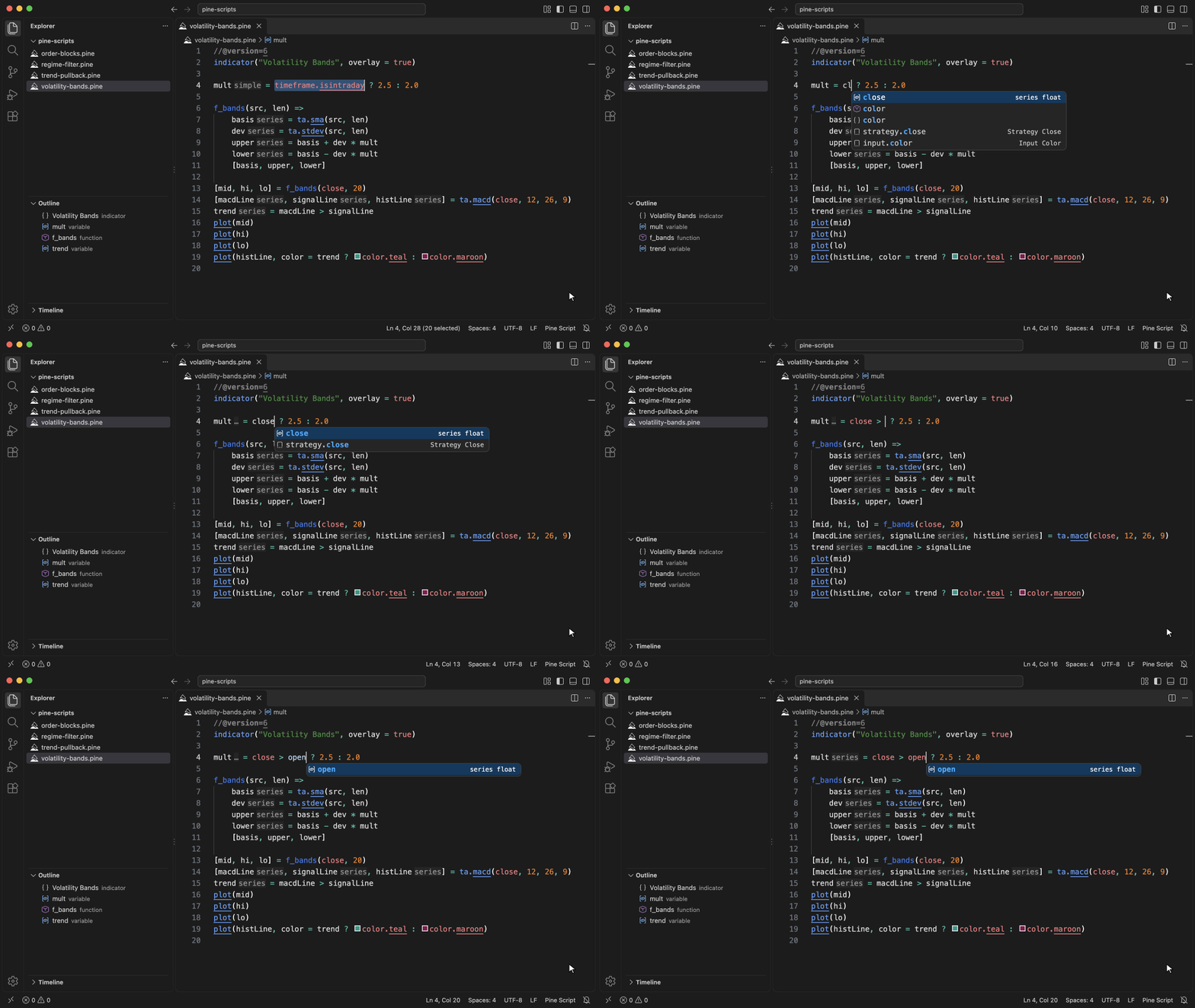
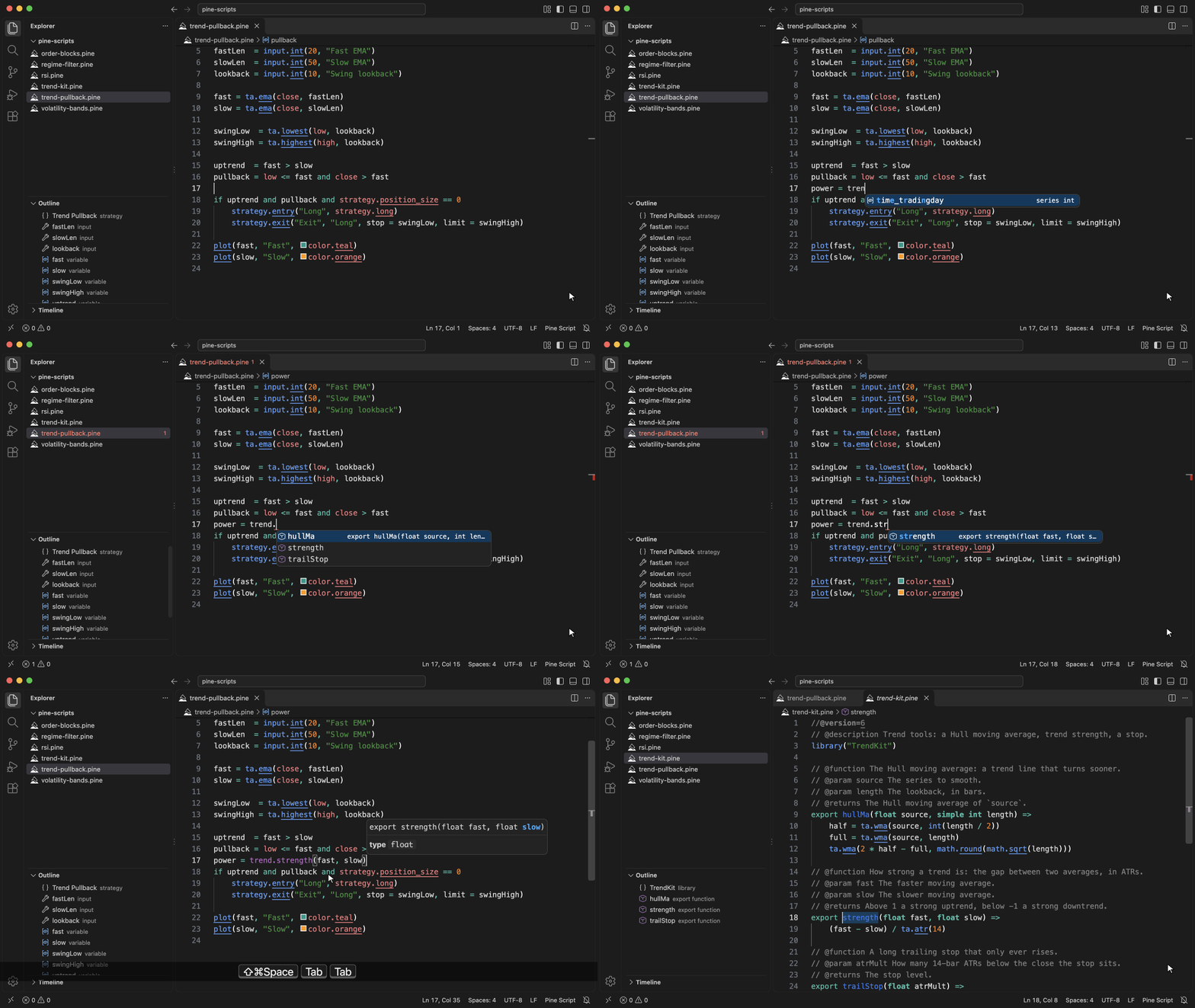
Complete code as you typeType
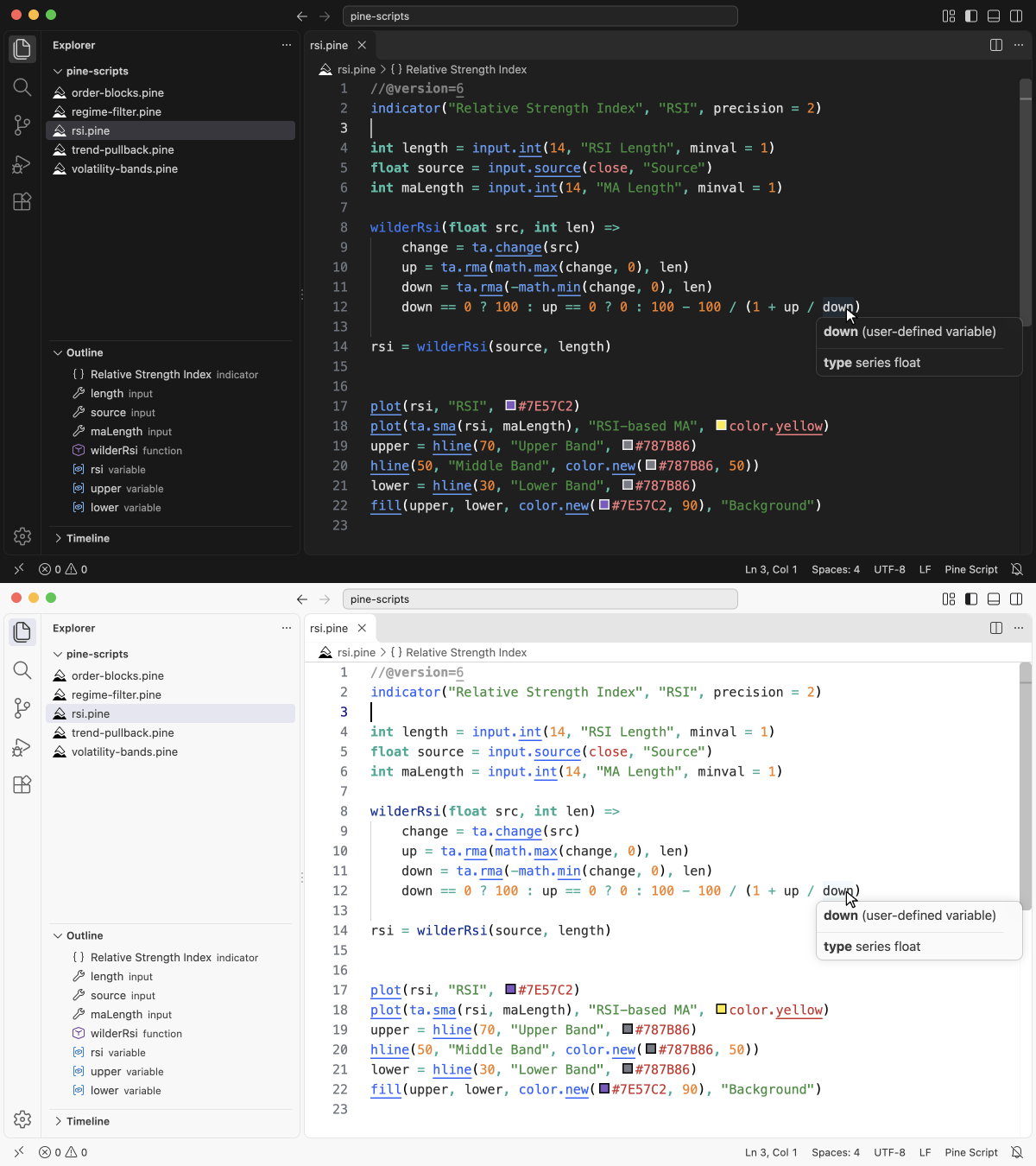
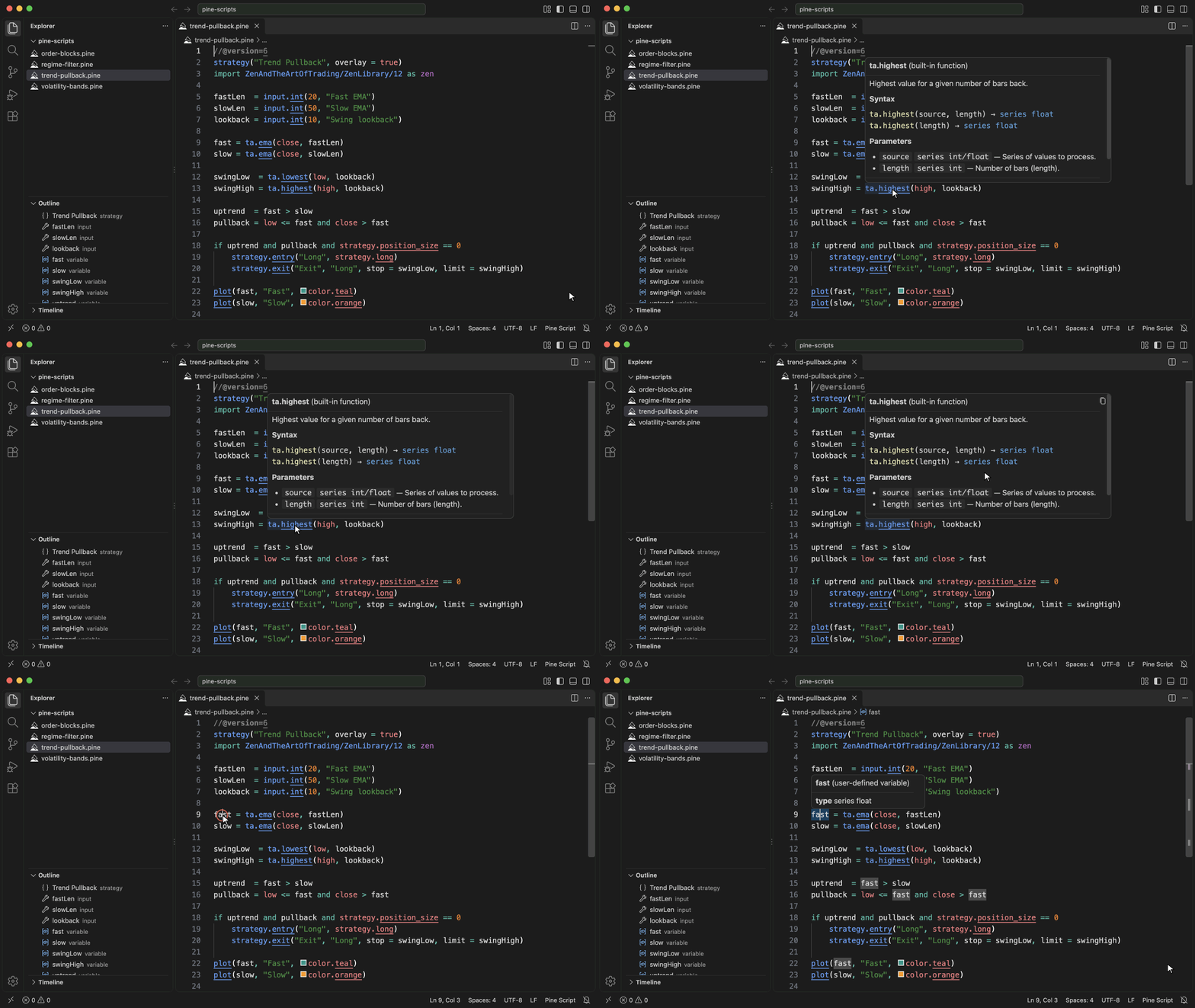
Read documentation on hoverHover a built-in to see all of its overloads and what each one returns, or press Ctrl+K Ctrl+I (Cmd+K Cmd+I) to show the same card at the cursor. Hover your own variables, types and methods to see their types and fields. Click "View in Pine Script Reference" to open the official TradingView page.
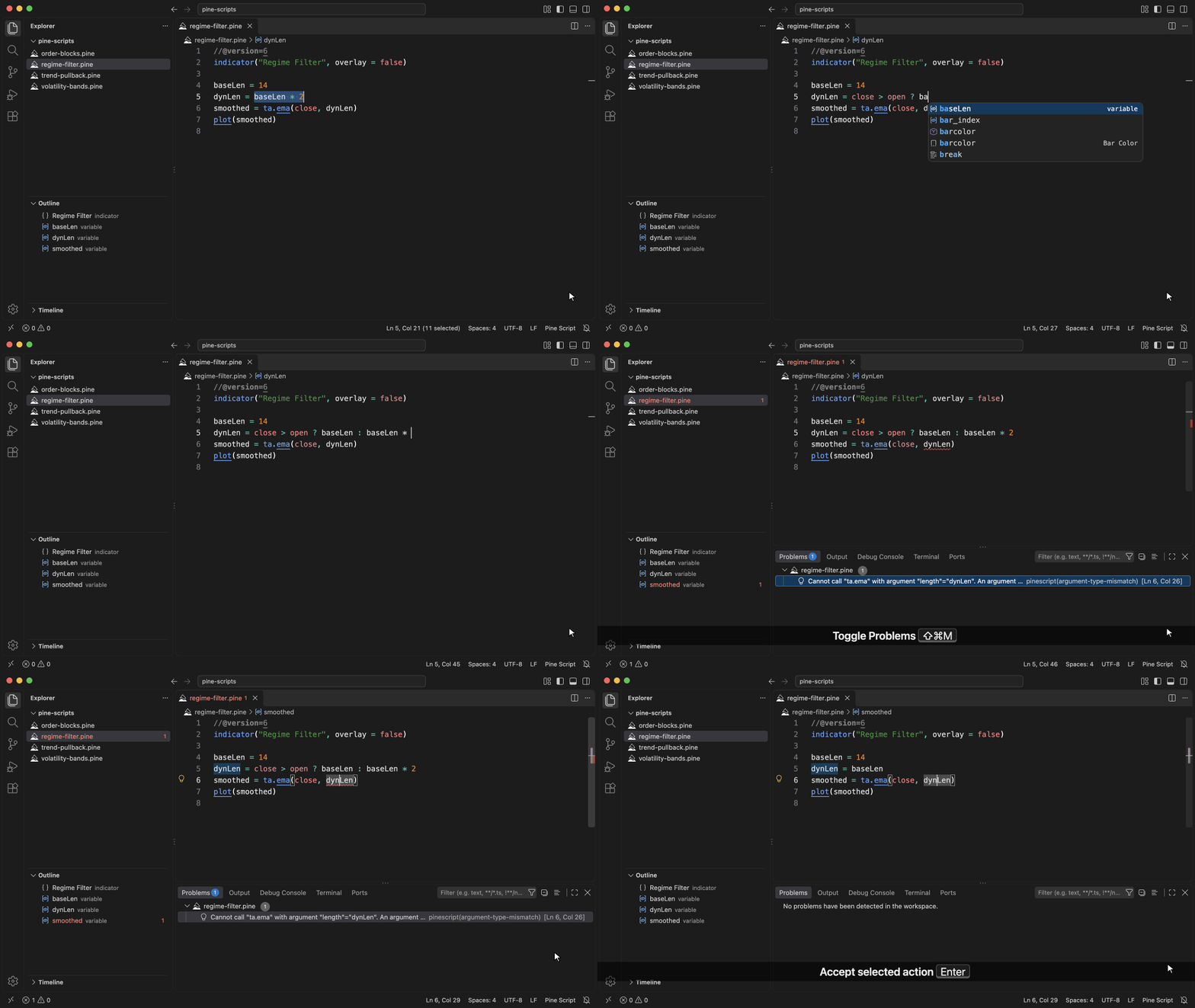
Catch and fix errors as you typeMistakes are underlined as you type, from a missing
See inferred typesTurn on
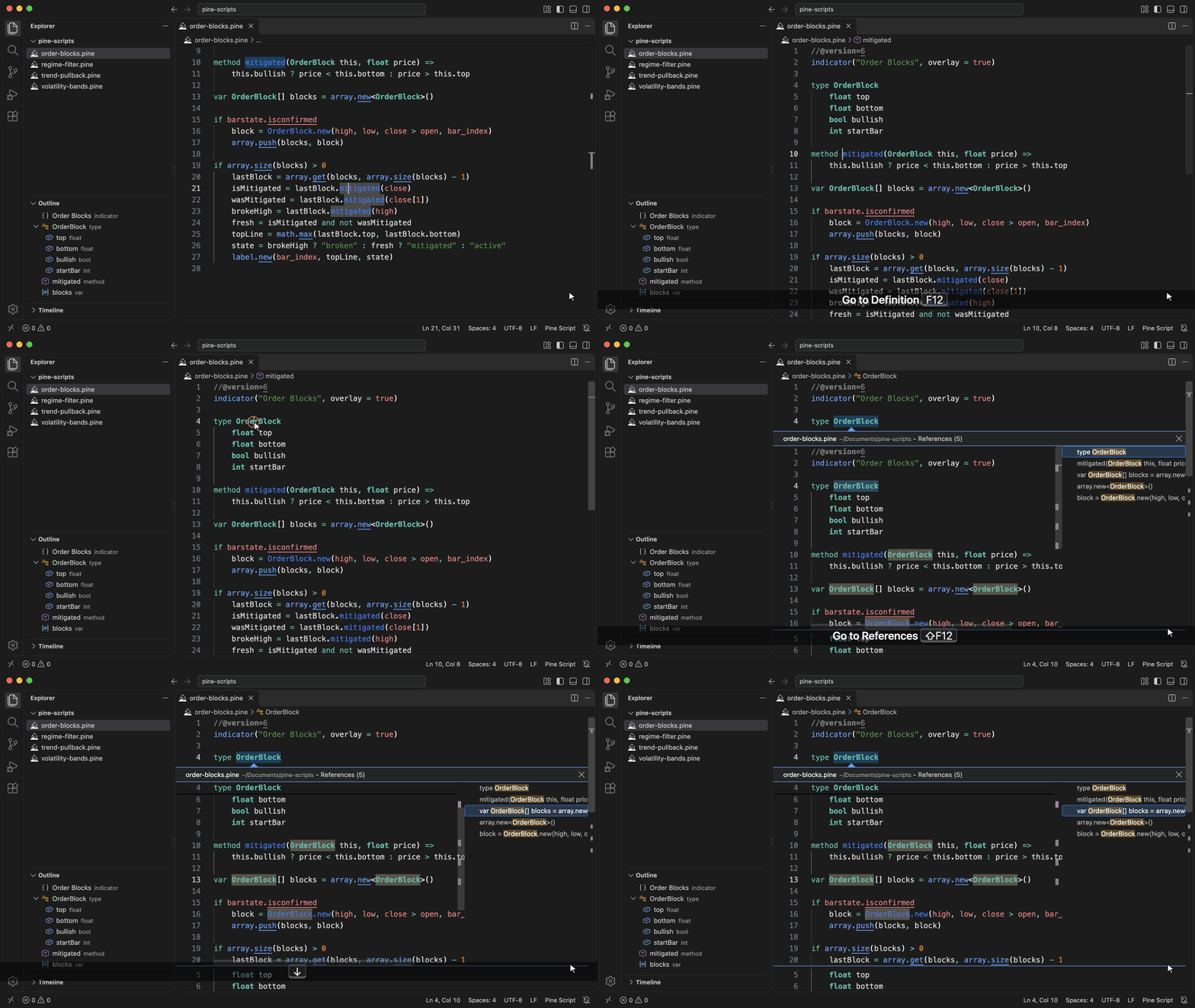
Go to definition, find referencesPress F12 on a function, type, method or variable to jump to its declaration. Press Shift+F12 to see every place where it is used.
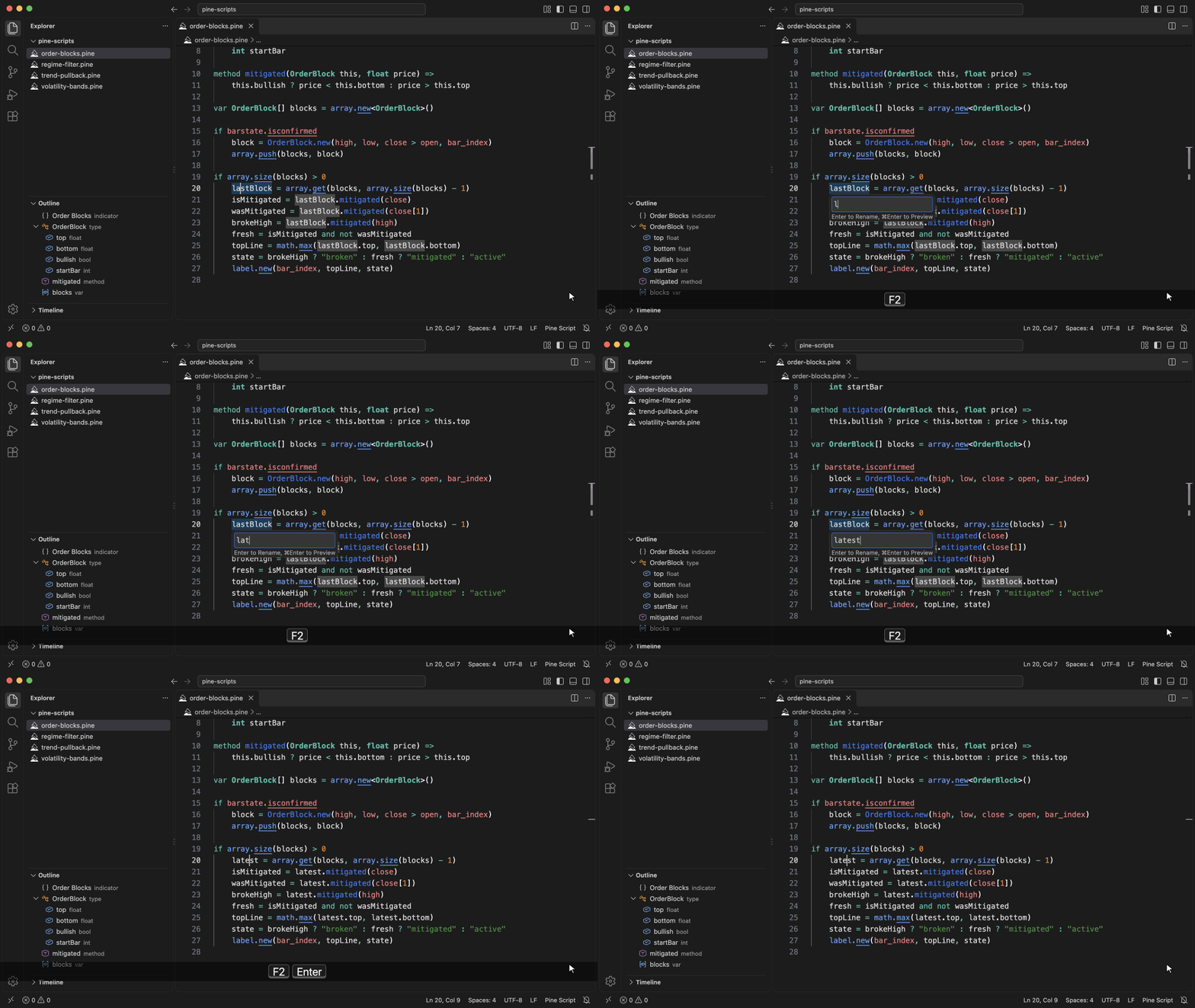
Rename a symbolPress F2 on a symbol, type the new name and press Enter. Every reference in the script is updated at once.
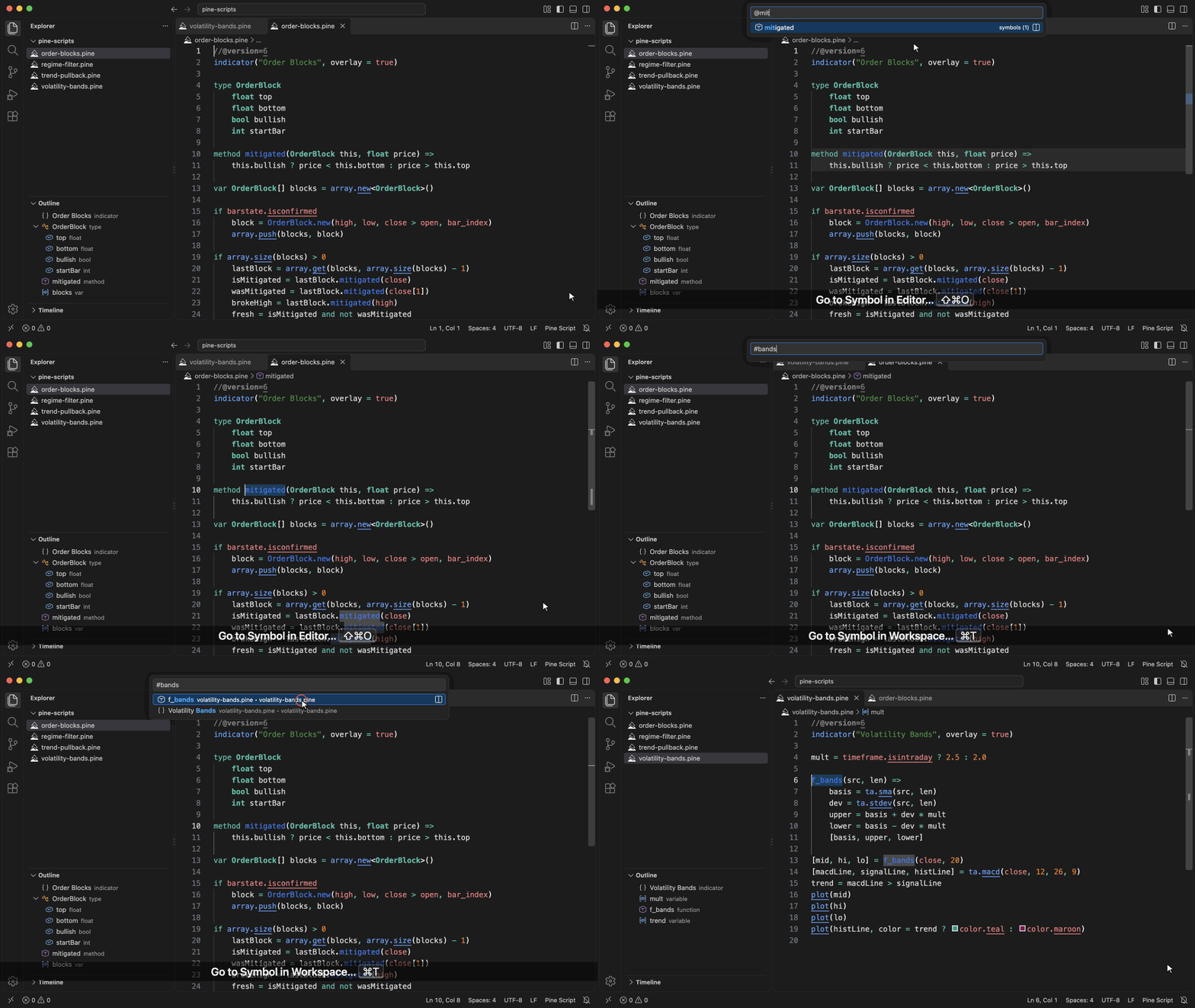
Find any symbolPress Ctrl+Shift+O (Cmd+Shift+O) to jump to a type, method, function or input in the current script, or Ctrl+T (Cmd+T) to find a symbol in any open
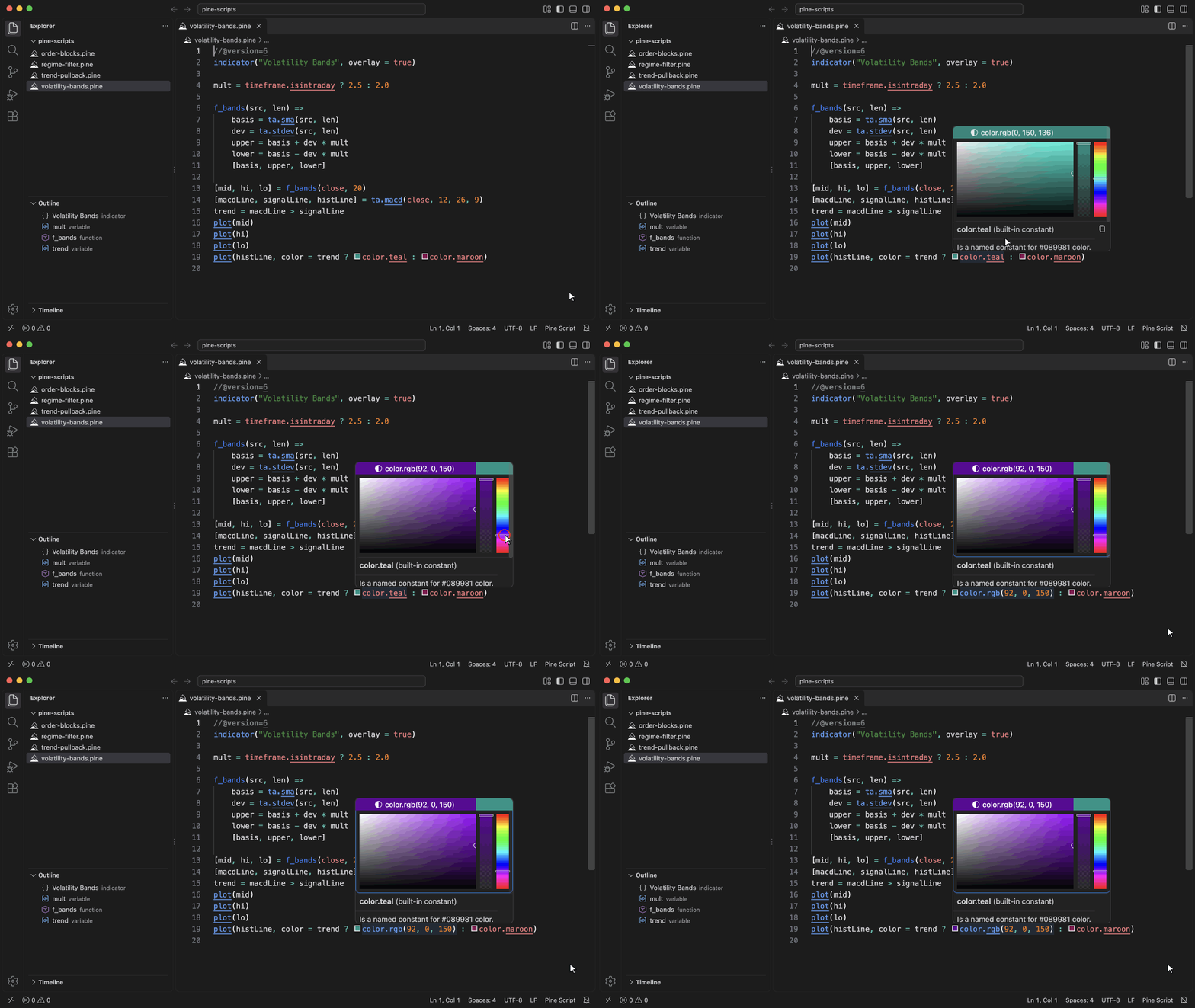
Pick colorsHover the swatch next to a color constant such as
Use community librariesWrite
Nothing is downloaded and no library ships with the extension: copy a library's source from TradingView into one of these places. Until one is found, the import shows a hint and the rest of the script is still checked.
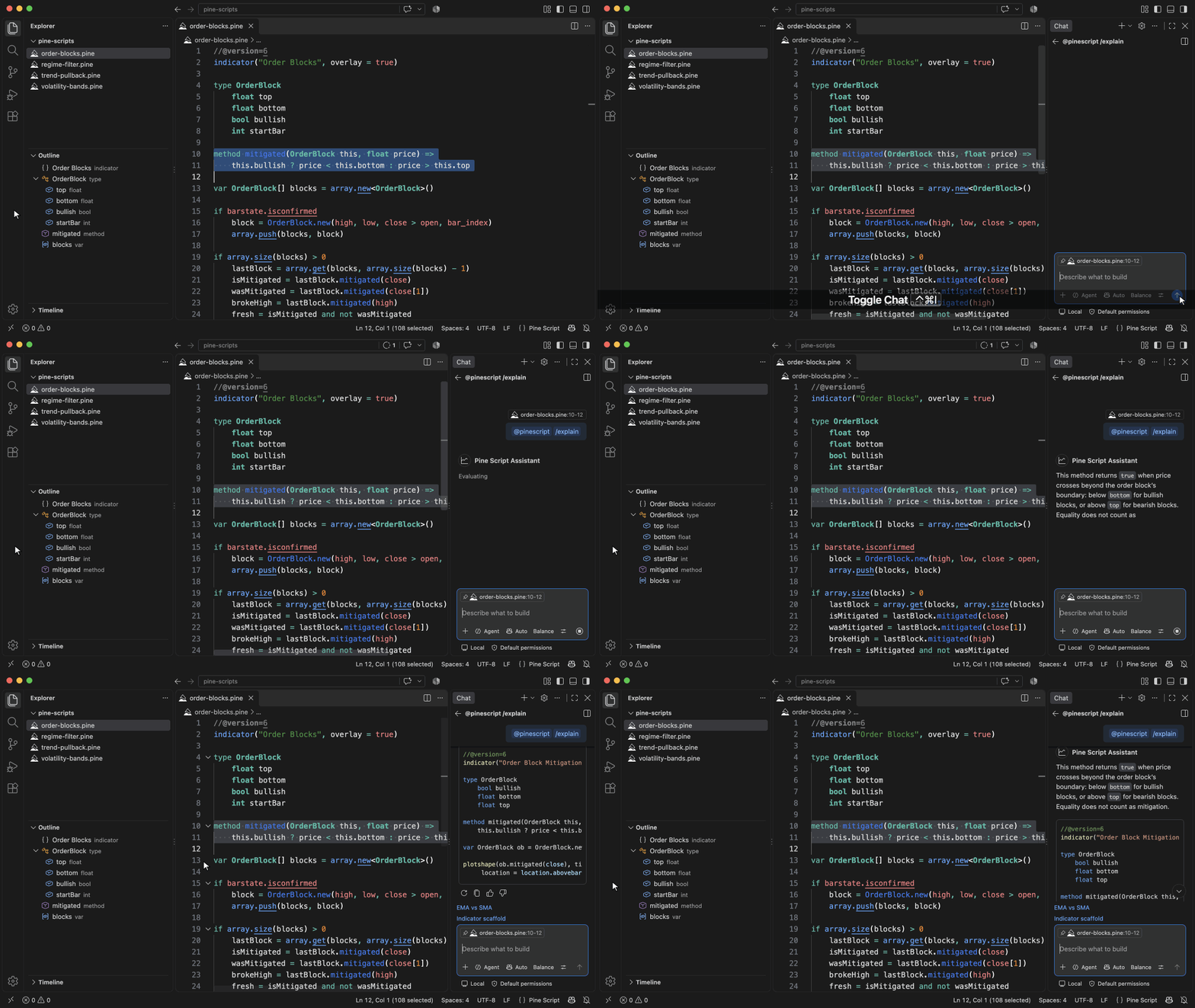
Ask @pinescript in Copilot ChatPress Ctrl+Alt+I (Ctrl+Cmd+I) to open Copilot Chat, then type
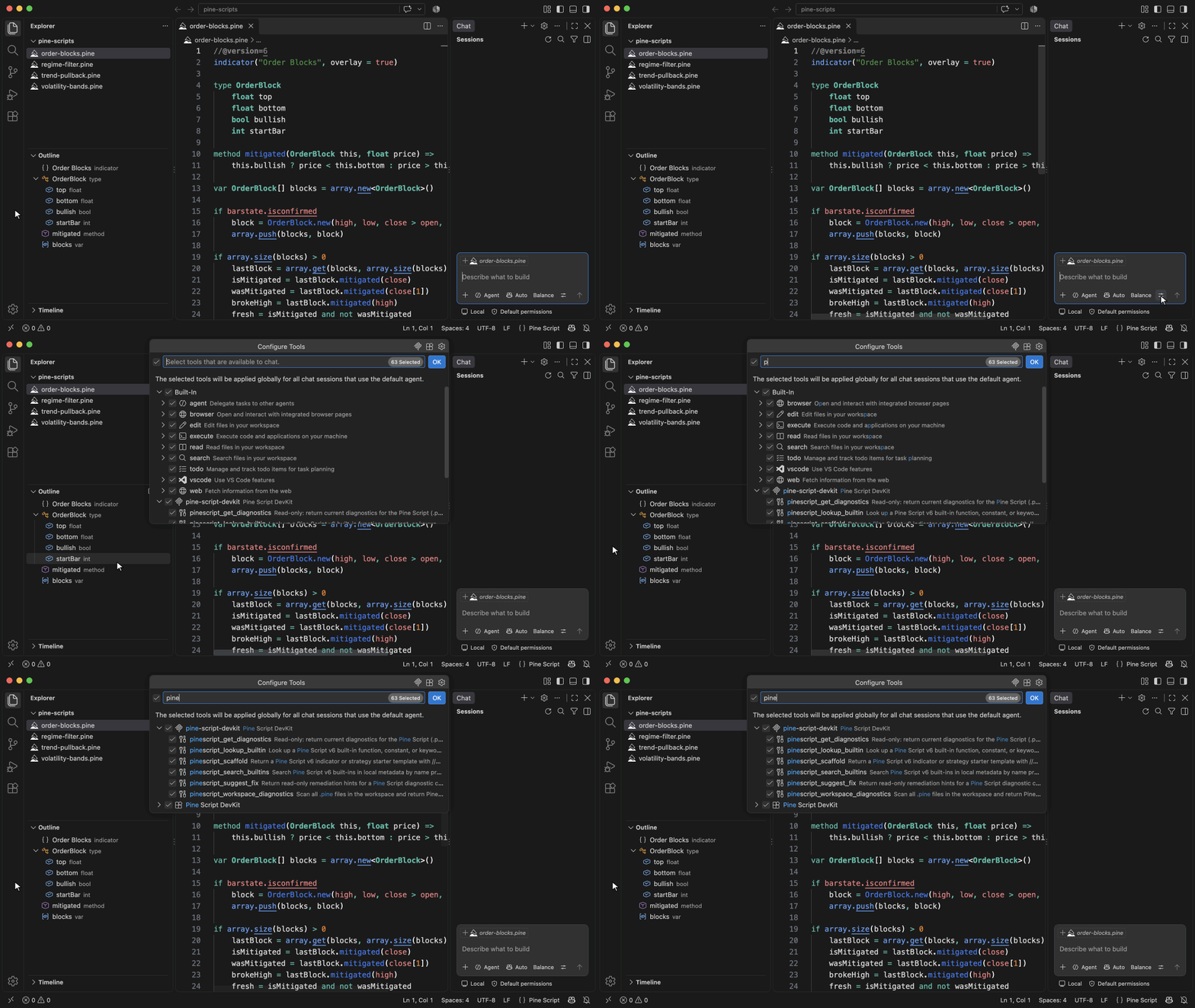
Give AI agents the Pine toolsSwitch Copilot Chat to Agent mode, and tools such as Other agents in VS Code desktop find the same tools on the
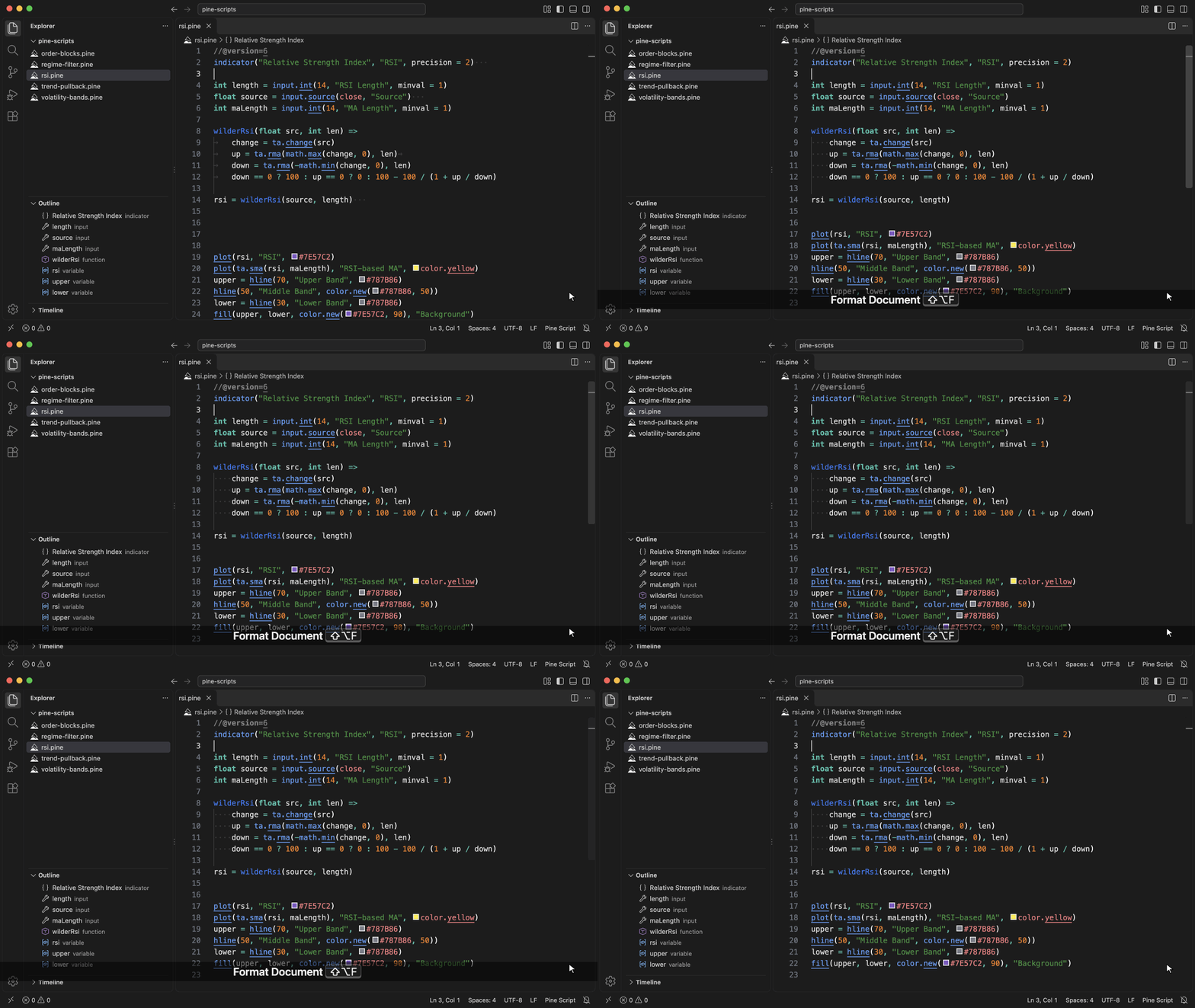
Format a scriptPress Shift+Alt+F to run Format Document: it turns tabs into four spaces, trims trailing whitespace and collapses runs of blank lines. Use Format Selection to format only the selected lines.
RequirementsThis extension works with VS Code 1.138.0 or higher. Chat and Agent mode need GitHub Copilot. |